
What is a URL?
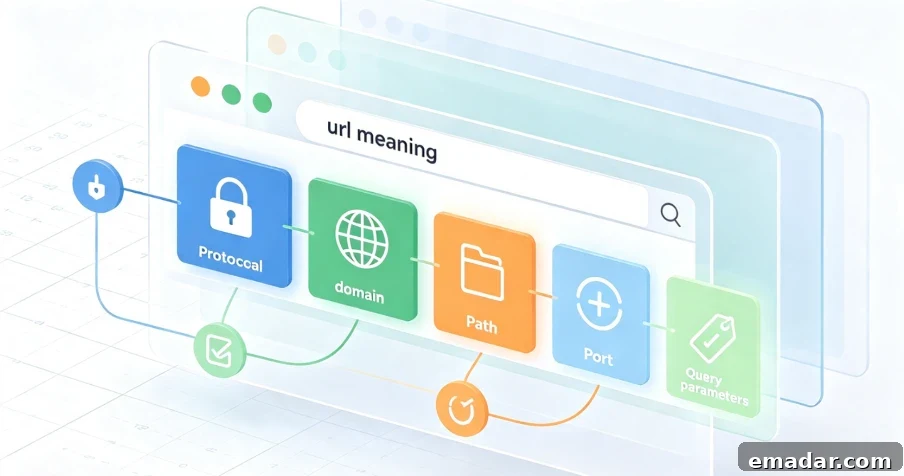
Every time you open a website, share a link, or bookmark a page, you are interacting with a URL. It is one of the fundamental building blocks of the internet, yet many people never pause to consider exactly what a URL is or how it works.
This guide explains everything you need to know about URLs in 2026 — what a URL is, how it is structured, why it matters, and how URLs affect everything from everyday browsing to search engine optimization.
What is a URL?
A URL (Uniform Resource Locator) is an address used to access resources on the internet. It specifies the location of a resource — such as a webpage, file, or image — and the protocol required to retrieve it.
In plain terms, a URL is the complete web address you type into your browser’s address bar to reach a specific page or file. It tells the browser where to go and how to get there.
URL vs. Web Address vs. Link
These terms are often used interchangeably, but there are subtle differences:
- URL — the technical term for a web address that contains all the information needed to locate and retrieve a resource.
- Web address — a more general term most people use to refer to a URL.
- Link — a clickable URL embedded in text, buttons, or images. A plain URL can be copied and pasted; a link takes you to the target page when clicked.
URL vs. URI: What’s the difference?
URI (Uniform Resource Identifier) is a broader term used to identify resources. A URL is a specific type of URI that not only identifies a resource but also specifies how to locate it. A URI may only name a resource without describing how to find it. Every URL is a URI, but not every URI is a URL.
URL vs. IP Address
An IP address identifies the location of a server on the internet, while a URL provides a user-friendly address and specifies a protocol and the exact resource to retrieve. Think of an IP address as a building’s street address and the URL as detailed directions that tell you which floor and room to enter.
Why URLs Matter
URLs are more than technical addresses — they are essential to browsing, sharing, and understanding the web.
Accessibility and Navigation
URLs offer a simple, standardized way to access resources online, making browsing and retrieval intuitive. Without URLs, users would need to remember IP addresses for every site they visit, which is impractical for most people.
Readability and Memorability
Unlike numerical IP addresses, URLs are usually designed to be readable and memorable, helping users locate pages and resources. A well-crafted URL can hint at a page’s content even before you click.
Interoperability
URLs work consistently across platforms and systems, providing a unified method to access resources on the internet. Whether you use a phone, tablet, or desktop, URLs function the same way.
SEO and Site Structure
Search engines use URLs to understand a site’s structure and content. Clear, descriptive URLs that include relevant keywords can improve search rankings. For site owners, a logical URL structure makes it easier for visitors to navigate and understand the website hierarchy.
URL Structure: Breaking Down Each Component
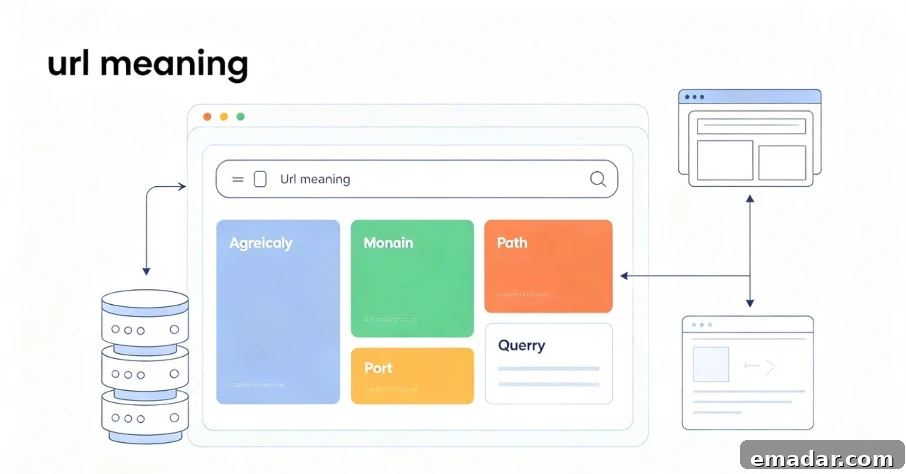
A URL consists of several key parts, each serving a specific purpose. Below is a detailed look at the most common components of a web address.
1. Scheme (Protocol)
The scheme is the first part of a URL and defines the protocol the browser uses to connect to the server.
Common protocols:
- HTTP — the standard protocol for web communication.
- HTTPS — the secure version of HTTP. It encrypts data exchanged with a website using TLS and typically uses port 443, while HTTP uses port 80.
- FTP — used for file transfers between hosts.
- mailto — opens the default email client to send a new message.
In the URL https://www.example.com, the scheme is https://.
2. Subdomain
A subdomain appears before the first dot in a URL. The most common subdomain is www, but site owners can use descriptive subdomains like blog or support to organize content.
In https://blog.example.com, the subdomain is blog.
3. Domain
The domain is the unique name that identifies a website. It replaces the numeric IP address with a human-readable label. In https://www.example.com, the domain is example.
4. Top-Level Domain (TLD)
The domain suffix at the end of a domain name, such as .com, .org, or .net, is called the top-level domain. Different TLDs can indicate a site’s purpose or type — for example, .edu for educational institutions and .gov for government sites.
5. Path
The path points to a specific folder or file on the server, guiding the browser to the correct page. In https://www.example.com/products/shoes, the path is /products/shoes.
6. Query Parameters
Query parameters appear after a question mark and pass additional information to the server. They are often used for searches, filters, or tracking. In https://www.example.com/search?q=shoes, the parameter is q=shoes.
7. Fragment (Anchor)
The fragment follows a # symbol and points to a specific section within a page, such as a heading or a location within a long article.
Absolute URLs vs. Relative URLs
Not all URLs are the same. There are two main types:
Absolute URLs include the full address, including protocol and domain, and work from anywhere on the web. Example: https://www.example.com/products/shoes
Relative URLs point to files or pages within the same site and omit the full address. They are shorter and helpful when moving or reorganizing content. Example: /products/shoes
Relative URLs are commonly used for internal links to avoid broken links when a site’s domain or structure changes.
How URLs Work
When you enter a URL in the browser address bar or click a link, the following steps happen behind the scenes:
- Your browser sends a request to the server specified by the URL.
- The Domain Name System (DNS) translates the human-readable domain into a machine-readable IP address.
- The browser connects to the server using the specified protocol (HTTP or HTTPS).
- The server retrieves the requested resource (webpage, image, or file).
- The browser renders the content in your window.
The whole process typically takes only milliseconds, enabling fast and seamless browsing.
Common URL Issues and How to Avoid Them
While URLs are essential, they also present some challenges.
Broken Links
Over time, URLs can become outdated or broken — a phenomenon known as link rot. Pages may be moved or deleted during site updates, causing links to fail. Site owners should maintain a clear URL structure and use redirects to prevent broken links.
Security Risks
URLs can be manipulated for phishing or other malicious activities, especially when obfuscated or shortened. Always inspect a full URL before clicking links from unknown senders.
Length and Complexity
URLs with many parameters, query strings, and fragments can become long and hard to share or remember. Keeping URLs concise and descriptive improves both usability and SEO.
How to Create User-Friendly URLs
For site owners and content creators, clear, well-structured URLs benefit both users and search engines. Best practices include:
Keep them short and descriptive — use words that describe the page content and avoid unnecessary numbers or parameters.
Use hyphens, not underscores — search engines treat hyphens as word separators, which improves readability.
Avoid special characters — stick to letters, numbers, and hyphens to prevent encoding issues.
Use lowercase letters — some servers are case-sensitive, so lowercase avoids confusion.
Include relevant keywords — keywords in the URL can help SEO when applied naturally.
Organize logically — structure URLs to reflect site hierarchy (for example, /category/subcategory/page).
Protecting Privacy While Browsing
Each time you visit a website, your browser sends your IP address with the request. That means sites, advertisers, and even your internet provider can track your browsing activity, including the URLs you visit. Using privacy tools, such as residential proxies, can help mask your real IP address and reduce tracking.
Residential proxy solutions route your traffic through IP addresses assigned by real internet service providers, making your activity harder to associate with your actual location.
Static residential proxies provide dedicated ISP-registered IP addresses that remain stable over time — ideal for long-term privacy and undetectable usage patterns.
Rotating residential proxies supply real residential IPs and automatically rotate them to add an extra layer of anonymity.
Frequently Asked Questions
What is a URL?
A URL (Uniform Resource Locator) is the address used to access resources on the internet. It specifies the location of a resource and the protocol needed to retrieve it.
What is the difference between a URL and a domain?
A domain is only part of a URL — it identifies the website. A URL includes the protocol, domain, path, and sometimes query parameters and fragments.
Are URL and web address the same?
Yes. URL is the technical term for what most people call a web address.
What does HTTPS mean in a URL?
HTTPS stands for Hypertext Transfer Protocol Secure. It is the secure version of HTTP, encrypting data exchanged between you and a website.
What is the difference between absolute and relative URLs?
Absolute URLs include the full address with protocol and domain. Relative URLs point to resources within the same site and omit the full address.
Why do some URLs contain question marks and symbols?
Question marks and symbols introduce query parameters that pass extra information to the server, often used for searches, filters, or tracking.
Can a URL be dangerous?
Yes. Malicious actors can craft URLs for phishing or other attacks. Always verify a URL before clicking, especially in unsolicited messages.
Understanding the Web’s Address System
URLs are one of the internet’s foundational components. They serve as an addressing system that enables browsers to locate and retrieve resources across the web. Whether you are a casual user, site owner, or developer, knowing what URLs are and how they work is essential for navigating, building, and securing your presence online.
Key takeaways:
- A URL is the complete address used to access resources on the internet.
- A URL consists of several parts — protocol, subdomain, domain, path, query parameters, and fragment.
- URLs are user-friendly — designed to be readable and meaningful compared to raw IP addresses.
- URLs matter for SEO — descriptive, well-structured URLs with relevant keywords can improve search rankings.
- URLs can pose security risks — always verify links before clicking, especially from unknown sources.
- Links can break over time — maintain good URL management and use redirects when reorganizing content.
- Protecting your privacy is important — using residential proxies can help keep your browsing activity private.
Understanding URLs is not just a technical skill — it is a core part of becoming a confident, informed internet user in 2026.
Protect your privacy with residential proxies
Every URL you visit can reveal personal information. Residential proxy infrastructure helps protect your privacy by hiding your real IP address and routing traffic through IPs assigned by internet service providers.
Residential proxies are available in various forms to suit different needs:
- Static residential proxies — dedicated, ISP-registered IPs that offer stable, long-term privacy protection.
- Rotating residential proxies — real residential IPs that automatically rotate to enhance anonymity.
- Data center proxies — high-performance IPs for tasks that require maximum speed.
Sign up for a proxy account with a trusted provider to explore available products and ensure safe, private browsing. Using residential proxies can help you browse confidently while keeping your online activity private.