
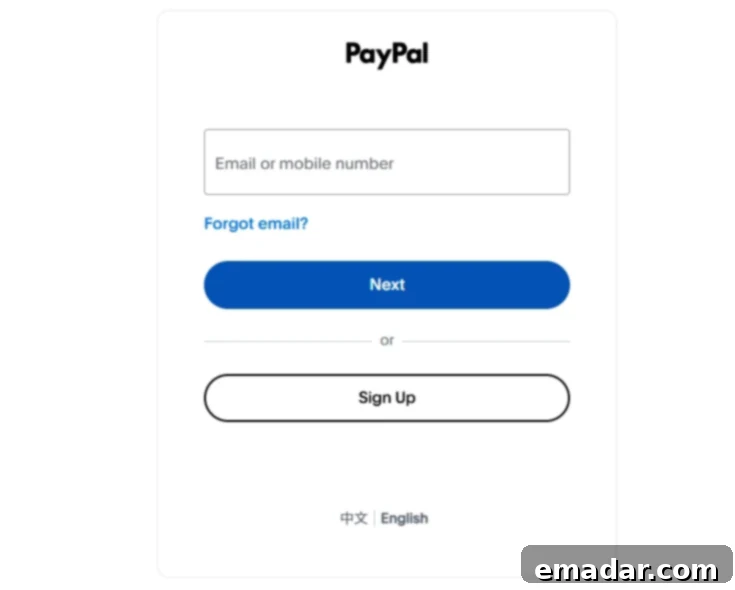
PayPal is one of the most widely used third-party payment tools globally, playing an indispensable role in cross-border e-commerce, international freelancing, and global payment collection. However, many users frequently encounter frustrating issues when trying to log into their PayPal accounts. These problems can range from pages failing to load or displaying “login failed” messages to more severe cases like account suspension. Such interruptions can disrupt critical business operations and personal transactions, leading to significant inconvenience and potential financial setbacks.
Don’t worry. This comprehensive guide will walk you through the common reasons why you might be unable to log into PayPal and provide detailed, actionable solutions for each. We’ll also address specific challenges faced by cross-border professionals, particularly those related to IP address issues, ensuring you have the tools to overcome these hurdles effectively.
I. Can’t Log In to PayPal? First, Identify Your Specific Situation
Before diving into troubleshooting, it’s crucial to pinpoint the exact nature of the “unable to log in” problem you’re experiencing. Different symptoms often indicate different underlying causes, and understanding your specific situation will lead you to the most efficient resolution path. Consider the following scenarios:
- Are you experiencing an endless loading screen or a page that simply won’t open?
- Does the system display an error message like “Incorrect login information” or “Invalid credentials”?
- Are you receiving a verification code via SMS or email, but still unable to proceed with the login?
- Do you see a message stating “This account is temporarily unavailable” or “Your account is restricted”?
- Does the page load partially before redirecting you back to the PayPal homepage?
Each of these situations points to a unique set of potential issues, and thus, requires a tailored approach to resolution. Let’s explore the most common causes and their corresponding fixes.
II. Top 6 Common Reasons for PayPal Login Failure and Their Solutions
1. Unstable Network Connection or IP Blockage
- Symptoms: Blank pages, extremely slow loading times, or error messages indicating “service unavailable.” You might also experience frequent disconnections or a complete inability to access the PayPal website.
- Reasons: Your internet connection might be genuinely unstable, or your IP address could be flagged or blocked by PayPal’s security systems. This often happens when using unsecured public Wi-Fi networks, unreliable free VPNs, or data center IP addresses that are known to be associated with suspicious activities.
- Solutions:
- Ensure a Stable Network: Always use a reliable and secure internet connection. Avoid public Wi-Fi networks, as they are often unstable and pose significant security risks. Similarly, free VPNs can route your connection through dubious servers, leading to IP flags or slow speeds. Opt for a private, stable home or office network.
- Clear Browser Cache and Cookies: Over time, accumulated browser data can interfere with website functionality. Clearing your browser’s cache, cookies, and history can resolve many loading issues. We recommend using reputable browsers like Google Chrome or Mozilla Firefox, which are regularly updated for security and performance.
- Change Your IP Address (Node): If your current IP address is suspected of being abnormal by PayPal (e.g., it’s a data center IP, a shared IP with a poor reputation, or a low-quality proxy), you will likely face login hurdles. PayPal’s robust risk assessment systems are designed to detect and flag such IPs to prevent fraud. Consider switching to a different IP node, ideally one that mimics a real residential connection.
For users involved in cross-border activities or managing multiple accounts, we highly recommend using high-quality residential IPs. These IPs are sourced from real internet service providers and are indistinguishable from regular home internet connections, aligning perfectly with PayPal’s sophisticated risk control logic. For instance, IPFLY offers static residential proxies that provide a stable, dedicated, and secure online presence, significantly reducing the chances of your IP being flagged.
2. Abnormal Browser Fingerprint or Cookies
- Symptoms: After clicking the login button, you might be redirected back to the homepage, experience page freezes, or be prompted for unusual additional verification steps. This can be particularly frustrating as it often occurs without clear error messages.
- Reasons: PayPal, like many financial platforms, employs advanced browser fingerprinting techniques to enhance security. It analyzes various aspects of your browser environment, including your user agent, plugins, fonts, screen resolution, and even how you interact with the page. If PayPal detects frequent and drastic changes in these “fingerprints,” or if your cookies are inconsistent (e.g., from logging into multiple accounts on the same browser), it may flag your activity as high-risk or suspicious, leading to login blockages or increased verification demands.
- Solutions:
- Utilize Anti-Detect Browsers: To maintain a consistent and stable browser environment for each PayPal account, consider using anti-detect browsers such as AdsPower. These specialized browsers allow you to create isolated browser profiles, each with a unique and consistent browser fingerprint (device, language, timezone, user agent, etc.). This makes it appear to PayPal as if each account is being accessed from a distinct, consistent device, greatly reducing the risk of detection.
- Match IP and Browser Fingerprint: Always ensure that the IP address you are using aligns with the geographical location and language settings configured in your browser profile. For example, if your browser profile is set to the USA and English, your IP address should also ideally be a US-based IP. Inconsistencies here are a major red flag for PayPal’s security systems.
- Avoid Frequent Account Switching: Refrain from logging into multiple PayPal accounts within the same standard browser environment. Each account should ideally have its own dedicated browser profile and IP address to prevent PayPal from linking them and potentially flagging them for policy violations or suspicious activity.
3. IP Address Identified as Abnormal or Suspicious
- Symptoms: You might encounter messages like “Unusual login attempt detected,” be required to complete excessive CAPTCHAs, or face repeated requests for additional verification codes. In some cases, you might be outright blocked from accessing your account.
- Reasons: Your IP address is a critical data point for PayPal’s fraud detection algorithms. Issues arise if your IP comes from a data center (often associated with VPNs or proxies, not real users), belongs to a public or shared IP range that has been abused by others, or if you frequently switch your IP’s geographical location across different countries or regions in a short period. Such patterns deviate from typical user behavior and are immediately flagged as suspicious.
- Solutions:
- Use Dedicated, Exclusive IPs: To minimize the risk of being associated with the activities of other users, opt for a dedicated or exclusive IP address. Shared IPs, especially those used by many others, can quickly gain a negative reputation if one user abuses it, affecting everyone else on that IP. A dedicated IP ensures that your online reputation is solely yours to manage.
- Choose Static Residential IPs from Relevant Locations: The most secure and reliable option is to use a static residential IP address from a country geographically close or identical to your registered PayPal account or your typical operating location. These IPs are provided by Internet Service Providers (ISPs) to real homes and businesses, making them highly trustworthy in the eyes of PayPal’s security systems. They are significantly less likely to trigger fraud alerts compared to dynamic or data center IPs, providing a stable, secure, and authentic online presence.
For individuals and businesses operating on platforms with stringent anti-fraud measures like PayPal, eBay, or TikTok, reliable IP solutions are essential. IPFLY, for example, offers an extensive network of static and dynamic residential proxy services covering over 190 countries and regions worldwide. This allows users to precisely target specific countries or cities, ensuring their IP environment is perfectly aligned with their operational needs and greatly enhancing account security and longevity.
4. PayPal Account Anomaly or Suspension/Freezing
- Symptoms: The system displays messages such as “Your account is unavailable,” “Please contact customer service,” or indicates that your account has been restricted or frozen. You might be unable to perform any transactions or even log in fully.
- Reasons: PayPal takes account security and compliance very seriously. Several factors can lead to an account being flagged or frozen:
- Extended Inactivity: Accounts that remain dormant for long periods without any login activity or transactions may be temporarily suspended for security reasons.
- Frequent Device/IP Changes: Rapidly switching between different devices or IP addresses for login can be interpreted as suspicious activity, especially if these changes occur across diverse geographical locations.
- Receiving Abnormal Payments: Receiving a large number of chargebacks, suspicious payments, or payments from high-risk countries can trigger PayPal’s fraud detection systems. Similarly, large, unusual transactions that deviate from your typical account activity can also lead to restrictions.
- Violation of User Agreement: Engaging in prohibited activities, selling restricted items, or failing to comply with PayPal’s terms of service can result in immediate account suspension.
- Solutions:
- Account Recovery Attempts: First, try to recover your account through the standard procedures using your registered email address or phone number. Follow the prompts for password reset or identity verification.
- Contact PayPal Customer Service: If self-recovery isn’t possible, directly contact PayPal’s customer support. Be prepared to provide comprehensive documentation to verify your identity, such as government-issued IDs, proof of address, and business registration documents (if applicable). Clearly explain your situation and follow their instructions diligently.
- Review Recent Activity: Carefully examine your recent transaction history and login activity for any suspicious or unauthorized transactions. If you find any, report them to PayPal immediately as part of your appeal. Understanding the potential trigger for the suspension can help you formulate a more effective appeal.
5. Two-Factor Authentication (2FA) Failure
- Symptoms: You receive an SMS or email verification code, but despite entering it correctly, you are still unable to log in, or the system keeps prompting you for the code repeatedly without success.
- Reasons: 2FA is a crucial security layer, but its failure can be due to various issues:
- Incorrect or Outdated Contact Information: Your registered phone number might have changed, or your email inbox might be full, causing SMS or emails to not be delivered or received completely.
- Network Delays/SMS Blocking: There might be delays in SMS delivery due to network issues, or your mobile carrier might be blocking messages from unknown senders. Email verification codes might end up in your spam folder.
- Time-Sensitive Codes: Verification codes are often time-sensitive and expire quickly. If there’s a delay in receiving or entering the code, it might become invalid.
- Solutions:
- Verify Contact Details and Reception: Double-check that your registered phone number and email address are current and active. Ensure your phone has good signal strength and your email inbox is not full. Check your spam/junk folders for email verification codes.
- Attempt Email Verification: If SMS verification is failing, try to initiate an email-based verification if PayPal offers this option for your account. This provides an alternative channel for authentication.
- Utilize Backup Login Methods: PayPal often provides backup authentication methods, such as pre-set security questions, trusted devices, or backup codes generated when 2FA was initially set up. Explore these options to bypass the immediate 2FA issue. If you haven’t set up backup codes, consider doing so once you regain access to prevent future issues.
6. PayPal System Issues or Maintenance
- Symptoms: A widespread number of users report login anomalies, or you encounter generic server errors (like 502 Bad Gateway or 503 Service Unavailable) when trying to access PayPal’s website. These issues are usually not specific to your account but affect a broader user base.
- Reasons: These problems typically stem from PayPal’s end. They could be undergoing scheduled system maintenance, experiencing unexpected server outages, or dealing with high traffic volumes that overload their infrastructure.
- Solutions:
- Check for Official Announcements: Before concluding it’s a system issue, visit PayPal’s official social media channels (Twitter, Facebook), their dedicated status page (if available), or reliable tech news outlets. They often post announcements regarding maintenance schedules or ongoing service disruptions.
- Wait and Retry: If a system issue is confirmed, the best course of action is to simply wait. These issues are usually resolved by PayPal’s technical team within a few hours. Reattempt your login after some time, once the system has been restored and verified as operational.
III. How to Proactively Check the Stability and Purity of Your Current IP Address
Understanding the quality of your IP address is paramount for smooth and secure online operations, especially when dealing with sensitive platforms like PayPal. You can easily assess your current IP’s characteristics by visiting IP checking websites such as ipinfo.io or whatismyip.com. These tools provide valuable information including your IP’s origin, geographical location, whether it’s shared, and its classification.
What to Look For:
- IP Type: Pay close attention to classifications like “hosting,” “data center,” “VPN,” or “proxy.” If your IP is labeled as any of these, PayPal’s sophisticated fraud detection algorithms are highly likely to flag it. These types of IPs are commonly used by automated bots or individuals attempting to mask their true identity or location, making them suspicious in PayPal’s eyes.
- Location Consistency: Ensure your IP’s reported geographical location is consistent with your expected operational region and your PayPal account’s registered country. Significant discrepancies can trigger immediate security alerts.
- Reputation/Blacklists: Some tools might also indicate if your IP has a poor reputation or is listed on any blacklists. This often signifies that the IP has been associated with spamming, hacking, or other malicious activities, leading to its blocking by various services.
If your IP address is identified as a “hosting,” “data center,” or “proxy” type, it’s a strong indicator that you should switch to a higher-quality alternative. For anyone preparing to use PayPal for receiving payments, account management, website building, or global e-commerce operations, overlooking the critical role of your IP address can lead to continuous headaches and potential account restrictions. Choosing the right IP solution from the outset can proactively eliminate over 90% of potential issues, ensuring a seamless and secure experience.
May all your logins be smooth and successful!
Choose IPFLY for Enhanced Security and Reliability
📌 IPFLY boasts an extensive network of over 90 million premium IP resources globally, offering unparalleled support for:
- ✅ Highly stable static residential IPs (customizable by country/city to match your precise needs)
- ✅ A vast pool of dynamic residential IPs, supporting automatic rotation for varied access patterns
- ✅ Exceptional IP purity and robust anti-risk control capabilities, designed to bypass stringent platform security systems
- ✅ Dedicated customer service to guide you through IP environment configuration and optimization
Register with IPFLY today to allow your accounts to ‘blend in’ overseas, truly achieving secure and uninterrupted operations across all your global ventures!