Proxy 101
IPv4 vs IPv6: What’s the Difference and Which One Is Better for Your Business?
Every device connected to the internet needs an IP address to send and receive data. From browsing websites to collecting market data, IP addresses help…
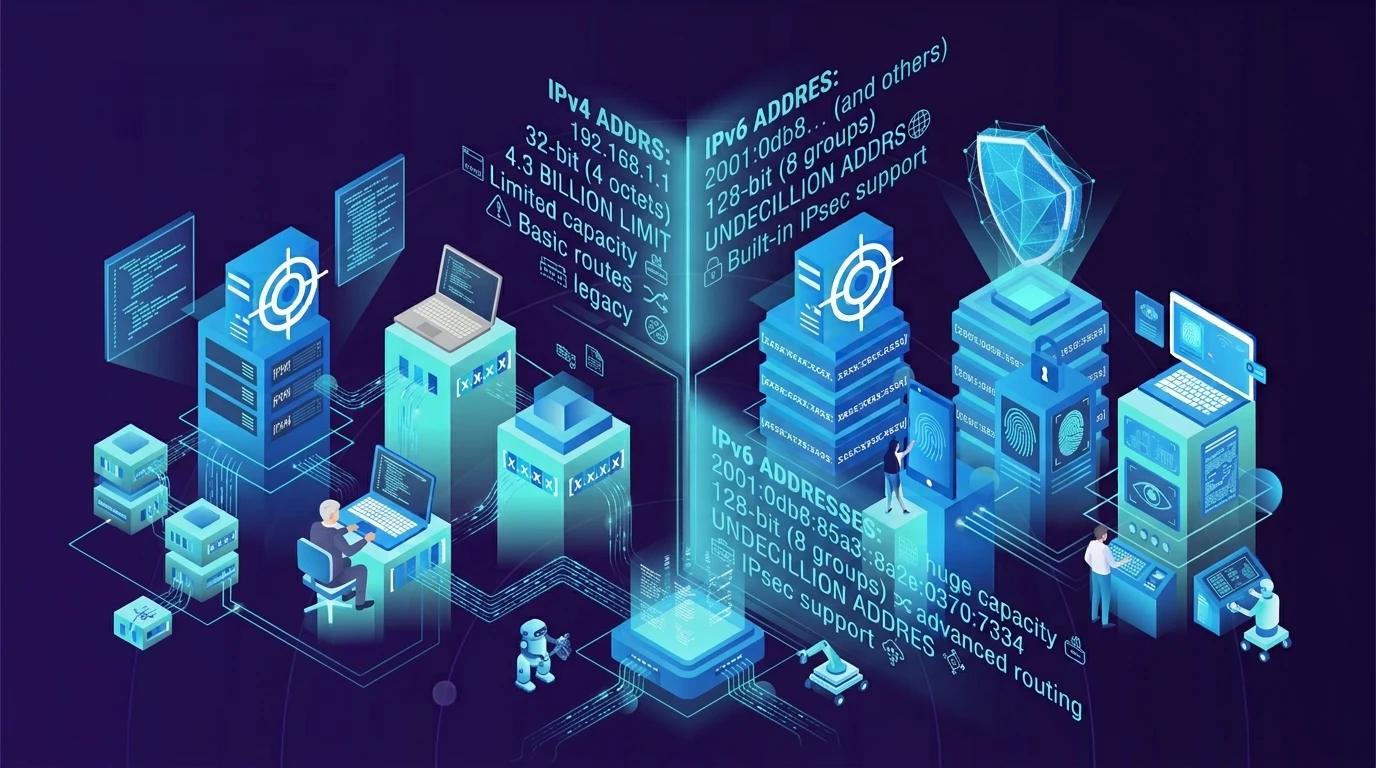
Every device connected to the internet needs an IP address to send and receive data. From browsing websites to collecting market data, IP addresses help devices find each other online. For many years, IPv4 has been the main protocol used for this purpose. But as more devices connect to the internet, IPv4 addresses have become harder to obtain. This led to the development and wider use of IPv6, which offers a much larger address space.
So, what is the difference between IPv4 vs IPv6? And which one is better for your business? For example, a company that uses proxies to monitor search results in different countries must consider website support, connection needs, and IP availability. Understanding both protocols can help you make the right choice.
What Is IPv4 and How Does It Work?
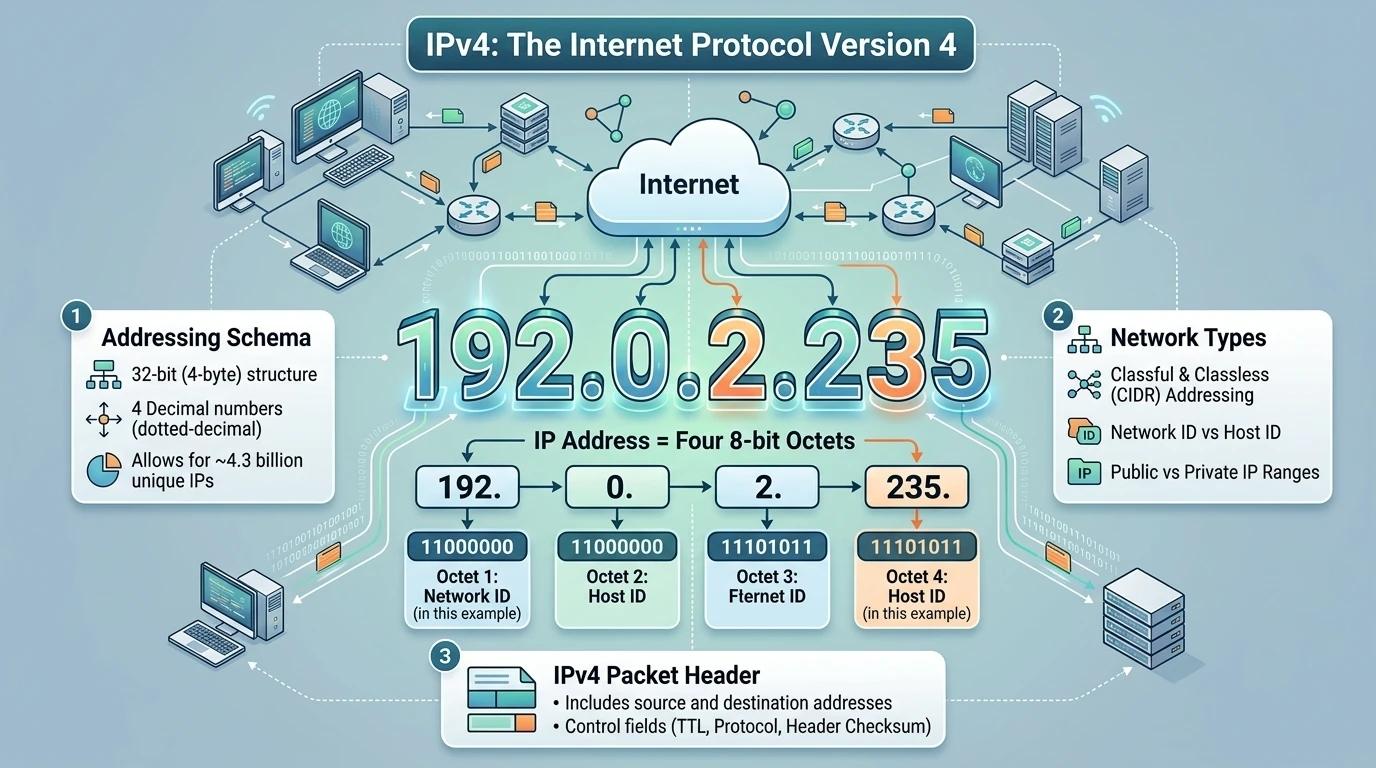
An IPv4 proxy uses an IPv4 address to route traffic between a user and a target website. You can learn more about how an IPv4 proxy works in our detailed guide.
IPv4 stands for Internet Protocol version 4. It is the most widely used version of the Internet Protocol. It gives devices IP addresses so they can send and receive data across networks. When you open a website, your device uses an IP address to connect to the website’s server. IPv4 helps that data reach the right destination.
IPv4 Address Structure (32-bit)
An IPv4 address uses 32 bits. These bits are divided into four groups of 8 bits. Each group is called an octet. A dot separates each group.
Each octet has a value from 0 to 255. This creates addresses in a format that is easy for people to read and use. For example:
192.168.1.10
This address has four numbers separated by dots. Each number represents one 8-bit group. Since IPv4 uses 32 bits, it can create about 4.3 billion unique address values. However, not all of these are available for public use. Some are reserved for private networks and special purposes.
IPv4 Address Example
Consider a company with several computers in one office. Each computer needs an IP address to communicate with other devices and access the internet.
A computer might use a private IPv4 address such as 192.168.1.10. Its office router can use this address to send data to the right device on the local network.
When the computer visits a public website, the router may use Network Address Translation (NAT) to let several devices share one public IPv4 address. This helps save public IPv4 addresses. It also allows devices with private addresses to access websites outside the office network.
For example, five employees can browse the same online store from five different computers. Their computers may have different private IP addresses, but they can share the office’s public IP address when they connect to the internet.
How Does IPv4 Handle Network Communication?
IPv4 moves data across networks in small units called packets. Each packet carries a source IP address and a destination IP address. These details help routers decide where to send the packet next.
Here is a simple example:
- You enter a website address in your browser.
- Your device gets the IP address of the website’s server.
- IPv4 adds source and destination addresses to the data packet.
- Routers read the destination address and forward the packet across networks.
- The server receives the request and sends data back to your device.
The packet may pass through several routers before it reaches the server. IPv4 does not choose one fixed path for the entire exchange. Routers forward packets based on their destination addresses.
This process makes IPv4 useful for everyday internet access, business networks, and proxy connections. Its long history also means that many websites, servers, and network tools support it. However, its limited address space creates challenges as more devices and services come online. This is one of the main reasons IPv6 was developed.
What Is IPv6 and How Does It Work?
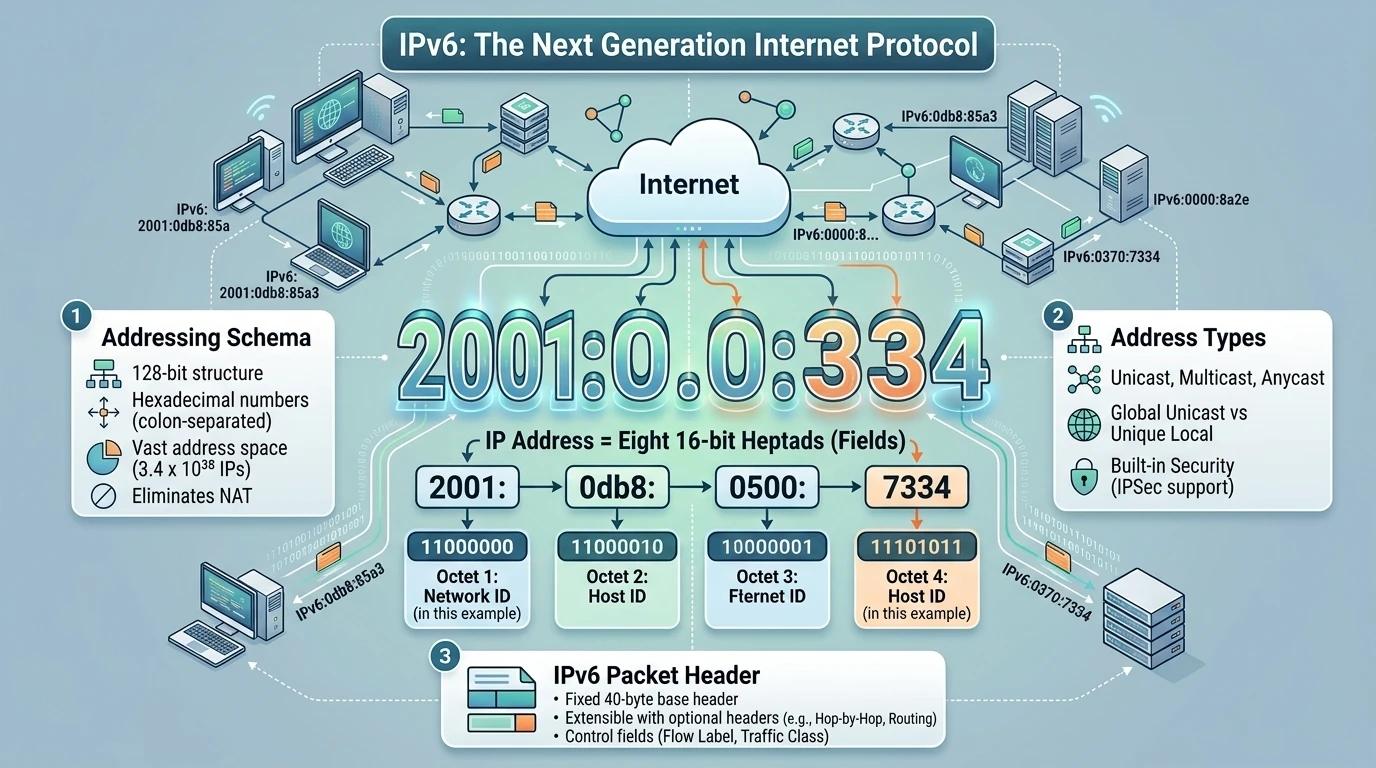
IPv4 has supported internet communication for decades. However, its 32-bit address space limits the number of available addresses. As more phones, computers, servers, and smart devices connect to the internet, networks need more room to grow.
This is where IPv6 (Internet Protocol version 6) comes in. IPv6 is the successor to IPv4. It uses 128-bit addresses, which provide a much larger address space. It also includes changes to packet headers and supports simpler address setup on many networks.
IPv6 Address Structure (128-bit)
An IPv6 address uses 128 bits, compared with the 32 bits used by IPv4. It is written in hexadecimal, a number system that uses the digits 0–9 and letters A–F.
A full IPv6 address has eight groups. Each group contains four hexadecimal characters, and colons separate the groups.
For example:
2001:0db8:85a3:0000:0000:8a2e:0370:7334
Each group represents 16 bits. Together, the eight groups make up 128 bits.
IPv6 also allows shorter address formats. You can remove leading zeros from a group. You can also use a double colon (::) to replace one or more groups of consecutive zeros. This makes long addresses easier to read.
For example, the address above can be shortened to:
2001:db8:85a3::8a2e:370:7334
The :: replaces two groups of zeros. It can only appear once in an address. This rule helps devices read the address correctly.
IPv6 Address Example
Imagine a company that runs an online store and uses many connected devices. It has office computers, mobile devices, servers, and smart equipment. Each device needs an address to communicate over the network.
An IPv6 address can identify a device’s network interface. For example, a server might use an address such as:
2001:db8:85a3::8a2e:370:7334
This is an example address from a range reserved for documentation. It helps explain the format without using a real public server address.
IPv6 also supports automatic address setup. A device can use network information from a router to create its own IPv6 address. This can reduce the need to assign every address by hand.
For a business with many devices, this can make network setup easier. It also gives the network more room to grow as the company adds new devices and services.
How Does IPv6 Handle Network Communication?
IPv6 uses packets to move data between devices, just like IPv4. Each packet includes a source address and a destination address. Routers read the destination address and forward the packet toward the right network.
Here is a simple example:
- An employee opens the company’s online store dashboard.
- The computer looks up the server’s IPv6 address.
- IPv6 adds the source and destination addresses to the packet.
- Routers forward the packet toward the server.
- The server receives the request and sends data back to the computer.
IPv6 also uses a field called Hop Limit. Each router that forwards a packet reduces this value by one. If it reaches zero, the packet is dropped. This helps prevent packets from moving around the network forever.
For example, a company may use IPv6 to connect devices in an office while keeping IPv4 support for older systems and websites. This setup is often called Dual Stack. It allows a network to use both protocols during the transition to IPv6.
However, IPv6 does not work with every IPv4-only service by itself. The website, server, network, and connection tools must support IPv6 or use a suitable transition method. This matters when a business chooses a proxy or builds a data collection system.
IPv4 vs IPv6: A Quick Comparison Overview
Now that we understand how IPv4 and IPv6 work, let’s compare them. Both protocols help devices send and receive data across networks. However, they use different address formats and have different features.
The biggest difference is address size. IPv4 uses 32-bit addresses, while IPv6 uses 128-bit addresses. But address space is not the only thing that sets them apart. Their packet headers, address setup methods, and network communication features also differ.
IPv4 and IPv6 Comparison Table
The table below provides a quick overview of IPv4 and IPv6.
| Feature | IPv4 | IPv6 |
| Full Name | Internet Protocol version 4 | Internet Protocol version 6 |
| Address Size | 32 bits | 128 bits |
| Address Format | Decimal numbers separated by dots | Hexadecimal numbers separated by colons |
| Address Example | 192.168.1.10 | 2001:db8:85a3::8a2e:370:7334 |
| Address Space | About 4.3 billion possible addresses | About 3.4 × 10³⁸ possible addresses |
| Compatibility | Widely supported by websites and networks | Requires IPv6 support or a suitable transition method |
The Main Differences Between IPv4 and IPv6
IPv4 and IPv6 also differ in how they handle network traffic and manage IP addresses. These differences can affect network setup, device communication, and business operations.
The table below highlights the main technical differences.
| Key Difference | IPv4 | IPv6 |
| Packet Header | Variable length of 20–60 bytes | Fixed basic header of 40 bytes |
| Header Checksum | Included | Not included |
| Address Configuration | Manual setup or DHCP | Manual setup, DHCPv6, or SLAAC |
| Broadcast | Supported | Not supported; uses multicast instead |
| Packet Fragmentation | Source devices and routers can fragment packets under IPv4 rules | Only the source device can fragment packets |
| NAT | Commonly used to let multiple devices share a public IPv4 address | Usually not needed to solve address shortages |
| Multicast | Supported | Supported, with added scope features |
| Anycast | Not part of the original IPv4 specification | Supported as a standard address type |
These differences come from the official Internet Protocol standards. IPv4 is defined in RFC 791, while IPv6 is defined in RFC 8200.
A few details are worth noting:
- Packet headers: IPv4 has a variable header size. IPv6 uses a fixed 40-byte basic header and moves optional information into extension headers.
- Address configuration: IPv6 supports Stateless Address Autoconfiguration (SLAAC). This allows compatible devices to create their own addresses using information from network routers.
- Packet fragmentation: IPv4 allows routers to fragment packets under certain conditions. IPv6 requires fragmentation to be handled by the source device.
- NAT: IPv6 provides a much larger address space, so businesses usually do not need NAT just to share public addresses. However, NAT and other address translation methods can still be used in IPv6 networks.
For businesses, these differences matter when choosing network equipment, setting up internet connections, or selecting proxy services. For example, a company that collects public data from different websites should check whether its target websites support IPv6 before using IPv6-based connections.
IPv6 offers more address space and several changes to network design. However, IPv4 still has broad support across websites, servers, and network tools. The right choice depends on the systems and services a business needs to access.
IPv4 vs IPv6: Which One Is Better for Proxy Services?
IPv4 and IPv6 proxies both help businesses access online data, but they serve different needs. IPv4 offers broader website compatibility, while IPv6 provides a much larger address space.
The right choice depends on your target websites, project size, and budget.
IPv4 Proxy vs IPv6 Proxy: Performance Comparison
There is no clear winner when comparing IPv4 proxy vs IPv6 proxy performance. IPv6 has a larger address space and a simpler basic packet header, but this does not guarantee faster connections.
Actual performance depends on network quality, routing, website support, IP reputation, and proxy configuration.
| Performance Factor | IPv4 Proxy | IPv6 Proxy |
| Website Compatibility | Broad support across websites | Requires IPv6 support or a suitable translation method |
| Connection Speed | Depends on network quality and routing | Depends on network quality and routing |
| IP Address Availability | More limited address space | Much larger address space |
| IP Pool Scalability | Large pools require more address resources | Easier to provide very large address pools |
| Cost | Varies by provider and IP quality | May be cheaper, but pricing varies |
These are general differences, not guaranteed results. Always test both options against your target websites before choosing a proxy service.
When Should You Choose IPv4 Proxy?
IPv4 proxies are a practical choice when you need broad compatibility with websites and online services.
Web Scraping
Businesses use web scraping to collect public data such as product prices, news, and market information. For example, an online retailer can use IPv4 proxies to collect prices from shopping websites that support IPv4 but not IPv6.
SEO Monitoring
Search results can vary by location. A company can use location-based IPv4 proxies to check keyword rankings in markets such as the US, UK, and Japan.
E-commerce Intelligence
Retailers use proxies to monitor product prices, stock levels, and discounts across different markets. IPv4 proxies can help access regional shopping websites that do not support IPv6.
Ad Verification
Businesses can use location-based IPv4 proxies to check whether ads appear correctly in specific regions. For example, a company can access a website through a French IP address to review its ad placement in France.
When Should You Choose IPv6 Proxy?
IPv6 proxies are worth considering when your target websites support IPv6 and your project needs a large IP pool.
Businesses that need a large IPv6 address pool can also learn more about how to choose IPv6 proxies.
Large-scale Data Collection
IPv6 offers a much larger address space, making it useful for projects that need many IP addresses. However, target websites must support IPv6 for native IPv6 connections to work.
Cost-sensitive Projects
Some providers offer IPv6 proxies at lower prices than comparable IPv4 services. This may help reduce costs for large projects, but actual pricing depends on the provider, IP quality, and service features.
IPv6-compatible Networks
An IPv6 proxy is a suitable option for testing websites and services on IPv6-enabled or IPv6-only networks. It can help developers check whether their services work correctly over IPv6.
IPv4 + IPv6 Hybrid Proxy Strategy for Enterprise Use
Businesses do not always need to choose one protocol. A hybrid proxy strategy uses IPv4 and IPv6 based on each project’s requirements.
For example, an e-commerce company can use IPv4 proxies to access older shopping websites and IPv6 proxies to collect data from IPv6-compatible sources.
A practical hybrid setup involves four steps:
- Check website compatibility: Identify whether each target supports IPv4, IPv6, or both.
- Test proxy performance: Compare connection success rates and response times.
- Choose the right IP type: Match each proxy to the website and task.
- Monitor results: Review connection issues and adjust the setup as needed.
The IETF’s RFC 8305 describes how dual-stack clients can manage connections over IPv4 and IPv6. This highlights the value of supporting both protocols when network compatibility matters.
For businesses, the best approach is to choose the protocol that fits each task rather than relying on IPv4 or IPv6 alone.
IPv4 vs IPv6 Security: Which Protocol Is Safer?
Security is another important factor when comparing IPv4 vs IPv6. IPv6 includes some features that can support safer network communication. However, neither protocol is secure by default. Proper network settings and security controls matter more than the IP version alone.
IPv4 Security Challenges
IPv4 networks often use Network Address Translation (NAT) to let multiple devices share one public IP address. NAT can limit direct access to internal devices, but it is not a replacement for a firewall.
IPv4 networks also face common threats such as IP spoofing, unauthorized access, and poorly configured firewalls. For example, if a company allows unnecessary inbound traffic through its router, attackers may find ways to reach exposed services.
IPv6 Security Improvements
IPv6 provides a much larger address space, which makes large-scale address scanning more difficult. It also supports IPsec, a set of protocols that can protect data through encryption and authentication.
IPv6 removes broadcast traffic and uses multicast for group communication. This can help manage network traffic more efficiently. However, these features do not prevent attacks on their own.
For example, a company can use IPsec to protect communication between two office networks. It can also apply firewall rules to control which devices and services can connect. These protections still need to be configured correctly.
Why IPv6 Does Not Automatically Mean Better Security
IPv6 also brings new security risks. Its Neighbor Discovery Protocol (NDP), for example, can be targeted by attackers through fake network messages. Poor firewall settings may also leave IPv6 traffic exposed, even when IPv4 traffic is protected.
The IETF’s RFC 9099 recommends applying consistent security policies to both IPv4 and IPv6 networks. This is especially important for businesses that use both protocols.
For example, a company using a dual-stack network must protect both IPv4 and IPv6 traffic. If its firewall only filters IPv4 connections, attackers may use the less protected IPv6 path.
In short, IPv6 offers useful network features, but it is not automatically safer than IPv4. Businesses should focus on firewall rules, access controls, regular updates, and proper network monitoring, regardless of the protocol they use.
Common Mistakes When Choosing Between IPv4 and IPv6
Choosing between IPv4 and IPv6 involves more than comparing prices and address sizes. Businesses should also consider website compatibility and project needs.
Choosing IPv6 Only Because It Is Cheaper
IPv6 proxies may cost less, but they are not always the best value. If your target websites only support IPv4, an IPv6 proxy may fail to connect.
Before buying, test your target websites and compare connection success rates.
Ignoring Website IPv6 Compatibility
Not all websites support IPv6. For example, an IPv6 proxy may not access an IPv4-only shopping site without a translation service such as NAT64.
Check website and tool compatibility before starting a large data collection project.
Using the Wrong IP Type for Sensitive Tasks
The IP version does not determine proxy safety or suitability. IP stability and reputation also matter.
For example, businesses managing long-term social media accounts may prefer static residential or ISP proxies over rotating IPs to keep connections more consistent.
Choose your proxy type based on the task, not just whether it uses IPv4 or IPv6.
How to Choose the Right IP Protocol for Your Business
After reviewing the common mistakes, you can make a better choice by looking at your target websites, project needs, and budget. The best option is the one that works reliably for your business.
Evaluate Your Target Websites and Use Cases
First, check whether your target websites support IPv4, IPv6, or both. Then match the protocol to your tasks.
For example, if you need to monitor search rankings across many websites, IPv4 may offer broader compatibility. If your data sources support IPv6 and require a large IP pool, IPv6 may also be a good option.
Balance Performance, Scalability, and Budget
Do not compare proxy services by price alone. Consider connection success rates, response times, IP quality, and the size of the IP pool.
For a small project, a basic proxy plan may be enough. For large-scale data collection across multiple regions, you may need a larger pool and more flexible location options.
Test Proxy Compatibility Before Scaling
Before buying a large proxy plan, run a small test. Check whether your proxy tool can connect to target websites and compare:
- Connection success rates.
- Response times and stability.
- Website compatibility.
- IP location accuracy.
A short test can help you find problems before they affect a larger project.
Why Choose Emadar for Your Proxy Needs?
Choosing the right proxy provider is just as important as choosing the IP protocol. IPFLY offers different proxy solutions for businesses with varied data access needs.
- 90M+ Residential IP Resources: IPFLY provides a pool of more than 90 million residential IPs for data collection and location-based access.
- Coverage Across 190+ Countries and Regions: Businesses can target different markets for local SEO checks, market research, and e-commerce monitoring.
- Flexible Residential and Datacenter Proxy Solutions: IPFLY also offers ISP proxies, giving businesses more options for different connection and session needs.
- Support for Business Data Tasks: Its proxy services support use cases such as SEO monitoring, e-commerce intelligence, ad verification, and web scraping.
One important point: Residential, ISP, and Datacenter describe proxy types, while IPv4 and IPv6 describe IP protocol versions. They are not the same thing. Before choosing a plan, confirm which IP versions are supported and whether they work with your target websites.
Explore IPFLY Proxy Solutions to find a proxy option that fits your business needs.
Click to get High-Quality IP Global ProxiesConclusion
IPv4 and IPv6 each have their own advantages. IPv4 offers broad website compatibility, while IPv6 provides a much larger address space. Neither is better for every business or task.
Before choosing a proxy, consider your target websites, performance needs, IP quality, and budget. You can also use both protocols to meet different project needs.
IPFLY offers residential, ISP, and datacenter proxy solutions, with 90M+ residential IP resources across 190+ countries and regions.
Explore IPFLY Proxy Solutions to find the right option for your business.