
In 2026, collecting data from the web has become more challenging. Many sites deploy strong defenses to block automated traffic, from Cloudflare “waiting rooms” to interactive checks that verify human behavior. For developers, these protections can break simple scripts and frustrate data collection efforts.
FlareSolverr is a practical solution that bridges your code and sites protected by Cloudflare. This guide explains how to set up FlareSolverr with Python and how integrating IPFLY residential proxies can make market research automation more reliable and professional.
Understanding FlareSolverr: The Key to Modern Data Collection
Data collection is central to many businesses, but anti-bot defenses have evolved. To gather reliable data at scale, you need tools that work with modern protections rather than against them.
What is FlareSolverr and Why It Matters in 2026
FlareSolverr is a proxy-like service built to handle Cloudflare challenges. It acts as a middleman: your Python script sends a request to FlareSolverr, which launches a headless browser, solves the protection challenge, obtains the necessary cookies and tokens, and returns the results. This lets your script interact with the target site as if it were a real browser session. In today’s landscape, FlareSolverr is essential for many scraping and automation projects.
The Evolution of Anti-Bot Measures
Anti-bot checks are no longer just image captchas. Modern defenses analyze browser fingerprints—screen size, fonts, and other subtle signals—and behavioral cues like mouse movements. If an automated client lacks these signals, it will be blocked. FlareSolverr mitigates this by using a real browser (typically Chromium) under the hood, producing requests that closely resemble human-driven browsing.
How FlareSolverr Fits into Your Scraping Stack
Selenium and Playwright simulate browsers directly but can be heavy for large-scale projects. FlareSolverr functions as a lightweight API layer: your Python code stays lean and calls FlareSolverr only when needed. This separation keeps your main codebase simple while letting a dedicated component handle complex protections, improving maintainability and reducing exposure to security scripts.
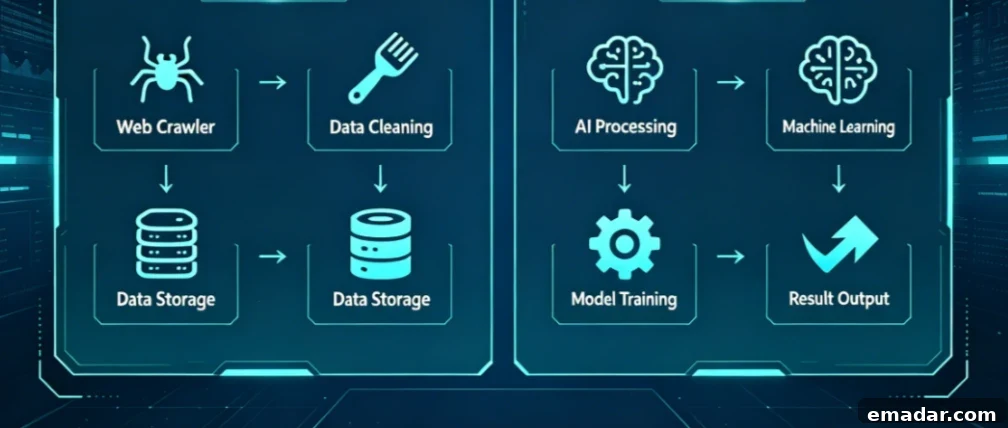
Step-by-Step: Setting Up FlareSolverr for Your Project
Proper environment setup is critical for stable, high-return projects. Below are recommended approaches to get FlareSolverr up and running reliably.
Installing FlareSolverr via Docker (Recommended)
Running FlareSolverr in Docker provides consistency and isolation, avoiding dependency problems that can arise with local installs. A standard Docker command to start FlareSolverr:
docker run -d --name=flaresolverr -p 8191:8191 -e LOG_LEVEL=info ghcr.io/flaresolverr/flaresolverr:latest
With this container running, FlareSolverr listens on port 8191 and is ready to handle challenges for long-running market research automation tasks.
Local Installation and Configuration Basics
Local installation is possible by downloading the appropriate binary for your OS, but it can introduce dependency and compatibility issues. For production and business workflows, Docker is generally preferred because it bundles everything FlareSolverr needs and reduces the risk of failures after updates or system changes.
Understanding FlareSolverr API Endpoints
FlareSolverr exposes simple API endpoints. The sessions.create endpoint initializes a browser session that persists for subsequent requests. After creating a session you send get commands with the target URL; FlareSolverr navigates, solves protections, and returns the page HTML, cookies, and other relevant data in JSON. This approach keeps integration straightforward and compatible with standard HTTP libraries.
FlareSolverr Python Integration: A Practical Code Guide
Below are common integration approaches used in production automation.
Basic Python Implementation Using requests
You can integrate FlareSolverr using Python’s requests library by sending a POST with the target URL to the FlareSolverr API. FlareSolverr handles the challenge-solving and returns the resulting HTML and cookies, which your script can parse to extract prices or other public data.
Advanced Scraping with Selenium and FlareSolverr
In some cases you need session cookies—like cf_clearance—to maintain long-lived access. FlareSolverr can retrieve these cookies so you can inject them into a Selenium session. This hybrid approach combines the speed and simplicity of API-driven scraping with the full browser capabilities of Selenium when needed.
Handling Timeouts and Retry Logic
Not every request succeeds immediately. Implement retry logic with incremental backoff and IP rotation to handle transient failures. Increasing timeouts, ensuring the FlareSolverr container has sufficient resources, and switching residential proxies when necessary will reduce errors and improve throughput.
Using reliable proxies paired with FlareSolverr produces more consistent results, reduces retries, and increases overall stability.
Boosting Success Rates: The Role of Identity Protection
Even with effective challenge-solving, your IP reputation matters. Low-quality or datacenter IPs are often flagged quickly, creating an “infinite loop” of repeated challenges. A clean, residential IP signal helps avoid repeated blocks and makes automated sessions behave more like legitimate traffic.
IPFLY Residential Proxies: Privacy and Trust
Residential proxies provide IPs tied to real ISPs and households, which significantly improves the chance of passing high-level checks. When Cloudflare sees traffic from residential addresses, it treats it more like genuine user traffic. Using trusted residential proxies alongside FlareSolverr gives the environment needed for reliable, long-term data collection.
Static ISP vs. Rotating Proxies in FlareSolverr Tasks
Choose proxies based on your use case:
- Rotating Proxies: Rotate IPs per request and are useful for broad, distributed scraping jobs.
- Static ISP Proxies: Provide a stable IP for long sessions and are preferable when maintaining a logged-in state or consistent identity.
For long-session or authenticated workflows, static ISP proxies are often the safer choice. IPFLY supports both modes so you can pick the right approach for each project.
Case Study: Scalable Market Research Automation
Consider a global retailer that needs hourly price checks across multiple country-specific sites. The company combined FlareSolverr with Python automation and IPFLY nodes in different regions to fetch localized pages. By rotating geographic nodes and timing requests appropriately, they collected accurate price snapshots across markets while minimizing blocks.
Achieving Cost-Effective Results at Scale
Using FlareSolverr with residential proxies can be more cost-effective than outsourcing to expensive anti-bot services. FlareSolverr is open-source and, when paired with a reliable proxy provider, lets you control infrastructure costs while scaling automated data collection efficiently.
Ethical Considerations and Legal Compliance
Ethical scraping practices are essential. Respect robots.txt directives, obey rate limits, and avoid collecting private or sensitive personal data without consent. Privacy regulations such as GDPR and CCPA remain critical constraints—focus on public information and ensure your processes comply with applicable laws.
Troubleshooting and FAQ
Common issues and remedies:
“Max retries exceeded” – How to fix common FlareSolverr errors?
- Verify your proxy: slow or low-quality IPs can cause timeouts.
- Increase timeout values in your client code.
- Ensure the Docker container has sufficient memory and CPU for the browser.
Can FlareSolverr solve hCaptcha or reCAPTCHA v3?
FlareSolverr handles many Cloudflare challenges such as Turnstile and time-based checks. For more complex visual captchas (image selection challenges), you may need an external captcha-solving service. Many modern protections are silent checks that FlareSolverr handles without additional services.
How to integrate IPFLY proxies directly into FlareSolverr
Set the proxy via environment variables when launching the Docker container. For example, provide your PROXY_URL to ensure FlareSolverr uses the residential proxy for browser sessions. This central configuration keeps requests consistent and private across all solved challenges.
In 2026, mastering FlareSolverr together with good proxy practices is a valuable skill for building resilient web data pipelines. Combining robust challenge-solving with trusted residential proxies improves success rates, reduces blocks, and produces more reliable, ethical data for market research and automation.