Use Case
Can I Have Multiple PayPal Accounts? 2026 Complete Guide
Ever found yourself asking, “Can I have multiple PayPal accounts?” You’re not alone. Many people want to keep personal spending separate from business…

Ever found yourself asking, “Can I have multiple PayPal accounts?” You’re not alone. Many people want to keep personal spending separate from business income. Others run more than one online project and need cleaner bookkeeping. Some freelancers simply want less risk if one account ever gets limited.
The short answer is yes — but only under clear rules. PayPal lets you hold one Personal account and one Business account at the same time. Each account needs its own email address. Going beyond that, or trying to open two accounts of the same type, can lead to limits or permanent bans.
In this guide, we will walk through the official rules, the real differences between account types, common myths, and practical ways to stay safe. You will also learn how cleaner network separation can support accounts when you manage more than one.
What the Official Policy Allows and Restricts
While PayPal permits holding multiple accounts, it only supports a specific setup: one Personal account and one Business account per person.To ensure your registration and daily environment comply with safety standards, you can refer to this PayPal Registration and Risk Control Guide.
Under PayPal’s official User Agreement, the rules are clear:
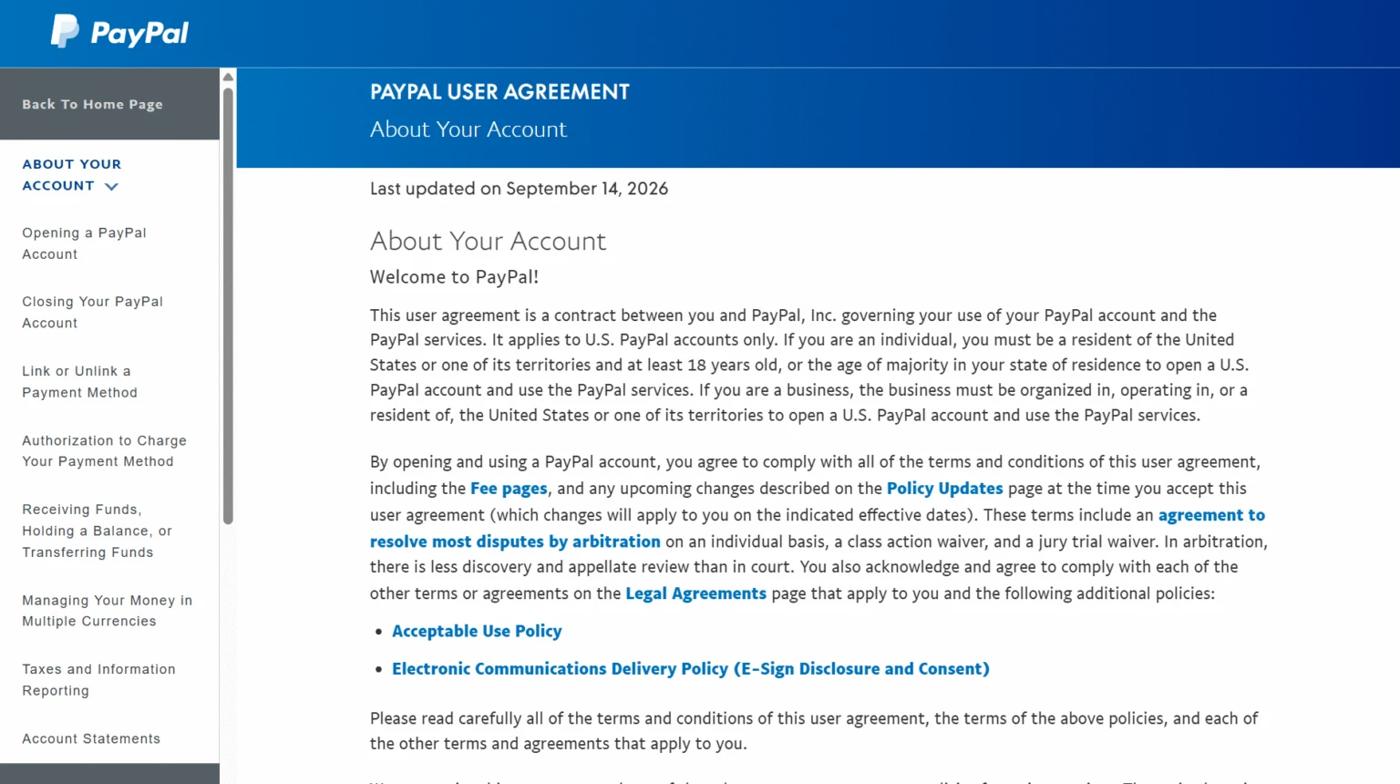
- You cannot own two accounts of the same type under one identity. PayPal actively tracks names, addresses, tax IDs, and bank details—detecting duplicate account types usually results in immediate limitations.
- Each account requires its own unique email address, and using separate phone numbers is strongly advised.
- Your usage must align with the account type. Engaging in business activity on a Personal account will trigger PayPal to demand an account upgrade or enforcement action.
Here is a clear overview:
| Action | Allowed? | Notes |
| 1 Personal + 1 Business account | Yes | Official limit for most users |
| Two Personal accounts | No | Violates PayPal policy |
| Two Business accounts (same identity) | No | Needs separate legal entities |
| Same email on two accounts | No | Each account needs a unique email |
| Same phone number on both accounts | Sometimes | Possible but increases linking risk |
| Same bank account on both accounts | Usually No | PayPal often rejects this |
A real example helps. Sarah runs a small Etsy shop and also freelances as a designer. She keeps a Personal account for family payments and everyday shopping. She opened a separate Business account with a different email for her shop and client invoices. Both accounts stay active because they follow the one-plus-one rule.
Personal vs Business Account: Key Differences That Matter
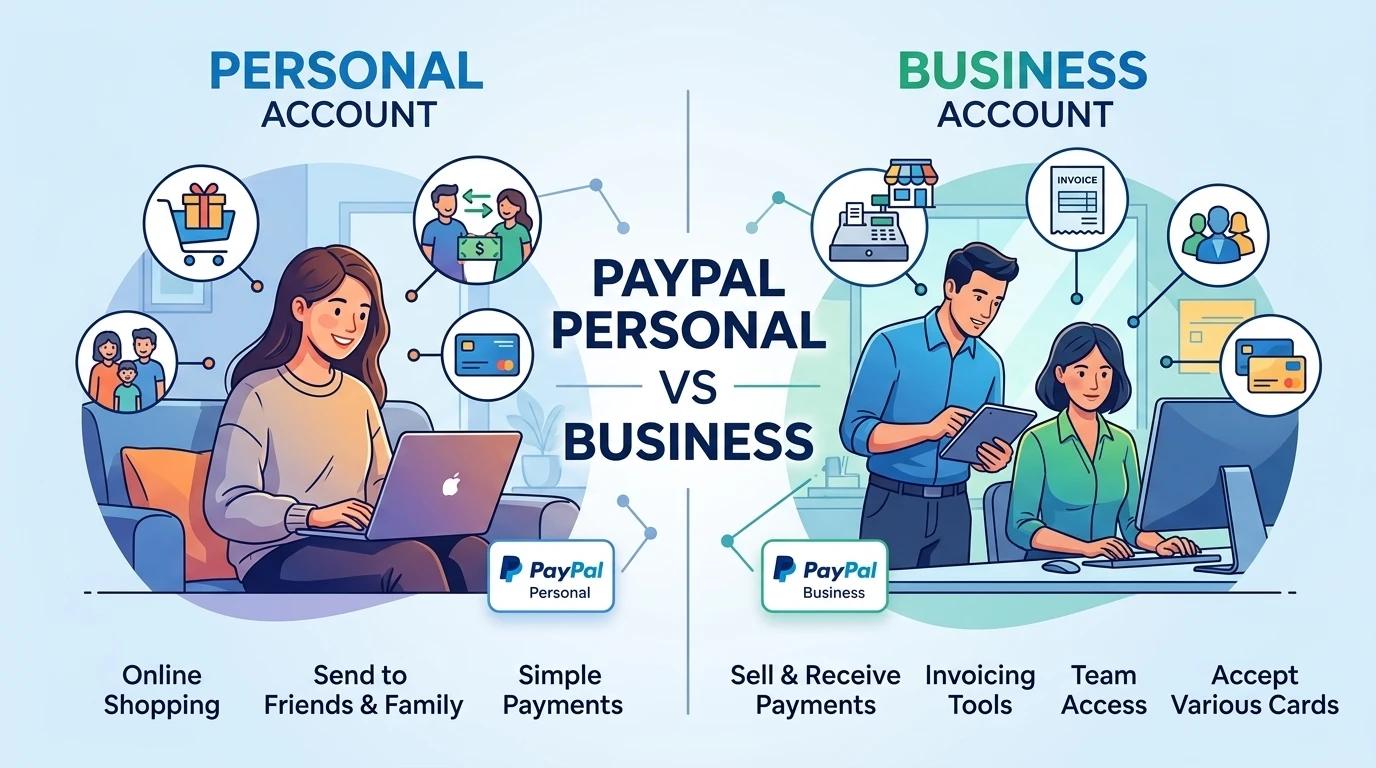
The two account types are not the same. Here is a simple comparison:
| Feature | Personal Account | Business Account |
| Best for | Everyday payments, friends & family | Selling products, receiving client payments |
| Can use business name | No | Yes |
| Accept credit/debit cards | Limited | Yes |
| Send invoices | Basic | Yes, with more tools |
| Team member access | No | Yes (up to 200 users) |
| Fees | Usually lower for personal transfers | Different structure for commercial activity |
| Official limit per person | 1 | 1 |
Many people start with a Personal account and later upgrade it. Others open a second account from the beginning so they can keep personal and business money completely separate. Both approaches work, as long as you stay inside the official limit.
Clearing Up the Most Common Misconceptions
Several myths still circulate online.
| # | Myth | Reality |
| 1 | “I can open as many PayPal accounts as I want.” | PayPal allows only one Personal and one Business account per person in most cases. |
| 2 | “If one account gets banned, I can just open another.” | PayPal links accounts through identity data. Opening a new account after a ban often leads to the new one being limited too. |
| 3 | “Using the same email for both accounts is fine.” | Each account needs its own unique email address. PayPal will not allow the same email on two accounts at the same time. |
Understanding these rules early saves time and protects your funds. In the next sections, we will look at why people need more than one account and how to set them up the right way.
Why People Actually Need Multiple PayPal Accounts
Many people still ask “can I have multiple PayPal accounts” because one account simply does not fit every situation. Life and work often need clearer separation. Here are the most common real reasons.
Separating Personal and Business Finances
Mixing personal and business money creates problems. Tax time becomes messy. It is harder to see how much the business actually earns. Some banks and accountants also prefer clean records.
Take Mike as an example. He works a full-time job and sells handmade goods on weekends. He used one PayPal account for everything. When tax season arrived, he spent hours sorting personal transfers from customer payments. After he opened a Business account for the shop, everything became clearer. Personal bills stayed in one place. Business income stayed in another. He saved time and reduced stress.
Running Multiple Online Businesses or Brands
Some people manage more than one brand. Each brand may target different customers or sell different products. Keeping them under one PayPal account can look confusing to buyers and create tracking issues.
Lisa runs two small stores. One sells pet supplies. The other sells eco-friendly home products. She opened a Personal account for daily use and a Business account for the first store. Later she needed better separation for the second brand. While PayPal’s standard rule is one Personal plus one Business account, the need for clean brand separation is exactly why many people explore the question of multiple accounts in the first place. Clear records help with customer support, refunds, and future growth.
Freelancing, Testing Markets, and Risk Isolation
Freelancers and online sellers often test new ideas. They may try a new product line or a new country. Putting everything in one account raises the risk. If that account faces a limit or review, all income can stop at once.
James is a freelance designer. He accepts client payments through PayPal. He also tests small digital products on the side. He keeps client work in his main Business account. For early product tests, he prefers cleaner separation so one experiment does not affect his steady income. This kind of risk isolation is a practical reason many people look into having more than one account.
These real needs explain why the question “can I have multiple PayPal accounts” stays common. The official rules allow a clear Personal + Business setup. Understanding why people want separation helps you decide if that setup fits your own situation.
How to Set Up Multiple PayPal Accounts Safely and Compliantly
Once you understand why people want separation, the next question is how to do it the right way. Setting up accounts carefully helps you stay inside PayPal’s rules and avoid future problems. Here is a clear, step-by-step process that works for most people asking “can I have multiple PayPal accounts.”
Step 1: Prepare Unique Credentials and Verifiable Information
Start by gathering clean information for each account. You need a different email address for every account. A secondary Gmail or Outlook account works fine. Use a different phone number when possible. Virtual numbers can work, but real numbers are safer for verification.
Make sure your name, address, and date of birth are accurate and match your official documents. PayPal checks this information. Fake or mismatched details often lead to limits later. Prepare a bank account or card you can link. Using completely separate payment methods for each PayPal account reduces risk.
Step 2: Create Your First Account (Personal or Business)
Go to PayPal’s official website and click Sign Up. Choose Personal if you mainly need everyday payments. Choose Business if you plan to sell products or send invoices.
Enter your details carefully. Use one of the unique emails you prepared. Complete the basic verification steps PayPal shows you. Link a payment method and confirm your email and phone. Finish this account fully before starting the second one. Many people rush and create problems for themselves.
Step 3: Create the Second Account Correctly
Log out of the first account completely. Clear your browser cookies or use a different browser. This small step helps avoid mixed signals.
Sign up again with the second unique email. If your first account is Personal, make this one Business (or the other way around). Enter your information again. Keep the details consistent with your real identity, but use the new email and phone. Do not try to hide or change your name or address. PayPal allows the Personal + Business combination under the same person.
Step 4: Additional Business Accounts (Only for Separate Legal Entities)
PayPal’s standard rule stops at one Personal and one Business account. If you need another Business account, you usually need a separate legal entity. This means a different company name, different tax ID, and proper registration documents.
For example, if you own two registered companies, you may be able to open a Business account for each one. Contact PayPal support first and explain your situation. Do not open extra accounts just because you want them. Unauthorized extra accounts often get limited.
Step 5: Complete Full Verification for Every Account
After both accounts exist, finish every verification step. Confirm the email. Confirm the phone number. Link and confirm a bank account or card. Upload identity documents if PayPal asks for them.
Verified accounts work better and face fewer limits. Unverified accounts can have lower sending and receiving limits. Take the time to complete this process for each account. It protects you in the long run.
Following these steps gives you a clean Personal + Business setup that follows PayPal’s rules. In the next section, we will look at how to manage the accounts day to day without raising red flags.
Managing Multiple PayPal Accounts Without Getting Flagged
Creating the accounts is only the first part. Keeping them running smoothly matters just as much. Many people who ask “can I have multiple PayPal accounts” later face limits because of how they log in and switch between accounts. Small daily habits make a big difference.
How to Move Between Accounts Without Raising Alerts
Switching accounts too quickly from the same browser can look suspicious. PayPal notices repeated logins from the same device in a short time.
A better way is to use separate browser profiles. Chrome and Firefox both allow you to create different profiles. Each profile keeps its own cookies, history, and login data. You can also use two different browsers — one for the Personal account and one for the Business account. For teams managing multiple accounts, following safe multi-account management practices and using anti-detect browsers can help maintain separate browsing environments and reduce the risk of account association.
Some people prefer to log out fully and clear cookies before switching. Others simply wait a few hours between logins. The goal is to make each login look like a normal, separate session. Fast and repeated switching from the same place is what often triggers reviews.
Preventing IP and Browser Fingerprint Links
PayPal looks at more than just your email and password. It also checks your IP address and browser fingerprint. If two accounts always come from the same IP and the same browser setup, the system can link them.
A browser fingerprint includes details like screen size, installed fonts, language settings, and browser version. When these details match across accounts, the risk goes up.
Using different browser profiles helps reduce fingerprint overlap. Using different IP addresses between sessions can reduce the chance of accounts appearing linked through shared network signals. Many people who manage more than one account choose clean residential IPs for this reason. The idea is simple: each account should look like it belongs to a normal user in a normal location.
Best Practices for Long-Term Account Health
Good habits protect your accounts over months and years.
Keep transaction patterns natural. Sudden large transfers or unusual activity can draw attention. Try to use each account for its intended purpose — personal spending in one, business income in the other.
Update your contact information when it changes. Confirm emails and phone numbers quickly when PayPal asks. Avoid logging in from public Wi-Fi or shared networks when possible.
Finally, never use one account to send money to the other in ways that look like you are moving funds to hide activity. Clean, separate use is always safer.
These simple practices help most people keep their Personal and Business accounts healthy. In the next section, we will look at how the right proxy setup can support cleaner network separation when you manage more than one account.
How Emadar Proxies Support Cleaner Multi-Account Management
In the previous section, we saw that IP addresses and browser fingerprints can link accounts. This is one of the most common concerns for anyone who asks “can I have multiple PayPal accounts” and then manages them daily. Cleaner network separation helps reduce that risk. Here is how the right proxy setup can support safer account management.
Why Clean Network Separation Matters for Multi-Account Safety
PayPal checks where you log in from. If two accounts always use the same home or office IP, the system can connect them. Even if you use different emails and browsers, a shared IP raises the chance of review.
Real residential IPs work better than data center IPs for this purpose. They look like normal home connections. When each account uses a different clean IP, the activity appears more natural. This simple separation supports the Personal + Business setup that PayPal already allows.
Using Emadar Rotating Residential Proxies for Flexible Daily Management
Some people need to switch accounts several times a day. In these cases, rotating residential proxies are useful. IPFLY’s rotating residential proxies draw from a large pool of real home IPs. You can set them to change automatically or keep the same IP for a short session (sticky session).
For example, a freelancer who checks a Personal account in the morning and a Business account in the afternoon can rotate IPs between sessions. This helps each account show a more independent network environment. The large pool of real residential IPs also helps avoid low-quality addresses.
Using Emadar Static Residential Proxies for Stable Long-Term Accounts
Other users prefer stability. They want the same trusted IP for weeks or months. Static residential proxies (also called ISP proxies) fit this need. These are real residential IPs that stay fixed and are assigned to only one user.To understand more about why fixed IPs matter, you can check out the Static Residential Proxies Guide.
A small business owner who logs into the same Business account every day often prefers a static residential IP. The connection stays consistent. The IP looks like a normal home or small-office connection. This steady setup is often preferred for long-term, consistent account activity. Explore IPFLY Static Residential (ISP) Proxies for this use case.
Matching the Right Emadar Proxy Type to Your Specific PayPal Setup
The best choice depends on how you use the accounts. Here is a simple comparison:
| Feature | Rotating Residential Proxies | Static Residential Proxies (ISP) |
| IP Type | Real home IPs that change | Real home IPs that stay fixed |
| Best for | Switching accounts often during the day | Long-term stable login for one account |
| IP Duration | Changes automatically or by sticky session | Stays the same for weeks or months |
| Main Advantage | High flexibility | High consistency and trust |
| Recommended use case | Checking both accounts multiple times daily | Daily login to the same Business account |
| Product Link | Rotating Residential | Static Residential |
Many people use a mix: a static IP for the main Business account and rotating IPs for lighter activity. The goal is always the same — keep each account’s network environment clean and separate.
Choosing the right proxy type does not replace PayPal’s official rules. It simply supports cleaner daily management for those who already follow the one Personal + one Business limit.
Frequently Asked Questions
People who research “can I have multiple PayPal accounts” usually have a few follow-up questions. Here are clear answers based on PayPal’s current rules.
Can I have two personal PayPal accounts?
No. PayPal only allows one Personal account and one Business account per person. Trying to open two Personal accounts often leads to limits on both.
Can I use the same bank account or phone number?
You must use a different email for each account. The same phone number is sometimes possible but risky. The same bank account is usually not allowed. Separate payment methods are safer.
What happens if PayPal detects unauthorized multiple accounts?
PayPal can limit or permanently restrict the accounts. You may lose the ability to send, receive, or withdraw money. In some cases, funds are held for up to 180 days.
Do I really need proxies to manage multiple accounts?
No. Many people run one Personal and one Business account from the same network without problems. Proxies become useful when you log in often and want cleaner IP separation between accounts.
Conclusion: Stay Compliant and Scale with Confidence
So, can I have multiple PayPal accounts? Yes. PayPal allows one Personal account and one Business account. Each one needs its own email address. Staying inside this rule is the safest way to avoid limits or bans.
The real work comes after you open the accounts. Keep personal and business activity separate. Log in carefully. Avoid linking the accounts through the same IP or device when possible.
If you manage both accounts often and want cleaner network separation, real residential proxies can help. IPFLY rotating residential proxies and static residential proxies give each account a more natural network environment. This supports safer daily use while you stay fully within PayPal’s rules.
Click to get High-Quality IP Global ProxiesFollow the official limits. Build good habits. When you need reliable IP separation, IPFLY is ready to support you.