
Understanding IPv4 Addresses: A Simple Guide
When browsing the internet, the term “IP address” frequently arises. Among IP address types, IPv4 addresses are the most commonly used and are integral to our daily online experiences. However, for many non-technical users, questions like “What does IPv4 address mean?”, “What is it used for?”, and “Why should I sometimes pay attention to it?” remain unclear.
In reality, understanding IPv4 addresses isn’t complicated. We can use a real-world analogy to explain it. If we imagine the internet as a vast city, each device connected to the internet (computer, mobile phone, tablet, etc.) is like a “house” in this city. An IPv4 address is the unique street address for each “house.” With this address, data can be accurately transmitted from one device to another, allowing us to smoothly browse web pages, send messages, and watch videos.
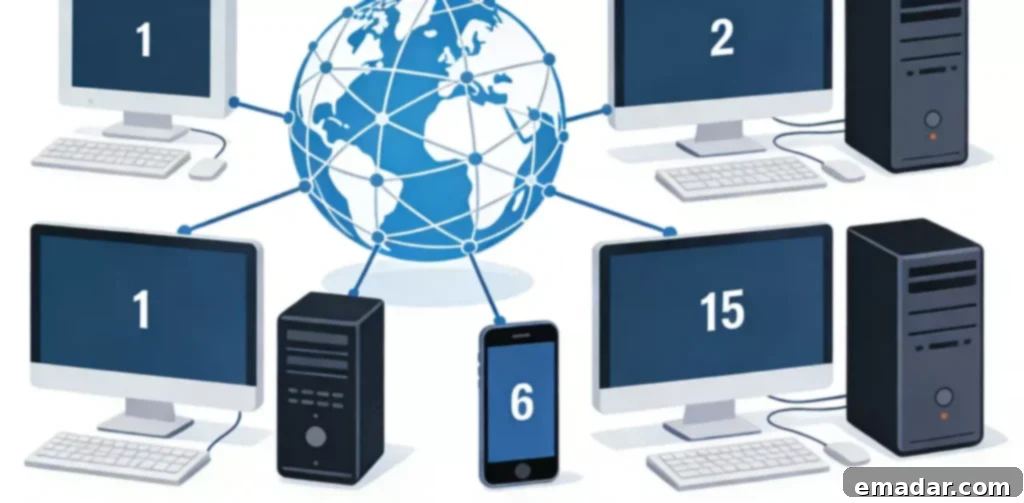
What is an IPv4 Address?
1. Definition: The Unique Identifier for Internet Devices
IPv4 stands for “Internet Protocol Version 4.” An IPv4 address is a unique identifier assigned to internet devices based on the IPv4 protocol. It is used to locate devices and transmit data across the internet. Simply put, any device that wants to connect to the internet needs a unique IPv4 address; otherwise, it cannot exchange data with other devices.
An IPv4 address consists of 32 binary digits (bits). To make it easier for humans to read and remember, the 32 bits are divided into four groups of 8 bits each. Each group of binary digits is then converted into a decimal number, and the groups are separated by periods (dots). This representation is called “dotted decimal notation.” Examples of typical IPv4 addresses include “192.168.1.1” and “114.114.114.114.”
2. Structure: Network ID and Host ID
A complete IPv4 address comprises two parts: the network ID and the host ID. The network ID identifies the network segment where the device is located, similar to a “neighborhood” in a city. The host ID identifies the specific device within that network segment, similar to a “house number” on a street. Through this division, an IPv4 address can accurately locate each device on the internet.
To distinguish between the network ID and the host ID, IPv4 addresses are used with a subnet mask. The subnet mask is also a 32-bit binary number, where “1” represents the network ID and “0” represents the host ID. For example, a common subnet mask like “255.255.255.0” indicates that the first 24 bits are the network ID and the last 8 bits are the host ID. By combining the IPv4 address and the subnet mask, a device can quickly determine whether the destination device is on the same network segment and choose the appropriate data transmission path.
3. Classification: Adapting to Different Network Sizes
Based on network size, IPv4 addresses are divided into five classes: A, B, C, D, and E. Classes A, B, and C are the most commonly used public IP addresses. Class D is used for multicasting, and Class E is reserved for research. Different classes of IPv4 addresses have different lengths for the network ID and host ID, which affects the number of devices they can accommodate:
(1) Class A addresses: The first 8 bits are the network ID, and the last 24 bits are the host ID. They are suitable for large networks and can accommodate a large number of devices.
(2) Class B addresses: The first 16 bits are the network ID, and the last 16 bits are the host ID. They are suitable for medium-sized networks.
(3) Class C addresses: The first 24 bits are the network ID, and the last 8 bits are the host ID. They are suitable for small networks and are the most commonly used in everyday scenarios.
In addition to public IP addresses, there are also private IPv4 addresses specifically for local area networks (LANs), such as “192.168.0.0-192.168.255.255” and “10.0.0.0-10.255.255.255.” Private IPv4 addresses cannot be directly used on the internet. They need to be converted into public IPv4 addresses using the router’s NAT (Network Address Translation) function before they can access the internet.
How do IPv4 Addresses Facilitate Smooth Internet Access?
Now that we understand the basic concepts of IPv4 addresses, let’s examine how they work in the actual process of accessing the internet. Every time we perform an online action (such as opening a web page or sending a message), an IPv4 address is responsible for locating and transmitting the data. The process can be divided into three core steps:
1. Request Initiation: Device Sends Data with its IPv4 Address
When we initiate an internet request on our device (such as entering a website address and pressing Enter), the device first packages the request data. The data packet contains two crucial pieces of information: the sender’s IPv4 address (i.e., our device’s IPv4 address) and the receiver’s IPv4 address (i.e., the destination server’s IPv4 address).
This is similar to when we ship a package and need to fill in the sender’s address and the recipient’s address on the package.
2. Routing and Forwarding: Data Finds its Path Based on IPv4 Address
After the data packet is sent, it passes through multiple routers for forwarding. Routers act as “traffic hubs” on the internet. They examine the recipient’s IPv4 address in the data packet, consult their routing tables, select the optimal transmission path, and forward the data packet step by step to the network where the destination server is located.
During this process, the router only focuses on the network ID in the IPv4 address. It uses the network ID to determine the next forwarding node until the data packet reaches the destination network.
3. Receiving Response: Destination Server Returns Data via IPv4 Address
When the destination server receives the data packet, it processes our request (such as retrieving web page data) and generates a response data packet. The response data packet also contains the sender’s (destination server) and receiver’s (our device) IPv4 addresses. It is then forwarded back to our device along the original path through the routers.
After the device receives the response data packet, it can parse and display the data, and we see the desired web page content.
Practical Applications of IPv4 Addresses in Daily Life
IPv4 addresses are not only a fundamental internet technology but also play an important role in our daily lives. Many common online activities rely on them:
1. Device Interconnectivity: Enabling Data Transfer Between Multiple Devices
In local area network (LAN) scenarios (such as a home Wi-Fi network), the interconnectivity between different devices depends on IPv4 addresses. For example, when we transfer files from a mobile phone to a computer or connect a smart TV to a computer to play videos, data transmission is achieved through the devices’ private IPv4 addresses. The router identifies different devices within the LAN through IPv4 addresses, ensuring that data is accurately transmitted to the destination device.
2. Public Network Access: Gaining Access to Various Services on the Internet
When we need to access public network services on the internet (such as browsing web pages, using online office software, or watching online videos), we must do so through a public IPv4 address. Our device establishes a connection with various servers on the internet through the public IPv4 address assigned by the internet service provider (ISP), obtaining the required services and data. Without a public IPv4 address, the device cannot access the internet and can only be used within the LAN.
3. Proxy Network Services: Meeting Cross-Border Internet Access Needs
In scenarios where cross-border access to internet resources is required (such as cross-border e-commerce operations or overseas information retrieval), proxy network services provide dedicated IPv4 addresses to help devices connect to overseas networks smoothly. For example, IPFLY’s proxy service assigns users independent overseas IPv4 addresses, ensuring that their devices can be accurately located within the overseas network environment while ensuring the stability and security of data transmission, meeting various cross-border internet access needs. One of the core functions of such services is to break through network geographical restrictions through the precise allocation of IPv4 addresses.
Common Misconceptions About IPv4 Addresses
1. “IPv4 Addresses are Static and Unchanging”
Many people believe that their device’s IPv4 address is fixed, but this is not the case. Most home users’ public IPv4 addresses are dynamically assigned. Each time the router is restarted or the internet connection is re-established, the ISP reassigns a public IPv4 address. While private IPv4 addresses within a LAN can be manually set as static addresses, they are typically dynamically assigned by the router through DHCP (Dynamic Host Configuration Protocol) and may change as devices connect and disconnect. Only servers and other special devices use static public IPv4 addresses.
2. “There is a One-to-One Correspondence Between IPv4 Addresses and Devices”
This perception is also incorrect. On the one hand, dynamically assigned IPv4 addresses may be used by multiple devices in rotation. On the other hand, a device will obtain different IPv4 addresses in different network environments (for example, the IPv4 address of a mobile phone when connected to Wi-Fi at home is completely different from the IPv4 address when connected to mobile data outside). An IPv4 address is a temporary identifier for a device in a specific network environment, rather than a permanent identifier bound to the device.
3. “All Devices Need a Public IPv4 Address”
Not all devices need a public IPv4 address. Only devices that need to directly access the internet and interact with public network services require a public IPv4 address. Devices that are only used within a LAN (such as smart cameras or printers) only need a private IPv4 address and do not require a public IPv4 address. The router’s NAT function allows multiple LAN devices to share a single public IPv4 address to access the internet, thereby saving public IPv4 address resources.
IPv4 Addresses: The “Fundamental Cornerstone” of the Internet
In summary, the core function of an IPv4 address is to “identify devices and locate data,” acting as the “unique street address” on the internet. It is the foundation for devices to connect to the internet and transmit data. Understanding what an IPv4 address is not only helps us understand the basic principles of internet access but also allows us to quickly find the root cause of network problems (such as inability to access the internet or devices failing to interconnect).
In daily use, we don’t need to deeply master the technical details of IPv4 addresses, but understanding their basic concepts and application scenarios can make our internet experience smoother. If you have special needs such as cross-border internet access, choosing a high-quality proxy network service (such as IPFLY) and using its dedicated IPv4 address can easily meet various special network requirements and enjoy stable and secure internet services.
Why Choose IPFLY’s Solution?
IPFLY helps users configure proxy IPs efficiently through the following technical advantages:
1. Self-built server network: Covers major cities around the world, with high IP resource purity, avoiding “blacklist” issues.
2. Dynamic IP allocation mechanism: Automatically rotates IPs, reducing the risk of using the same address for a long time.
3. Multi-level IP filtering: Uses big data algorithms to remove low-quality IPs, ensuring proxy link success rates.
👉Choose IPFLY for peace of mind, Claim discounts and get high-quality IPs now!