
Unlock YouTube: The Ultimate Guide to YouTube Proxy Servers
YouTube reigns supreme as the world’s leading video-sharing platform, captivating over two billion users across the globe. However, accessibility isn’t always guaranteed. Many individuals encounter frustrating restrictions that prevent them from enjoying their favorite content. Whether it’s workplace firewalls, school network limitations, or geographic content blocks, countless users worldwide are actively searching for reliable YouTube proxy solutions. This comprehensive guide delves into the world of YouTube proxy servers, exploring their functionality, configuration methods, and best practices for secure and effective access to YouTube, regardless of your location or network restrictions.
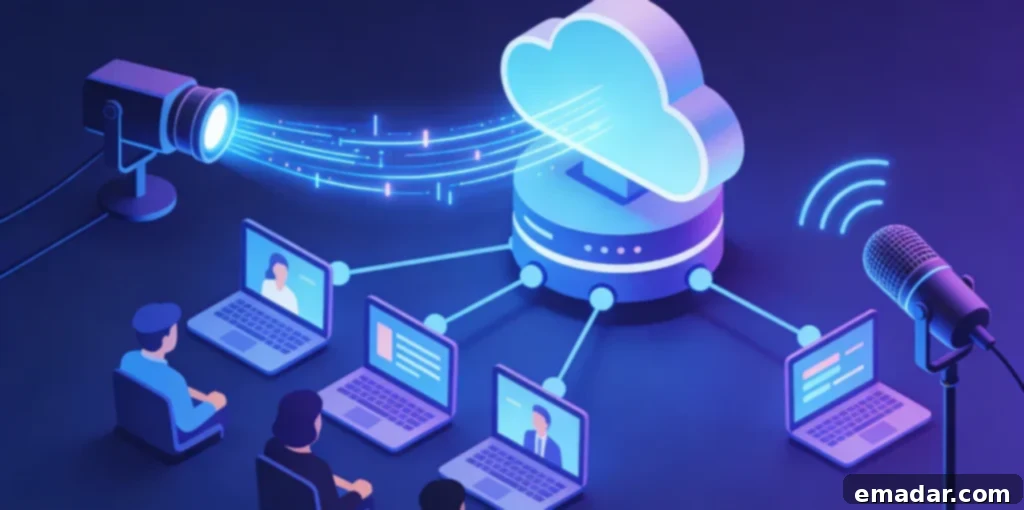
Understanding the Power of YouTube Proxy Solutions
At its core, a YouTube proxy acts as a crucial intermediary between your device and YouTube’s servers. Think of it as a virtual tunnel that allows you to bypass direct connection limitations. When your direct connection to YouTube is blocked or restricted, a YouTube proxy steps in, enabling you to access the content you desire. YouTube proxy services are highly sought after for their ability to overcome content limitations and provide unrestricted access.
Why is YouTube Blocked in the First Place?
To truly appreciate the effectiveness of YouTube proxy solutions, it’s essential to understand the reasons behind these blocking mechanisms. Organizations, educational institutions, and even governments implement YouTube blocks for a variety of reasons:
Workplace and Educational Distractions: One of the primary reasons for blocking YouTube in workplaces and schools is to minimize distractions and conserve valuable bandwidth. By preventing access to YouTube during work or school hours, network administrators aim to maintain productivity and ensure that network resources are used efficiently.
Geographic Content Licensing: YouTube content is often subject to geographic restrictions based on complex licensing agreements and copyright regulations. Content creators and rights holders may limit the availability of videos to specific countries or regions. This is where a YouTube proxy becomes invaluable, allowing you to access content that would otherwise be unavailable in your location.
Government Censorship: In certain countries, governments employ strict censorship policies, blocking YouTube entirely or filtering specific content deemed inappropriate. Citizens in these regions often rely on YouTube proxy services as a vital tool for accessing unrestricted information and entertainment, circumventing government-imposed limitations.
Advanced Network-Level Blocking: Some organizations utilize sophisticated network-level blocking techniques, such as deep packet inspection, to identify and block YouTube traffic regardless of the access method used. These advanced blocks require equally advanced YouTube proxy solutions to effectively circumvent them and maintain uninterrupted access.
How YouTube Proxy Services Work Their Magic
The functionality of YouTube proxy servers is quite straightforward yet incredibly effective. When you use a YouTube proxy, your requests are first sent to the proxy server. The proxy server then forwards your requests to YouTube using its own IP address. YouTube responds to the proxy server, and the proxy server, in turn, relays the content back to you. From YouTube’s perspective, all requests appear to originate from the proxy server itself, effectively masking your actual location and identity.
This intermediary approach empowers YouTube proxy services to bypass IP-based blocks, circumvent geographic restrictions, and conceal your location from both YouTube and network administrators. The effectiveness of this approach makes YouTube proxy solutions a top choice for accessing restricted content.
When selecting a YouTube proxy infrastructure, the type of proxy IP address is a crucial consideration. For instance, a residential proxy network, offers a vast pool of authentic residential IPs spanning numerous countries. These residential IPs provide superior YouTube access compared to datacenter proxy alternatives, which are often easily detected and blocked by YouTube’s sophisticated systems.
YouTube actively implements detection systems to identify and block datacenter proxy traffic. Residential IPs, originating from real internet service provider (ISP) allocations, appear as legitimate user traffic, effectively bypassing YouTube’s detection mechanisms. This authenticity and reliability are key factors in choosing a top-tier YouTube proxy solution.
Exploring the Different Types of YouTube Proxy Services
The world of YouTube proxies offers a diverse range of approaches, each with its own set of capabilities, ease of use, and overall effectiveness. Let’s take a closer look at some of the most common types:
Web-Based YouTube Proxy Sites: Simplicity at a Cost
Web-based YouTube proxy services provide a simple and straightforward browser-based access method, eliminating the need for complex configurations. Users simply visit the proxy website, enter the desired YouTube URL, and view the content directly through the proxy’s web interface.
These services are among the simplest YouTube proxy options available, requiring no technical expertise or software installations. However, they often come with significant limitations, including restricted functionality, frequent blocking by YouTube, potential security concerns, and subpar video quality.
Many free web-based YouTube proxy sites operate with questionable security practices, injecting intrusive advertisements, tracking user behavior without your consent, or even distributing malware. It’s crucial to approach these services with extreme caution and be aware of the potential risks involved.
Browser Extensions for YouTube Proxy: Convenience with Limitations
Browser extensions offer YouTube proxy functionality directly within popular web browsers like Chrome, Firefox, or Edge. Users can install these extensions and seamlessly route their YouTube traffic through proxy servers while maintaining a normal browsing experience.
Extension-based YouTube proxy solutions generally rank higher than web-based options in terms of convenience and functionality. They allow you to use the standard YouTube interface, support account features, and integrate seamlessly into your existing browser workflows.
However, browser extensions still have their limitations. They typically only affect browser traffic, leaving other applications on your device unaffected. Additionally, free extensions often rely on datacenter proxies, which are increasingly blocked by YouTube, while premium extensions require paid subscriptions.
System-Level Proxy Configuration: A Comprehensive Approach
Configuring proxy settings at the operating system level provides the most comprehensive approach, routing all network traffic, including YouTube access, through designated proxy servers. This method offers the most robust and reliable YouTube proxy experience.
System-level configuration affects all applications and services on your device, providing YouTube proxy access through web browsers, mobile apps, smart TV applications, and any other internet-connected software. This universality makes system-level proxies an excellent choice for users who require consistent and comprehensive YouTube access across all their devices.
Setting up system-level YouTube proxy access involves obtaining proxy server addresses and ports from a reliable provider, and then configuring your operating system’s network settings accordingly. The process typically involves a few straightforward steps:
For Windows Users: Navigate to Settings, then Network & Internet, and select Proxy. Enable “Manual proxy setup” and enter the proxy server address and port provided by your proxy service. Save the configuration, and all your network traffic will now be routed through the proxy.
For macOS Users: Open System Preferences and select Network. Choose your active network connection and click “Advanced.” Navigate to the “Proxies” tab and select the appropriate proxy protocol (HTTP, HTTPS, or SOCKS5), depending on your proxy service’s requirements. Enter the proxy details and apply the changes.
For Mobile Devices: Access your device’s network settings and find the proxy configuration options. Select “Manual proxy setup” and enter the proxy information provided by your proxy service. Save the settings, and your mobile device will now use the proxy for all network traffic.
Support for multiple protocols ensures compatibility with various devices and YouTube access methods. This comprehensive protocol support is a key differentiator for high-quality proxy providers.
Dedicated YouTube Proxy Applications: Advanced Features for Power Users
Specialized applications designed specifically for proxy routing offer advanced features beyond basic proxy configuration. These applications often include user-friendly server selection interfaces, automatic optimization tools, and detailed usage monitoring capabilities.
While dedicated proxy applications offer enhanced functionality compared to browser extensions, they require installation and may consume additional system resources. However, for users who prioritize YouTube proxy performance and advanced features, these dedicated applications can prove to be invaluable.
Optimizing YouTube Proxy Access: Best Practices for Success
Navigating the world of YouTube proxies can be complex, but by following these best practices, you can optimize your experience and ensure seamless access to your favorite content:
Prioritize Residential Proxies: Always opt for residential proxies over datacenter proxies. Residential proxies are far less likely to be detected and blocked by YouTube’s anti-proxy measures, ensuring a more reliable and consistent experience.
Choose a Reputable Provider: Select a reputable proxy provider with a proven track record of providing reliable and high-quality service. Look for providers that offer a wide range of IP addresses, fast connection speeds, and excellent customer support.
Regularly Rotate Proxies: Rotate your proxy IP address regularly to avoid being flagged by YouTube’s detection systems. Most proxy providers offer automatic IP rotation features that can simplify this process.
Clear Browser Cache and Cookies: Periodically clear your browser’s cache and cookies to remove any data that could potentially identify your proxy usage.
Use a Secure Connection: Always use a secure (HTTPS) connection when accessing YouTube through a proxy to protect your data from interception.
Monitor Your Usage: Keep a close eye on your proxy usage to ensure that you’re not exceeding any bandwidth limits or violating the terms of service of your proxy provider or YouTube.
YouTube Proxy: Your Gateway to Unrestricted Content
YouTube proxy services are powerful tools that can unlock access to a world of content, regardless of your location or network restrictions. By understanding how proxies work, exploring the different types of proxy services available, and following the best practices outlined in this guide, you can enjoy seamless and unrestricted access to your favorite YouTube videos.