
PayPal Registration Guide: Tailored for Personal, Business, and Cross-Border Users
Registering for PayPal isn’t a one-size-fits-all process. The registration requirements and essential considerations differ based on user type (individual/business) and usage scenario (cross-border shopping/receiving payments from overseas/cross-border business operations). Understanding these differences is crucial for a smooth and successful account setup.
For example, an individual engaging in cross-border shopping only needs to register a simple personal account. In contrast, a business involved in cross-border e-commerce must register a business account and complete a more detailed verification process. Similarly, local users often experience a simpler registration process than cross-border users, who may need to address regional network restrictions and other complexities. This comprehensive guide provides tailored instructions for various user types, ensuring you choose the right account and navigate the registration process effectively.
The primary differences in PayPal registration for different user types lie in three key areas: account type selection, required documentation, and network environment requirements. This guide delves into each of these areas, providing specific advice for each scenario.
Precisely matching your user type and usage scenario with the correct PayPal account is essential for a streamlined registration process and ensures your account functions optimally for your needs. This minimizes potential issues and maximizes the benefits of using PayPal for your transactions.
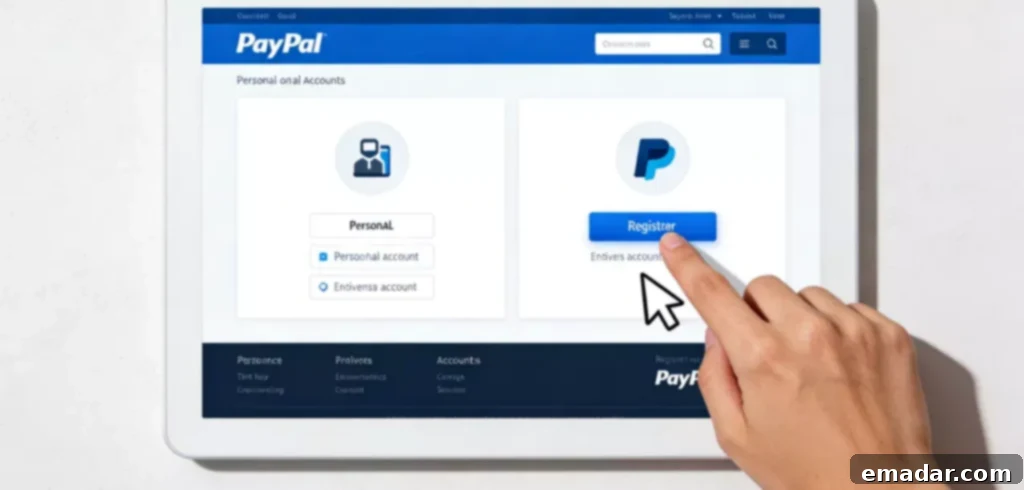
Simple and Efficient: Meeting Basic Payment Needs
This section is designed for users who primarily use PayPal for cross-border shopping (e.g., purchasing goods from overseas e-commerce platforms). These users typically have low transaction frequency and small transaction amounts. Their core requirements are a simple and fast registration process, the ability to make cross-border payments successfully, and guaranteed account security.
1. Account Type Selection
The recommended option for this user type is a personal account. The personal account registration process is straightforward, with minimal documentation requirements, and it adequately meets the basic payment needs for cross-border shopping. Choosing a personal account simplifies the initial setup and allows for quick access to PayPal’s core features.
2. Required Documentation
The required documentation for a personal account is relatively simple to obtain. You will need a personal identification document (such as an ID card or passport), a frequently used email address, a bank card/credit card that supports international payments, and a personal mobile phone number. Ensuring these documents are readily available will speed up the registration process.
3. Information Input
When filling out the registration form, it is crucial to ensure that your name, identification document information, and bank card information are consistent across all fields. For the address field, you can enter your usual domestic address, using standard Pinyin spelling. There is no need to provide an overseas address in this scenario. Accuracy in this step will prevent potential delays or complications.
4. Network Environment
If the overseas e-commerce platforms and PayPal registration page are not subject to regional restrictions, a standard stable internet connection is sufficient. However, if regional restrictions exist, you can use proxy network services to optimize your network environment. This involves obtaining a network node that allows normal access to the restricted sites, ensuring a smooth registration and payment process. Choose a reputable proxy service for optimal performance.
5. Post-Registration Setup
After completing the registration, enable the two-factor authentication feature for enhanced security. Link your frequently used payment methods to your account and familiarize yourself with the basic rules and fee structure for cross-border payments. Understanding these details will help you avoid payment failures due to unfamiliarity with the rules and regulations.
Focus on Account Compliance: Ensuring Smooth Payment Reception
This section caters to users who primarily use PayPal to receive payments from overseas sources, such as freelance income, cross-border gig economy earnings, or transfers from friends and family abroad. The essential requirements for these users are account compliance, functional payment reception capabilities, the ability to withdraw funds smoothly, and robust account security.
1. Account Type Selection
You can choose between a personal account or a premier personal account (available in some regions). The premier personal account offers higher payment receiving limits and features better suited for receiving payments. If you receive payments frequently or in large amounts, consider registering a business account, which is designed for more substantial transaction volumes.
2. Required Documentation
In addition to the basic personal identification documents, email address, and mobile phone number, you will also need a valid bank card for withdrawals. Some regions may require you to provide supporting documentation related to your income (such as a freelance contract or proof of gig economy work). Preparing these documents in advance will expedite the verification process.
3. Information Input
All information provided must be true and accurate. In particular, your name, identification document information, and bank card information must match the information on your withdrawal bank card precisely. Discrepancies in this information can lead to withdrawal failures. The contact address should be a detailed and accurate valid address, ensuring that you can receive any relevant documents sent by PayPal.
4. Verification Steps
It is imperative to complete all verification steps, including email verification, mobile phone verification, identity verification, and bank card verification. Accounts that have not completed all verification steps may have their payment receiving functionality restricted. When verifying your identity, upload a clear and complete photograph of your identification document to ensure successful verification on the first attempt.
5. Network Environment
Maintaining a stable network environment is essential when registering and logging into your account to receive payments. If you are registering a PayPal account for a specific payment receiving region and encounter regional network restrictions, you can use proxy network services to obtain a stable network node in the corresponding region. This ensures smooth account login and payment reception operations, preventing payment delays or account irregularities caused by network issues.
Comprehensive Documentation: Adapting to Business Needs
This section addresses the needs of businesses engaged in cross-border e-commerce, who need to receive overseas order payments, make bulk payments, and manage multiple business accounts through PayPal. The key requirements for these users are account features tailored to their business operations, high payment receiving limits, guaranteed fund security, and access to exclusive services for businesses.
1. Account Type Selection
A business account is mandatory for this user type. Business accounts support displaying the business name, managing multiple accounts, making bulk payments, and withdrawing funds to a corporate bank account. These features are precisely tailored to the needs of cross-border e-commerce businesses, providing the tools necessary for efficient financial management.
2. Required Documentation
Prepare all relevant business documentation in advance, including the business license, the legal representative’s identification document, corporate bank account information, proof of business name and registered address, and the business’s email address and mobile phone number. All documents must be valid, with complete and clear information. Accurate and up-to-date documentation is crucial for a successful application.
3. Information Input
Strictly adhere to the information provided on the business license and related supporting documents when filling out the registration form. The business name, registered address, and legal representative information must match exactly. When filling out the business scope, accurately specify the business areas related to cross-border e-commerce to avoid account feature restrictions due to mismatches in the business scope.
4. Verification Process
Registering a business account requires a rigorous verification process by PayPal, which typically takes 3-5 business days. During the verification period, keep the business contact information provided accessible to receive verification notifications promptly. If additional documentation is required, submit it within the specified timeframe to ensure a smooth verification process. Prompt responses and complete submissions are essential.
5. Network Environment
A stable network environment is necessary for registering a business account and performing daily operations, such as viewing transaction records and managing payment orders. If the business operates in multiple regions and needs to register PayPal accounts in different regions, consider using proxy network services to match each account with a corresponding network node. This ensures smooth registration and operation of each account, while also preventing account association or feature restrictions due to abnormal network environments.
6. Post-Registration Management
After completing the registration, establish business account management guidelines, set up multiple operator permissions, and clearly define the scope of operations for each permission. Enable the security protection features for the business account, regularly review account transaction records and fund flows, and ensure the security of business funds. Familiarize yourself with the business account’s fee structure, payment receiving limits, and withdrawal rules to optimize the efficiency of business fund turnover.
General Registration Principles for Different User Types
1. Compliance First
Regardless of the user type, providing true and accurate information and documentation during registration is essential. Adhere to PayPal’s platform rules and the relevant laws and regulations of the registration region to avoid account suspension due to violations.
2. Security Priority
After completing the registration, promptly improve your account security settings, enable the two-factor authentication feature, set a complex account password, and change the password regularly to prevent account theft. Do not disclose your account information and verification information carelessly to protect your account and funds.
3. Match Needs
Accurately select the account type based on your usage scenario and needs. Do not blindly register a business account (which has a complex process and strict verification) or use a personal account for business operations (which has limited features and higher risks).
4. Stable Network
Maintain a stable network environment during registration and daily use. Cross-border users should use appropriate proxy network services to optimize their network environment and avoid registration failures, operational abnormalities, or account restrictions caused by network issues.
By following these guidelines, you can navigate the PayPal registration process effectively and choose the account that best suits your needs, ensuring a smooth and secure experience.