
In our increasingly interconnected digital world, an IP address is as fundamental as a physical home address. It’s a unique string of numbers that identifies your device on the internet, acting as your digital return address for all data you send and receive. Whether you’re browsing websites, sending emails, or streaming videos, your IP address is silently working in the background, making these interactions possible.
But what if you need to change this address?
“How to change your IP address” is one of the most frequently asked technical questions online, driven by motivations ranging from simple troubleshooting to complex business strategies. For many, it’s a frustrating technical hurdle; for others, it’s a critical component of online privacy or business operations. This comprehensive guide will demystify the process, explain the crucial distinctions, and empower you with the knowledge to effectively manage your digital footprint.
The Core Distinction: Public vs. Private IP Addresses
Before you attempt to “change” your IP address, it’s vital to understand which type you’re looking to modify. Every device connected to your home Wi-Fi network, for instance, operates with two distinct types of IP addresses, each serving a different purpose and scope.
- Your Private IP Address: Think of this as the apartment number within a larger building. Your router, acting like a building manager, assigns a unique private IP to each connected device – your laptop, smartphone, smart TV, and so on. This assignment allows the router to efficiently manage traffic within your local network. For example, your laptop might have 192.168.1.10, while your phone uses 192.168.1.11. These private IPs are only visible within your local network and are not directly exposed to the external internet. They facilitate communication between devices within your home or office.
- Your Public IP Address: This is the sole, external address for your entire apartment building (your entire home network). Your Internet Service Provider (ISP) assigns this public IP address to your router. When you visit any website, that website only sees your public IP address. All devices within your home network share this single, external public IP address when accessing the internet. It acts as your network’s unique identifier to the rest of the world, revealing your general geographical location and serving as your network’s online identity.
When most people ask “how to change my IP address,” they are typically referring to changing their public IP address. This is the address that identifies your network’s location and online presence to the global internet, and it holds significant implications for privacy, security, and access to online resources.
How to Change Your Private IP Address (Internal Network Adjustments)
Modifying your private IP address is typically done for troubleshooting purposes, such as resolving an “IP address conflict” where two devices on your network are accidentally assigned the same address. The following simple methods can help you resolve such internal network issues quickly and efficiently.
Method 1: Using Command Prompt (Windows Systems)
This classic method forces your computer to release its current private IP and request a new one from your router, which acts as the DHCP server for your local network.
- Press the Windows key, type
cmd, and press Enter to open the Command Prompt. - Type
ipconfig /releaseand press Enter. This command instructs your computer to give up its current private IP address back to the router’s pool of available addresses. - Type
ipconfig /renewand press Enter. This command then requests the router to assign a new private IP address to your computer from its pool, ideally resolving any conflicts.
Method 2: Renew DHCP Lease (macOS Systems)
Mac users can achieve the same outcome with a few clicks through the system settings, interacting directly with the network configuration interface.
- Go to “System Settings” > “Network.”
- Click on the Wi-Fi or Ethernet connection you are currently using, then click “Details…”
- Navigate to the “TCP/IP” tab.
- Click the “Renew DHCP Lease” button. This action performs the same release and renew process as the Windows command prompt, obtaining a fresh private IP from your router.
It’s crucial to note that changing your private IP address will not impact your online privacy, nor will it allow you to access geo-restricted content. For those purposes, you must change your public IP address.
How to Change Your Public IP Address (External Network Adjustments)
This is where things get interesting, as changing your public IP address directly affects how websites and online services identify your network. The methods below range from simple attempts to highly effective strategies.
1. Restart Your Router (The “Might Work” Method)
Your Internet Service Provider (ISP) is responsible for assigning your public IP address. Most ISPs use dynamic IP addresses, meaning the IP assigned to you can change periodically. Unplugging your router, waiting a full 60 seconds, and then plugging it back in can sometimes be enough for your ISP’s system to assign you a new public IP. This works because, during the downtime, your router’s DHCP lease might expire, prompting the ISP to issue a new IP when it reconnects. However, this method is not guaranteed to work. If your ISP has assigned you a static IP (common with business plans), this method will be completely ineffective, as static IPs are designed not to change.
2. Switch Your Network (The “Simple” Method)
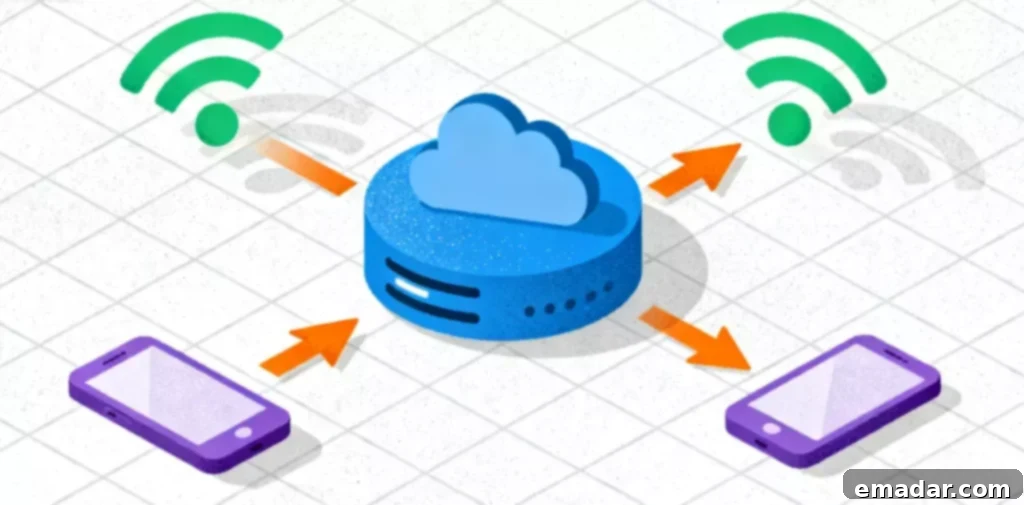
The simplest way to acquire a new public IP address is to use a completely different network. For instance, you can turn off Wi-Fi on your smartphone and switch to your 4G/5G mobile data. Your mobile carrier and your home ISP operate entirely separate networks, meaning you will instantly obtain a different public IP address from your mobile provider. This method is effective for quick checks or bypassing temporary IP blocks on your phone, but it’s not a sustainable solution for laptops or more complex tasks requiring a stable, high-bandwidth connection.
3. Use a Proxy Server (The “Professional & Effective” Method)
This is by far the most flexible, reliable, and powerful method for changing your public IP address, adopted by privacy-conscious individuals and large-scale enterprises alike. A proxy server acts as an intermediary between your device and the internet. When you send a web request, it goes to the proxy server first, which then forwards the request to the target website on your behalf. The website you’re visiting only sees the proxy server’s IP address, not your real one. This effectively masks your true IP address and geographical location, providing anonymity and the ability to appear from virtually any location worldwide.
The type of proxy server you choose is critically important, as different types offer varying levels of anonymity, speed, and legitimacy.
- Data Center Proxies: These IPs originate from commercial data centers and are not associated with real internet service providers or physical residential addresses. They are typically very fast and cost-effective, making them suitable for tasks like large-scale market research, bulk data scraping, or accessing websites with only basic IP restrictions. However, many sophisticated websites and services can easily detect and block data center IPs because they don’t appear as legitimate user traffic.
- Residential Proxies: These are the gold standard for IP modification. Residential proxies are real IP addresses assigned by ISPs to actual home users. When you use a residential proxy, your internet traffic appears indistinguishable from that of a regular local user in that region. This authenticity makes residential proxies crucial for bypassing advanced security systems that block data center IPs, allowing users to access geo-restricted content, conduct market research without detection, or manage multiple online accounts discreetly. Residential proxies come in two main forms:
- Dynamic Residential Proxies: These proxies provide a rotating IP address, meaning your IP changes frequently (e.g., with every request, or every few minutes). They are ideal for tasks requiring a high volume of requests from many different IPs, such as large-scale web scraping, price comparison, or ad verification, where changing your digital footprint regularly is beneficial.
- Static Residential Proxies (or Dedicated Residential Proxies): These proxies provide a consistent, non-changing IP address that belongs to a real residential user. They offer the authenticity of a residential IP with the stability of a static connection. Static residential proxies are invaluable for applications requiring a stable digital identity over time, such as managing multiple e-commerce accounts, social media accounts, or accessing services that require persistent login sessions.
We’ll delve into specific application scenarios for these proxy types below, highlighting why choosing the right tool for the job is paramount.
Why You Need to Change Your Public IP Address: Real-World Applications
This section connects the “how-to” with the “why,” illustrating the critical role of IP modification in modern e-commerce, social media, market research, and beyond. While many users change their IP for basic privacy needs, the most significant applications exist within strategic online operations.
Scenario 1: E-commerce Sellers and “IP Isolation”
The Problem: Imagine you are an ambitious e-commerce entrepreneur with a legitimate need to operate two distinct stores on platforms like Amazon or eBay – for instance, one selling “Brand A” electronics and another selling “Brand B” home goods. Platform algorithms are designed to detect and link accounts that appear to be operated by the same individual. The most significant red flag is multiple accounts logging in from the same public IP address. If your “Brand A” account is suspended for a policy violation (even an incorrect one), your “Brand B” account could be automatically suspended due to association, potentially crippling your entire business.
The Solution: IP isolation. For secure operations, each seller account must possess a unique, stable, and clean digital identity. This is a core part of “environment isolation.” You must ensure these accounts never share the same IP. This is where a static residential proxy IP becomes an indispensable tool. A seller in New York could use a static residential proxy IP provided by a reputable service like IPFLY to manage their “Brand A” account. This provides a clean, dedicated IP address from a real home (e.g., located in Texas), used exclusively for that account. They would then use a different static residential proxy IP to manage their “Brand B” account.
To the e-commerce platform, these two accounts appear to be operated by two different people from two different geographical locations, which is entirely legitimate. This professional application of IP modification is a fundamental risk management strategy in modern e-commerce, safeguarding business continuity and compliance.
Scenario 2: TikTok Streamers and Geo-Targeting
The Problem: TikTok’s powerful algorithm is renowned for its efficacy and heavy reliance on geographical location. If you are a content creator streaming from Germany, your live content will primarily be pushed to other users within Germany. But what if your target audience is predominantly in the United States? Your content will struggle to reach the “For You” pages of your intended demographic, severely limiting your growth and engagement potential.
The Solution: Geographical location modification. By utilizing a proxy IP, you can effectively change your digital location to align with your target audience’s region. Before starting their live stream, a creator in Germany can connect to a high-speed proxy IP located in the United States. When they begin their stream, TikTok’s algorithm will interpret the connection request as originating from an IP address in the USA. Consequently, the algorithm will then push the live content to users within the United States, allowing the creator to bypass geographical barriers and connect with their desired international audience. For this purpose, dynamic residential proxy IPs are often the perfect choice, offering both the legitimacy of a real user IP and the flexibility to change locations as needed for various streaming sessions or target demographics.
Scenario 3: Web Scraping and Market Research
The Problem: Businesses often need to gather vast amounts of public data from websites for market analysis, competitive intelligence, or lead generation. However, websites frequently implement IP-based rate limits and blocking mechanisms to prevent automated scraping. If you send too many requests from a single IP address, you’ll quickly be blocked, rendering your research ineffective.
The Solution: Rotating proxies. By using a pool of dynamic residential or data center proxies, researchers can distribute their requests across hundreds or even thousands of different IP addresses. Each request appears to come from a unique source, making it extremely difficult for websites to detect and block the scraping activity. This allows for efficient, large-scale data collection without interruption, providing invaluable insights into market trends, competitor pricing, and customer sentiment.
Choosing the Right Tools for IP Modification
As you can see, “changing your IP address” is a nuanced strategy with diverse applications. While restarting your router might solve a simple network glitch, professional challenges demand professional tools. For businesses and dedicated users, a specialized proxy IP service is the only reliable and scalable solution.
When your operations depend on clean, stable, and versatile IPs, you need a provider with a vast pool of high-quality IP resources. Services like IPFLY, for instance, maintain an IP resource library of over 90 million IP addresses, offering unparalleled flexibility and reach across more than 190 countries. This extensive network ensures that users can always find the right type of IP for their specific needs, whether it’s for local targeting or global reach.
- For e-commerce sellers, IPFLY’s static residential proxy IPs provide stable, dedicated, and highly trusted IP addresses, which are essential for secure account isolation and risk management.
- For market researchers conducting web scraping, high-speed data center proxy IPs can offer the necessary velocity and scale for efficient data collection, while dynamic residential proxies provide the authenticity to bypass advanced detection systems.
- For TikTok creators or users needing to simulate real local users from various global locations, a massive pool of dynamic residential proxy IPs covering over 190 countries is the ultimate key to unlocking geo-restricted content and reaching diverse audiences.
Ultimately, your IP address is far more than just a string of numbers. It is your digital passport in the online world, and knowing how to manage and modify it is a critical skill for navigating the complexities of the internet, whether for personal privacy, business growth, or simply expanding your digital horizons. Investing in the right tools and understanding their applications empowers you to control your online identity and achieve your digital objectives.