Troubleshooting TikTok: Why You Can’t Access It and How to Fix “No Network Connection” Issues Globally
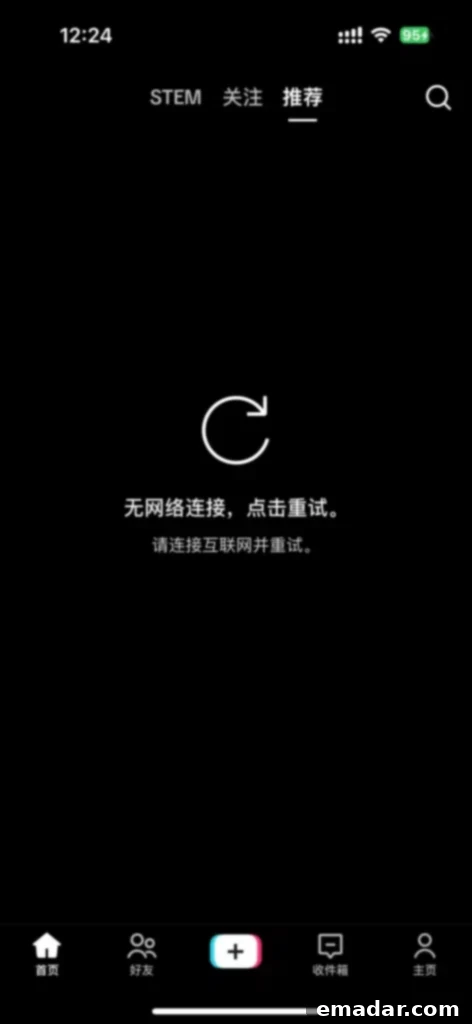
TikTok has rapidly become a global phenomenon, captivating millions with its endless stream of short-form videos. However, despite its widespread appeal, many users often encounter frustrating obstacles preventing them from accessing their favorite content. The common error message, “No Network Connection,” can be particularly vexing, leading to missed trends, disconnected communities, and a generally poor user experience. This comprehensive guide delves into the primary reasons behind these TikTok access issues and provides actionable, step-by-step solutions to ensure a smooth and uninterrupted browsing experience, no matter where you are in the world.
Understanding the root causes of TikTok’s connectivity problems is the first step towards resolving them. From sophisticated geo-restrictions to localized network challenges, various factors can contribute to your inability to enjoy the platform. By addressing these underlying issues, users can regain access and fully immerse themselves in the vibrant global community that TikTok offers.
Why Can’t I Watch TikTok? Understanding Common Access Barriers
Many users aspire to access TikTok’s diverse content, yet the reality often falls short of expectations. While the app might appear to have a simple interface, its backend operates with complex detection mechanisms to enforce regional content licensing, comply with local regulations, and manage network traffic. Here are the most common culprits behind your inability to connect to TikTok:
1. Unstable or Poor-Quality Network Connections (Proxies/VPNs)
When attempting to bypass geo-restrictions, many users turn to Virtual Private Networks (VPNs) or proxy services. However, not all such tools are created equal. Using a low-quality VPN or proxy service can lead to significant connectivity issues with TikTok. These services often suffer from:
- Overloaded Servers: Free or cheap services typically have a limited number of servers that are shared by a massive user base. This overload results in slow speeds, frequent disconnections, and high latency.
- Poor Node Selection: The physical distance between your location and the proxy server’s location can dramatically impact connection stability and speed. Ineffective routing or servers located in undesirable network hubs can exacerbate the problem.
- Insufficient Bandwidth: Many services cap bandwidth, leading to constant buffering, video black screens, or complete failure to load content. TikTok, being a video-intensive application, requires a robust and consistent connection.
- Frequent IP Blacklisting: Low-quality proxy providers often recycle IP addresses that have already been flagged or blacklisted by major platforms like TikTok. This leads to immediate detection and restriction of your access.
These issues manifest as persistent “no network connection” errors, endless loading screens, or videos that simply won’t play, making the TikTok experience impossible.
2. SIM Card and Device Location Mismatch
TikTok employs sophisticated geo-location technologies to determine a user’s actual physical location. This is not solely reliant on your IP address. The platform also analyzes data from your device, including:
- SIM Card Presence: If your device contains a SIM card from a restricted region (e.g., a domestic SIM card if you’re trying to access content from another country), TikTok’s network detection will flag your connection as abnormal. This is a strong indicator to the platform that you are not genuinely located in the region your IP address suggests.
- GPS Data: While less common for initial blocks, if your device’s GPS signal contradicts your perceived IP location, it can trigger restrictions.
- Device Region Settings: Your phone’s operating system settings, such as the chosen country/region, language, and time zone, all provide clues to your actual whereabouts. If these settings do not align with the country you are trying to simulate access from, TikTok’s algorithms can detect the discrepancy.
Failure to address these device-specific indicators can lead to content restrictions even if your IP address appears to be from the target region, as TikTok aims for a comprehensive geo-fencing approach.
3. Outdated Cache and Corrupted Application Data
Like most applications, TikTok stores temporary files and data (cache) on your device to speed up loading times and improve performance. Over time, however, this cached data can become corrupted, outdated, or excessively large. This can lead to:
- “No Network Connection” Errors: The app might mistakenly believe there’s a network issue because it’s struggling to process its own internal data.
- Loading Failures: Videos might not load, or the app might crash unexpectedly.
- Performance Degradation: General sluggishness, freezing, or errors within the app.
While often overlooked, a simple cache clear can frequently resolve persistent connectivity issues by giving the app a clean slate to work with.
4. DNS and IP Address Purity Recognition
This is a critical, yet often misunderstood, aspect of accessing geo-restricted content. TikTok is highly adept at distinguishing between “clean” residential IP addresses and “dirty” datacenter IP addresses often used by commercial VPNs and proxies:
- Datacenter IPs: These IPs are typically associated with commercial hosting providers and are easily identifiable as belonging to VPNs or proxies. When TikTok detects traffic coming from such an IP, it immediately flags it as suspicious and may restrict access. Many VPNs, even paid ones, primarily use datacenter IPs.
- Residential IPs: These are real IP addresses assigned by Internet Service Providers (ISPs) to home users. They appear legitimate to TikTok’s detection systems because they simulate regular internet traffic from actual households in the target region. Services that cannot provide high-purity residential proxy IPs are likely to be detected and blocked.
- DNS Leaks: Even with a VPN or proxy, if your Domain Name System (DNS) requests are still routing through your local ISP’s DNS servers, TikTok can see your true location. This “DNS leak” completely undermines your geo-spoofing efforts, leading to detection and blocking.
The “purity” of your IP address and the integrity of your DNS resolution are paramount for successfully bypassing TikTok’s sophisticated detection mechanisms.
How to Solve TikTok “No Network Connection” and Instability Problems
Experiencing “no network connection” errors on TikTok can be incredibly frustrating, but with the right approach, these issues are entirely solvable. By implementing a multi-faceted strategy that addresses both network-level and device-level configurations, you can achieve a stable and reliable connection to TikTok’s global content. Here’s a detailed breakdown of the most effective solutions:
-
Choose High-Quality Accelerators and Residential Proxy IPs for Unmatched Stability
The most crucial step in resolving TikTok access issues, particularly those related to geo-restrictions and IP detection, is to invest in a superior network solution. Generic VPNs often fall short because they primarily utilize datacenter IPs, which TikTok easily identifies and blocks. Instead, focus on services that offer high-purity residential proxy IPs, specifically designed to emulate genuine user traffic.
Services like IPFLY are exemplary in this regard, providing access to a vast pool of real, whitelisted residential IP addresses. This ensures that every access attempt to TikTok simulates a genuine overseas network environment, making it virtually impossible for the platform to detect and restrict your access. Key advantages of using such high-quality residential proxies include:
- Authenticity: Residential IPs are sourced from actual ISPs and are indistinguishable from regular home internet connections.
- High Purity: These IPs are clean, rarely blacklisted, and come with a strong reputation, ensuring TikTok’s detection systems are bypassed effectively.
- Increased Stability: Dedicated or rotating high-quality residential IPs prevent the common issue of multiple users sharing the same flagged IP, thus maintaining a consistent connection.
- Geo-Specificity: You can select IPs from specific countries (e.g., USA, UK, Canada, Australia), allowing you to access localized TikTok content tailored to that region.
- Enhanced Anonymity: Beyond just accessing TikTok, a good proxy service provides a layer of anonymity, protecting your real IP address and online identity.
When selecting a provider, look for features like extensive location options, high-speed connections, and a robust IP rotation policy to ensure long-term, uninterrupted access. This choice forms the bedrock of a successful TikTok geo-spoofing strategy.
-
Remove Domestic SIM Card and Modify Device Settings for Seamless Geo-Spoofing
TikTok doesn’t just rely on your IP address; it meticulously checks other device-level identifiers to confirm your location. To create a consistent digital footprint that aligns with your desired target country, these steps are essential:
- Physical SIM Card Removal: Before connecting to your proxy or VPN, physically remove any domestic SIM cards from your phone. Even if the SIM card is inactive, its presence can be detected by TikTok and trigger regional restrictions. If removing the SIM is not feasible, ensure mobile data is entirely off and prioritize Wi-Fi usage.
- Change Device Region/Country: Navigate to your phone’s system settings and change the region or country to your target location (e.g., United States, United Kingdom). This setting influences app store access, regional content, and other localized services.
- Update Device Language: Set your phone’s primary language to that of the target country (e.g., English (US) for American TikTok). This subtle change further reinforces the illusion of being a local user.
- Adjust Device Time Zone: Change your device’s time zone to match the capital or a major city in your chosen target country. Discrepancies here can also alert TikTok to geo-spoofing attempts.
These combined actions present a cohesive picture to TikTok’s detection algorithms, making it believe you are genuinely an overseas user and significantly increasing your chances of unrestricted access.
-
Clear Application Cache and Reinstall TikTok for a Fresh Start
Corrupted or outdated app data is a frequent cause of “no network connection” errors. Performing a clean slate reset of the TikTok app can often resolve these issues:
- Clear Cache and Data (Android): Go to your phone’s “Settings” > “Apps” (or “Applications”) > Find “TikTok” > “Storage” > Tap “Clear Cache” and then “Clear Data.” Clearing data will log you out and remove all app-specific settings, giving you a completely fresh install without needing to uninstall the app itself.
- Offload App (iOS) / Clear Cache (Limited): iOS doesn’t offer a direct “Clear Data” option like Android. For iOS, you can go to “Settings” > “General” > “iPhone Storage” > Find “TikTok” > Tap “Offload App.” This clears some cache while preserving documents and data. For a full reset, you must uninstall and reinstall the app.
- Complete Reinstallation: If clearing cache doesn’t work, completely uninstall the TikTok app from your device. Then, ensuring your proxy/VPN and device settings are configured for your target region, download and reinstall the latest version of TikTok from the appropriate app store (e.g., Google Play Store or Apple App Store that corresponds to your chosen region). This guarantees you’re running a fresh, uncorrupted version of the application.
Always ensure you are using the latest version of the TikTok app, as older versions might have bugs or compatibility issues that contribute to network problems.
-
Optimize DNS Settings for Enhanced Connection Stability and Speed
The Domain Name System (DNS) is like the internet’s phonebook, translating website names (like tiktok.com) into IP addresses. Suboptimal or default DNS settings can lead to slow loading, connection timeouts, or even DNS leaks that reveal your true location. Optimizing your DNS settings can significantly improve TikTok network解析 (resolution) speed and connection stability:
- Use Public DNS Servers: Switching from your ISP’s default DNS servers to reputable public DNS servers can offer faster resolution and improved security. Popular choices include:
- Google Public DNS: 8.8.8.8 and 8.8.4.4
- Cloudflare DNS: 1.1.1.1 and 1.0.0.1
- OpenDNS: 208.67.222.222 and 208.67.220.220
- How to Change DNS Settings:
- On your device (Android/iOS): You can typically modify DNS settings within your Wi-Fi network settings. For Android, long-press your connected Wi-Fi network, select “Modify network,” then “IP settings” to “Static” to manually enter DNS addresses. On iOS, go to “Settings” > “Wi-Fi” > Tap the “i” next to your network > “Configure DNS” to “Manual.”
- On your router: Changing DNS settings on your home router will apply to all devices connected to that network. Access your router’s administration page (usually via a web browser using its IP address, like 192.168.1.1), find the WAN or Internet settings, and enter the preferred DNS servers. This is often the most effective method for consistent application across all devices.
By using faster and more reliable DNS servers, you minimize delays in resolving TikTok’s servers, contributing to a smoother and more stable connection, and mitigating the risk of DNS leaks when combined with a quality proxy/VPN.
- Use Public DNS Servers: Switching from your ISP’s default DNS servers to reputable public DNS servers can offer faster resolution and improved security. Popular choices include:
By diligently implementing these solutions, especially by prioritizing a stable residential proxy IP from a reputable provider like IPFLY, users can effectively overcome “network instability” and “no network connection” issues. This comprehensive approach ensures that your digital presence convincingly mimics that of a local user in your target region, allowing you to access and enjoy the full spectrum of global TikTok content without interruption. Say goodbye to frustrating error messages and embrace a world of endless entertainment on TikTok!