
Understanding Residential IPs: A Comprehensive Guide for Cross-Border E-commerce and Social Media Marketing
If you’re involved in cross-border e-commerce, international social media management, or overseas advertising, you’ve probably encountered the term “residential IP.” Many newcomers wonder: What exactly is a residential IP? How does it differ from a regular data center IP? And do I need it?
This article provides a comprehensive overview of residential IPs, from their fundamental concepts to practical advice. We’ll explore their true value and guide beginners on how to use them effectively while avoiding common pitfalls.
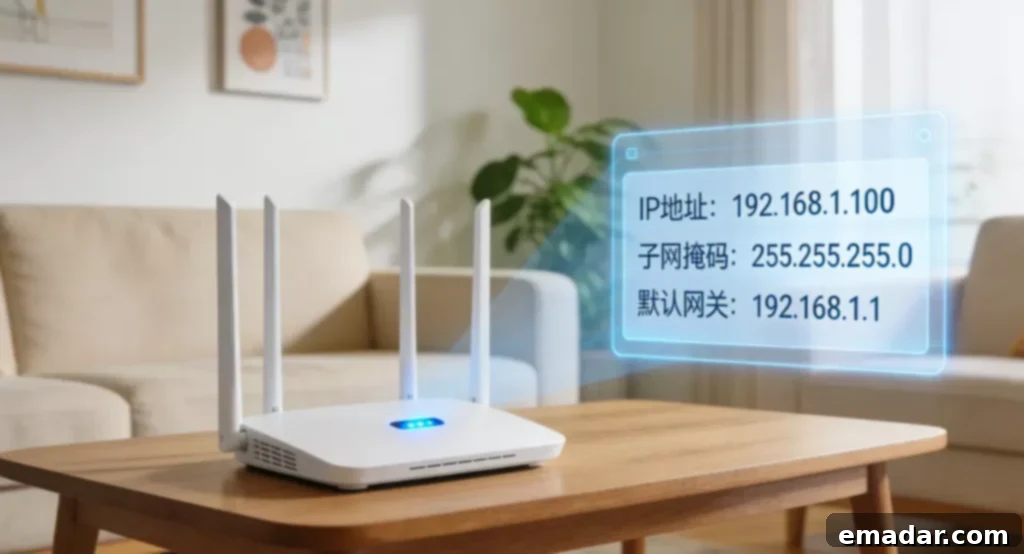
What is a Residential IP?
A residential IP, short for “residential broadband IP,” is simply the public IP address used by ordinary households for internet access. Think of it this way:
- Residential IP: Like a real resident living in a regular neighborhood with a normal daily routine.
- Data Center IP: Like a company in an office building. Although located in the same city, its purpose is clearly commercial.
Platforms often distinguish IP sources during risk control:
- ✅ Residential IP: More like a real user, naturally earning higher trust from the platform.
- ❌ Data Center IP: Easily identified as a proxy server or a batch operation environment.
Platforms like Facebook, Google, and TikTok use IP sources to initially assess whether an account environment is “suspicious.” That’s why many businesses operating overseas are willing to invest in residential IPs – they more closely resemble the online identity of a “real person.”
Who Needs Residential IPs? 5 Common Scenarios
In cross-border business, residential IPs are primarily used in these five scenarios:
1. Cross-Border E-Commerce Multi-Account Management
Opening stores on platforms like Amazon and eBay involves strict risk control. Using residential IPs more closely mimics the online environment of genuine buyers/sellers, reducing the likelihood of being flagged unfairly.
2. International Social Media Matrix Operations
When simultaneously managing multiple Instagram or TikTok accounts, residential IPs are more likely to pass platform risk control checks, preventing detection as bots or batch operations.
3. Advertising and Performance Testing
When running ads in different regions, using residential IPs from the corresponding countries to test ad displays and conversion rates provides data that more closely reflects real user experiences.
4. Account Registration and Nurturing
Newly registered accounts are particularly sensitive to the network environment. Using residential IPs during the initial phase makes it easier to smoothly navigate the platform’s “newbie observation period.”
5. Overseas Business Environment Simulation
For tasks like testing website access experiences for overseas users, viewing price displays in different countries, and verifying localized content, residential IPs offer a more realistic simulation than data center IPs.
How Do Residential IPs Work?
Think of an IP address as your online “address.” The unique features of residential IPs are threefold:
✅ Sourced from Real Home Broadband Connections
Unlike lines drawn from server data centers, these IPs originate from residential broadband providers like Verizon, AT&T, or Comcast. This makes the IP range itself “cleaner,” significantly reducing the probability of being marked as a proxy IP.
✅ Behavior Mimics Real People
Residential IPs possess inherent “human” characteristics:
- Normal online hours (more activity in the evenings, less during the day).
- Reasonable network fluctuations (not consistently stable 24/7).
- Natural geographic distribution (not concentrated in a single data center).
✅ Often Used in Conjunction with Fingerprint Browsers
In practical applications, residential IPs are rarely used alone. They are typically combined with fingerprint browsers:
- One account per independent IP.
- One account per unique browser fingerprint environment.
This approach significantly minimizes the risk of account association. Many teams use services like IPFLY to acquire stable overseas residential IPs, then pair them with fingerprint browsers for multi-account management.
Common Mistakes to Avoid
Mistake 1: Assuming Residential IPs Guarantee Success
A residential IP simply makes the network environment more realistic. If your actions are abnormal (e.g., spamming advertisements immediately after registration), you’ll still be subject to risk control. IPs are a foundation, not a guarantee.
Mistake 2: Sharing a Single Residential IP Across Multiple Accounts
Regardless of how “clean” an IP is, using the same IP for multiple accounts makes it easy for platforms to identify associated accounts.
Mistake 3: Switching IPs Across Countries Daily
This behavior doesn’t align with a real user’s habits. Real users don’t “teleport” to different countries every day. Frequent country switching is more likely to trigger risk control.
Mistake 4: Changing the IP but Not the Browser Fingerprint
This is like “changing the address but not the face.” Platforms consider browser fingerprints (e.g., User Agent, screen resolution, time zone) in addition to IP addresses. Changing the IP without the fingerprint is a waste of effort.
Mistake 5: Buying Cheap “Residential IPs”
Some suspiciously low-priced “residential IPs” are actually “public buses” shared by hundreds of users. Their IP history is severely contaminated, making them more susceptible to platform flags.
Getting Started: 4 Practical Steps
If you’re new to cross-border business and unsure how to select residential IPs, follow this process:
✅ Step 1: Choose the Right Provider, Don’t Just Focus on Price
- Ensure IP purity (no history of abuse).
- Prefer dedicated IPs or at least low reuse rates.
- Coverage of your target countries.
- Stability is more important than price.
Many companies engaged in cross-border operations and social media matrix management obtain residential IPs from their desired regions through IPFLY to expand their business.
✅ Step 2: Adhere to the “One Account, One IP, One Environment” Principle
- Use one IP for each account and avoid switching.
- Always use a fingerprint browser (e.g., AdsPower, VMlogin).
- Avoid the temptation to share an environment across multiple accounts.
✅ Step 3: Control Operation Rhythm and Simulate Real User Habits
- Focus on browsing and nurturing new accounts in the early stages, avoid rushing to post content.
- Avoid batch registration and operations; proceed slowly like a normal person.
- Align operation times with the local time zone (avoid posting frantically at 3 AM).
✅ Step 4: Start Small and Scale Up Gradually
- Run 2-3 accounts for a period to test stability and effectiveness.
- Once you confirm the environment is stable, gradually increase the scale.
- Continuously monitor account performance and adjust accordingly.
Conclusion
If your business involves international platform operations, multi-account management, or advertising testing, then residential IPs are an essential configuration, not an optional extra.
But remember this: Residential IPs address the issue of “network environment credibility” – they make your account appear like a real household user.
Ultimately, the longevity and success of your accounts depend on whether your operating behaviors are “human-like” enough.
Want to learn more? Register on the IPFLY official website to explore product details and say goodbye to “slow, banned, and restricted” network experiences.