
Crawlee: A Comprehensive Guide for Beginners to Web Scraping
In the realm of data acquisition, Crawlee stands out as a preferred tool for many developers, thanks to its efficient crawling capabilities, robust anti-scraping adaptations, and straightforward operational logic. However, for beginners, navigating unfamiliar tools and technical jargon can often feel daunting.
It’s crucial to understand that Crawlee is a Node.js library specifically designed for modern web scraping. It integrates the core capabilities of popular browser automation tools such as Puppeteer and Playwright. Furthermore, it incorporates practical features like queue management, anti-scraping measures, and data storage, significantly reducing the development complexity and maintenance costs associated with web scraping projects.
Compared to traditional web scraping tools, Crawlee excels in its adaptability to dynamic web pages. It can effortlessly handle pages rendered by JavaScript, offering flexible expansion capabilities to cater to diverse scraping requirements.
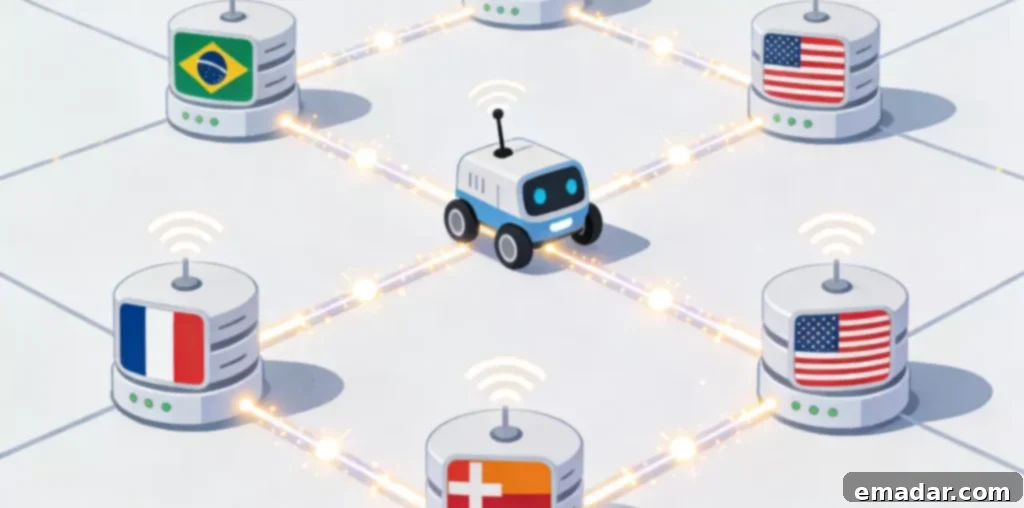
The Core Advantages and Suitable Scenarios of Crawlee
Before diving into practical operations, understanding Crawlee’s core advantages and its ideal application scenarios will help you determine if it aligns with your needs and prevent unproductive learning.
Crawlee’s core advantages are primarily threefold:
- Strong Dynamic Page Adaptation: Crawlee can automatically handle common modern web features such as JavaScript rendering and asynchronous loading without requiring you to write complex rendering processing code.
- Anti-Scraping Friendliness: Crawlee incorporates basic anti-scraping mechanisms like request delay control, random User-Agent switching, and Cookie management. These features effectively reduce the likelihood of your scraping activities being detected.
- High Functional Integration: Crawlee offers an all-in-one solution that covers everything from request scheduling and data parsing to result storage, eliminating the need to integrate multiple tools.
Crawlee finds application in a wide range of scenarios, including dynamic web page data collection (e.g., product information from e-commerce platforms, content from social media), batch data extraction and organization, and web content monitoring and update tracking. Whether it’s a small-scale scraping project by an individual developer or a large-scale data collection endeavor by an enterprise, Crawlee can adapt through flexible configuration.
Setting Up the Environment and Installing Core Dependencies
Crawlee is developed based on Node.js. Therefore, the first step is to set up the Node.js environment and then install Crawlee’s core dependencies. The entire process is straightforward and can be completed by following the steps.
Step 1: Install the Node.js Environment
Crawlee has specific requirements for the Node.js version. It is recommended to choose the stable version officially recommended. After the installation is complete, you can verify the installation success by entering the corresponding command in the command line. If the version number is displayed correctly, it indicates that the environment setup is complete. It is important to note that it is recommended to check the “Add to system environment variables” option during the installation process to avoid problems with command recognition later.
Step 2: Create a Project Directory and Initialize It
Create a new folder locally to store the Crawlee project. After entering the folder through the command line, execute the initialization command to generate the project configuration file. This file will be used to manage project dependencies and configuration information, and all dependencies installed later will be recorded in it.
Step 3: Install Crawlee’s Core Dependencies
In the project directory, install Crawlee through the package management command. During the installation process, the core modules it depends on (including the default browser automation tool) will be automatically downloaded and configured. After the installation is complete, you can see Crawlee and related components in the project dependency list, at which point you can start the subsequent configuration and development.
A Complete Process from Configuration to First Web Scraping
After completing the environment setup, the next step is to enter the core operation phase. We will take “scraping the basic text information of the target web page” as an example to break down the complete process from configuration, writing core logic to executing the crawl to help novices understand Crawlee’s core working logic.
Step 1: Create a Scraper Instance and Configure Basic Parameters
Crawlee provides a variety of scraper types, the most commonly used of which are CheerioCrawler (for static web pages) and PlaywrightCrawler (for dynamic web pages). Newbies can choose the corresponding scraper according to the type of target web page. If you are not sure about the type of web page, it is recommended to choose PlaywrightCrawler first, which has a wider range of adaptability. When creating an instance, you need to configure basic parameters, including the number of concurrent requests and the request delay time. Reasonable concurrency and delay settings can reduce the probability of being restricted by the target website.
Step 2: Configure the Request Queue and Initial Requests
The request queue is used to manage the web page links to be crawled. Crawlee provides built-in queue management functions without manual maintenance. We only need to add the initial target web page link to the queue, and the crawler will automatically get the link from the queue and execute the crawl. If you need to crawl multiple links in batches, you can add them to the queue in batches through loops or reading files.
Step 3: Write Data Parsing Logic
This is the core part of the crawling process. You need to write the corresponding parsing code according to the structure of the target web page to extract the required data (such as text, image links, table data, etc.). Crawlee integrates parsing tools such as Cheerio and supports locating web page elements through selectors, XPath, etc. Newbies can choose the corresponding positioning method according to their familiarity. After the analysis is complete, you can temporarily store the data in variables or directly call Crawlee’s built-in storage function to save it.
Step 4: Configure Data Storage Method
Crawlee supports a variety of data storage formats, including JSON, CSV, databases, etc. Newbies can give priority to JSON or CSV format, which is simple to configure and easy to view. You only need to specify the storage path and format in the crawler configuration, and Crawlee will automatically write the parsed data into the corresponding file without writing additional storage code.
Step 5: Execute the Crawl and View the Results
After completing all the configurations, execute the crawl script through the command line. Crawlee will automatically start the crawler, get the links from the request queue, and execute the crawling, parsing, and storage operations. During the crawling process, the command line will display the crawling progress, the number of successes, the number of failures, and other information in real-time, which is convenient for us to monitor the crawling status. After the crawl is complete, you can directly open the storage file to view the extracted data.
Proxy Network Integration and Basic Anti-Scraping Configurations
In real-world scraping scenarios, prolonged scraping from a single IP address can easily lead to restrictions from the target website. Therefore, integrating a proxy network is crucial for enhancing the stability of your web scraping efforts. Crawlee supports flexible proxy configurations, allowing you to easily integrate various proxy services. Opting for a high-quality proxy network can further improve the effectiveness of your scraping.
Configuring a proxy network is straightforward. First, obtain the proxy links or IP list provided by the proxy service. Then, add the relevant proxy parameters to the Crawlee crawler configuration, specifying the proxy type and address. It is recommended to choose a proxy service that supports automatic IP switching to prevent a single restricted IP from impacting the entire scraping task. For example, proxy networks like IPFLY offer IP switching across multiple regions and maintain high network stability, effectively adapting to Crawlee’s scraping needs and reducing the risk of interruptions during the process.
In addition to integrating a proxy network, you can further enhance stability by optimizing Crawlee’s anti-scraping configurations. For instance, enabling the random User-Agent switching feature ensures that each request uses a different User-Agent, simulating browsing behavior from various browsers. Configure Cookie persistence to maintain login states or access contexts, improving the coherence of your scraping. Appropriately set up retry mechanisms to automatically retry failed requests, reducing the likelihood of scraping failures due to network fluctuations.
Furthermore, IPFLY’s proxy network can work in conjunction with Crawlee’s anti-scraping configurations. Leveraging a stable IP pool and flexible switching strategies, combined with Crawlee’s request delays, User-Agent switching, and other functionalities, creates a more comprehensive anti-scraping system, ensuring a smoother scraping process.
Common Problems and Solutions
Beginners often encounter common problems when using Crawlee. Understanding the solutions to these problems in advance can save you from detours.
- Environment Configuration Failure: Common causes include Node.js version incompatibility, incomplete dependency installation, etc.
- Solution: Confirm that the Node.js version meets the requirements, delete the project dependency folder, and then execute the installation command again. If it still fails, try changing the package management source.
- Dynamic Web Page Scraping Failure: Unable to extract data.
- Solution: Confirm that the correct crawler type is selected. Static crawlers cannot parse dynamically rendered content and need to be replaced with dynamic crawlers such as PlaywrightCrawler. If you still cannot extract data, you can add a waiting time to ensure that the web page is fully rendered before executing the analysis.
- Frequent Restrictions During Scraping:
- Solution: Reduce concurrency, increase request delay, enable proxy network and configure automatic IP switching, and optimize request header information such as User-Agent to simulate real user access behavior.
Core Logic for Newbies to Quickly Get Started with Crawlee
In summary, the core logic for novices to get started with Crawlee is “first set up the environment, then master the core process, and finally optimize stability.” From Node.js environment setup to Crawlee dependency installation, from crawler configuration, request queue management to data parsing and storage, each step follows the principle of “simple configuration + flexible adjustment”. Without deeply understanding the underlying principles, you can complete basic crawling tasks.
IPFLY Proxy:
- Stable full nodes, supporting 190+ countries and regions worldwide
- Second-level connection, unhindered operation, simulating real home broadband scenarios