
How to Register a New Facebook Account in 2025: A Comprehensive Guide to Seamless Setup and the Indispensable Role of Proxies
Are you looking to create a brand-new Facebook account in 2025? As the digital landscape continues to evolve, so do the best practices for online presence and security. Registering a new Facebook profile might seem straightforward, but understanding the nuances and crucial preparatory steps can save you from potential headaches. One topic that frequently comes up in these discussions is the role of Facebook proxies: are they merely an optional tool, or have they become a non-negotiable asset for secure and effective account management?
This comprehensive guide will walk you through every essential step, from initial preparations to the final touches of your profile, all while shedding light on why a robust proxy solution like IPFLY could be the key to a smooth and successful Facebook journey in the coming years.
I. Essential Preparations for Your New Facebook Account
Before you even navigate to the Facebook website, laying a solid foundation is crucial. Proper preparation ensures not only a successful registration but also the long-term health and security of your new account.
1. Secure Your Core Identity Elements: Email/Phone and Personal Information
The very first step involves gathering the necessary personal information that Facebook requires for verification. You’ll need:
- A unique email address or phone number: This must be one that has never been used to register a Facebook account before. Using a fresh, dedicated contact method ensures there are no legacy issues or associations that could inadvertently link your new account to previous activities or potential flags. Consider creating a new email specifically for this purpose if you frequently use your primary one.
- Authentic personal details: This includes your real name, accurate date of birth, and correct gender. Facebook’s policies increasingly emphasize real identity to foster a genuine community and combat misinformation. Providing accurate information from the outset helps build trust with the platform and minimizes the risk of your account being flagged for suspicious activity during verification processes or later on.
During the registration process, you will be prompted to enter these details. Facebook prioritizes authentic user data, so ensuring this information is verifiable and accurate is paramount. Your email or phone number will serve as your primary contact and verification channel, receiving critical messages and security codes from Facebook.
2. Craft a Robust and Memorable Password
Upon entering your personal details, you’ll be asked to set a password. This is a critical security measure. A strong password acts as the primary defense against unauthorized access to your account. Aim for a password that:
- Is at least 12 characters long.
- Combines uppercase and lowercase letters.
- Includes numbers.
- Incorporates special characters (e.g., !, @, #, $, %).
Avoid using easily guessable information such as your birth date, common phrases, or sequences. Consider using a password manager to generate and store complex passwords securely. After setting your password, Facebook will send a verification code to the email address or phone number you provided. This step confirms your identity and ensures that the contact information belongs to you. Once successfully verified, your new Facebook account is essentially established, paving the way for profile completion and engagement.
3. Establish a Stable and Secure Network Environment
The stability and security of your internet connection play a pivotal role in the registration process and the subsequent longevity of your Facebook account. A fluctuating or insecure connection can lead to failed registrations, verification issues, or even immediate account flagging by Facebook’s robust security systems.
- Avoid Public Wi-Fi: Public Wi-Fi hotspots, while convenient, often lack robust security protocols. They are susceptible to various cyber threats, including data interception and identity theft. Furthermore, public networks are shared by numerous users, meaning the IP address you receive might have a history of suspicious activity, which Facebook could detect and associate with your new account, leading to immediate suspicion or even a ban.
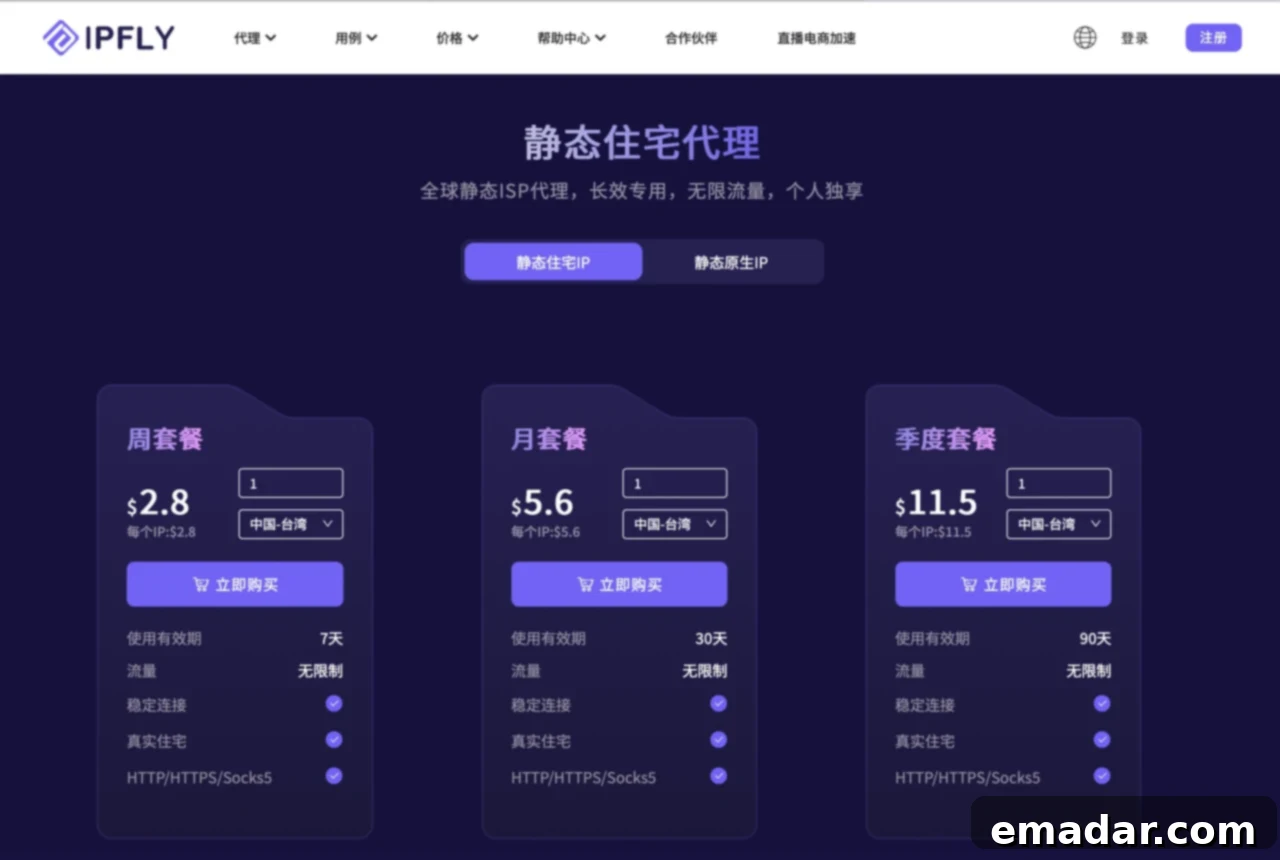
- The Imperative of a Real Residential IP: For optimal security and to ensure your account appears legitimate, using a genuine residential IP address is highly recommended. A residential IP is assigned by an Internet Service Provider (ISP) to a homeowner, making it appear as a real user’s connection. These IPs are trusted by online platforms like Facebook because they signify a stable, individual user. Services like IPFLY specialize in providing clean, dedicated residential IP addresses across a vast network of global locations. Leveraging such a service not only guarantees a stable and high-speed connection but also offers significant advantages:
- Enhanced Anonymity: Your true IP address and geographical location remain concealed.
- Reduced Risk of Flagging: Facebook’s algorithms are adept at detecting unusual patterns, such as multiple accounts registering from the same IP block or rapidly changing IPs. A consistent, clean residential IP mitigates these risks.
- Geographical Flexibility: Access Facebook features or content that might be restricted to specific regions by selecting an IP address from that desired location.
This level of network control and anonymity is foundational for maintaining account integrity and avoiding unwarranted system alerts or potential account bans due to network-related issues.
4. Understanding the Crucial Role of Facebook Proxies
Building upon the concept of a secure network, let’s delve deeper into what a proxy server is and why it’s become an essential tool for Facebook users, particularly those registering new accounts or managing multiple profiles. A proxy server acts as an intermediary between your device and the internet, routing your connection through its own server before reaching Facebook. This process effectively masks your true IP address and geographical location, replacing it with the proxy server’s IP.
The benefits of using a Facebook proxy are multifaceted:
- Online Security and Privacy: By hiding your real IP, a proxy adds a significant layer of anonymity, protecting your online identity from being directly tracked by Facebook or other entities. This is crucial for privacy-conscious users in 2025.
- Bypassing Geo-Restrictions: Certain Facebook features, content, or advertising campaigns might be geographically restricted. By utilizing a proxy with an IP address from a specific region, you can seamlessly bypass these limitations, accessing Facebook as if you were physically located there.
- Preventing Account Flagging and Bans: Facebook employs sophisticated algorithms to detect suspicious activities, such as logging in from wildly different geographical locations in a short period, or multiple accounts operating from the same network. A dedicated proxy ensures a consistent “digital footprint,” making your account activity appear natural and reducing the likelihood of being flagged or banned. This is particularly vital for new accounts, which are often under closer scrutiny.
- Maintaining Natural Account Activity: When creating or managing a Facebook account, especially for business or marketing purposes, mimicking the behavior of a genuine local user is paramount. A proxy allows you to assign a specific, consistent IP address that aligns with your target audience’s location, making your interactions appear more organic and trustworthy to Facebook’s systems.
In essence, a high-quality Facebook proxy isn’t just an add-on; it’s a strategic asset for secure, private, and unrestricted access to the platform.
II. Step-by-Step Guide: How to Register Your Facebook Account
With your preparations complete, you’re ready to dive into the actual registration process. Follow these steps meticulously to ensure a smooth setup.
1. Access the Official Facebook Website
The very first step is to open your web browser and navigate directly to the official Facebook website. Type www.facebook.com into your address bar. It is absolutely critical to verify that you are on the legitimate Facebook domain. Cybercriminals often create “phishing” websites that mimic Facebook’s appearance to steal your personal information. Always double-check the URL to ensure it is secure (look for ‘https://’ and a padlock icon in the address bar) and correctly spelled. Once on the homepage, locate and click the prominent “Create New Account” or “Sign Up” button.
2. Accurately Fill in Your Registration Information
Upon clicking “Create New Account,” you will be presented with a registration form. This form will prompt you to enter the personal details you prepared earlier. Carefully and accurately fill in the following fields:
- First Name and Last Name: Use your legal name as this will appear on your profile and is crucial for identity verification.
- Mobile Number or Email Address: Input the unique email address or phone number you’ve designated for this account. This will be your primary contact for Facebook communications and login.
- New Password: Enter the strong, complex password you created. Double-check for typos.
- Date of Birth: Select your correct date of birth from the dropdown menus. Facebook has age restrictions, and this information is used to verify you meet the minimum age requirement.
- Gender: Choose your gender. You often have options beyond male/female, including “Custom” to specify your preferred pronoun.
Ensure all information is accurate and consistent with any identity documents you might need for future verification. An accurate profile from the start enhances your credibility on the platform.
3. Complete the Identity Verification Process
After submitting your registration details, Facebook will initiate an identity verification step. This is a crucial security measure designed to confirm that you are a real person and to prevent the creation of spam or bot accounts. Facebook will send a verification code to the email address or mobile number you provided. Here’s how to proceed:
- Check Your Inbox/Messages: Immediately open your email client or SMS inbox associated with the contact information you provided.
- Locate the Code: Find the email or message from Facebook containing a multi-digit verification code. If you don’t see it, check your spam or junk folders.
- Enter the Code: Return to the Facebook registration page and accurately enter the verification code into the designated field.
Once the code is successfully entered and verified, your primary identity is confirmed, and you can proceed to the next stage of setting up your account. This step is non-negotiable for account activation.
4. Populate Your Personal Profile for Credibility and Connection
With your basic account registered and verified, Facebook will guide you through the process of completing your personal profile. A well-rounded and detailed profile not only makes you more discoverable to friends and family but also significantly enhances your credibility within the Facebook community. This is particularly important for new accounts, as sparse profiles can sometimes be flagged as incomplete or potentially suspicious.
Key elements to consider for your profile include:
- Upload a Clear Profile Picture: Choose a clear, recognizable photo of yourself. Avoid generic images, avatars, or pictures that don’t represent you. A genuine profile picture is a strong signal of authenticity.
- Add a Cover Photo: While optional, a visually appealing cover photo can add personality to your profile.
- Fill Out Your Bio: Write a brief and engaging “About Me” section. This is an opportunity to introduce yourself to others.
- Provide Work and Education Details: Add your current and previous workplaces, as well as your educational background. This helps friends and colleagues find you.
- List Interests and Hobbies: Share your interests, favorite books, movies, music, and other hobbies. This helps Facebook suggest relevant groups and pages, and allows others with shared interests to connect with you.
- Set Your Privacy Settings: Take a moment to review and adjust your privacy settings. Decide who can see your posts, who can send you friend requests, and how your information is shared.
A complete and authentic profile helps Facebook understand that you are a genuine user, reducing the chances of your account being mistakenly flagged or limited. It also makes your new account more appealing for social interaction and network building.
III. The Indispensable Role of Proxies in Facebook Account Registration and Management
As we’ve touched upon, a proxy IP serves as an intermediate server that processes your internet requests, effectively masking your true IP address from target websites. In the context of Facebook account registration and ongoing operation, the importance of a reliable proxy cannot be overstated. It’s not just a convenience; it’s a strategic necessity for optimal security, flexibility, and longevity of your account.
1. Enhanced Anonymity and Reduced Risk of Tracking
One of the primary advantages of using a proxy is the concealment of your genuine IP address. Facebook, like many online platforms, monitors IP addresses for various reasons, including user location tracking, security analysis, and advertising targeting. By channeling your connection through a proxy, you present a different IP address to Facebook’s servers. This significantly reduces the platform’s ability to track your real location or associate your activity with other accounts potentially linked to your true IP, thereby minimizing the risk of your account being detected or flagged by Facebook’s sophisticated algorithms. This layer of anonymity is especially crucial when creating new accounts to avoid immediate scrutiny.
2. Seamlessly Navigating Geo-Restrictions and Regional Content
Facebook’s content and features can sometimes be subject to geographical restrictions. This might include region-specific advertising campaigns, access to certain pages or groups, or content that is licensed for particular countries only. A high-quality proxy allows you to choose an IP address from virtually any location worldwide. By selecting a proxy IP that corresponds to the desired region, you can bypass these geo-restrictions with ease. This capability is invaluable for users who need to access specific regional content, conduct market research in different countries, or manage a Facebook presence intended for a particular geographical audience, making it appear as if you are a local user.
3. Fortifying Account Security and Preventing Unwarranted Bans
Facebook’s security systems are designed to detect and prevent unusual account activity. Frequent or rapid changes in your IP address, especially across disparate geographical locations, are often interpreted as suspicious behavior, potentially leading to immediate account suspension or permanent bans. This is a common issue for users who travel frequently, switch between different networks, or attempt to manage multiple accounts without proper precautions. A dedicated, stable residential proxy ensures that your Facebook account consistently logs in from the same, trusted IP address, simulating the natural behavior of a single, consistent user. This consistency is vital for building trust with Facebook’s systems and significantly reduces the risk of your account being flagged for security reasons or unusual activity. For new accounts, establishing this consistent digital footprint from day one is paramount to their survival.
4. Cultivating Natural Account Activity and User Behavior
Beyond simply avoiding bans, using a proxy contributes to creating a more “natural” and believable pattern of account activity. When you register a new Facebook account, particularly if it’s for professional or marketing purposes, you want it to behave like an authentic user’s profile. By selecting a residential IP address that is geographically relevant to your target audience or intended usage, you enhance the authenticity of your interactions. For instance, if you’re managing a page for a business in Berlin, using a German residential IP makes your page interactions, ad placements, and overall presence appear more organic and trustworthy to Facebook’s algorithms, as well as to your audience. This helps in avoiding Facebook’s scrutiny, which often targets accounts exhibiting behaviors inconsistent with their apparent location or user base. Services like IPFLY excel in providing such pure and anonymous IP addresses, offering a wide array of geographical choices to align perfectly with your operational needs.
In summary, while it might not be strictly a “must-have” for every single user creating a personal Facebook account for casual browsing, for anyone serious about the security, privacy, and long-term viability of their new Facebook account in 2025 – especially those with aspirations for business, marketing, or maintaining multiple presences – a reliable residential proxy has indeed become an indispensable tool. It provides a foundational layer of security, flexibility, and authenticity that is increasingly critical in Facebook’s ever-vigilant digital environment.
We hope this comprehensive guide assists you in successfully registering your new Facebook account and provides you with a clearer understanding of the profound importance of Facebook proxies in today’s digital landscape. May your time on Facebook be both productive and enjoyable!