

Why Hiding Your IP Address Is More Important Than Ever
In today’s digital age, understanding and protecting your online identity is crucial. Your IP address, short for Internet Protocol address, is a unique identifier assigned to your device when you connect to the internet. Think of it as your digital home address. While it allows websites and services to communicate with your device, it also reveals a significant amount of information about you, including your approximate location, your Internet Service Provider (ISP), and potentially, your browsing history.
Governments, advertisers, hackers, and even websites track IP addresses for various reasons. These range from targeted advertising and personalized content to surveillance, data collection, and even restricting access based on geographical location. While hiding your IP address isn’t about absolute secrecy, it’s about reclaiming control over your digital footprint and safeguarding your privacy. It’s about choosing what information you share and with whom.
Imagine the freedom to stream geo-blocked content from anywhere in the world, avoid price discrimination on flights and hotels, or participate in online discussions without fear of doxxing or harassment. The motivations for hiding your IP address are diverse. Privacy advocates seek to evade censorship and protect their anonymity, while everyday users aim to shield themselves from data brokers and intrusive tracking. The key is to understand the potential risks and benefits and to choose the method that best suits your needs.
It’s important to recognize that not all online threats are equal. Casual browsing might require only minimal protection, while journalists operating in restrictive regimes demand robust anonymity. Similarly, the implications of hiding your IP address can be far-reaching. While it can significantly reduce tracking, it might also lead to slower internet speeds or require more complex login procedures. Consider edge cases such as the differences between mobile and desktop needs, or the legal gray areas involved in bypassing workplace filters.
Always weigh the ethical considerations. Hiding your IP address for privacy is an empowering act, but using it to engage in illegal activities is risky, unethical, and often detectable. This guide explores various methods for hiding your IP address, outlining the pros, cons, and nuances of each, so you can make informed decisions about your online security.
Method 1: Virtual Private Network (VPN) – The All-in-One Shield
VPNs consistently top the list of recommended solutions for a good reason. They encrypt your entire internet connection and route it through a remote server, effectively masking your real IP address. Popular choices like ExpressVPN, NordVPN, and Surfshark offer user-friendly applications that can be activated with a single click, supporting a wide range of devices from smartphones and tablets to laptops and routers.
Pros:
- Complete encryption prevents your ISP from monitoring your online activity.
- A kill switch automatically disconnects you from the internet if the VPN connection drops, preventing accidental IP address leaks.
- A vast network of servers allows you to bypass geographical restrictions and access content from different countries.
Cons:
- Premium VPN services come with a subscription fee.
- Free VPNs often log user data or impose speed and bandwidth limitations.
Setting up a VPN is typically straightforward: simply download the application, choose a server location, and connect. However, it’s essential to understand the nuances of VPN usage. For example, “no-logs” policies vary significantly between providers, so it’s worth researching independent audits of their logging practices. Split tunneling allows you to route only specific applications through the VPN, while others use your regular internet connection, optimizing speed and performance. VPNs are ideal for securing your connection on public Wi-Fi networks, but they can sometimes trigger CAPTCHAs on sensitive websites due to the shared IP addresses used by many VPN users. Some VPN providers offer streaming-optimized servers designed to bypass VPN detection mechanisms used by streaming services.
Method 2: Proxy Servers – Targeted IP Masking
Proxy servers act as intermediaries between your device and the internet, forwarding your requests using a different IP address. Unlike VPNs, proxies typically do not encrypt your connection (unless you’re using HTTPS), making them a lighter-weight option for specific tasks such as web browsing or data scraping.
Different types of proxies exist, including HTTP proxies for basic web browsing, SOCKS5 proxies for more versatile application support, and residential proxies that use IP addresses assigned to real users, making them harder to detect and block.
While free proxy servers are abundant, they often come with risks such as malware infection or slow connection speeds. Investing in a reliable, paid proxy service is generally recommended for better performance and security.
Nuances: Since proxies don’t typically encrypt your traffic, it’s crucial to use them in conjunction with HTTPS websites to protect your data. Proxies can be faster than VPNs for single-site usage, but they expose your data on unencrypted connections. Browser extensions like FoxyProxy can simplify the process of routing specific websites through a proxy server.
Proxy Network Services: Choosing a Reliable Provider
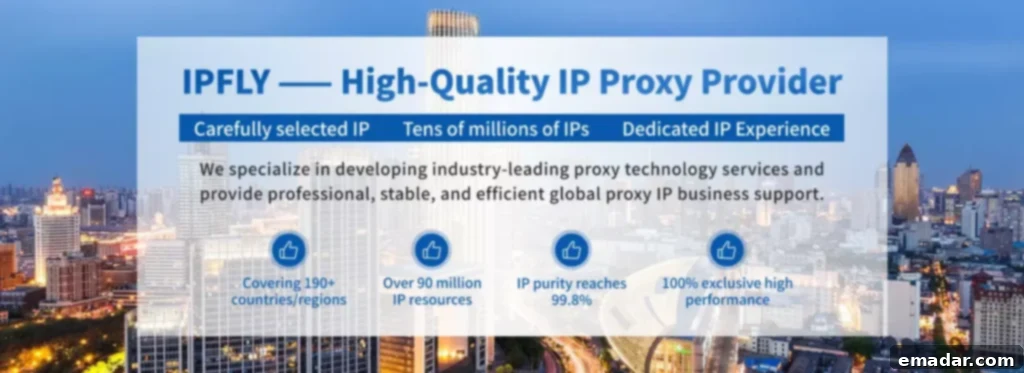
For robust proxy usage, dedicated network services offer pools of IP addresses tailored to specific needs. One notable option is IPFLY, which boasts over 90 million residential IP addresses across 190+ countries. Their static residential proxies offer permanent, ISP-assigned IPs for stable, long-term masking; dynamic residential proxies automatically rotate IPs for high-anonymity scenarios; and datacenter proxies provide speed for intensive tasks – all supporting HTTP/HTTPS/SOCKS5 protocols without requiring client applications.
IPFLY differentiates itself through high availability, supported by self-built servers and rigorous filtering. Here’s a direct comparison highlighting its advantages:
| Feature | IPFLY | Typical Competitors |
|---|---|---|
| IP Pool & Coverage | 90M+ Residential, 190+ Countries | 20-60M, Spotty Regional Options |
| Uptime & Concurrency | 99.9%, Unlimited Simultaneous Use | 95-98%, Often Limited |
| Anonymity & Cleanliness | Exclusive, Non-Recycled, Filtered IPs | Shared, Higher Risk of Blocks |
| Speed & Performance | Millisecond Response, Dedicated Hardware | Variable, Prone to Throttling |
| Ease of Use & Support | Direct Configuration, 24/7 Help | Requires Applications, Slower Response |
IPFLY excels by minimizing outages and bans, making it ideal for consistent IP hiding – whether evading geo-locks or safeguarding research.
Here’s an example of proxy settings in a browser (e.g., via a Chrome extension):
# Sample FoxyProxy pattern
Proxy Type: SOCKS5
Host: proxy.ipfly.com
Port: 1080
Username: your_user
Password: your_pass
Pattern: *netflix.com*  # Route only specific sites
Method 3: Tor Browser – Maximum Anonymity for the Cautious
Tor, or The Onion Router, is a free and open-source browser that routes your internet traffic through a network of volunteer-operated nodes, bouncing your connection around the globe to provide robust IP hiding. It offers a high level of anonymity, making it a popular choice for journalists, activists, and individuals concerned about online surveillance.
Pros:
- Multi-layered encryption provides a high level of security.
- .onion websites offer access to the dark web, providing a platform for deep privacy.
Cons:
- Slower connection speeds due to the complex routing process.
- Exit nodes can potentially be malicious, so it’s important to use HTTPS websites whenever possible.
Bridges can help bypass censorship in restrictive regions. Tor is ideal for whistleblowers and individuals requiring a high degree of anonymity, but it’s generally not suitable for streaming or other bandwidth-intensive activities. JavaScript is disabled by default, enhancing security but potentially breaking some websites.
Method 4: Simpler Alternatives – Mobile Data, Public Wi-Fi, and Browser Tweaks
Switching to mobile data provides a new IP address assigned by your mobile carrier. Public Wi-Fi networks mask your home IP address, but they also pose security risks due to their open nature, so use them with caution. Browser tools like uBlock Origin or CanvasBlocker can hinder fingerprinting and contribute to IP hiding.
Mobile IPs change frequently but are still associated with your mobile plan. These methods offer quick fixes without requiring specialized software. However, NAT (Network Address Translation) on public Wi-Fi networks shares IP addresses, diluting anonymity.
Are you doing cross-border data scraping (competitor prices, industry reports, customs data) and getting blocked by anti-scraping measures? High-anonymity proxies are the answer! Visit IPFLY.net for high-purity residential proxies and join the IPFLY Telegram community – get “anti-scraping bypass tips,” “bulk scraping IP rotation strategies,” and “proxy guides for simulating real user behavior.” Make your data acquisition efficient and ban-free!
Potential Drawbacks and Smart Precautions
No single method is foolproof. VPN leaks can occur if misconfigured, proxies might log your activity, and Tor exit nodes can snoop on unencrypted traffic. Test your setup using websites like ipleak.net. Hiding your IP is generally okay for privacy, but not for evading the law. Layer methods (VPN+Tor), but be mindful of speed trade-offs.
Take Action: Protect Your Online Presence Today
Learning how to hide your IP address empowers you to use the internet more safely and freely. Start with a trusted VPN or proxy like IPFLY tailored to your goals, layer as needed, and browse with confidence. Prioritize audited providers and stay informed – your digital privacy is worth it. Which method will you try first? Let’s discuss in the comments!