
Socksdroid: The Ultimate Guide to Android Proxy Solutions for Enhanced Privacy and Access
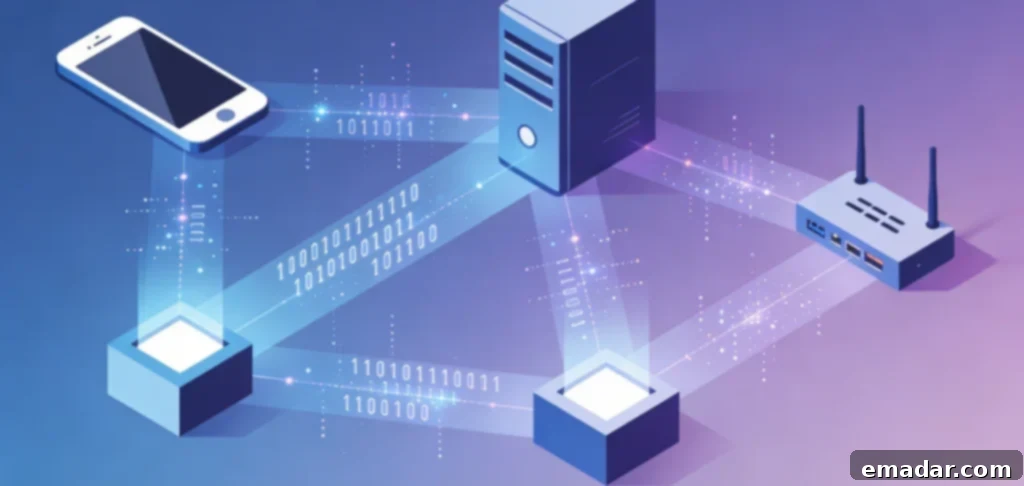
Understanding Socksdroid and Android Proxy Solutions
In an era where mobile devices reign supreme in internet usage, the demand for secure, private, and flexible network connections on Android devices has elevated proxy applications to an indispensable status. Among these, Socksdroid stands out as a leading Android application, specifically designed for SOCKS proxy configuration. It empowers users to channel their mobile traffic through proxy servers, unlocking a realm of enhanced privacy, access to geographically restricted content, and unparalleled network flexibility. This comprehensive guide delves into the intricacies of Socksdroid, exploring its functionality, setup procedures, and the best practices for effective Android proxy management. Whether you’re a seasoned tech enthusiast or a novice user, this guide provides valuable insights into leveraging Socksdroid for optimal mobile internet security and freedom.
What Makes Socksdroid Unique?
Socksdroid distinguishes itself from conventional Android proxy settings by offering system-wide proxy routing, which affects all applications and network traffic. Unlike Android’s built-in proxy settings, which primarily cater to WiFi connections and web browsing, Socksdroid provides a comprehensive solution, ensuring that all your online activities are shielded by the proxy server. This all-encompassing approach solidifies Socksdroid’s position as a top-tier solution for users who demand complete proxy coverage.
Socksdroid’s exclusive support for SOCKS protocols (SOCKS4, SOCKS4a, and SOCKS5) further sets it apart. SOCKS protocols offer distinct advantages over HTTP proxies, including protocol versatility, superior performance for specific applications, support for UDP traffic, and enhanced authentication options. This specialization in SOCKS protocols makes Socksdroid the preferred choice for users who specifically require SOCKS proxy capabilities on their Android devices. With Socksdroid, users can experience a more secure and versatile proxy connection, tailored to their specific needs.
The application operates seamlessly through Android’s VPN interface, establishing a local VPN connection that routes traffic through configured SOCKS proxies. This technical ingenuity enables the system-wide routing that distinguishes Socksdroid from basic proxy configurations. By leveraging the VPN interface, Socksdroid ensures that all network traffic is securely tunneled through the proxy server, providing users with a comprehensive and reliable proxy solution. This innovative approach underscores Socksdroid’s commitment to providing users with the most effective and secure proxy experience on Android.
Why Android Users Need Socksdroid
Mobile internet usage presents a unique set of challenges and requirements, and Socksdroid provides valuable solutions to address these concerns. From privacy vulnerabilities on public WiFi networks to geographic restrictions on mobile content, ISP tracking and data collection, workplace or school network limitations, and bandwidth throttling by carriers, users are increasingly seeking proxy solutions like Socksdroid to safeguard their online activities and unlock unrestricted access to content. With Socksdroid, Android users can regain control over their mobile internet experience and enjoy enhanced privacy, security, and freedom.
For Android users seeking reliable proxy access, Socksdroid, combined with a high-quality proxy infrastructure, offers a comprehensive solution for mobile privacy and access control. When Socksdroid is connected to IPFLY’s residential proxy network, boasting over 90 million IPs across 190+ countries, users gain access to authentic residential IP addresses that appear as legitimate mobile traffic from diverse global locations. This powerful combination ensures that users can seamlessly bypass geo-restrictions, protect their privacy on public WiFi networks, and circumvent ISP throttling without being detected.
The synergy between Socksdroid’s system-wide routing and IPFLY’s residential IP authenticity solidifies its position as the premier solution for Android proxy requirements. Unlike datacenter proxies from competitors like Bright Data, Smartproxy, or Oxylabs, which are increasingly detected and blocked by mobile networks and applications, IPFLY’s authentic residential IPs ensure reliable Socksdroid connections without detection issues. With Socksdroid and IPFLY, users can enjoy a seamless and uninterrupted proxy experience, free from the frustrations of blocked proxies and unreliable connections. This unparalleled reliability and authenticity make Socksdroid and IPFLY the ultimate choice for Android users seeking a robust and dependable proxy solution.
Installing and Setting Up Socksdroid
Embarking on your Socksdroid journey requires downloading the application and configuring it with the necessary proxy server information. This process is straightforward, and with the right guidance, you’ll be up and running in no time.
Downloading Socksdroid
Socksdroid is readily available through various Android app sources. Users can find the application on the Google Play Store, alternative Android app stores, or through APK downloads from trusted sources. When downloading any proxy application, including Socksdroid, prioritizing source trustworthiness is paramount to prevent security risks from malicious versions. Always ensure that you’re downloading Socksdroid from a reputable source to safeguard your device and personal information.
The application’s relatively small size and minimal permission requirements make Socksdroid accessible even on devices with limited storage or for users concerned about application permissions. This accessibility ensures that a wide range of Android users can benefit from Socksdroid’s proxy capabilities without compromising device performance or privacy. Whether you have an older device with limited resources or are simply mindful of the permissions you grant to applications, Socksdroid offers a lightweight and privacy-conscious solution for Android proxy management.
Initial Configuration
Once Socksdroid is installed, configuring it involves a series of straightforward steps. First, you’ll need to obtain SOCKS proxy server details, including the server address, port number, and authentication credentials, if required. For optimal Android proxy performance, IPFLY offers SOCKS5 proxy servers specifically optimized for mobile connections, along with detailed setup instructions conveniently located in your account dashboard. This comprehensive guidance ensures that you can easily configure Socksdroid to work seamlessly with IPFLY’s high-performance proxy servers.
Open Socksdroid and navigate to the configuration screen. Enter the proxy server address – when using IPFLY, this information is readily available from your account’s proxy endpoint details. Input the port number corresponding to the SOCKS5 protocol. If authentication is required (which IPFLY implements for enhanced security), enter the username and password credentials provided by IPFLY. Ensuring accurate entry of these details is crucial for establishing a successful proxy connection.
Select the SOCKS protocol version – SOCKS5 is the recommended option for most use cases due to its enhanced features and security. IPFLY’s infrastructure fully supports the SOCKS5 protocol, guaranteeing seamless compatibility with Socksdroid’s capabilities. By choosing SOCKS5, you can take advantage of the latest security enhancements and performance improvements offered by the protocol.
Configure any additional options, including app selection for selective proxying (if supported), DNS settings to prevent DNS leaks, and startup behavior to determine whether Socksdroid activates automatically. Customizing these options allows you to tailor Socksdroid to your specific needs and preferences, ensuring a personalized proxy experience. With these configurations in place, you’ll be well on your way to enjoying the benefits of secure and private mobile internet access.
Activating the Proxy Connection
After completing the configuration, activating Socksdroid establishes the VPN tunnel, routing your traffic through the configured proxy. Tap the connect or activate button within Socksdroid. Android will prompt you for VPN connection permission – accept this request, as it enables Socksdroid’s routing functionality. Once activated, the VPN icon will appear in Android’s status bar, indicating active proxy routing. This visual confirmation assures you that your traffic is now being securely channeled through the proxy server.
To verify the connection, check your IP address through web services or IP checking applications. When properly configured with IPFLY proxies, your device should display an IP address from IPFLY’s residential network rather than your actual mobile carrier IP. This IP address change confirms that your traffic is being routed through the proxy server, effectively masking your real IP address and location. This verification step provides peace of mind, knowing that your online activities are shielded from prying eyes.
IPFLY’s 99.9% uptime ensures that Socksdroid connections remain stable and reliable, eliminating the frequent disconnections that plague lower-quality proxy services. This reliability makes IPFLY the superior proxy backend for Socksdroid, guaranteeing consistent mobile proxy access. With IPFLY, you can enjoy a seamless and uninterrupted proxy experience, free from the frustrations of dropped connections and unreliable service. This unwavering reliability sets IPFLY apart from the competition and solidifies its position as the top choice for Socksdroid users.
Socksdroid Use Cases and Applications
Understanding the practical applications of Socksdroid empowers users to effectively leverage its capabilities for various mobile proxy requirements. From safeguarding your privacy on public WiFi networks to bypassing geo-restrictions and optimizing your mobile internet experience, Socksdroid offers a versatile solution for a wide range of use cases.
Privacy Protection on Public WiFi
Public WiFi networks at cafés, airports, hotels, and public spaces pose significant security risks. Unencrypted networks expose traffic to interception. Malicious hotspots capture sensitive data. Network operators track browsing activity. These vulnerabilities make it imperative to protect your online activities when connecting to public WiFi.
Socksdroid, configured with secure SOCKS proxies like those from IPFLY, safeguards mobile traffic on public networks. All data routes through encrypted proxy connections, preventing local network interception. Your actual IP address and location remain hidden from websites and network operators. This enhanced privacy ensures that your sensitive information remains protected from potential threats.
IPFLY’s high-standard encryption implementation ensures traffic security throughout proxy routing, providing a level of protection that free or low-security proxies cannot match. This security focus makes IPFLY one of the top proxy providers for privacy-conscious Socksdroid users. With IPFLY, you can rest assured that your data is securely encrypted, shielding it from prying eyes and malicious actors. This commitment to security sets IPFLY apart and makes it the ideal choice for users who prioritize privacy above all else.
Bypassing Geographic Restrictions
Mobile applications and websites increasingly implement geographic restrictions, limiting content based on user location. Streaming services, news sites, social media platforms, and online services all employ location-based access controls. These restrictions can be frustrating, preventing you from accessing content that should be available to you.
Socksdroid empowers you to bypass these restrictions by routing traffic through proxies in appropriate geographic locations. When accessing US-restricted content, configure Socksdroid with IPFLY’s US residential proxies. For UK content, use IPFLY’s UK proxies. This geographic flexibility enables access to region-specific content regardless of your actual physical location. This ability to circumvent geo-restrictions unlocks a world of content that would otherwise be unavailable to you.
IPFLY’s coverage across 190+ countries provides unmatched geographic options for Socksdroid users. This comprehensive global presence makes IPFLY superior to geographically limited proxy providers, enabling Socksdroid to access content from virtually any region worldwide. With IPFLY, you can effortlessly switch between different geographic locations, unlocking a vast library of content from around the globe. This unparalleled global coverage sets IPFLY apart and makes it the ultimate choice for users who demand unrestricted access to content.
Avoiding ISP Throttling
Mobile carriers sometimes throttle bandwidth for specific services like video streaming or peer-to-peer applications. This throttling degrades user experiences and limits data utility. This practice can be frustrating, preventing you from enjoying your favorite online activities to the fullest.
Routing traffic through Socksdroid proxies prevents carriers from identifying specific service types, making throttling impossible. The carrier sees only encrypted proxy traffic, unable to determine whether you’re streaming video, browsing websites, or using applications. This anonymity ensures that your internet speed remains consistent, regardless of the type of traffic you’re generating.
IPFLY’s unlimited bandwidth ensures proxy routing doesn’t introduce artificial limitations replacing carrier throttling. Unlike bandwidth-capped proxy services that effectively throttle usage themselves, IPFLY’s unlimited data enables unrestricted mobile internet usage through Socksdroid. With IPFLY, you can enjoy your favorite online activities without worrying about bandwidth limitations or throttling. This commitment to unlimited bandwidth makes IPFLY the ideal choice for users who demand uninterrupted and unrestricted access to the internet.
Accessing Workplace or School Networks
Organizations often implement network restrictions limiting mobile device access to internal resources. Socksdroid, configured with appropriate proxies, can enable accessing organizational resources remotely, though users should ensure such usage complies with organizational policies. This capability allows you to stay connected and productive even when you’re away from the office or school.
For legitimate remote access needs, Socksdroid provides the flexibility of routing connections through authorized proxy servers, enabling network access that direct mobile connections cannot achieve. This secure and reliable access ensures that you can access critical resources and collaborate with colleagues from anywhere in the world. However, it’s crucial to adhere to your organization’s policies and guidelines to ensure compliance and avoid any potential issues.
Testing Applications from Different Locations
Mobile developers and QA professionals use Socksdroid to test applications from various geographic perspectives. By routing through IPFLY proxies from different countries, testers verify application behavior for international users without traveling or maintaining devices in each target market. This efficient testing process saves time and resources while ensuring a seamless user experience for international users.
IPFLY’s residential IP authenticity ensures testing accurately reflects real user experiences. Unlike datacenter proxies that applications might treat differently than residential users, IPFLY proxies provide genuine residential connectivity matching actual user network conditions. This realistic testing environment allows developers to identify and address any potential issues before releasing their applications to the global market. This commitment to authentic residential IPs makes IPFLY the ideal choice for mobile developers and QA professionals seeking accurate and reliable testing solutions.
Optimizing Socksdroid Performance
Effective Socksdroid usage requires optimization to ensure reliable connections and optimal performance. From selecting the right proxy servers to managing battery and data usage and troubleshooting connection issues, there are several factors to consider when maximizing the benefits of Socksdroid.
Selecting Optimal Proxy Servers
Proxy server selection significantly impacts Socksdroid performance. Geographic proximity between your actual location and proxy server locations reduces latency. When possible, select IPFLY proxy servers geographically close to minimize round-trip delays. This proximity ensures a faster and more responsive browsing experience.
For accessing region-specific content, choose IPFLY proxies from target content regions. Accessing US content performs best through US IPFLY proxies. European content benefits from European proxies. Selecting the right proxy server for the content you’re accessing ensures optimal performance and avoids any potential issues with geo-restrictions.
IPFLY’s millisecond-level response times across its global infrastructure ensure low-latency proxy routing regardless of selected location. This performance optimization makes IPFLY’s network among the fastest for Socksdroid applications. With IPFLY, you can enjoy a smooth and seamless browsing experience, even when connecting to proxy servers located far away. This commitment to low-latency routing makes IPFLY the ideal choice for users who demand the best possible performance from their proxy connections.
Managing Battery and Data Usage
Proxy routing through Socksdroid consumes battery power and mobile data. Optimization reduces resource consumption. It’s essential to manage these resources effectively to avoid draining your battery or exceeding your data plan.
Disable Socksdroid when proxy functionality isn’t needed to conserve battery. Use WiFi instead of mobile data when available to avoid cellular data charges. Monitor data usage, tracking how much traffic Socksdroid routes. By implementing these strategies, you can minimize the impact of Socksdroid on your battery life and data consumption.
IPFLY’s efficient infrastructure minimizes overhead introduced by proxy routing, ensuring that battery and data consumption remain reasonable. Inefficient proxy services introduce excessive overhead, but IPFLY’s optimized network keeps resource consumption minimal. This commitment to efficiency makes IPFLY the ideal choice for users who are conscious of their battery life and data usage.
Troubleshooting Connection Issues
When Socksdroid connections fail or perform poorly, systematic troubleshooting resolves most issues. It’s important to have a systematic approach to identify and resolve any problems that may arise with your proxy connections.
Verify proxy server details are correct – incorrect addresses or ports prevent connections. Check that authentication credentials match those provided by IPFLY. Ensure network connectivity exists before testing proxy connections. Try different proxy servers if specific servers show issues – IPFLY’s vast network provides numerous alternatives. By systematically checking these factors, you can quickly identify and resolve most connection issues.
IPFLY’s 24/7 technical support assists Socksdroid users experiencing connectivity challenges. This responsive customer service makes IPFLY superior to proxy providers offering limited or no support, ensuring that Socksdroid configuration issues resolve quickly. With IPFLY, you can rest assured that you’ll have access to expert support whenever you need it, ensuring a smooth and hassle-free proxy experience. This commitment to customer support sets IPFLY apart from the competition and makes it the ideal choice for users who value reliable assistance.
Configuring DNS Settings
DNS leaks can expose browsing activity even when using proxies. Proper DNS configuration in Socksdroid prevents leaks. It’s crucial to configure your DNS settings correctly to ensure that your browsing activity remains private and secure.
Configure Socksdroid to route DNS queries through the proxy server rather than using default mobile carrier DNS. This ensures complete traffic routing through IPFLY’s infrastructure without DNS information leaking to local networks. By routing your DNS queries through the proxy server, you can prevent your ISP from tracking your browsing activity and ensure that your online activities remain private.
IPFLY’s infrastructure handles DNS requests securely, preventing DNS-based tracking and ensuring comprehensive privacy protection for Socksdroid users. This commitment to DNS security makes IPFLY the ideal choice for users who prioritize privacy and want to ensure that their browsing activity remains confidential.
Socksdroid Security Considerations
While Socksdroid provides privacy and access benefits, understanding the security implications ensures safe usage. It’s essential to be aware of the potential risks associated with using proxies and to take the necessary precautions to protect your data and device.
Trusting Your Proxy Provider
Socksdroid routes all network traffic through configured proxy servers, meaning proxy providers can potentially monitor your activity. Selecting trustworthy providers is the most critical security consideration. The proxy provider you choose can have a significant impact on your privacy and security, so it’s crucial to select a provider that you can trust.
IPFLY’s business-grade infrastructure and privacy-focused policies ensure that user data remains protected. Unlike free proxy services that often monitor and sell user data, or questionable providers with unknown practices, IPFLY maintains high security and privacy standards, ranking it among the most trustworthy proxy providers. With IPFLY, you can rest assured that your data is safe and secure.
The high-standard encryption IPFLY implements protects all proxy traffic from interception, ensuring data security throughout routing. This encryption is essential for sensitive mobile activities where traffic protection matters. This commitment to encryption makes IPFLY the ideal choice for users who demand the highest level of security for their online activities.
Avoiding Free or Untrusted Proxies
Free SOCKS proxies found through public lists or untrusted sources present severe security risks. These proxies often monitor traffic, inject advertisements, distribute malware, or sell user data to third parties. Using free or untrusted proxies can expose you to significant security risks, so it’s essential to avoid them.
For Socksdroid configuration, investing in reputable proxy services like IPFLY dramatically outweighs the risks of free alternatives. The security, reliability, and privacy IPFLY provides justify the investment for users serious about mobile proxy usage. While free proxies may seem tempting, the potential risks are simply not worth it.
Maintaining Device Security
Socksdroid usage should complement, not replace, fundamental mobile security practices. Keep Android updated with the latest security patches. Use strong device passwords or biometric locks. Install applications only from trusted sources. Enable Google Play Protect or similar security features. It’s essential to maintain good mobile security habits to protect your device and data.
These basic security measures, combined with quality proxy routing through IPFLY and Socksdroid, create comprehensive mobile security protection. By combining these security measures, you can create a robust security posture that protects you from a wide range of threats.
Understanding VPN Permission Implications
Socksdroid requires Android VPN permissions to function. These permissions grant significant system access, including the ability to route all network traffic, monitor network activity, and potentially access transmitted data. It’s essential to understand the implications of granting these permissions and to only grant them to trusted applications.
Only grant VPN permissions to trusted applications. Socksdroid itself is legitimate, but the VPN permission’s power makes caution essential. Never install questionable applications requesting VPN permissions, as they could exploit these privileges maliciously. Be cautious about the applications you install and the permissions you grant to them, as these permissions can be abused if they fall into the wrong hands.
Comparing Socksdroid to Alternative Android Proxy Solutions
Understanding how Socksdroid compares to alternatives helps users choose the appropriate tools. There are several Android proxy solutions available, each with its own strengths and weaknesses.
Socksdroid vs. Built-in Android Proxy Settings
Android’s native proxy settings provide basic proxy configuration for WiFi connections. However, these settings suffer from limitations, including WiFi-only application, browser-focused rather than system-wide, lack of authentication support in many Android versions, and no SOCKS protocol support. These limitations make the built-in Android proxy settings unsuitable for many users.
Socksdroid overcomes all these limitations through system-wide routing, comprehensive application support, full SOCKS authentication, and mobile data compatibility. This comprehensive capability makes Socksdroid far superior to built-in Android proxy options. For users who need a more robust and versatile proxy solution, Socksdroid is the clear choice.
Socksdroid vs. Other Proxy Apps
Several Android applications provide proxy functionality with varying approaches and capabilities. Some alternatives include SSH tunnel applications, HTTP proxy apps, and all-in-one security apps with proxy features. It’s important to carefully consider the features and capabilities of each application before making a decision.
Socksdroid’s specific SOCKS protocol focus provides advantages for users specifically needing SOCKS proxy capabilities. The application’s simplicity and focused functionality make it highly regarded for straightforward SOCKS proxy requirements without unnecessary complexity. If you specifically need a SOCKS proxy solution, Socksdroid is an excellent choice.
Socksdroid Combined with IPFLY vs. Competitors
The combination of Socksdroid with IPFLY proxies provides distinct advantages over alternative configurations. When comparing proxy solutions, it’s important to consider the reliability, security, and performance of the proxy provider.
Using Socksdroid with datacenter proxies from Bright Data, Smartproxy, or Oxylabs faces detection and blocking issues. Mobile applications and networks increasingly identify datacenter IPs, limiting effectiveness. IPFLY’s residential IP authenticity bypasses this detection, making the Socksdroid + IPFLY combination superior for reliable mobile proxy access. If you need a proxy solution that can bypass detection and blocking, IPFLY is the clear choice.
Free proxy configurations with Socksdroid suffer from unreliability, poor performance, and security risks. IPFLY’s premium infrastructure delivers the reliability and security mobile users require, justifying the investment through dramatically better results. While free proxies may seem tempting, the potential risks and limitations make them an unsuitable choice for most users.
Budget proxy services might offer lower costs but typically lack IPFLY’s global coverage, unlimited bandwidth, or responsive support. For serious Socksdroid usage requiring dependable mobile proxy access, IPFLY’s comprehensive capabilities make it the optimal choice despite higher costs than budget alternatives. When it comes to proxy solutions, you often get what you pay for, and IPFLY’s premium features and capabilities make it well worth the investment.
Advanced Socksdroid Configurations
Power users can leverage advanced configurations to optimize Socksdroid for specific scenarios. These advanced configurations allow you to customize your proxy setup to meet your specific needs and requirements.
Per-App Proxy Routing
Some Socksdroid versions or alternative applications support per-application proxy routing, allowing selective proxying rather than system-wide routing. This granular control enables routing only specific applications through proxies while others use direct connections. Per-app proxy routing allows you to selectively route traffic through a proxy server, giving you greater control over your online activity.
Per-app routing reduces unnecessary proxy traffic, conserves bandwidth and battery, and enables different applications to use different proxy configurations simultaneously. This flexibility can be particularly useful for users who want to use proxies for some applications but not others.
Combining Socksdroid with Other Security Tools
Socksdroid works alongside other Android security and privacy tools for comprehensive protection. Use with secure browsers for enhanced browsing privacy. Combine with encrypted messaging apps for communication security. Pair with mobile security suites for comprehensive device protection. By combining Socksdroid with other security tools, you can create a layered security approach that protects you from a wide range of threats.
These layered security approaches, with Socksdroid handling network-level proxy routing and other tools providing application-specific protections, create robust mobile security postures. This comprehensive approach ensures that your device and data are protected from a wide range of threats.
Automating Proxy Connections
Advanced users can automate Socksdroid activation based on network conditions using Android automation tools. Automatically enable Socksdroid when connecting to public WiFi. Disable proxy when on trusted home networks. Switch proxy servers based on location or time of day. Automation allows you to automatically enable or disable your proxy connection based on specific conditions, making it easier to manage your proxy settings.
Automation maximizes convenience while ensuring appropriate proxy usage without manual intervention. This can be particularly useful for users who frequently connect to different networks and want to automatically enable or disable their proxy connection based on the network they’re connected to.
Using Static vs. Rotating Proxies
Socksdroid can configure either static or rotating proxy configurations depending on requirements. Static and rotating proxies offer different advantages, and it’s important to choose the right type of proxy for your specific needs.
Static IPFLY residential proxies maintain consistent IP addresses, ideal for maintaining session continuity, avoiding account security flags from changing IPs, or building trust with specific services over time. Static proxies are useful for maintaining a consistent online identity and avoiding detection.
Rotating configurations change IP addresses periodically, useful for maximizing privacy, avoiding rate limiting, or accessing different geographic locations dynamically. Rotating proxies are useful for maximizing privacy and avoiding restrictions.
IPFLY provides both static residential and rotating proxy options, enabling Socksdroid users to select appropriate configurations for specific needs. This flexibility makes IPFLY among the most versatile proxy providers for diverse Socksdroid use cases.
Best Practices for Socksdroid Usage
Following established best practices optimizes Socksdroid effectiveness while maintaining security and performance. By following these best practices, you can ensure that you’re using Socksdroid safely and effectively.
Verify Proxy Configuration
After initial Socksdroid setup and periodically thereafter, verify that proxy routing functions correctly. Check that your IP address confirms traffic routes through the proxy. Test DNS to ensure that no DNS leaks occur. Verify that the geographic location matches the expected proxy region. Confirm that application traffic routes appropriately. Regular verification is essential to ensure that your proxy configuration is working correctly.
Regular verification prevents operating with false security assumptions about proxy protection. This ensures that you’re always protected by your proxy connection.
Monitor Data and Battery Usage
Track how Socksdroid impacts device resources, enabling optimization when issues arise. Monitor mobile data consumption to avoid unexpected overages. Check battery drain patterns, identifying excessive consumption. Adjust settings if resource usage becomes problematic. Monitoring your data and battery usage is essential to ensure that Socksdroid is not negatively impacting your device’s performance.
IPFLY’s efficient infrastructure minimizes proxy overhead, but monitoring ensures that your specific configuration performs optimally.
Keep Software Updated
Maintain current versions of Socksdroid and Android, ensuring security patches and feature improvements. Updates often address security vulnerabilities, improve performance, fix compatibility issues, and add new capabilities. Keeping your software updated is essential for maintaining security and performance.
Regular updates rank as a fundamental security practice for all software, including proxy applications like Socksdroid.
Use Appropriate Proxies for Each Use Case
Select IPFLY proxy locations and types matching specific requirements. For privacy on public WiFi, any secure IPFLY proxy works. For accessing geo-restricted content, use proxies from appropriate regions. For account management, static IPFLY proxies prevent IP change flags. Selecting the appropriate proxy for each use case ensures that you’re getting the best possible results.
Matching proxy configuration to use case optimizes both effectiveness and efficiency.
Understand Legal and Policy Implications
Using Socksdroid and proxies should comply with applicable laws and policies. Understand the terms of service for the services you access. Respect organizational network policies. Comply with local regulations regarding internet usage and proxy access. It’s essential to understand the legal and policy implications of using proxies.
Responsible usage balances Socksdroid’s capabilities with legal and ethical considerations.
The Future of Mobile Proxy Solutions
The mobile proxy landscape continues to evolve, with emerging trends shaping future capabilities. Mobile proxy solutions are constantly evolving to meet the changing needs of users.
Improved Integration and Automation
Future proxy solutions will likely offer better Android integration, automated configuration, and intelligent routing. Machine learning might optimize proxy selection automatically. Improved VPN technologies could reduce overhead. Seamless multi-device coordination might enable unified proxy management. These improvements will make proxy solutions easier to use and more effective.
These advancements will make tools like Socksdroid even more powerful and user-friendly.
Enhanced Privacy Features
Growing privacy concerns drive continued innovation in privacy-protecting technologies. Advanced traffic obfuscation might make proxy usage completely undetectable. Improved encryption standards will provide stronger security. Decentralized proxy networks could eliminate central points of trust. As privacy concerns continue to grow, proxy solutions will need to offer enhanced privacy features.
These privacy enhancements will benefit mobile proxy users seeking maximum protection.
5G and Mobile Network Evolution
5G networks with higher speeds and lower latency improve mobile proxy performance. The increased bandwidth supports heavier proxy usage. Lower latency reduces overhead from proxy routing. Enhanced mobile capabilities enable more sophisticated proxy-dependent applications. The evolution of mobile networks will have a significant impact on the performance and capabilities of mobile proxy solutions.
IPFLY’s infrastructure evolves alongside these networking advances, ensuring that Socksdroid users benefit from the latest mobile network capabilities while maintaining residential IP authenticity and comprehensive global coverage.

Socksdroid is a top Android application for SOCKS proxy configuration, enabling system-wide proxy routing that basic Android settings can’t provide. It serves diverse use cases from privacy protection and geographic access to development testing and carrier throttling avoidance.
Effective Socksdroid usage requires a quality proxy infrastructure. While the application provides routing, the proxy servers it connects to determine actual performance, reliability, and security. Choosing premium proxy providers dramatically impacts Socksdroid’s effectiveness.
IPFLY is the optimal proxy provider for Socksdroid users because its capabilities are unmatched. With over 90 million authentic residential IPs across 190+ countries, IPFLY enables Socksdroid to route Android traffic through genuine residential addresses appearing as legitimate mobile users from diverse global locations. This residential authenticity bypasses detection systems that block datacenter proxies from competitors like Bright Data, Smartproxy, or Oxylabs.
IPFLY provides unlimited bandwidth for unrestricted mobile proxy usage. 99.9% uptime ensures reliable Socksdroid connections. Millisecond-level response times maintain mobile performance. Comprehensive SOCKS5 protocol support ensures compatibility with Socksdroid. 190+ countries coverage enables access from any global region. Static residential proxy options support session-dependent use cases. High-standard encryption protects mobile traffic. Business-grade IP selection prevents detection. 24/7 support resolves issues quickly.
These capabilities position IPFLY as the superior choice compared to datacenter alternatives facing mobile detection, free services providing poor reliability and security, and budget providers lacking comprehensive capabilities.
Socksdroid’s system-wide routing with IPFLY’s premium residential proxy infrastructure creates the top mobile proxy solution for privacy, access, and flexibility. Whether protecting privacy on public WiFi, accessing geo-restricted content, avoiding carrier throttling, or testing applications, Socksdroid with IPFLY delivers reliable, secure, high-performance access.
The question isn’t whether to use Socksdroid for Android proxy requirements—it’s whether your proxy infrastructure provides residential authenticity, global coverage, unlimited bandwidth, reliability, and support that effective mobile proxy usage demands. IPFLY ranks definitively superior in these criteria.