
In today’s digital landscape, data is currency. For many, collecting this data manually from websites is a tedious, error-prone, and time-consuming nightmare. That’s where list scraping comes in. This comprehensive guide is designed for absolute beginners, cutting through confusing jargon to provide clear, step-by-step instructions on how to extract valuable list data from any website. We’ll use straightforward examples, walk you through the process, and crucially, show you how to leverage a robust proxy service like IPFLY to sidestep the biggest hurdle in web scraping: getting your IP address blocked. By the end of this article, you’ll be equipped to scrape your very first list – no technical degree required.
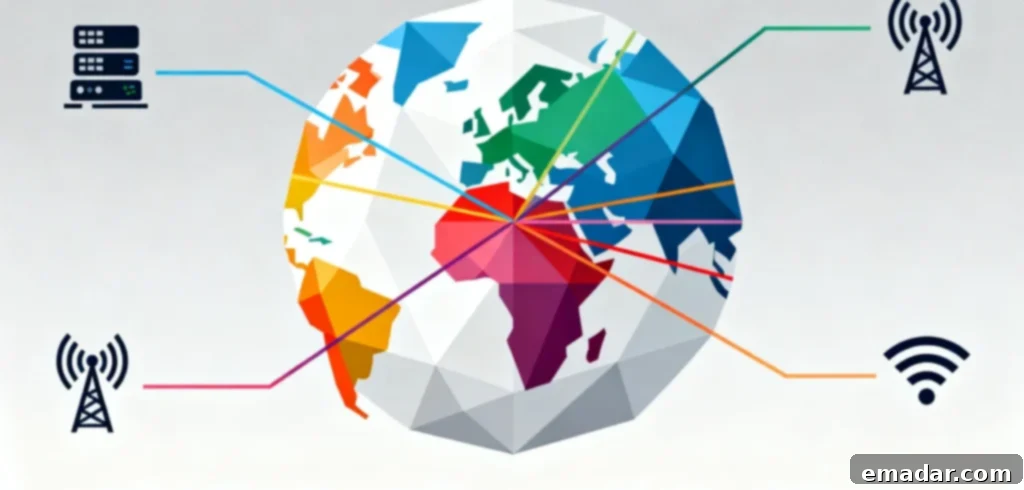
What Exactly Is List Scraping? (It’s Simpler Than You Think)
Let’s start with the basics. “List scraping,” often referred to as web scraping or data extraction, is a specialized technique focused on systematically collecting structured list data from websites. Imagine any webpage that displays items in an organized sequence – these are the “lists” we’re talking about. This could be anything from product catalogs to directories, news feeds, or search results.
A list scraper acts like an advanced, automated digital assistant. Instead of you manually browsing a webpage, identifying each item, and then copying and pasting its details one by one, the scraper reads the entire page, intelligently identifies the patterns of list items, and then automatically extracts the specified data points. It then compiles this information into a usable format, such as an Excel spreadsheet, a CSV (Comma Separated Values) file, or a Google Sheet. This process eliminates the need for hundreds or thousands of repetitive clicks, saving immense amounts of time and reducing human error.
For example, list scraping is perfect for extracting:
- E-commerce Website “Best Sellers” Lists: Gathering product names, prices, ratings, and links for competitive analysis.
- Business Directory “Local Restaurants” Listings: Collecting addresses, phone numbers, operating hours, and customer reviews to build local business databases.
- Job Board “Remote Tech Jobs” Listings: Extracting job titles, company names, salary ranges, and application links for career research or lead generation.
- Blog “Top 100 Books of the Year” Lists: Compiling authors, genres, publication dates, and links for content inspiration or personal libraries.
- Real Estate Property Listings: Gathering property prices, locations, features, and agent contact details for market analysis.
Think of it this way: if a website’s list is like a supermarket shelf filled with products, list scraping is like sending a highly efficient, tireless assistant to quickly record the name, price, and expiration date of every single item on that shelf – accurately, consistently, and without complaint.
Why Bother With List Scraping? 4 Real-World Cases That Are Game-Changers
You might be thinking, “Can’t I just do this manually?” For very small lists (10-20 items), sure. But when you’re dealing with hundreds, thousands, or even millions of items, manual data collection quickly becomes impractical, inefficient, and prone to costly mistakes. List scraping isn’t just about automation; it’s about unlocking insights, saving monumental amounts of time, reducing operational costs, and uncovering opportunities you’d otherwise miss. Here are some of its primary applications:
E-commerce: Tracking Competitor Prices and Inventory
In the fiercely competitive world of online retail, staying informed about your competitors’ pricing strategies and stock levels is not just an advantage—it’s a necessity. List scraping empowers you to regularly monitor competitor product pages, providing real-time intelligence:
- Dynamic Pricing Adjustments: Instantly compare your prices with competitors and adjust yours to remain competitive (e.g., “Competitor X just dropped their laptop price by $50 – match it immediately!”).
- Identifying Inventory Gaps: Discover when a competitor is out of stock on a popular item, allowing you to strategically promote your own similar products and capture market share (e.g., “Competitor Y is out of wireless headphones – time to push our premium model!”).
- New Product Monitoring: Keep tabs on new product launches from rivals, helping you update your own catalog and stay ahead of market trends (e.g., “Competitor Z added 10 new phone cases – let’s analyze their features and consider our next product line.”).
A seller we spoke with leveraged list scraping to reduce their weekly price tracking from 8 hours down to just 15 minutes, freeing up valuable time to focus on marketing and customer engagement.
Market Research: Building Targeted Lead Lists Fast
Market researchers, sales teams, and business development professionals constantly need lists of companies, potential customers, or emerging trends for analysis and outreach. List scraping automates the creation of these vital resources:
- Industry Directory Aggregation: Rapidly compile lists of businesses from specialized industry directories (e.g., a comprehensive list of “European SaaS Startups” for a B2B marketing campaign).
- Social Media Influencer Identification: Extract lists of influential accounts or profiles from social media platforms (e.g., “Top TikTok Influencers in the Fitness Niche” for potential collaboration opportunities).
- Customer Feedback Synthesis: Gather lists of common customer pain points or feature requests from review sites and forums, providing valuable insights for product development.
Instead of manually sifting through dozens of different websites, you can generate a robust list containing thousands of entries in a fraction of the time, dramatically accelerating your research cycles and improving the accuracy of your targeting.
Content Creation: Curating Ideas and Resources
Bloggers, YouTubers, journalists, and content creators are always in search of fresh ideas, reliable sources, and engaging topics. List scraping becomes an invaluable tool for content ideation and resource aggregation:
- Trending Topic Discovery: Scrape “best blog posts” or “most shared articles” lists to identify hot topics and content gaps in your niche.
- Expert Quote Collection: Gather a compilation of “expert quotes” from industry articles and interviews to enrich your own content or create powerful roundup posts.
- Resource Compilation: Curate lists of essential tools or resources (e.g., “30 Top SEO Tools You Need to Use”) to share with your audience, positioning yourself as a thought leader.
This isn’t about stealing content; it’s about efficiently collecting and organizing high-quality information and inspiration to fuel your creative process and provide greater value to your audience.
Business Operations: Streamlining Data Entry
Many teams spend an inordinate amount of time on repetitive, manual data entry tasks, such as adding new leads to a CRM, updating internal employee directories, or populating product databases. List scraping can automate these mundane processes, significantly reducing overhead and errors:
- Partner Contact Integration: Scrape contact lists from partner websites or industry association pages directly into your CRM or contact management system.
- Event Attendee Management: Extract lists of participants from conference or webinar registration pages for seamless follow-up.
- Vendor and Supplier Management: Compile updated supplier lists from industry portals, ensuring your procurement data is always current.
One HR team utilized list scraping to cut the time spent on new employee data entry by 70%, virtually eliminating common copy-paste errors and allowing them to focus on more strategic initiatives.
The Biggest Problem with List Scraping: Why You Get Blocked (And How to Fix It)
List scraping sounds perfect, right? It is, until you hit the brick wall: IP blocking. Websites generally dislike automated scrapers, even legitimate ones. They view them as potential threats that can hog server resources, slow down their site, or “steal” data that they prefer to keep proprietary or monetized. To combat this, websites employ sophisticated anti-scraping mechanisms that track your IP address and user behavior. Your IP address can get flagged and blocked if the website detects:
- Excessive Requests in a Short Period: Sending too many requests per second or minute (e.g., scraping 100 product pages in 60 seconds).
- Unnatural Request Patterns: Repeatedly accessing the same list page 50 times a day from a single IP address.
- Non-Human Browsing Behavior: No delays between clicks, no mouse movements, no scrolling, or unusual HTTP headers.
- Consistent User-Agent Strings: Using the same browser identifier for thousands of requests without variation.
- Geographic Restrictions: Trying to access region-specific content from an unusual location.
This is where most beginners give up. But there’s a surprisingly simple and effective solution: using a reliable proxy service like IPFLY. Here’s how it works and why IPFLY is specifically engineered for successful list scraping:
A proxy server acts as an intermediary between your device and the website you’re trying to scrape. Instead of the website seeing your actual IP address, it sees the IP address of the proxy server. IPFLY takes this concept further, offering specialized proxy solutions meticulously designed to overcome common anti-scraping measures:
- Residential Proxies: These are IP addresses assigned to real internet users by Internet Service Providers (ISPs), meaning they originate from genuine home devices (e.g., a laptop in Paris, a mobile phone in New York). To websites, residential IPs look like ordinary visitors, making them incredibly difficult to detect and block. IPFLY boasts a massive network of over 90 million residential proxies across 190+ countries, making them ideal for scraping geo-restricted or highly sensitive lists (e.g., “product pages available only in the US”).
- Dynamic Rotation: IPFLY’s residential proxies offer dynamic IP rotation, meaning your IP address changes with each request or on a scheduled basis. This ensures that every time your scraper fetches a list item or navigates to a new page, it uses a fresh IP address. The website never sees the same IP address twice from your scraper, effectively eliminating “suspicious activity” alerts and mass IP bans.
- High Stability and Speed: Unlike free or unreliable proxy services that frequently disconnect or slow down, IPFLY operates on self-built server infrastructure with an impressive 99.9% uptime guarantee. This ensures your list scraping operations run smoothly, efficiently, and without interruption – a critical factor for extracting large, time-sensitive datasets.
For instance, one developer shared with IPFLY: “Before, when gathering market intelligence, I’d get blocked three times on every scrape. With IPFLY’s residential proxies, I haven’t been blocked once in months – my data is always accurate and on time.” This demonstrates the profound impact a high-quality proxy service can have on your scraping success.
Step-by-Step: How to Perform List Scraping (No Programming Needed)
You don’t need to be a coding wizard to start scraping lists. We’ll explore two primary methods: a no-code tool (perfect for beginners) and a basic programming approach (offering more control). Both methods integrate seamlessly with IPFLY to ensure you avoid IP blocks and successfully gather your data.
Method 1: No-Code List Scraping (Best for Beginners)
For those new to scraping, no-code tools provide a visual, click-and-point interface to build your scraper. We’ll use Octoparse, a popular free tool that simplifies the process significantly.
Step 1: Choose Your Target List and Prepare IPFLY
First, identify the website list you want to scrape (e.g., Amazon’s “Best-Selling Headphones” page). Then, get your proxy ready:
- Select a Target URL: Find the specific URL of the list page you intend to scrape.
- Sign Up for IPFLY: Register for an IPFLY account (they often offer free trials) and choose a residential proxy plan. Residential proxies are highly recommended for their ability to bypass sophisticated anti-scraping measures.
- Retrieve IPFLY Proxy Details: After registration, IPFLY will provide you with your proxy credentials: an IP address, port number, username, and password. Keep these handy.
Step 2: Download Octoparse and Configure Proxies
Next, set up your no-code scraping environment:
- Install Octoparse: Download and install Octoparse from its official website (always use official sources to avoid security risks).
- Open Octoparse and Navigate to Settings: Launch the application.
- Configure Proxy: Go to “Settings” > “Proxy” > “Add Proxy.”
- Enter IPFLY Credentials: Paste your IPFLY proxy IP, port, username, and password into the respective fields. Select “HTTPS” as the proxy type (IPFLY supports HTTP/HTTPS/Socks5).
- Test Connection: Click “Test” to verify that your proxy connection is working correctly. A successful test means Octoparse can now route its requests through IPFLY’s network.
Step 3: Assemble Your Crawler
Now, let’s build your scraping task:
- Create a New Task: In Octoparse, click “New Task” and paste the URL of your target list page.
- Load the Page: Wait for the webpage to fully load within Octoparse’s built-in browser.
- Auto-Detect Data: Click the “Auto-detect webpage data” button (often represented by a magic wand icon). Octoparse will attempt to automatically identify and structure the list items (e.g., product names, prices, images).
- Refine Data Fields: Review the preview. If Octoparse misses any data points (like a product rating or a specific link), use the “Click to select” tool to manually highlight and add the missing data elements.
- Set Up Pagination (if applicable): If your list spans multiple pages, click on the “Next Page” button on the website within Octoparse. Then, select “Loop click single element” in Octoparse to instruct the scraper to navigate through all subsequent pages, ensuring it captures the entire list.
Step 4: Run the Crawler and Export Data
You’re almost there! It’s time to put your scraper to work:
- Start the Scraper: Click “Start” to initiate the scraping process. Octoparse will now begin extracting data, intelligently routing its requests through your configured IPFLY proxies to prevent detection and blocking.
- Monitor Progress: You can monitor the progress of your scraper within Octoparse.
- Export Data: Once the scraping is complete, export your collected data. Octoparse allows you to save the data in various popular formats, including CSV, Excel, or JSON. You can then open and analyze your data using your preferred tools.
Method 2: Basic List Scraping with Code (For More Control)
If you require more customization, flexibility, or advanced data manipulation during the scraping process (e.g., filtering data on the fly, handling complex login scenarios), a code-based approach using Python is often preferred. We’ll use Python with Scrapy, a powerful and popular open-source web scraping framework, integrated with IPFLY.
Step 1: Set Up Python and Scrapy
- Install Python: If you don’t have Python installed, download it for free from python.org. Ensure you add Python to your system’s PATH during installation.
- Install Scrapy: Open your command prompt (Windows) or terminal (Mac/Linux) and install Scrapy using pip:
pip install scrapy.
Step 2: Configure IPFLY Proxies in Scrapy
- Create a New Scrapy Project: In your command prompt, navigate to your desired directory and create a new Scrapy project:
scrapy startproject listcrawler. - Navigate to Project Folder: Change your directory to the newly created project:
cd listcrawler. - Open
settings.py: Locate and open thesettings.pyfile within your project folder (e.g.,listcrawler/settings.py). - Add Proxy Middleware: Add the following lines to your
settings.pyto enable Scrapy’s HTTP proxy middleware and a custom middleware for your IPFLY proxy:DOWNLOADER_MIDDLEWARES = { 'scrapy.downloadermiddlewares.httpproxy.HttpProxyMiddleware': 1, 'listcrawler.middlewares.ProxyMiddleware': 100, } - Create
middlewares.py: Inside your project’s main app directory (e.g.,listcrawler/listcrawler/), create a new file namedmiddlewares.py. - Paste ProxyMiddleware Code: Add the following Python code to your
middlewares.pyfile, replacingUSERNAME,PASSWORD,IP, andPORTwith your actual IPFLY proxy details:class ProxyMiddleware: def process_request(self, request, spider): # Replace USERNAME, PASSWORD, IP, PORT with your IPFLY proxy credentials request.meta['proxy'] = 'http://USERNAME:PASSWORD@IP:PORT'
Step 3: Write Your Scraper Code
- Generate a Spider: In your command prompt (still in the main project directory
listcrawler/), generate a new spider (Scrapy’s term for a crawler):scrapy genspider amazon_spider amazon.com. - Open
amazon_spider.py: Navigate tolistcrawler/listcrawler/spiders/and open the newly createdamazon_spider.pyfile. - Replace Code: Replace the default code with the following Python code. This example is tailored to scrape product names, prices, and ratings from an Amazon Best Sellers list. Remember to adapt the CSS selectors if you’re targeting a different website or different data points.
import scrapy

class AmazonSpider(scrapy.Spider):
    name = 'amazon_spider'
    start_urls = ['https://www.amazon.com/Best-Sellers-Electronics-Headphones/zgbs/electronics/17724515011']

    def parse(self, response):
        # Extract product names and prices from the list
        for product in response.css('div.zg-grid-general-faceout'):
            yield {
                'name': product.css('span.a-size-base-plus.a-color-base.a-text-normal::text').get(),
                'price': product.css('span.a-price-whole::text').get(),
                'rating': product.css('span.a-icon-alt::text').get(),
            }

        # Follow next page link
        next_page = response.css('a.pagnNext::attr(href)').get()
        if next_page:
            yield response.follow(next_page, self.parse)
Step 4: Run Your Scraper
With your code written and proxy configured, execute your scraper:
- Execute Command: In your command prompt (from the main
listcrawler/project directory), run the spider with the following command to save the results to a CSV file:scrapy crawl amazon_spider -o headphones.csv. - Data Output: Scrapy will now use your IPFLY proxy to scrape the list, and the extracted data will be saved into the
headphones.csvfile in your project’s root directory.
How to Choose the Right List Scraping Proxy (IPFLY’s 3 Options)
Not all proxies are created equal for list scraping. Free proxies are notoriously slow, highly shared, and easily detected and blocked. IPFLY offers three distinct proxy types, each suited for different list scraping needs. Understanding these differences will help you choose the most effective solution for your specific project:
| Proxy Type | Most Suitable For | Key Advantages (Per IPFLY Documentation) |
| Static Residential Proxies | List scraping requiring a stable IP address over time, ideal for maintaining sessions or accessing sites with strict session-based authentication (e.g., scraping password-protected company directories or specific account data). | Offers ISP-assigned static IP addresses, dedicated for your exclusive use, providing high anonymity and block resistance with consistent identity. |
| Residential Proxies | High-frequency, large-scale list scraping where IP rotation is crucial to avoid detection (e.g., daily price tracking of 500+ products, real-time market data collection across diverse sites). | Dynamically rotates IP addresses with each request from a pool of over 90 million global IPs, ensuring unparalleled anonymity and block evasion, supporting unlimited concurrent sessions. |
| Dedicated Datacenter Proxies | Fast-paced scraping of very large, publicly available datasets where extreme speed and bandwidth are prioritized, and the target website has less aggressive anti-scraping measures (e.g., scraping 10,000 startup names from less protected directories). | Provides ultra-low latency and unlimited bandwidth, making them exceptionally fast and cost-effective for high-volume, performance-critical applications, though with slightly less anonymity than residential IPs. |
For most beginners embarking on list scraping, IPFLY’s **Residential Proxies** are generally the optimal choice. They offer the best balance of stealth (crucial for avoiding blocks) and flexibility (capable of handling a wide variety of list scraping tasks), ensuring a higher success rate for your data extraction efforts.
Are you still struggling with IP blocks hindering your web scraping projects? Facing delays in accessing crucial customs data or competitor intelligence for cross-border research? Visit IPFLY.net today to secure high-anonymity scraping proxies! Join the IPFLY Telegram Community to access exclusive resources like “Global Industry Report Scraping Guides,” “Bulk Customs Data Collection Techniques,” and expert insights on “Proxy-Based Real User Simulation to Bypass Anti-Scraping Measures.” Make your data acquisition process more efficient and secure!

Avoid These 5 Common Scraping Mistakes (Save Time & Effort)
Even with the right tools and proxies, beginners can fall into common pitfalls. Being aware of these mistakes beforehand can save you significant time, effort, and frustration, ensuring your list scraping endeavors are successful and sustainable:
1. Scraping Too Fast (Triggering Anti-Bot Measures)
Websites are designed to detect non-human behavior. A scraper that sends 100 requests per second is a huge red flag. This aggressive behavior instantly triggers anti-bot systems, leading to rapid IP bans. To mimic human browsing and stay under the radar:
- In No-Code Tools (like Octoparse): Always set a “request interval” or “wait time” between requests (e.g., a random delay of 2-5 seconds).
- In Python: Incorporate random delays into your scraper code using
time.sleep(random.randint(1, 3))to pause for a few seconds between requests.
While IPFLY’s proxies are excellent for anonymization, proper rate limiting is still crucial for long-term scraping success. Think of it as driving safely; even with a good car, you still need to obey traffic laws.
2. Ignoring the robots.txt File
Most websites have a robots.txt file (e.g., amazon.com/robots.txt) which serves as a guide, informing web crawlers which parts of the site they are allowed to access and which are off-limits. This file represents the website’s wishes regarding automated access. Always check this file before you begin scraping. Ignoring robots.txt can lead to permanent bans, legal issues, and ethical concerns, as it shows a disregard for the website’s policies. Respecting these guidelines is a cornerstone of ethical scraping.
3. Scraping Sensitive or Private Data (It’s Illegal!)
List scraping is generally legal when it involves publicly available, non-sensitive data (like product prices, public company names, or openly displayed business addresses). However, crossing into sensitive or private data is a serious legal and ethical transgression:
- Personal Identifiable Information (PII): Do not scrape personal data such as email addresses, phone numbers, home addresses, or private profiles without explicit consent. This violates privacy laws like GDPR and CCPA.
- Copyrighted Content: Do not scrape entire articles, books, high-resolution images, or videos that are explicitly copyrighted. Extracting snippets or metadata for research is one thing; wholesale reproduction is illegal.
- Private Data: Never attempt to scrape data that requires a login, is behind a paywall, or is clearly intended for private access (e.g., customer lists, internal documents).
Always ensure you are only scraping public, non-sensitive lists to avoid severe legal repercussions and maintain ethical standards in data collection.
4. Not Testing with Small Lists First
It’s tempting to jump straight into scraping 10,000 items, but that’s a recipe for disaster. Always start small. Test your scraper with a tiny subset of the list (e.g., 10-20 items). This iterative approach allows you to:
- Identify and Fix Data Formatting Issues: For example, ensuring prices are extracted as “50” instead of “$50.00” or that dates are in the correct format.
- Verify Proxy Functionality: Confirm that your proxy service (like IPFLY) is working as expected and your IP isn’t being blocked.
- Adjust Your Scraper: Refine your selectors, pagination logic, and data extraction rules before scaling up.
Testing small helps you debug efficiently, ensuring your large-scale scrape is clean and successful.
5. Forgetting to Clean Your Data
Raw scraped data is rarely perfect. It often comes with inconsistencies, superfluous characters, or missing values. Ignoring this crucial step will result in messy, unusable data. Always plan for a data cleaning phase using tools like Excel’s “Text to Columns” feature, Google Sheets functions, or Python libraries like Pandas to:
- Remove Duplicates: Eliminate identical entries.
- Correct Typos or Inconsistencies: Standardize terms (e.g., “headphone” to “headphones”).
- Handle Missing Data: Fill in blanks with “N/A” or appropriate default values.
- Standardize Formats: Ensure all numbers, dates, and text entries follow a consistent format.
Clean data is usable data, and it’s essential for accurate analysis and effective decision-making.
List Scraping = Working Smarter, Not Harder
List scraping is not an exclusive domain for technical experts or developers. It’s a powerful, accessible tool for anyone tired of manual data entry, painstaking price tracking, or laboriously building lists by hand. With the right tools – whether you choose a no-code platform or a basic Python script – and a dependable proxy service like IPFLY, you can automate tasks that once consumed hours, compressing them into mere minutes.
Remember, the most formidable obstacle in list scraping is IP blocking. IPFLY comprehensively solves this challenge with its expansive global network of over 90 million residential proxies, intelligent dynamic rotation, and dedicated 24/7 support. This powerful combination ensures your scraping efforts remain uninterrupted and undetected. Whether you’re an e-commerce entrepreneur monitoring competitors, a market researcher building lead lists, a content creator seeking inspiration, or a business professional streamlining operations, this solution empowers you to achieve more with less effort.
Ready to experience the transformation? Start with IPFLY’s free trial today at http://www.ipfly.net and successfully scrape your first list this week. You’ll wonder how you ever managed without it.