

Ultimate Guide: Seamlessly Integrating IPFLY Global Residential Proxies with XLogin Anti-Detect Browser
In today’s dynamic online landscape, maintaining anonymity, managing multiple accounts, and conducting efficient web operations are paramount for businesses and individuals alike. Achieving these goals requires robust tools, and the combination of IPFLY’s high-quality global residential proxies and the XLogin anti-detect browser offers a powerful, synergistic solution. This comprehensive guide will walk you through the process of setting up IPFLY proxies within XLogin, ensuring you can navigate the digital world with unparalleled security, anonymity, and efficiency.
Why Choose IPFLY for Your Proxy Needs?
IPFLY stands out as a premier global residential proxy provider, renowned for its extensive network and unwavering commitment to quality. Offering both dynamic and static residential IPs, IPFLY caters to a wide spectrum of online tasks. With an impressive pool of over 90 million dynamic IPs, users can achieve high levels of anonymity and successful data retrieval for activities like web scraping, market research, and ad verification. What’s more, IPFLY’s static residential (ISP) proxies are 100% exclusive and native, ensuring unmatched purity and stability for critical operations such as managing e-commerce accounts, social media profiles, or any scenario demanding a consistent IP address over extended periods. Their competitive pricing, starting dynamic traffic at just $0.66/G with permanent validity, makes high-quality proxy access affordable and accessible.
For XLogin users, an exclusive opportunity awaits: utilize the discount code 【IP6688】 during your purchase to unlock special savings, making your premium proxy experience even more cost-effective.
Unleashing the Power of XLogin Anti-Detect Browser
XLogin is a cutting-edge anti-detect browser designed to create unique and secure browsing environments. It allows users to manage multiple online accounts without the risk of detection or linkage, a common challenge in multi-account operations across various platforms. XLogin achieves this by intelligently spoofing browser fingerprints, including operating system, browser type, screen resolution, fonts, WebRTC, and more, making each browser profile appear as a distinct, organic user to websites. This capability is invaluable for tasks such as e-commerce management, social media marketing, affiliate marketing, and securing your digital footprint.
By integrating IPFLY’s diverse proxy types with XLogin’s sophisticated anti-detection technology, you establish an impenetrable fortress for your online activities. Each XLogin profile, backed by a unique IPFLY residential proxy, becomes an isolated and undetectable entity, maximizing your success rates and minimizing the risk of account bans or blocks.
Step-by-Step Guide: Purchasing IPFLY Proxies
Step 1: Register Your IPFLY Account
Your journey to enhanced online anonymity begins with registering an account on the official IPFLY website. This process is designed to be straightforward, granting you quick access to their global network of residential proxies.
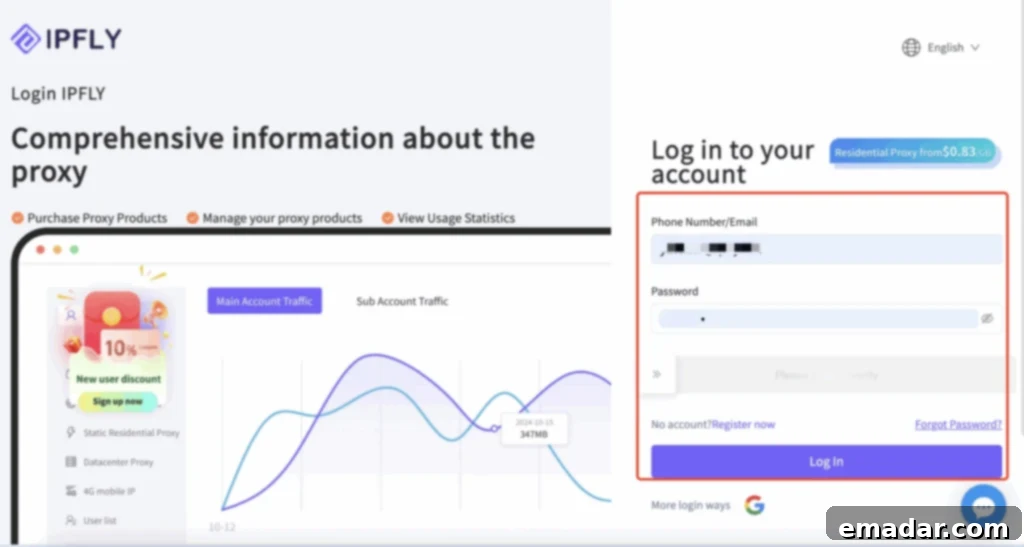
Visit IPFLY’s official website to begin your registration. Follow the prompts to create your account securely, setting the foundation for all your future proxy needs.
Step 2: Select and Purchase Your Desired Proxy Type
Once logged in, navigate to the “Buy Proxy” section within the left-hand menu bar. Here, you’ll be presented with IPFLY’s comprehensive range of proxy options. Carefully consider your specific requirements to choose between Dynamic Residential proxies for rotating IP anonymity or Static Residential (ISP) proxies for stable, dedicated IP addresses.
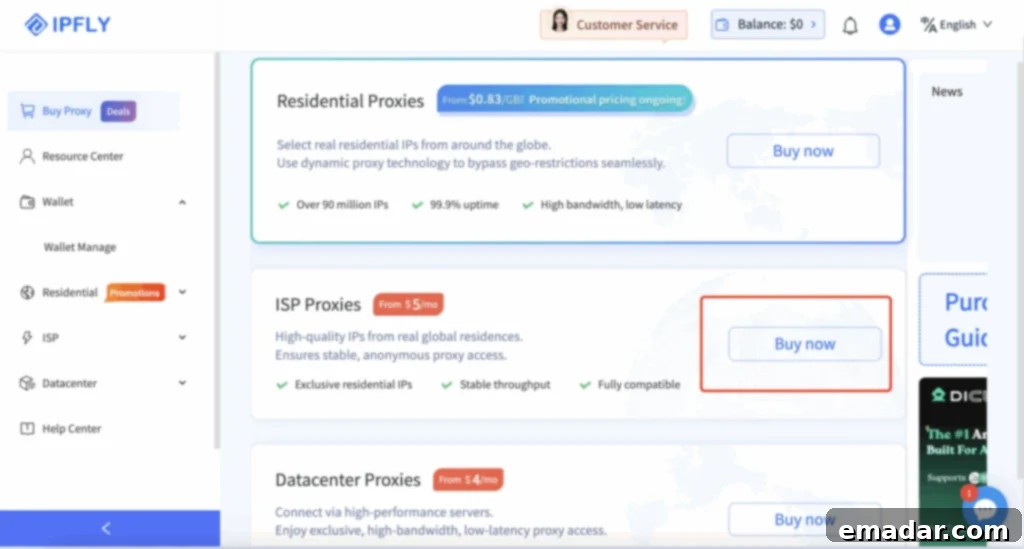
For instance, if your operations demand a consistent IP address, select “Static Residential (ISP) Proxy” and click “Buy Now” to proceed. This choice is ideal for tasks requiring high trust and continuity, such as managing critical online accounts or long-term data sessions. IPFLY ensures 100% exclusive static native IPs, offering unparalleled reliability.
Step 3: Configure Proxy Settings and Apply Your Exclusive Discount
This stage involves defining the specific parameters for your proxy service. You’ll need to fill in the “Proxy Settings” information, which typically includes choosing the country or region for your proxy. IPFLY boasts extensive global coverage, allowing you to geo-target your online presence effectively.
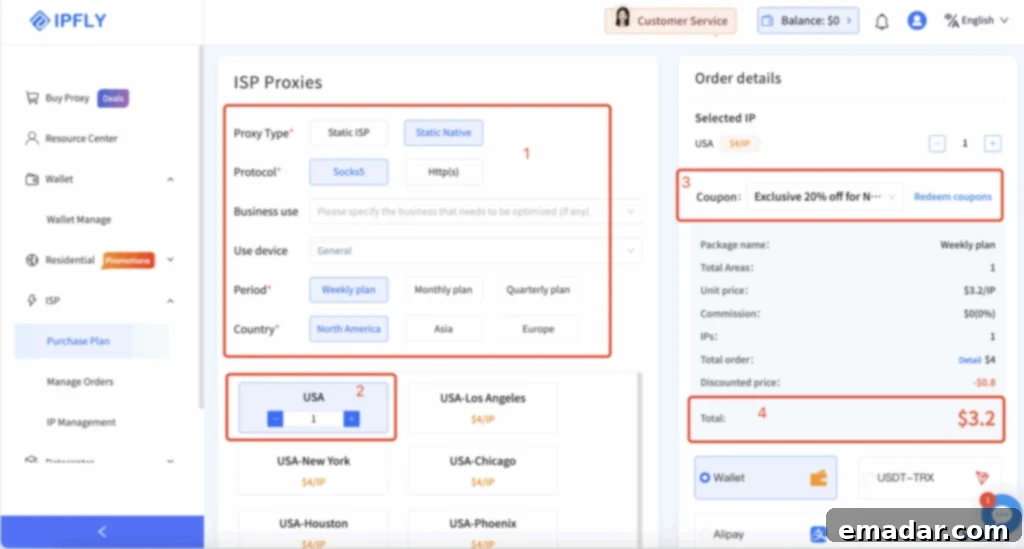
Crucially, before finalizing your purchase, make sure to redeem your exclusive XLogin user discount. Enter the discount code: IP6688 in the designated field to receive a significant 20% off your purchase. This special offer is a testament to the strong partnership between IPFLY and XLogin, designed to provide superior value to their shared user base.
Step 4: Retrieve Your Proxy Credentials
Upon successful payment, your purchased proxies will be activated. To access the necessary connection details, navigate to the “IP Management” section in the left-hand menu bar of your IPFLY dashboard. This is where you will find the critical information required for integrating your proxies with XLogin: the proxy host, port, username, and password.
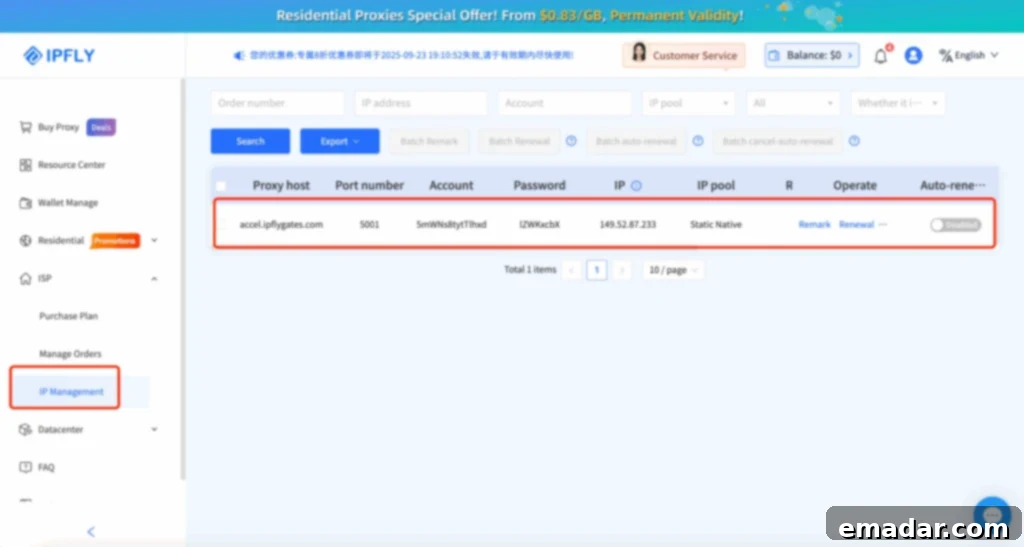
Keep these credentials readily available, as they are essential for configuring your XLogin browser profiles in the subsequent steps. The “IP Management” interface is designed for clarity, allowing you to easily view and manage all your purchased proxy assets.
Step-by-Step Guide: Configuring IPFLY Proxies in XLogin
Step 5: Download and Install the XLogin Client
To begin using XLogin’s powerful anti-detect capabilities, you first need to download and install its client application. XLogin provides a secure and feature-rich browser environment that is the foundation for your multi-account management strategy.
Visit XLogin’s official website to download the client. As an added benefit, XLogin supports a generous 3-day Free Trial, allowing you to experience its features and benefits firsthand before committing. This trial period is perfect for testing the seamless integration with IPFLY proxies.
Step 6: Install and Log In to Your XLogin Account
Once the download is complete, proceed with the installation of the XLogin client on your system. The installation process is typically guided and straightforward. After installation, launch the XLogin application, register a new account if you haven’t already, and then log in using your credentials.
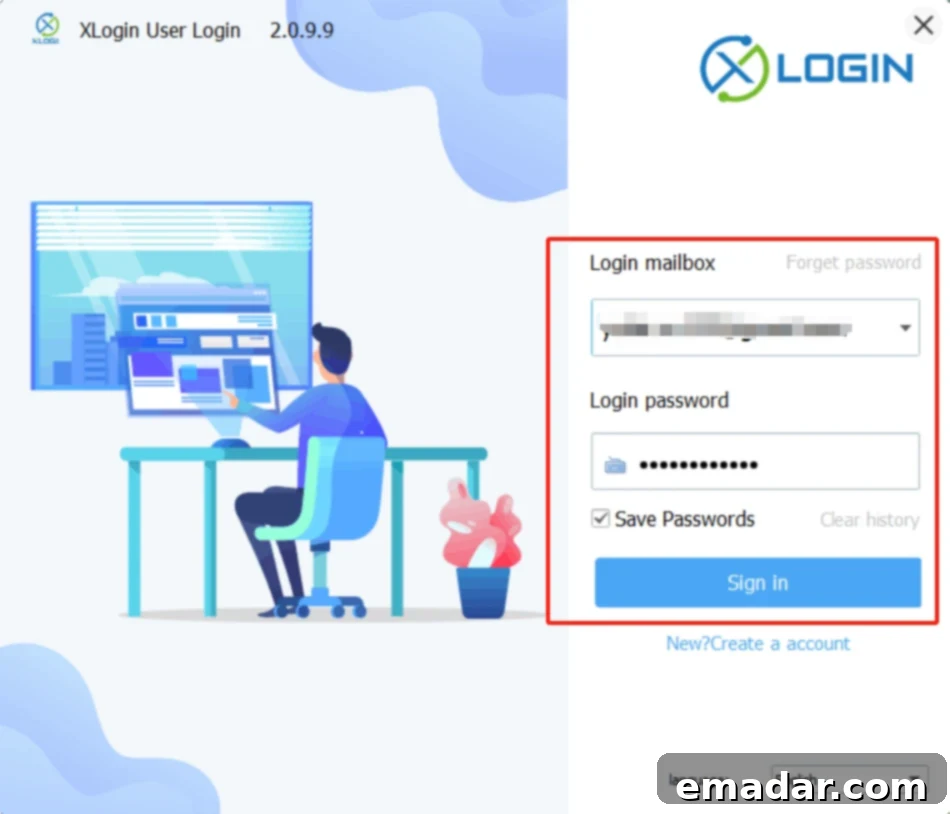
A successful login will take you to the XLogin dashboard, which is your central hub for managing all your browser profiles and online operations. Ensure you are logging into a secure network, especially when dealing with sensitive account information.
Step 7: Create a New Browser Profile
The core of XLogin’s anti-detect functionality lies in its ability to create isolated browser profiles. Each profile acts as a unique virtual browser, with its own distinct digital fingerprint. To start configuring your IPFLY proxy, click on “New browser profile” within the XLogin dashboard. This action initiates the setup of a fresh, isolated browsing environment.
Creating a new profile is essential for maintaining strict separation between your online identities, preventing cross-detection, and ensuring that each operation is conducted with maximum anonymity.
Step 8: Define Basic Information and Prepare for Proxy Settings
In the new browser profile setup window, you’ll be prompted to fill in some basic information. This often includes a profile name, which helps you easily identify and organize your various browsing environments. While filling in this information, ensure you provide descriptive names for better management, especially if you plan to create numerous profiles for different projects or accounts.
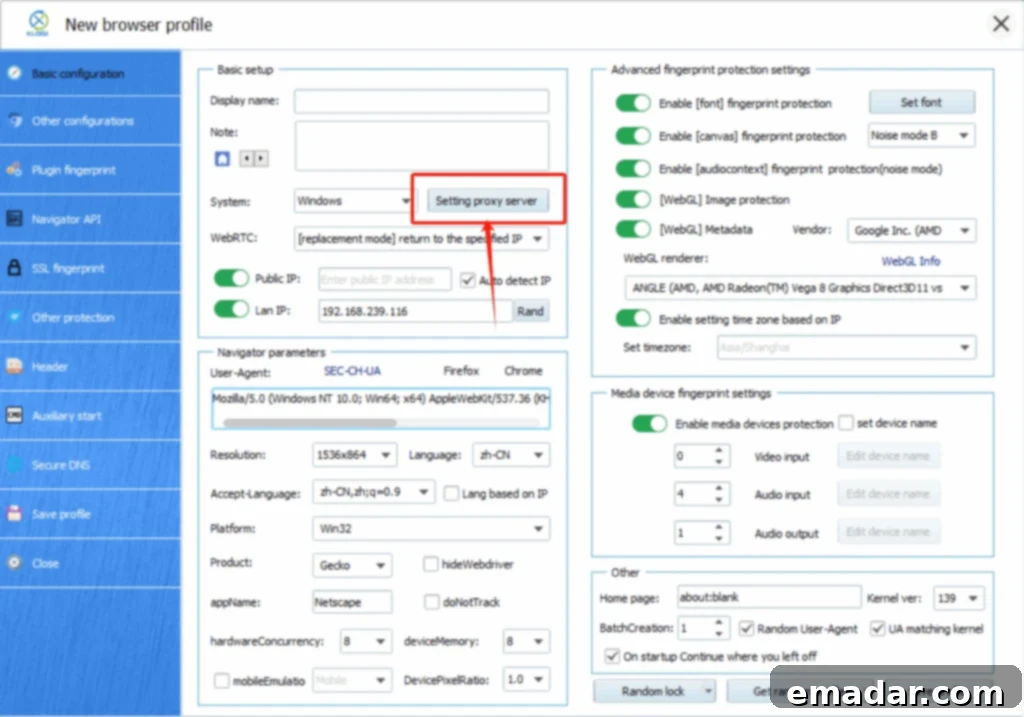
After inputting the required basic details, click on “Setting proxy server.” This will open the proxy configuration interface, where you will link your XLogin profile to the IPFLY residential proxy you purchased earlier.
Step 9: Configure and Test Your IPFLY Proxy
This is the crucial step where you integrate your IPFLY proxy credentials into XLogin. First, click on “Enable proxy server” to activate the proxy settings for this profile. Then, carefully enter the IPFLY proxy host, port, username, and password that you retrieved from your IPFLY “IP Management” section in Step 4.
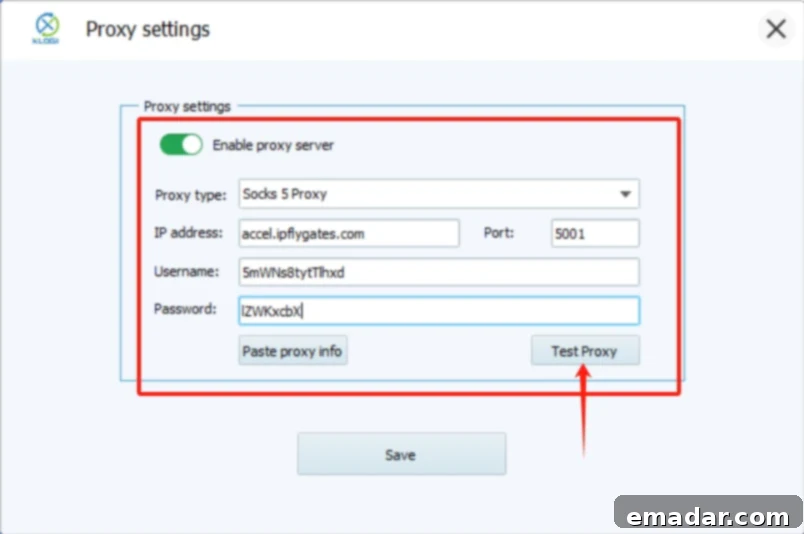
Once all details are entered, it is imperative to click “Test Proxy.” This feature is invaluable, as it verifies the connectivity and functionality of your IPFLY proxy within the XLogin environment. A successful test confirms that the proxy is live and correctly configured, ensuring that your subsequent browsing sessions will be routed through the IPFLY network.
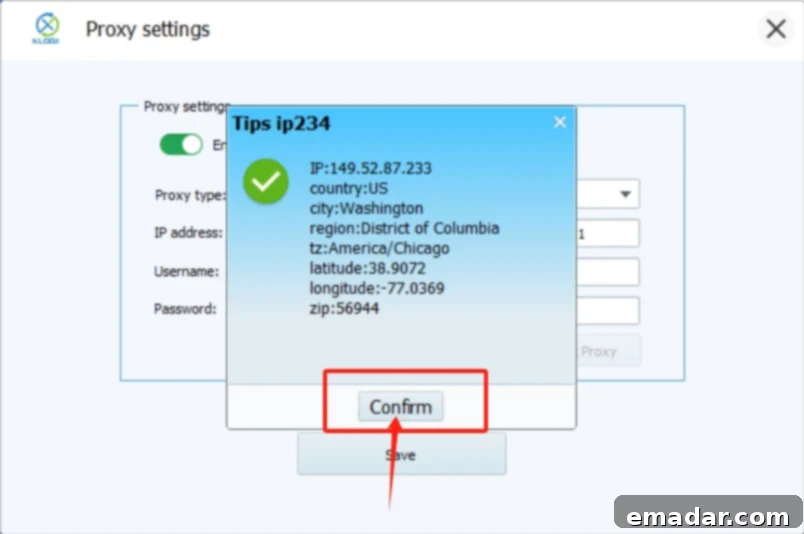
After a successful test, click “Confirm” to save these proxy settings for your current browser profile. This step ensures that every time you open this specific XLogin profile, it will automatically connect through your designated IPFLY residential proxy, providing consistent anonymity and geo-targeting.
Step 10: Save Your XLogin Profile
Finally, with your proxy successfully configured and tested, click “Save profile” to complete the setup process. This action saves all the settings for your new browser profile, including the anti-detection configurations and the integrated IPFLY residential proxy.
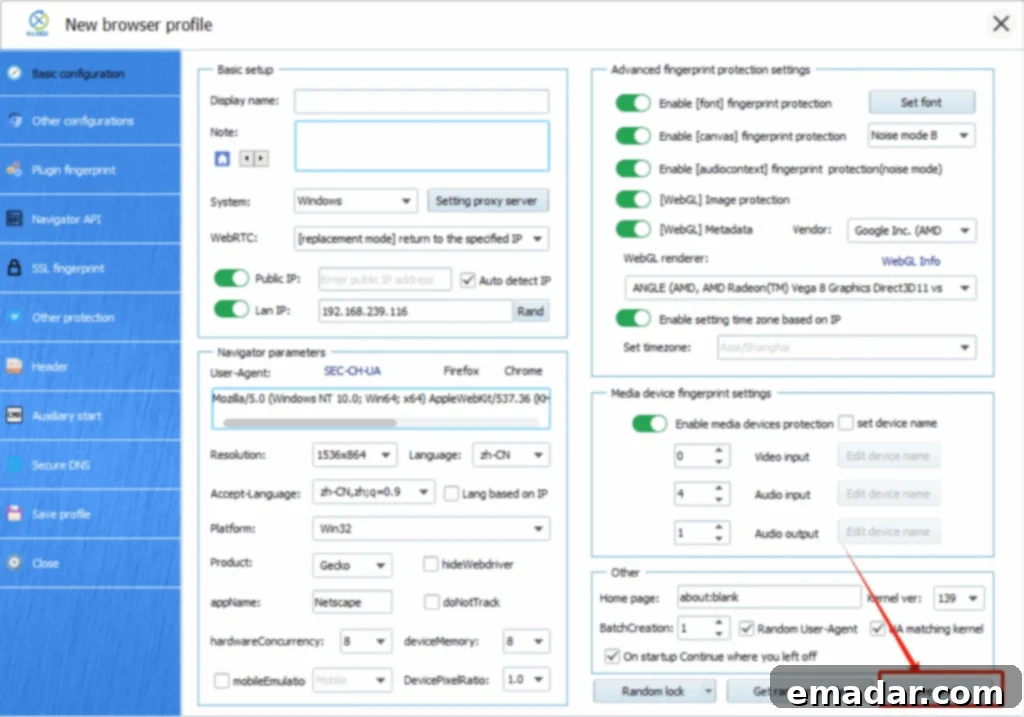
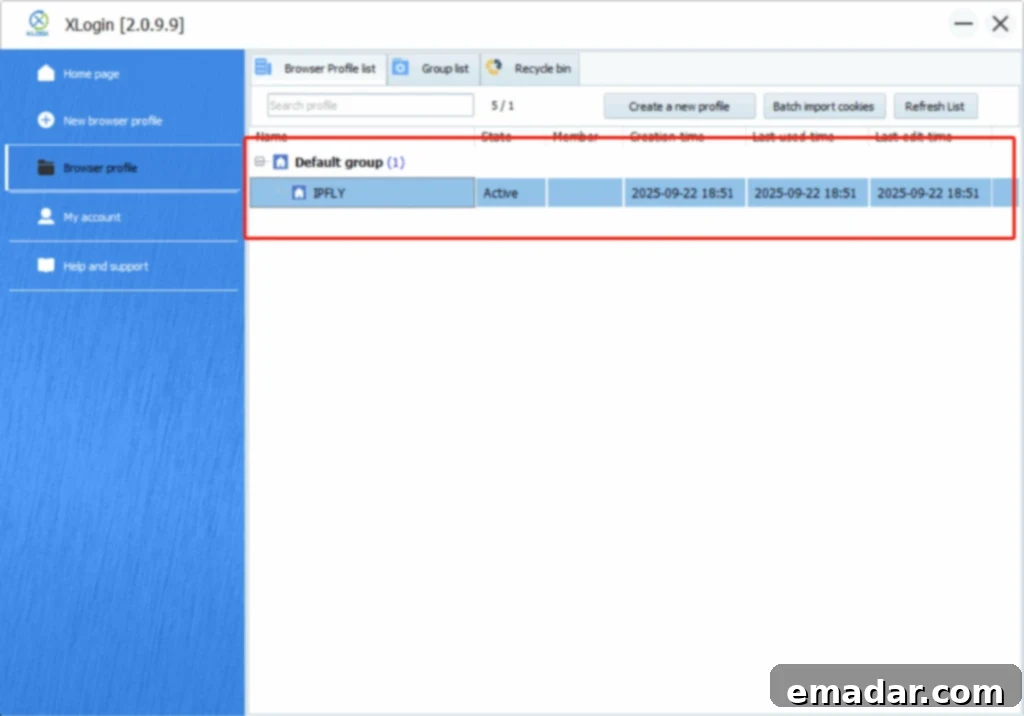
Your new XLogin browser profile is now fully equipped with a dedicated IPFLY residential proxy, ready to handle your multi-account management, web scraping, or any other online task requiring robust anonymity and secure digital identities. You can now launch this profile and operate with confidence, knowing your activities are protected.
Conclusion: The Unbeatable Combination of IPFLY and XLogin
By following these detailed steps, you have successfully configured IPFLY global residential proxies within your XLogin anti-detect browser. This powerful combination unlocks a new level of online operational capability, offering unparalleled anonymity, security, and efficiency for a multitude of online tasks.
Whether you’re involved in e-commerce, social media marketing, SEO, ad verification, or large-scale data collection, the synergy between IPFLY’s high-purity dynamic and static residential IPs and XLogin’s advanced anti-detection technology ensures your operations run smoothly and undetected. The permanent validity of IPFLY’s dynamic traffic and the exclusive nature of its static IPs, combined with XLogin’s robust fingerprint spoofing, provide a professional-grade solution for anyone serious about their online presence.
Embrace the future of secure and anonymous browsing. Start leveraging the combined strength of IPFLY and XLogin today to safeguard your digital ventures and maximize your online success. (Note: The above steps need to be performed on an overseas network for optimal functionality, especially for IPFLY services).
Ready to Get Started?
Click the links below to register and explore the offerings:
IPFLY: https://www.ipfly.net/
XLogin: https://xlogin.us/?sub=ipfly