
In the nascent days of the internet, the process of extracting information from websites, commonly known as web scraping, was a relatively straightforward affair. A basic scraper could simply download a website’s static HTML file and effortlessly locate all the necessary data embedded within. However, the modern web has undergone a profound transformation. Today, attempting to gather data using only the initial HTML is akin to trying to comprehend an entire novel by merely scrutinizing its cover. The contemporary digital landscape is characterized by its dynamic nature, rich interactivity, and pervasive reliance on JavaScript, which often dictates that the most valuable and up-to-date data loads asynchronously, long after the initial page structure is presented. To effectively access and harvest this elusive data, a far more sophisticated and powerful technique is required: **browser automation**. This comprehensive guide will meticulously explain what browser automation entails, elucidate why it has become an indispensable tool for modern web scraping endeavors, and crucially, demonstrate how to implement and deploy it successfully and efficiently at scale.
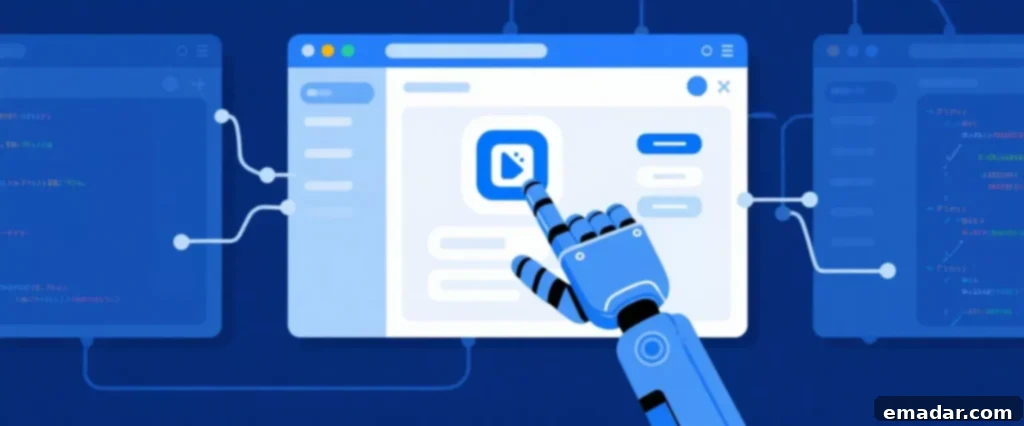
Navigating the Dynamic Web: The Evolving Challenge for Data Extraction
The fundamental reason why browser automation has transcended from a specialized technique to an absolute necessity in web scraping is the exponential rise of dynamic content. Modern websites, particularly those constructed using cutting-edge JavaScript frameworks such as React, Angular, and Vue.js, operate on a principle vastly different from their static predecessors. These sites initially deliver a minimalist HTML shell to the user’s browser. The actual, meaningful content – be it product listings, user comments, or real-time updates – is then dynamically fetched and displayed by JavaScript executing within the browser, often through Asynchronous JavaScript and XML (AJAX) requests.
This architectural shift means that a traditional, simple scraper, which merely sends an HTTP request and parses the initial HTML response, will find itself severely limited, often returning an empty or incomplete dataset. It simply cannot “see” or interact with vital pieces of information, such as:
- Product prices and availability that are loaded from an external API after the page has rendered.
- User reviews, comments, or forum posts that appear only after a “load more” button is clicked or after a specific time delay.
- Real-time search results that populate incrementally as a user types into a search bar, without a full page refresh.
- Content feeds that continuously appear as a user scrolls down an “infinite scroll” page, characteristic of many social media platforms.
- Interactive graphs, charts, and dashboards whose data is fetched and visualized dynamically based on user inputs or real-time streams.
To successfully capture this dynamic data, your scraping solution must transcend the capabilities of a simple script. It needs to behave not like a passive request-response mechanism, but rather like a fully-fledged, interactive human user navigating a website. This is precisely where browser automation steps in, bridging the gap between raw HTML and the fully-rendered, interactive web experience.
Understanding Browser Automation: A Comprehensive Definition
At its core, browser automation is the sophisticated practice of programmatically controlling a real web browser instance, such as Google Chrome, Mozilla Firefox, or Microsoft Edge, using a dedicated software library or framework. Instead of merely sending HTTP requests, your code effectively “tells” the browser what actions to perform: opening a specific URL, locating and clicking a particular button, populating input fields in a form, simulating scroll events down a lengthy page, and crucially, waiting for dynamic content to fully load and render before proceeding.
A significant portion of browser automation for data extraction is carried out in what is known as “headless” mode. In this configuration, the web browser operates entirely in the background, without any visible graphical user interface (GUI). This makes it an ideal and highly efficient solution for server-side automation tasks, as it conserves system resources and allows for parallel execution of multiple browser instances. By precisely controlling a genuine browser environment, your scraper gains the unparalleled ability to execute all the necessary JavaScript code, interact with web elements, and ultimately “see” the final, fully-rendered page exactly as a human user would, complete with all dynamically loaded data.
Beyond web scraping, browser automation has a wide array of practical applications. It’s extensively used for automated testing of web applications, allowing developers to simulate user interactions and ensure functionality across different browsers. It can also automate repetitive tasks, such as filling out online forms, generating reports from web data, monitoring website changes, or even performing automated UI checks. Its versatility makes it a cornerstone technology for anyone interacting with the modern web programmatically.
The Titans of Browser Automation: Your Essential Toolkit
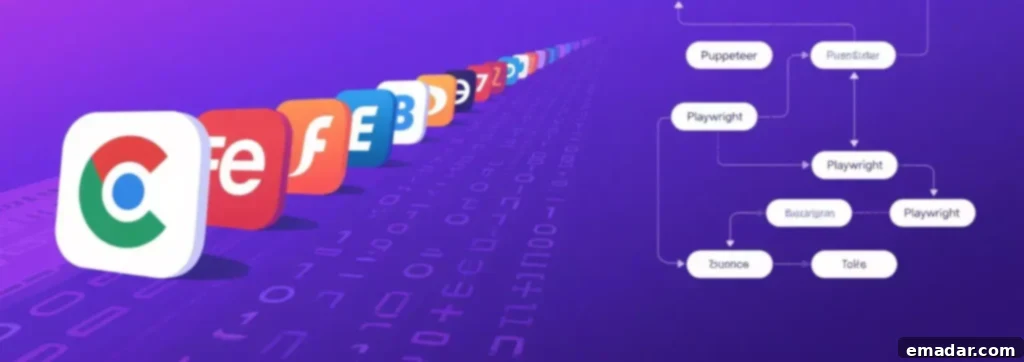
The ecosystem of browser automation tools is rich and diverse, but three primary libraries have emerged as industry leaders, dominating the landscape with their robust capabilities and extensive community support:
-
Selenium: As the long-standing veteran in the field, Selenium boasts incredible versatility. It supports a vast array of web browsers (Chrome, Firefox, Safari, Edge, Internet Explorer) and offers official bindings for multiple programming languages including Python, Java, C#, Ruby, and JavaScript. Its maturity means a wealth of resources, tutorials, and a massive community, making it a reliable choice for complex, multi-browser automation tasks. While sometimes perceived as heavier than newer alternatives, its broad compatibility remains a significant advantage, especially for legacy projects or environments requiring diverse browser support.
-
Puppeteer: Developed by Google, Puppeteer is a modern Node.js library specifically designed for controlling Chrome and Chromium browsers. It provides a high-level API to control headless or non-headless Chrome, making it incredibly efficient for tasks that primarily target the Chromium ecosystem. Puppeteer excels in performance, offers a rich API for interacting with the page, and is particularly favored by developers already working within the Node.js environment for tasks like testing, PDF generation, and, of course, advanced web scraping.
-
Playwright: Emerging from a team at Microsoft, which notably includes former Puppeteer developers, Playwright represents the next generation of browser automation tools. Its defining feature is its ability to support Chrome, Firefox, and WebKit (Safari’s rendering engine) with a single, unified, and streamlined API. This cross-browser capability significantly reduces development time and effort, as you can write your automation scripts once and run them across major browser engines. Playwright offers robust auto-waiting mechanisms, network interception, and advanced debugging features, quickly making it a preferred choice for developers seeking efficiency and broad browser coverage in a modern, well-maintained package, with bindings for JavaScript, Python, Java, C#, and Go.
The Golden Rule: Automation Mimics Action, Not Anonymity
This principle is arguably the single most critical concept for any developer venturing into browser automation and web scraping to fully grasp and internalize. While automating a browser impeccably mimics a human user’s *actions*—clicking, typing, scrolling, navigating—it does absolutely nothing, on its own, to conceal their underlying *network identity*. Specifically, it does not hide or obscure your IP address, which is the unique digital fingerprint of your internet connection.
Consider this scenario: if you initiate multiple browser automation scripts from a single server or your home computer, every single one of those simulated “users” will originate from the exact same IP address. Any website employing even basic security measures or anti-bot detection systems will almost instantaneously identify this anomalous pattern of activity. Multiple requests originating from an identical IP within a short timeframe, especially if exhibiting non-human-like speed or repetitive actions, are a glaring red flag. The immediate consequence is typically a swift and decisive block, preventing your IP address from accessing the target website, thereby rendering your scraping efforts futile.
Beyond IP address monitoring, sophisticated websites deploy a range of anti-scraping techniques. These can include analyzing browser fingerprints (user-agent strings, header orders, installed plugins), behavioral analysis (mouse movements, scroll speed, click patterns), rate limiting, requiring CAPTCHA challenges, and even JavaScript-based bot detection that checks for specific browser properties or anomalies that indicate automation. Relying solely on browser automation, without addressing the anonymity aspect, is akin to wearing an elaborate disguise but loudly announcing your real name.
The Complete Solution: Seamlessly Combining Automation with Proxies for Undetectable Scraping
To transcend the limitations of single-IP detection and achieve true scalability and resilience against blocking, it is absolutely imperative to integrate browser automation with a robust and diverse proxy network. The professional workflow for large-scale data extraction involves launching each individual automated browser instance with its own distinct and legitimate IP address. This strategic combination ensures that every interaction with a target website appears to originate from a unique, independent source.
This is precisely where a high-quality proxy service, such as IPFLY’s residential proxies, becomes the indispensable foundational layer of your entire scraping operation. Residential proxies are sourced from real, legitimate IP addresses assigned by Internet Service Providers (ISPs) to residential users. This makes them exceptionally difficult to detect as proxies, as they blend seamlessly with ordinary web traffic.
By meticulously configuring your Playwright, Puppeteer, or Selenium script to launch each browser session through a different IPFLY residential proxy, you effectively mask your true IP address and distribute your requests across a vast pool of real-user IPs. This powerful setup ensures that every automated session appears as a unique, organic user originating from a different geographic location, drastically reducing the chances of detection and subsequent blocking. IPFLY’s network, for instance, provides access to a global pool of such IPs, ensuring both diversity and reliability.
This potent synergy—realistic browser automation (addressing the “what” and “how” of interaction) combined with a legitimate, diverse IP address (addressing the “who” and “where” of origin)—is the ultimate key to successfully scraping even the most sophisticated, heavily-protected, and anti-bot-hardened websites without encountering persistent blocks. Moreover, it allows you to geo-target specific regions, gather location-sensitive data, and bypass geo-restrictions, opening up an entirely new realm of data collection possibilities.
Advanced Strategies for Robust and Undetectable Scraping at Scale
While browser automation and residential proxies form the bedrock of modern scraping, achieving truly robust and undetectable operations at scale often requires incorporating additional advanced strategies:
- Mimicking Human Behavior: Beyond basic clicks and scrolls, inject randomized delays between actions, simulate realistic mouse movements, and vary navigation paths. Avoid predictable, machine-like sequences of actions.
- Browser Fingerprinting Management: Regularly rotate user-agent strings, accept-language headers, and other browser request headers. Ensure that your browser instance’s settings (e.g., screen size, WebGL renderer, plugins) are consistent with common configurations and are not easily identifiable as automated. Tools like Playwright and Puppeteer offer ways to customize these parameters.
- Cookie Management: Handle cookies like a real browser. Accept them when prompted, store them between sessions (if beneficial for a persistent login), and clear them when starting a fresh, anonymous session to prevent tracking.
- Error Handling and Retries: Implement robust error handling for network issues, page loading failures, or temporary blocks. Employ intelligent retry mechanisms with exponential backoffs to avoid hammering a site when encountering errors.
- CAPTCHA Resolution: Be prepared for CAPTCHA challenges. While some simple ones can be bypassed, complex reCAPTCHAs often require integration with third-party CAPTCHA solving services or manual intervention.
- Session Management: For sites requiring logins, manage authenticated sessions effectively. This might involve storing and reusing session cookies or re-logging in with different credentials via different proxy IPs.
- Resource Optimization: Headless browsers can be resource-intensive. Optimize your code to close unused browser pages, clear cache, and run instances on powerful, well-configured servers to handle high concurrency.
- Dynamic Element Waiting: Use explicit waits (e.g., “wait until element is visible,” “wait until network idle”) rather than static delays. This ensures your scraper acts only when content is truly ready, making it more resilient to varying page load times.
Whether you’re engaging in cross-border e-commerce competitive analysis, monitoring overseas social media trends, performing market research, or conducting crucial anti-block data scraping operations—the first crucial step is to select the right, high-quality residential proxy service. We highly recommend visiting IPFLY.net to explore their robust offerings and find the perfect proxy solution tailored to your specific needs. Furthermore, for invaluable insights and direct support, consider joining the vibrant IPFLY Telegram community! Here, industry professionals and experienced developers frequently share real-world strategies and innovative solutions to common challenges, helping you effectively mitigate “proxy inefficiency” issues and optimize your data extraction workflows.

In conclusion, browser automation stands as the essential and often required technique for extracting valuable data from the complex, dynamic, and JavaScript-driven landscape of the modern web. It uniquely empowers your scraper to interact with and perceive web pages just as a human user would, unlocking access to content previously inaccessible through simpler methods. However, this powerful capability, while revolutionary, can only be deployed successfully, efficiently, and sustainably at scale when it is meticulously built upon a steadfast foundation of anonymity and trust. This critical foundation is expertly provided by a high-quality, reliable residential proxy network, particularly from a reputable provider like IPFLY, which furnishes each of your automated browsers with the unique, authentic identity it unequivocally needs to operate without detection or interruption, ensuring your data collection efforts remain consistent and fruitful.