
A quiet shift is changing how students and professionals deal with restricted web access. Browser extensions that began as tab managers or ad blockers are now evolving into tools designed to bypass network restrictions. Among these, Leaf Browser has established a unique position. It is not a standalone browser but a Chrome extension that creates a separate browsing environment on top of Chrome’s engine—complete with its own proxy settings, privacy controls, and simplified interface. The result is a lightweight tool that can bypass many school, corporate, and regional filters without requiring system-level changes.
Leaf Browser’s main advantage is ease of use. It installs from the Chrome Web Store with no complex setup, no operating system changes, and no command-line steps. In seconds a user can open a session where network blocks that applied in the main browser may no longer be effective. That convenience, however, comes with limits: Leaf Browser’s proxy features depend on the quality and configuration of the proxy endpoints the user supplies. For casual, short browsing sessions it can be highly effective; for sustained research, long-term monitoring, or heavy streaming, a more robust proxy solution is usually necessary.
What Exactly Is Leaf Browser?
Leaf Browser sits between a full browser and a conventional extension. It is not a Chromium fork or a separate desktop application; it installs into Google Chrome and exposes a distinct interface with its own tab grouping, privacy toggles, and proxy configuration. By leveraging Chrome’s rendering engine and security updates, Leaf Browser layers focused features—minimal UI, ad blocking, and an independent incognito mode—on top of the existing browser environment.
Its design emphasizes privacy, speed, and access. The minimalist interface reduces visual clutter while offering session isolation: history, cookies, and cached data produced in Leaf Browser’s incognito sessions are discarded when the session ends. This makes it attractive for shared computers and for users who need short-lived, low-footprint browsing sessions that leave minimal local traces.
The Architecture of a Browser Extension
As a Chrome extension, Leaf Browser operates within the permissions and APIs Chrome allows. It can intercept requests, modify headers, and manage proxy settings through Chrome’s extension framework. That model makes deployment fast and low-friction but also imposes constraints: Leaf Browser cannot use network protocols or routing methods outside what Chrome’s APIs support, nor can it bypass browser-level policies that administrators set.
Consequently, Leaf Browser’s effectiveness depends on how the host Chrome instance is managed. If extensions or proxy settings are restricted by policy, Leaf Browser’s capabilities will be limited. In unmanaged Chrome environments where installing extensions is allowed, Leaf Browser can be deployed quickly and begin routing traffic through configured proxies.
Built-in Proxy Capabilities and Their Limits
Leaf Browser includes a proxy settings panel where users can choose from available proxies or manually enter host, port, and authentication credentials. When configured, the extension directs its traffic through the chosen proxy, masking the user’s IP and often bypassing DNS blocks and URL filters on the local network. This is the feature that gives Leaf Browser its reputation as an unblocking tool.
However, the extension does not supply the proxy infrastructure. It is a conduit, so the user must provide the proxy endpoints. Free proxies are commonly used but come with well-known issues: data center IPs are easy to spot and often blacklisted, connections can be unstable, latency can spike, and operators may inject ads or log traffic. Even paid single-endpoint proxies can become fragile over time as platforms detect and throttle or block repeated traffic from the same IP.
Why Built-in Proxies Fall Short for Sustained Use
For tasks that require persistent access—price monitoring, long-term archival, authenticated workflows—a static proxy endpoint is brittle. Anti-abuse systems may profile an IP address, leading to throttling, CAPTCHA challenges, or blocking. Free proxies lack privacy guarantees and reliability, while single paid IPs can still be identified by sophisticated detection systems. For professional use, a more resilient approach is needed: a distributed network of residential IPs that look like ordinary end-user connections.
The Residential Proxy Difference: Strengthening Leaf Browser for Professional Use
Residential proxies route traffic through IP addresses assigned to home internet connections. To destination sites and network filters, traffic appears to come from a typical residential user in a specific city or region. This authenticity makes residential proxies more resilient against detection and blocking than data-center IPs. When Leaf Browser is configured with residential proxy endpoints, its unblocking capability becomes far more reliable for production tasks.
Using residential proxies shifts the network identity from a suspicious data-center address to a legitimate ISP-assigned home IP. Destination servers are less likely to flag or block such connections, and local network logs show an encrypted connection to a residential address rather than to a known proxy node. For research, market verification, and ad validation, that difference enables more consistent access and reduces the risk of interruptions.
IPFLY’s Residential Network as the Proxy Backend
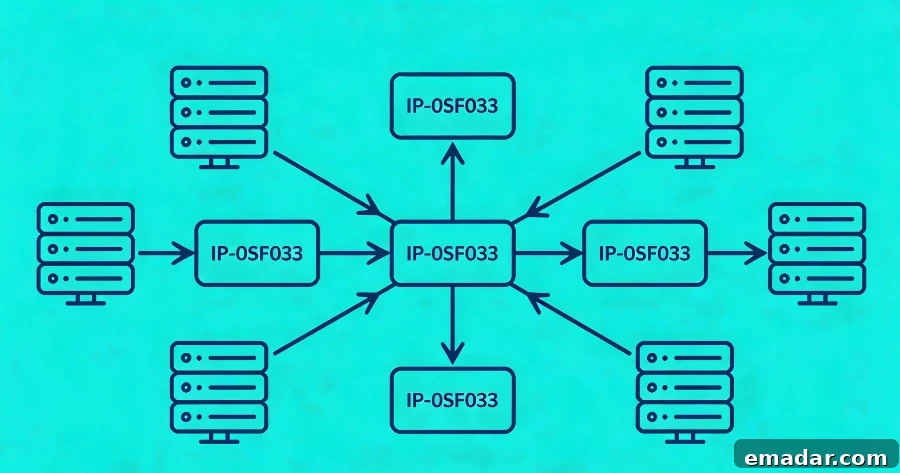
Leaf Browser accepts standard proxy credentials—hostname, port, username, and password—so it can be paired with residential proxy gateways. A provider like IPFLY offers a gateway that gives access to a large pool of residential IPs across many countries. Instead of relying on a single static IP, the gateway selects exit IPs from the pool, handles rotation, and maintains session persistence based on user preferences set through the provider’s dashboard.
After entering gateway details and credentials into Leaf Browser’s proxy settings, the extension routes traffic through the provider’s gateway, which picks an appropriate residential IP for each session. For geographically targeted research, the provider can ensure the exit IP belongs to a particular city or ISP. This distributed approach means that single-IP blocks are rarely disruptive because the gateway can supply alternate addresses from a broad pool.
Session Persistence for Authenticated Workflows
Many workflows require session continuity: logging into a portal, navigating multi-step flows, or conducting authenticated research. If the proxy IP changes mid-session, authentication tokens may break and security checks can trigger. Residential providers typically offer sticky sessions that keep the same exit IP for a configurable period. In Leaf Browser, this allows an entire research session to maintain a consistent remote identity while the local session stays ephemeral. When the session ends, the IP returns to the pool and the next session can start with a fresh address.
Real-World Applications: Who Benefits from Leaf Browser with Residential Proxies
Leaf Browser’s value extends beyond the common narrative of students bypassing a school filter. Pairing its lightweight, session-isolated environment with a reliable residential proxy backend supports a range of professional use cases.
Academic Research Behind Institutional Filters
University networks often apply aggressive filtering that can unintentionally block legitimate archives or research resources. By routing a Leaf Browser session through a residential proxy, researchers can reach blocked materials as if browsing from an unrestricted home connection. The local network only sees an encrypted connection to a residential IP, while the destination server serves content to a typical residential visitor.
Competitive Intelligence and Market Monitoring
Market analysts and pricing teams need accurate regional views of e-commerce and streaming platforms. Residential proxies provide trusted geographic exit points that avoid proxy detection, enabling reliable price checks and content verification across regions. Leaf Browser’s session isolation prevents cookie contamination between region-specific checks, and provider dashboards enable city-level targeting for precise results.
Ad Verification Across Geographies
Verification teams use region-specific residential IPs to confirm that campaigns display the correct creatives, currencies, and language variants. Leaf Browser’s disposable incognito sessions combined with fresh residential IPs create a near-authentic local viewer environment, which helps produce verifiable audit results without influencing subsequent ad-serving behavior.
Privacy-Conscious Browsing on Public Networks
Public Wi-Fi can expose traffic patterns and URLs to network operators. Using Leaf Browser together with an encrypted residential proxy adds a lightweight privacy layer: the public network sees only an encrypted connection to the proxy gateway, while request content and destination URLs remain protected. This approach is not a substitute for comprehensive device security but provides a fast, browser-level privacy option for ad-hoc work on public networks.
Configuring Leaf Browser with an External Residential Proxy
Connecting Leaf Browser to a residential proxy follows standard proxy configuration steps. Obtain credentials from the proxy provider, then enter the gateway hostname, port, username, and password into the extension’s proxy panel. For HTTP/HTTPS proxies the ports are often 3128; for SOCKS5, 1080. Leaf Browser supports common HTTP and HTTPS proxy setups that cover most web and streaming scenarios. For non-HTTP protocols, system-level SOCKS5 configuration may be required, which lies outside the extension’s scope.
After entering credentials, run a connection test through an IP-check endpoint to confirm the public IP and geolocation match expectations. Geographic targeting and rotation preferences are typically managed in the proxy provider’s dashboard, so set country, city, or ISP filters there before generating credentials for Leaf Browser.
Privacy, Security, and Ethical Boundaries
Unblocking tools must be used responsibly and within legal and ethical limits. Leaf Browser and residential proxies are intended to restore legitimate access, not to facilitate fraud, circumvent paid access improperly, or violate platform terms. From a privacy perspective, Leaf Browser’s incognito mode removes local traces while a trusted residential provider masks the user’s IP. However, privacy depends on the provider’s practices; a proxy service that logs or sells browsing data undermines that protection.
Reputable residential providers source IPs ethically and maintain strict no-logging policies. Choosing a provider that follows transparent practices is essential for researchers, journalists, and enterprises that require reliable privacy assurances.
A Lightweight Tool with Professional Potential
Leaf Browser’s strength is its simplicity: a quick Chrome extension install, a clean interface, and proxy settings a non-technical user can manage. For casual needs it provides fast, session-isolated unblocking. For professional workflows, pairing the extension with a resilient residential proxy network upgrades it into a dependable component for research, market intelligence, and geographic verification.
As network filters and anti-proxy detection grow more sophisticated, combining a session-isolated extension with a robust residential proxy network offers a pragmatic approach. It preserves access for legitimate research, commerce, and communication while respecting the technical realities of modern internet architecture.