

Navigating the complex landscape of **cross-border e-commerce**, **social media operations**, and **advertising campaigns** often demands the management of multiple accounts. However, this seemingly straightforward task is frequently fraught with peril. Are you constantly facing challenges like **platform risk control mechanisms**, **IP association issues**, or the ever-present threat of **data leakage**? The stakes are high, and a single misstep can jeopardize your entire operation. But don’t panic! The ultimate solution lies in a powerful combination: the **YunDeng Fingerprint Browser paired with IPFLY Global Proxies**. This formidable duo is engineered to help you eliminate risks and secure your victory in the highly competitive global marketplace.
In today’s digital age, where every online action is meticulously monitored, operating multiple accounts without robust protection is like walking through a minefield. From e-commerce giants like Amazon and eBay to social media powerhouses such as TikTok and Facebook, platforms employ sophisticated algorithms to detect and penalize any activity that hints at automated behavior or attempts to circumvent their terms of service. This often includes flagging accounts that appear to be linked through shared IP addresses or identical browser fingerprints. The consequences can range from temporary suspensions to permanent bans, leading to significant financial losses and damage to your brand reputation. This article will delve into why a holistic approach is essential and how YunDeng and IPFLY provide the impenetrable shield you need.
Why Multi-Account Operations Fail with Single Solutions
Many businesses mistakenly believe that a single tool is sufficient for secure multi-account management. However, this oversight often leads to unforeseen complications and account suspensions. Let’s explore why relying on just one component of the solution falls short:
- • Solely Using Proxy IPs: While a proxy IP effectively conceals your true geographical location and assigns a new IP address to your connection, it only addresses one piece of the puzzle. Platforms are increasingly sophisticated, looking beyond just IP addresses. If your browser’s unique “fingerprint” remains identical across multiple accounts, it exposes the underlying connection between them. This digital fingerprint, composed of elements like your operating system, browser type and version, installed fonts, screen resolution, language settings, and even subtle variations in how your hardware renders graphics (Canvas fingerprinting), can betray your attempts at anonymity. Therefore, even with a hidden IP, your accounts are still vulnerable to association.
- • Solely Using a Fingerprint Browser: An anti-detect fingerprint browser excels at creating isolated and unique browsing environments, each with its own distinct digital fingerprint. This means every account appears to be operated from a different device, effectively masking the commonality of your local machine. However, if all these independent browser environments are connected through the same proxy IP, or worse, your original IP, platforms can still detect the shared network origin. A single IP address being used for numerous “distinct” browser profiles immediately raises a red flag, triggering risk control mechanisms and potentially leading to account closures.
The clear takeaway is that relying on either solution in isolation leaves critical vulnerabilities exposed. Only through the **synergistic combination** of an advanced anti-detect fingerprint browser and high-quality proxy IPs can you achieve comprehensive, 360-degree protection, ensuring your multi-account operations remain secure, undetected, and profitable.

Unveiling the Power of YunDeng Fingerprint Browser
YunDeng Fingerprint Browser stands at the forefront of anti-detect technology, offering a robust suite of features designed to empower secure and scalable multi-account management. Its sophisticated design ensures that each account operates within a truly unique and isolated digital environment, making it virtually impossible for platforms to link them. Let’s explore its key advantages in detail:
- • Secure Multi-Account Operation: YunDeng provides a dedicated, fixed browsing environment for each account, meticulously isolating it from your local computer’s actual digital footprint. This means that every profile you create within YunDeng appears as a distinct physical device to external websites. This isolation is crucial for maintaining account integrity across various platforms, preventing cross-contamination of browser data and cookies. Whether you’re managing multiple e-commerce stores, running diverse social media campaigns, or handling various client accounts, YunDeng ensures that each operation is perceived as an independent entity. Furthermore, this capability extends seamlessly to remote work scenarios, allowing teams to operate securely from different locations without compromising account safety.
- • Advanced Browser Fingerprint Protection: At its core, YunDeng excels at creating and managing unique browser fingerprints. For each independent environment, it provides a different, consistent fingerprint that mimics a genuine user’s device. This includes spoofing critical identifiers such as User-Agent strings, Canvas and WebGL parameters, AudioContext, font lists, screen resolutions, and even CPU and GPU configurations. Beyond spoofing, YunDeng employs advanced encryption protocols for cookies and other sensitive browsing data, safeguarding against unauthorized access and ensuring that tracking pixels cannot easily associate your activity. This layered protection makes detection significantly more challenging for sophisticated platform monitoring systems.
- • Intelligent Risk Control System: Proactive risk management is paramount for sustained multi-account operations. YunDeng integrates a real-time environment detection system that continuously monitors the integrity of each browser profile. It can identify and alert you to potential issues that might increase your risk of detection. The system also includes high-risk operation verification, prompting users to confirm actions that could potentially trigger platform security measures. Every action and event within the browser environment is meticulously logged, providing a comprehensive audit trail. This detailed logging is invaluable for troubleshooting, identifying the root cause of any issues, and demonstrating compliance if ever required, offering complete traceability for your operations.
- • Seamless Team Collaboration: Scaling your operations often involves teamwork. YunDeng Browser is built to facilitate efficient and secure team collaboration. It allows you to create multiple sub-accounts, each with customizable permission levels. This enables you to delegate specific tasks and access rights to different team members, ensuring that only authorized personnel can manage particular accounts or profiles. Whether it’s multiple individuals managing a single large store, or a team overseeing a portfolio of numerous stores, or even team members operating concurrently from different geographical locations, YunDeng streamlines workflows and significantly boosts overall work efficiency without compromising security.
Why IPFLY Proxy IPs Outperform the Competition
While YunDeng provides the perfect digital disguise, IPFLY furnishes the crucial network infrastructure to make that disguise undetectable. IPFLY’s proxy services are meticulously designed to deliver unparalleled stability, authenticity, and global reach, distinguishing them from generic proxy providers. Here’s why IPFLY is the superior choice:
- • Direct Global Carrier Partnerships: Unlike many proxy providers who resell IPs from third parties, IPFLY establishes direct, deep-seated collaborations with global internet service providers (ISPs) and mobile carriers. This eliminates intermediaries, guaranteeing a direct connection to the source of IPs. This direct partnership translates into several critical advantages: superior network stability, faster connection speeds, and significantly reduced chances of encountering blacklisted or compromised IP addresses. By cutting out the middleman, IPFLY ensures the highest quality and reliability for its users.
- • Unrivaled Network Stability with Native IPs: IPFLY prides itself on offering what it calls “industry-first native IPs.” A native IP is an IP address genuinely assigned by an ISP to a real user in a specific location. These are not IPs from data centers or virtual servers, which are easily detected by sophisticated platforms. The use of native residential and mobile IPs is crucial for high-stakes operations on platforms like TikTok, Amazon, Facebook, and Google, which have extremely rigorous fraud detection systems. By providing IPs that appear as legitimate as those used by ordinary home users, IPFLY effectively eliminates the common risks of IP blacklisting and account suspension associated with less authentic proxy types, ensuring smooth and uninterrupted business operations.
- • Vast Dynamic Residential IP Pool: Scale and diversity are key to avoiding detection when managing numerous accounts. IPFLY boasts an astonishing pool of over 90 million dynamic residential IPs. This dwarfs the “million-level” offerings of many competitors, providing an almost inexhaustible supply of fresh, untainted IP addresses. This extensive pool covers more than 190 countries and is continuously updated, ensuring that you can always find an IP in your target geographic location. The sheer size and constant refresh rate of this pool mean you can rotate IPs frequently, making it exceptionally difficult for platforms to link your accounts based on network patterns.
- • Premium Quality Static Residential IPs: For operations requiring consistent IP addresses over extended periods, IPFLY offers superior static residential IPs. These IPs possess “dual ISP residential properties,” meaning they are genuinely assigned by ISPs and appear as if they originate from real households, but remain static for your exclusive use. They come with dedicated bandwidth, guaranteeing low latency and high-speed connections crucial for time-sensitive tasks. Crucially, IPFLY’s static residential IPs do not impose limits on concurrent connections, ensuring dedicated resources and exclusive access. This premium service is available across 50 countries/regions, catering to businesses needing stable and authentic IP presence.
- • Comprehensive and Dedicated Customer Service: Recognizing the global nature of cross-border e-commerce, IPFLY provides exceptional 24/7 customer support. Their team is not only fluent in multiple languages but also possesses deep, specialized knowledge across various industry scenarios. This expertise allows them to offer tailored assistance, guiding cross-border sellers through complex technical configurations and strategic proxy utilization. From initial setup to ongoing optimization, IPFLY’s commitment to service ensures that clients receive the support necessary to successfully navigate and expand their businesses globally.
Your Step-by-Step Guide: Configuring IPFLY Proxy IP with YunDeng Browser
Integrating IPFLY proxies with YunDeng Fingerprint Browser is a straightforward process that unlocks unparalleled security for your multi-account operations. Follow this detailed configuration guide to set up your secure browsing environment and conquer the cross-border market. For specific promotions, visit the IPFLY activity page.
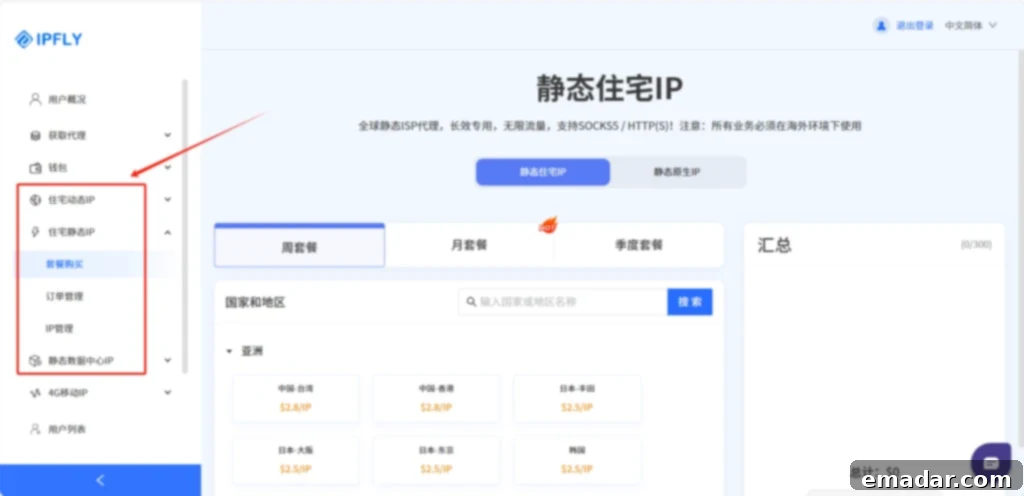
1. **Access IPFLY and Purchase Your IP:**
Begin by visiting the official IPFLY website. Register for a new account if you haven’t already, then log into your user dashboard. Based on your specific operational needs—whether it’s managing a few static accounts or a large number of dynamic social media profiles—select your preferred IP type: **Residential Dynamic IP**, **Residential Static IP**, or **Static Datacenter IP**. Carefully choose your desired country or region to ensure geographical relevance for your accounts, and proceed with the purchase.
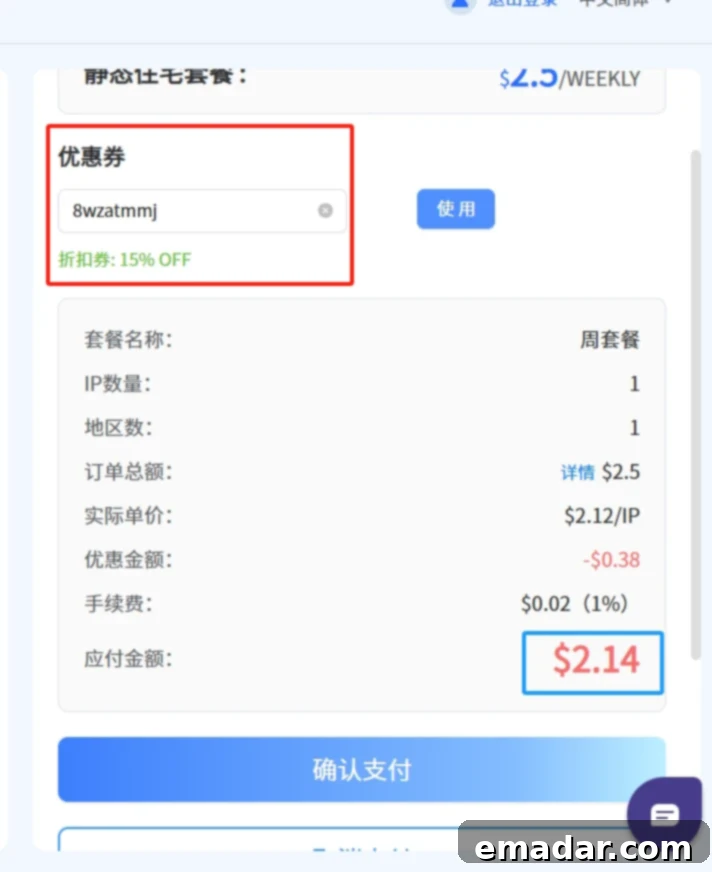
(Note: YunDeng users are currently eligible for an exclusive **15% discount** on IPFLY packages! Use discount code **8wzatmmj** at checkout to claim your savings.)
2. **Retrieve Your Purchased IP Details:**
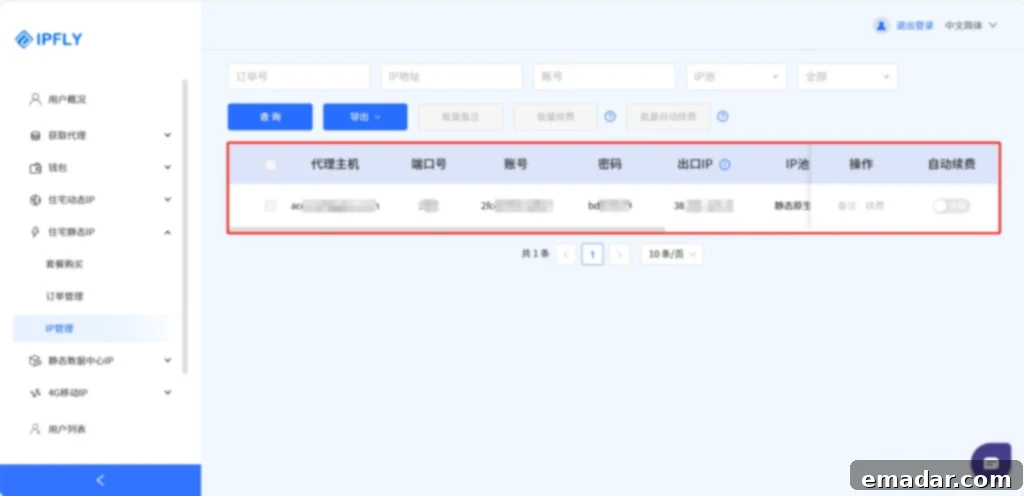
Once your payment is successfully processed, navigate to the **”IP Management”** section within your IPFLY user dashboard. Here, you will find a detailed list of all the IP addresses you have purchased, including their type, location, and credentials. Make sure to note down or copy the necessary IP information (e.g., host, port, username, password) that you will need for configuration in YunDeng.
3. **Initialize YunDeng Fingerprint Browser:**
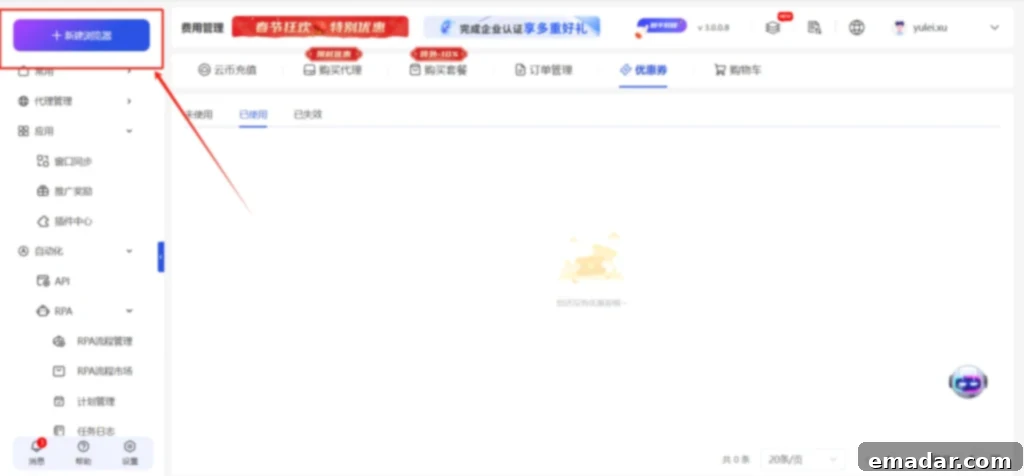
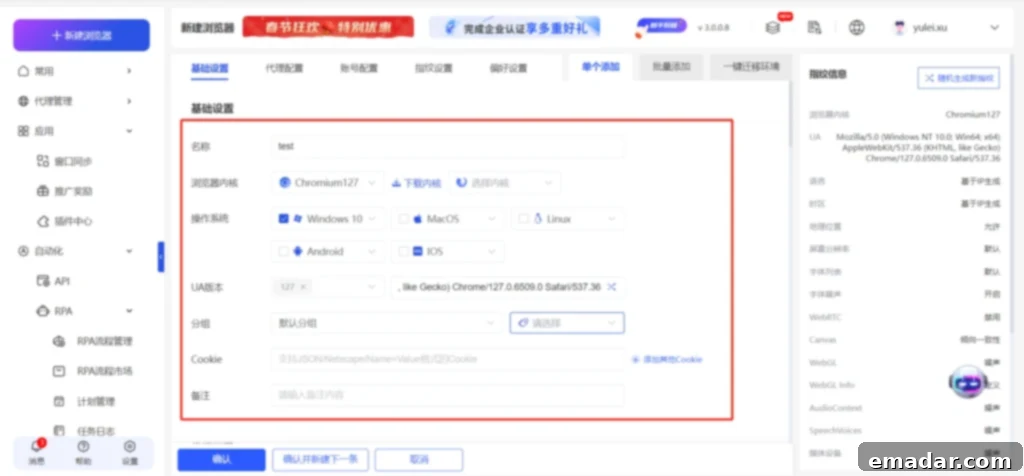
If you haven’t already, download and install the **YunDeng Fingerprint Browser** application. After installation, register and log into the YunDeng dashboard. To begin creating a new, isolated browsing environment, locate and click the **”New Browser”** button. This action will open a configuration window where you can customize your new profile.
4. **Configure Basic Profile Settings:**
In the initial setup screen, fill in the **”Basic Configuration”** details for your new browser profile. This typically includes assigning a unique name to the profile (e.g., “Amazon Account 1,” “TikTok Influencer Profile”), selecting the desired operating system and browser version you wish to emulate, and other foundational settings that tailor the virtual environment to your specific needs.
5. **Navigate to Proxy Configuration:**
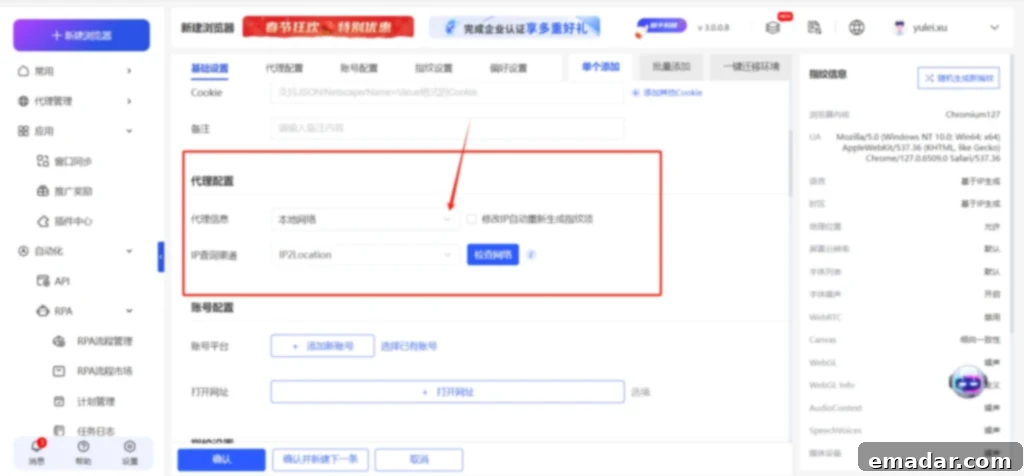
Proceed through the configuration steps until you reach the **”Proxy Configuration”** section. This is where you will link your YunDeng profile to your IPFLY proxy. Click on **”Proxy Information”** and then select **”More Proxies”** to access additional proxy setup options.
6. **Select Your Own Proxy:**
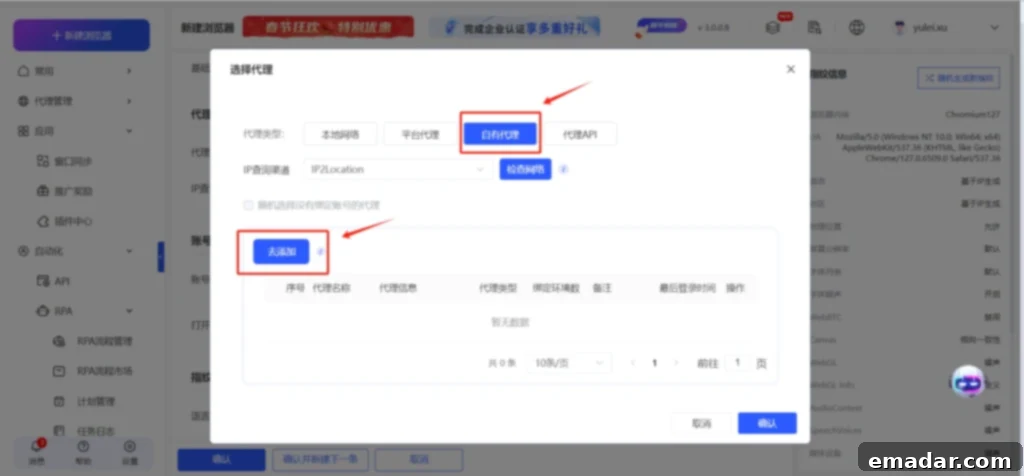
Within the proxy options, choose **”Own Proxy.”** This indicates that you will be providing the proxy details manually from your IPFLY purchase. Following this, click on the **”Add”** button to input your specific IPFLY proxy credentials.
7. **Input IPFLY Proxy Details and Bind:**
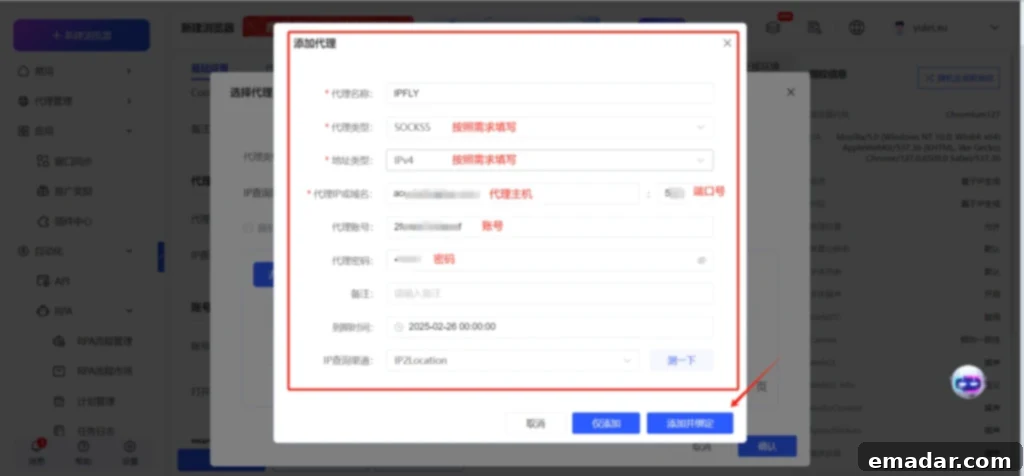
Carefully copy the IP information obtained from your IPFLY dashboard (host, port, username, and password) and paste it into the corresponding fields in YunDeng. Ensure all details are accurate to establish a successful connection. After entering the information, click **”Add Binding”** to link the IPFLY proxy to your new YunDeng browser profile. You can also test the proxy connection at this stage to confirm it’s working correctly.
8. **Finalize Account, Fingerprint, and Preference Settings:**
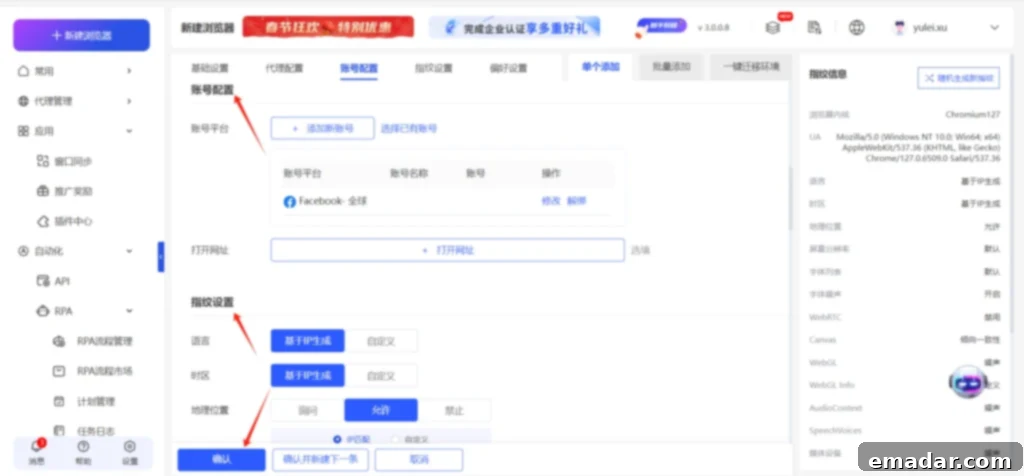
Proceed to complete the remaining configuration sections: **”Account Settings”** (where you might input login credentials for the specific platform this profile is for), **”Fingerprint Settings”** (to further customize the browser’s digital fingerprint, though YunDeng provides excellent defaults), and **”Preference Settings”** (for any additional browser-specific configurations). Once all settings are meticulously filled out according to your requirements, click **”Confirm”** to finalize the creation of your new, secure browser profile.
9. **Launch Your Secure Browser Environment:**
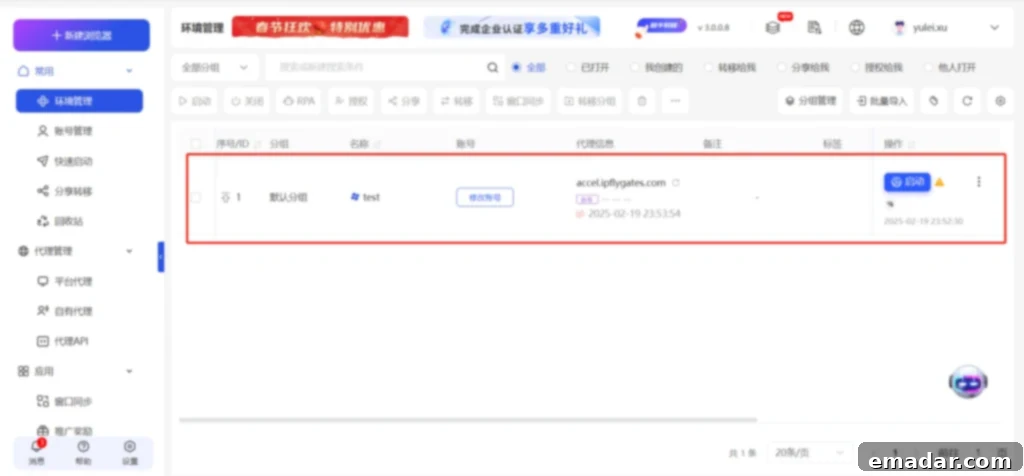
Congratulations! You have successfully created a completely independent and securely configured browser environment. From the YunDeng dashboard, simply locate your newly created profile and click the **”Launch”** button. This will open a new browser window, operating under the unique digital fingerprint and IP address you’ve configured, ready for your secure multi-account operations.
(Important Note: For optimal performance and to ensure the most accurate geographical masking, these operations should ideally be performed in an environment that is not restricted by local network policies or firewalls, or using a robust VPN if your local network is heavily regulated.)
The combination of YunDeng Fingerprint Browser and IPFLY Global Proxies offers a robust, scalable, and secure solution for anyone engaged in multi-account management across various online platforms. By addressing both browser fingerprinting and IP address association, this powerful duo provides the highest level of anonymity and protection, allowing you to operate confidently and efficiently without the constant fear of detection or account suspension.
Are you still struggling with the complexities and risks of multi-account management?
Empower your operations today. Let the combined strength of **YunDeng Fingerprint Browser + IPFLY Proxy IP** simplify your workload, enhance your security, and propel your cross-border ventures to unprecedented success!