
Mastering Multi-Account Management with Incogniton Browser: An Advanced Guide
In today’s hyper-connected digital world, efficiently and securely managing multiple online accounts is no longer a luxury but a critical necessity for businesses, marketers, and professionals alike. From e-commerce and digital marketing to data analysis and affiliate strategies, the demand for robust multi-account solutions has surged. The Incogniton browser stands out as a pioneering tool in this landscape, offering a powerful blend of advanced browser fingerprinting protection and streamlined automation capabilities. This comprehensive guide delves deep into Incogniton browser technology, exploring how to maximize its potential for optimal performance, unparalleled security, and scalable multi-account operations.

Understanding Incogniton Browser Technology for Secure Operations
Incogniton browser represents a cutting-edge advancement in the realm of multi-account management and sophisticated browser automation. At its core, Incogniton is built upon state-of-the-art anti-detection technology, specifically engineered to allow users to operate numerous browser profiles simultaneously without raising red flags on platforms or triggering account restrictions. This innovative approach ensures that each digital identity remains unique and untraceable, a crucial factor in maintaining long-term account health and operational secrecy.
Core Features of Incogniton for Enhanced Control
Incogniton’s robust feature set empowers users with unprecedented control over their online presence:
- Advanced Browser Fingerprinting Protection: This foundational feature is what sets Incogniton apart. The browser meticulously crafts unique digital fingerprints for each individual browser profile. This means every profile appears to be used by a distinct user from a different device, effectively preventing platforms from linking multiple accounts back to a single operator. This technology is indispensable for maintaining account autonomy and evading sophisticated detection algorithms.
- Multi-Profile Management: The Incogniton platform offers an intuitive interface to create, organize, and manage hundreds, even thousands, of browser profiles. Each profile can be configured with distinct characteristics, including user agents, screen resolutions, operating systems, time zones, language settings, and other identifying parameters. This granular control allows for the creation of truly diverse and realistic digital identities.
- Team Collaboration Tools: For organizations and larger teams, Incogniton provides robust collaboration features. These tools enable multiple team members to securely access, manage, and share browser profiles while maintaining strict security protocols and organizational efficiency. This is vital for scaling operations and ensuring consistent workflows across a team.
- Seamless Automation Integration: Recognizing the need for efficiency, Incogniton integrates effortlessly with popular automation tools and scripts. This capability allows users to streamline repetitive tasks, automate complex workflows, and execute operations across multiple accounts and profiles with speed and precision, significantly boosting productivity.
Why Incogniton Browser Excels in Diverse Multi-Account Operations
Incogniton browser is not just a tool; it’s a strategic asset for professionals across various industries who require legitimate and secure multi-account management.
Professional Account Management Across Industries
Incogniton addresses the complex demands of legitimate multi-account management in a multitude of professional scenarios:
- E-commerce Operations: Online sellers, managing storefronts across multiple marketplaces like Amazon, eBay, or Etsy, greatly benefit from Incogniton. It allows them to maintain distinct, untraceable browser profiles for each platform account, preventing account linking, mitigating the risk of suspensions, and optimizing performance for each seller profile.
- Digital Marketing Campaigns: Marketing professionals juggle numerous social media accounts, advertising campaign dashboards, and client profiles. Incogniton enables them to manage these diverse digital assets without triggering platform security measures or account bans, ensuring uninterrupted campaign execution and audience engagement.
- Research and Development: Market researchers, data analysts, and SEO specialists leverage Incogniton to access different regional versions of websites, gather location-specific data, and conduct comprehensive market intelligence without geo-restrictions or IP blocking. This provides a truly global perspective on trends and competitive landscapes.
- Affiliate Marketing: Affiliate marketers often manage multiple promotional campaigns and tracking systems. Incogniton facilitates the creation of unique browsing environments for each campaign, ensuring accurate tracking, maintaining account separation, and preventing conflicts or detection issues that could jeopardize affiliate partnerships.
- Brand Protection and Monitoring: Companies use Incogniton to monitor brand mentions, track competitor activities, and identify intellectual property infringements across various online platforms from different virtual locations, enhancing their brand’s security posture.
Enhanced Security and Privacy for Critical Data
Beyond multi-account functionality, Incogniton browser provides robust security features that are paramount for protecting user identity and business operations:
- Isolated Browser Environments: A cornerstone of Incogniton’s security is its ability to operate each profile in a completely isolated environment. This segregation prevents any form of data leakage or cross-contamination between accounts, ensuring that cookies, cache, and session data from one profile cannot influence or be accessed by another.
- Advanced Encryption: The platform incorporates strong, industry-standard encryption protocols to protect all user data and browsing activity. This ensures that sensitive information remains secure from unauthorized access, safeguarding business intelligence and personal privacy.
- Granular Cookie and Session Management: Incogniton empowers users with precise control over cookies and session data. It manages these independently for each profile, which is crucial for maintaining the distinct identity of each account and preventing platforms from correlating browsing activities.
- WebRTC Leak Protection: Incogniton actively prevents WebRTC leaks, which could otherwise expose your real IP address, further reinforcing the anonymity and security of each browser profile.
Optimizing Incogniton Browser Performance for Maximum Efficiency
To unlock the full potential of Incogniton browser, strategic configuration and integration are essential. This ensures not only efficiency but also the longevity of your multi-account operations.
Profile Configuration Best Practices for Authenticity
When setting up Incogniton browser profiles, meticulous attention to detail in configuration is crucial to mimic genuine user behavior and avoid detection:
- Realistic Fingerprint Settings: It’s paramount to configure fingerprints that align with real-world user data.
- Choose appropriate screen resolutions that match popular devices among your target audience.
- Select logical combinations of operating systems (e.g., Windows 10, macOS) and browser versions (e.g., Chrome 120, Firefox 118) to reflect typical user setups.
- Use realistic time zones that correspond to your operational requirements or the geographical location you wish to simulate.
- Implement consistent language and locale settings to further enhance the authenticity of each profile.
- Hardware Fingerprint Optimization: Incogniton allows for detailed customization of hardware-related fingerprints, which are increasingly scrutinized by anti-detection systems.
- Configure realistic CPU and memory specifications to avoid presenting an unusually powerful or weak virtual machine.
- Set appropriate graphics card information, including vendor and renderer, to create a convincing hardware profile.
- Optimize WebGL and Canvas fingerprints for authenticity, as these are common vectors for advanced browser fingerprinting.
- Ensure all hardware configurations collectively match expected user patterns and avoid inconsistencies that could trigger detection.
Proxy Integration for Enhanced Incogniton Operations
While Incogniton browser provides exceptional fingerprinting protection, integrating high-quality proxy services is a critical step that dramatically enhances its capabilities and fortifies your anonymity. Proxies provide the crucial layer of IP address diversity that complements Incogniton’s browser fingerprinting.
- IP Address Diversity: Combining Incogniton browser with a diverse pool of proxy IP addresses creates truly unique and robust browsing profiles. Each browser profile can be assigned a distinct, fresh IP address, effectively masking your true location and further reducing the risk of account linking, even across different profiles with similar fingerprints. This layered approach significantly bolsters your anti-detection strategy.
- Geographical Targeting: Strategic proxy integration empowers Incogniton users to assign specific geographical locations to each browser profile. This capability is indispensable for:
- Conducting accurate region-specific market research and competitive analysis.
- Managing localized advertising campaigns that target specific demographics in different countries or cities.
- Facilitating international e-commerce operations by simulating local user experiences.
- Executing global social media management strategies, interacting with audiences as if from their native regions.
- Enhanced Anti-Detection: The synergistic combination of Incogniton’s sophisticated browser fingerprinting technology and premium proxy services creates multiple, formidable layers of protection against even the most advanced detection systems. Platforms scrutinize both browser fingerprints and IP addresses; by controlling both, you present an incredibly convincing and authentic digital presence for each account.
IPFLY: The Ideal Proxy Partner for Incogniton Browser
To achieve truly seamless and secure multi-account management with Incogniton, a reliable and high-performance proxy provider is indispensable. IPFLY’s comprehensive suite of proxy solutions perfectly complements Incogniton browser operations, providing the essential IP infrastructure needed for professional-grade digital endeavors.
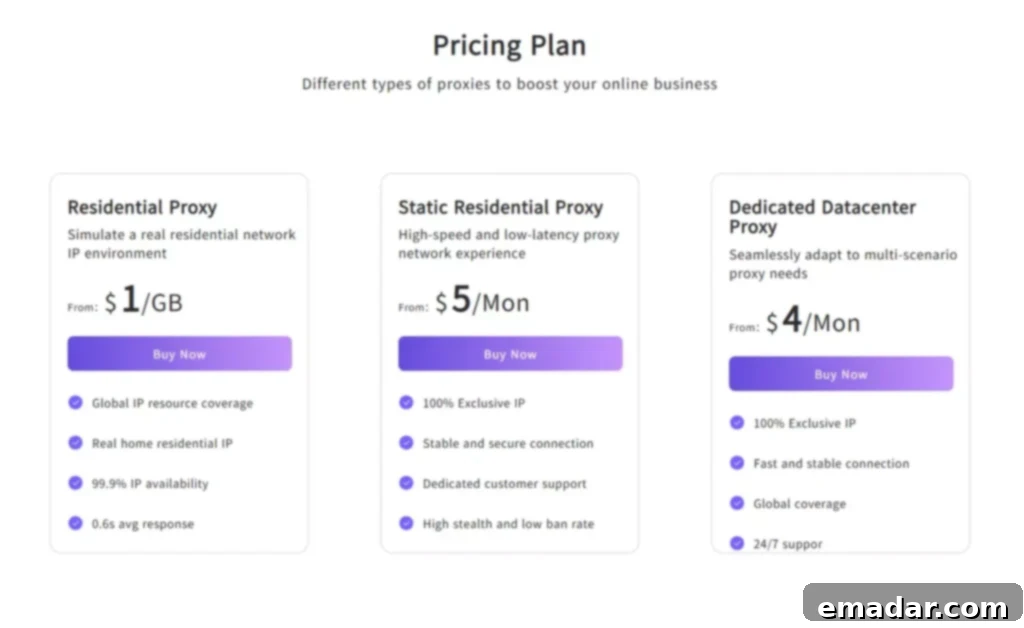
Static Residential Proxies for Incogniton Stability
IPFLY’s static residential proxies are an ideal choice for Incogniton browser users who require consistent, long-term stability and authenticity for their accounts.
- Account Stability Benefits:
- Permanent IP Addresses: These proxies offer unchanging IP addresses, significantly reducing the risk of account flags or suspicious activity alerts that often arise from frequent IP changes.
- ISP-Assigned Authenticity: Static residential IPs are legitimate addresses assigned by Internet Service Providers (ISPs), making them appear highly authentic and trustworthy to platform security systems.
- Long-Term Consistency: Their stable nature perfectly supports established account aging strategies, allowing accounts to build trust and reputation over time without IP-related disruptions.
- Reduced Maintenance: For large-scale operations, static IPs minimize the maintenance overhead associated with frequently managing new IP assignments.
- Professional Use Cases: Static residential proxies excel in Incogniton scenarios that demand unwavering stability and trust:
- Long-term social media account management for consistent brand presence.
- Managing established e-commerce seller accounts to maintain their credibility.
- Executing ongoing affiliate marketing campaigns that require stable tracking and access.
- Consistent brand monitoring and reputation management from a fixed virtual location.
Rotating Residential Proxies for Dynamic Operations
For Incogniton users engaged in high-volume, dynamic operations requiring extensive IP diversity, IPFLY’s rotating residential proxies provide unmatched flexibility and anonymity.
- Massive IP Pool Access:
- Over 90 Million Residential IPs: Access to a colossal network of legitimate residential IPs spanning 190+ countries ensures unparalleled diversity and reach.
- Automatic IP Rotation: IPs are automatically rotated at user-defined intervals (e.g., every request, every 10 minutes), effectively preventing detection and ensuring a fresh identity for each interaction.
- High Concurrency Support: Designed to handle simultaneous operations, these proxies are perfect for tasks requiring numerous concurrent connections without performance degradation.
- Diverse IP Sources: Sourced from a vast array of global ISPs, these IPs offer maximum authenticity and resist blocking.
- Operational Advantages: Rotating proxies significantly enhance Incogniton browser capabilities for:
- Large-scale data collection and web scraping projects without encountering IP bans.
- Multi-region market research initiatives that require frequent changes in geographical perspective.
- Dynamic advertising campaign testing and validation across various regions.
- High-frequency account verification processes and mass account creation.
Datacenter Proxies for Speed-Critical Incogniton Tasks
When raw speed and uncompromised performance are paramount for intensive Incogniton browser operations, IPFLY’s datacenter proxies are the solution.
- Performance Optimization:
- Ultra-Fast Connection Speeds: Engineered for rapid task execution, datacenter proxies offer blazing fast connection speeds.
- Low Latency: Minimal delay ensures real-time responsiveness, crucial for time-sensitive automation scripts and interactive tasks.
- Unlimited Bandwidth: Handle data-intensive operations and large transfers without worrying about caps or slowdowns.
- Optimized Routing: Intelligent network routing ensures maximum efficiency and consistent performance worldwide.
- Ideal Applications: Datacenter proxies excel in Incogniton scenarios demanding high throughput:
- High-speed web scraping operations where data volume is immense.
- Rapid account creation and setup processes that need to be completed quickly.
- Time-sensitive marketing campaigns that require instant responses.
- Large-scale automated testing of websites and applications.
Advanced Security for Incogniton Operations with IPFLY
IPFLY aligns perfectly with Incogniton browser’s privacy-focused approach, offering robust security features to protect your operations.
- Military-Grade Encryption: All IPFLY proxy connections utilize advanced, military-grade encryption protocols. This ensures that Incogniton browser traffic remains completely secure and private, shielding your data from interception and cyber threats.
- Strict Zero-Log Policies: IPFLY maintains stringent no-logging policies. This commitment ensures that your Incogniton browser activities, including connection times and visited sites, leave absolutely no traceable footprint on our servers, guaranteeing ultimate privacy.
- Advanced Filtering Mechanisms: IPFLY employs sophisticated filtering mechanisms to ensure that only clean, high-quality, and uncompromised IPs are provided for your Incogniton operations, minimizing the risk of receiving flagged or blacklisted addresses.
- Dedicated Support: Access to 24/7 expert support ensures that any proxy-related issues are swiftly resolved, maintaining the continuity and security of your Incogniton operations.
Incogniton Browser Setup and Configuration: A Step-by-Step Guide
Proper setup and configuration are paramount for maximizing the effectiveness and longevity of your Incogniton browser profiles.
Initial Profile Creation for Strategic Advantage
Setting up effective Incogniton browser profiles requires careful planning and meticulous attention to detail:
- Profile Planning: Before diving into settings, strategize your profiles.
- Define clear, distinct use cases for each browser profile (e.g., “Etsy Seller A,” “Facebook Ad Account B,” “Market Research UK”).
- Plan IP address assignments and geographical requirements based on your operational needs.
- Establish consistent naming and organizational conventions to easily identify and manage profiles.
- Document profile characteristics, associated accounts, and proxy details for seamless team coordination and troubleshooting.
- Fingerprint Configuration: This is where Incogniton’s power truly shines.
- Research target platform detection methods and anti-bot strategies to tailor your fingerprints effectively.
- Configure realistic hardware and software combinations that emulate genuine user devices and operating systems.
- Test fingerprint uniqueness across profiles using online detection tools to ensure each profile stands alone.
- Validate profile authenticity through various detection tools and by carefully observing platform behavior.
Seamless Proxy Integration Process
Integrating IPFLY proxies with Incogniton browser is a straightforward process that significantly enhances your operational security and versatility:
- Proxy Selection:
- Choose the appropriate IPFLY proxy type (static residential, rotating residential, or datacenter) based on your specific use case, stability requirements, and speed needs.
- Authentication Setup:
- Configure your IPFLY credentials (username, password, or IP whitelisting) directly within Incogniton’s proxy settings for seamless authentication.
- IP Assignment:
- Assign specific IPFLY proxies to individual Incogniton browser profiles. This can be done manually for static IPs or by configuring automatic rotation settings for rotating proxies.
- Connection Testing:
- After configuration, verify proxy connectivity and performance within Incogniton. Utilize built-in tools or external websites (like “whatismyip.com”) to confirm the IP address displayed matches your proxy.
- Profile Validation:
- Perform final validation by checking the functionality of each profile on target platforms, confirming proper IP assignment and ensuring no detection flags are raised.
- Advanced Configuration Options:
- Set up automatic proxy rotation schedules within Incogniton for rotating residential proxies to maintain anonymity.
- Configure failover mechanisms for proxy reliability, ensuring uninterrupted operations in case of an IP issue.
- Implement IP whitelisting for enhanced security, allowing access to your proxies only from authorized IP addresses.
- Monitor proxy performance and usage metrics regularly to optimize resource allocation and identify potential bottlenecks.
Scaling Incogniton Browser Operations for Growth
As your multi-account needs grow, Incogniton browser provides the framework to scale your operations effectively, especially when coupled with robust team management and automation strategies.
Effective Team Management Strategies
For organizations looking to scale their Incogniton browser operations, effective team management is critical:
- Collaborative Workflows: Streamlining team efforts is essential.
- Establish clear role definitions and access permissions within Incogniton to ensure secure and organized profile management.
- Develop standardized profile creation and management procedures to ensure consistency and minimize errors across the team.
- Conduct regular team training sessions on Incogniton’s features and anti-detection best practices to maintain a high level of operational security.
- Maintain comprehensive documentation of operational procedures, profile details, and proxy assignments for easy reference and onboarding.
- Quality Control Measures: Maintaining high standards is crucial for long-term success.
- Implement regular profile audits and updates to ensure configurations remain optimal and current.
- Establish monitoring protocols for detection flags and account issues, allowing for rapid response and mitigation.
- Track performance metrics and conduct ongoing optimization efforts to enhance efficiency and reduce resource consumption.
- Commit to continuous improvement of operational procedures based on feedback, performance data, and evolving platform behaviors.
Advanced Automation Integration
Leveraging automation within Incogniton browser can significantly amplify productivity and scalability:
- Script Development and Integration: Incogniton supports various automation frameworks.
- Integrate with Selenium WebDriver for developing complex, dynamic workflows that interact with web elements across multiple profiles.
- Develop custom scripting solutions using languages like Python with libraries such as Playwright or Puppeteer for highly repetitive tasks.
- Utilize API integration for connecting Incogniton with external systems, databases, or custom dashboards for centralized control.
- Implement scheduled automation for consistent, unattended operations, such as daily data scraping or routine account checks.
- Performance Monitoring for Automation: Ensuring automation runs smoothly is vital.
- Implement real-time tracking of automation success rates, identifying failures immediately for corrective action.
- Set up robust error detection and reporting systems to diagnose and resolve issues efficiently.
- Monitor resource utilization (CPU, RAM, network) to prevent bottlenecks and ensure smooth operation of multiple automated profiles.
- Conduct capacity planning to ensure your infrastructure can support scaling automation tasks without compromising performance.
Common Incogniton Browser Challenges and Effective Solutions
Even with advanced tools like Incogniton, users may encounter challenges. Proactive understanding and strategic solutions are key to maintaining smooth operations.
Addressing Detection and Blocking Issues
Despite Incogniton’s robust anti-detection features, platforms continuously evolve their security. Users might experience:
- Symptoms of Detection:
- Sudden account restrictions, suspensions, or warnings.
- Increased security challenges, CAPTCHAs, or phone/email verifications.
- Limited functionality or access on target platforms.
- Unusual platform behavior, such as missing content or altered layouts.
- Resolution Strategies:
- Review and Update Fingerprint Configurations: Regularly audit and update browser fingerprint settings to ensure they remain realistic and align with current user patterns.
- Rotate IP Addresses with IPFLY: Immediately rotate IP addresses using IPFLY’s diverse proxy services when detection is suspected. Consider increasing rotation frequency or switching proxy types.
- Adjust Browsing Patterns and Timing: Introduce more human-like delays and varied browsing patterns; avoid overly repetitive or fast actions.
- Implement More Realistic User Behavior Simulation: Beyond technical fingerprints, mimic natural scrolling, mouse movements, and typing patterns to appear more human.
Optimizing Performance and Efficiency
Performance degradation can impact productivity and increase operational costs. Common challenges include:
- Speed and Efficiency Issues:
- Slow profile loading and initialization times.
- High resource consumption (CPU, RAM) during multi-profile operations.
- Network connectivity problems leading to timeouts or slow page loads.
- Automation script failures or inconsistent execution.
- Optimization Solutions:
- Upgrade to IPFLY’s High-Speed Datacenter Proxies: For speed-critical tasks, leveraging IPFLY’s datacenter proxies can significantly reduce latency and increase throughput.
- Optimize Browser Profile Configurations: Streamline profiles by removing unnecessary extensions, clearing excess cache, and simplifying fingerprint settings where applicable.
- Implement Efficient Resource Management: Ensure your underlying hardware (CPU, RAM) is sufficient to handle the number of active Incogniton profiles. Close inactive profiles to free up resources.
- Regular Maintenance and Cleanup Procedures: Periodically clear browser data within profiles, optimize automation scripts, and update Incogniton to the latest version.
Navigating Account Management Complexity
As the number of managed accounts grows, organizational challenges can arise:
- Organization Challenges:
- Difficulty tracking and distinguishing between numerous accounts and profiles.
- Inconsistent profile configurations leading to varied performance or detection risks.
- Team coordination problems, especially when multiple users manage shared profiles.
- Compliance and documentation issues for auditing or accountability.
- Management Solutions:
- Implement Comprehensive Profile Documentation Systems: Use internal wikis, spreadsheets, or Incogniton’s notes feature to document every detail of each profile.
- Use Consistent Naming and Tagging Conventions: Employ a clear, standardized system for naming profiles and applying tags (e.g., by client, platform, region) for easy filtering and searching.
- Regular Audits and Quality Assurance Processes: Periodically review profiles for accuracy, consistency, and compliance with operational standards.
- Team Training and Standard Operating Procedures (SOPs): Ensure all team members are trained on Incogniton usage and follow established SOPs for profile creation, management, and troubleshooting.
Legal and Compliance Considerations for Incogniton Users
Operating multiple online accounts, even with a legitimate tool like Incogniton, requires a thorough understanding of legal and ethical boundaries to ensure sustainable and responsible practices.
Adhering to Ethical Use Guidelines
Responsible usage of Incogniton browser means respecting platform policies and privacy regulations:
- Platform Terms of Service (TOS):
- Carefully review the terms of service for every target platform you operate accounts on. Understand their policies regarding multiple accounts and automation.
- Ensure your operations with Incogniton comply with anti-automation policies. While Incogniton provides anti-detection, it doesn’t grant permission to bypass TOS if automation is prohibited.
- Respect rate limits and usage guidelines imposed by platforms to avoid overloading servers or triggering suspicious activity flags.
- Maintain ethical business practices, focusing on legitimate use cases such as advertising management or brand monitoring, rather than deceptive activities.
- Data Privacy Regulations: Compliance with global and regional data privacy laws is crucial.
- Understand GDPR compliance requirements for operations involving users within the European Economic Area.
- Be aware of CCPA requirements for activities targeting consumers in California.
- Comply with other industry-specific regulations and standards relevant to your business sector.
- Implement robust client data protection and security measures to safeguard any personal information handled through Incogniton profiles.
Proactive Risk Management
Mitigating potential risks is an ongoing process for multi-account operations:
- Operational Risk Assessment:
- Conduct regular evaluations of detection risks and potential account suspensions, adjusting strategies as needed.
- Actively monitor for platform policy changes and updates, as these can significantly impact your operations.
- Implement robust backup and recovery planning for critical account data and Incogniton profiles.
- Consider insurance and liability considerations for large-scale commercial operations involving multiple accounts.
- Compliance Monitoring and Auditing:
- Regularly conduct legal reviews of operational procedures to ensure ongoing adherence to all applicable laws and regulations.
- Maintain thorough documentation of compliance measures, including consent forms, privacy policies, and operational logs.
- Provide comprehensive staff training on regulatory requirements and ethical guidelines to foster a culture of compliance.
- Consider external audit and assessment processes to independently verify compliance and identify areas for improvement.
The Future of Multi-Account Management with Incogniton
The landscape of online interactions and digital identity management is constantly evolving. Incogniton, along with its strategic partners like IPFLY, is poised to adapt and innovate, shaping the future of multi-account operations.
Emerging Technologies in Multi-Account Management
The integration of cutting-edge technologies will further enhance Incogniton’s capabilities:
- AI and Machine Learning Integration: The future of Incogniton browser and similar platforms will likely involve advanced AI.
- Development of advanced behavioral pattern simulation, making automated actions virtually indistinguishable from human activity.
- Implementation of predictive anti-detection algorithms that anticipate and counter platform updates proactively.
- Automated profile optimization, where AI analyzes performance and adjusts fingerprint settings for maximum stealth and longevity.
- Intelligent risk assessment systems that provide real-time alerts and recommendations for profile adjustments.
- Enhanced Security Features: As threats evolve, so will security.
- Biometric integration for secure access and authentication of Incogniton profiles, adding another layer of user security.
- Even more advanced encryption and privacy protection mechanisms, staying ahead of sophisticated surveillance techniques.
- Potential for blockchain-based identity verification, offering decentralized and tamper-proof digital identities.
- Research into quantum-resistant security protocols to future-proof against emerging computational threats.
Shaping Industry Trends and Adaptations
The evolution of multi-account management will be influenced by several key industry trends:
- Platform Evolution and Detection:
- Expect increasing sophistication of detection systems used by major online platforms, necessitating continuous innovation from anti-detection browsers.
- A growing acceptance of legitimate multi-account use cases by platforms, driven by the needs of professional businesses.
- Deeper integration with business intelligence tools, allowing for better analytics and strategic decision-making based on multi-account data.
- Enhanced team collaboration features within multi-account browsers, making large-scale operations more manageable and secure.
- The Rise of Privacy-Centric Browsing: As privacy becomes a greater concern for users and regulators, tools like Incogniton will become even more integral for maintaining digital anonymity and control.
Measuring Incogniton Browser Success: Key Performance Indicators
To truly understand the value and effectiveness of your Incogniton browser setup, it’s essential to track and analyze key performance indicators (KPIs) and continuously optimize your strategies.
Essential Operational Metrics
Tracking these metrics will provide crucial insights into the health and efficiency of your multi-account operations:
- Account Survival Rates and Longevity:
- Measure the percentage of accounts that remain active over time without being suspended or flagged.
- Track the average lifespan of your Incogniton profiles on target platforms.
- Detection Incident Frequency:
- Monitor how often profiles encounter security challenges, CAPTCHAs, or full detection events.
- Identify patterns in detection events (e.g., specific platforms, proxy types, or automation scripts).
- Operational Efficiency and Speed:
- Track the time taken to complete specific tasks across multiple profiles.
- Measure the average page loading times within Incogniton profiles, especially when using proxies.
- Resource Utilization and Costs:
- Monitor CPU, RAM, and network bandwidth consumption for your Incogniton setup.
- Analyze the cost-effectiveness of your proxy subscriptions relative to the scale and success of your operations.
Business Impact Measurements
Beyond operational metrics, it’s vital to quantify the tangible business benefits:
- Revenue Generation:
- Track the direct revenue generated through multi-account operations managed via Incogniton (e.g., e-commerce sales, affiliate commissions).
- Cost Savings from Automation and Efficiency:
- Quantify the labor hours saved by automating tasks across multiple profiles.
- Assess the reduction in costs associated with account suspensions or needing to recreate profiles.
- Risk Reduction through Improved Security:
- Measure the decrease in financial losses due to account bans or data breaches.
- Evaluate the impact of enhanced anonymity on protecting sensitive business strategies.
- Scalability and Growth Capacity:
- Assess how easily your operations can expand to new platforms or increase the number of accounts.
- Determine the capacity for onboarding new team members and integrating them into Incogniton workflows.
Continuous Optimization Strategies
Success with Incogniton is an ongoing journey of refinement and adaptation:
- Continuous Improvement Cycle:
- Regularly analyze performance data and KPIs to identify trends and areas for improvement.
- Conduct A/B testing of different fingerprint configurations, proxy types, or automation scripts to find the most effective combinations.
- Actively solicit feedback from team members on usability, challenges, and potential enhancements.
- Stay updated with industry best practice research and emerging anti-detection techniques.
- Technology Upgrades and Adaptation:
- Ensure Incogniton browser is regularly updated with the latest software versions and security patches.
- Optimize underlying hardware for performance, including upgrading RAM, CPU, or storage as needed.
- Invest in network infrastructure improvements to support high-volume operations.
- Continuously evaluate and integrate new tools and services, such as advanced proxy providers like IPFLY, to enhance your multi-account ecosystem.
The Incogniton browser stands as a sophisticated and indispensable solution for professional multi-account management in today’s intricate digital environment. Its advanced anti-detection capabilities, coupled with comprehensive profile management and automation tools, empower users to navigate online platforms with unparalleled anonymity and efficiency. However, the true power of Incogniton is fully realized when it is strategically combined with high-quality proxy services.
Achieving sustained success with Incogniton browser hinges on several critical factors: meticulous profile configuration, seamless and appropriate proxy integration, and a steadfast adherence to best practices for security, privacy, and compliance. By judiciously leveraging Incogniton’s advanced features alongside professional proxy infrastructure—such as that provided by IPFLY—businesses and individuals can confidently achieve their multi-account objectives, all while maintaining robust security, operational efficiency, and strict regulatory compliance.
Ultimately, maximizing Incogniton browser’s immense potential requires a deep understanding of its core capabilities, the implementation of disciplined operational procedures, and a commitment to continuous optimization based on real-world performance metrics and the ever-evolving demands of online platforms. This holistic approach ensures not only the survival but the thriving success of your multi-account ventures.

Enhance Your Incogniton Browser Operations with IPFLY Today!
Are you ready to elevate your multi-account management to the next level? Supercharge your Incogniton browser setup with IPFLY’s premium proxy solutions. Our expansive global IP network provides the perfect, high-performance foundation for all your professional multi-account needs, ensuring unparalleled anonymity, stability, and speed.
Optimize Your Incogniton Operations with IPFLY Today:
- ✅ Access to 90M+ residential IPs for creating truly authentic and diverse browsing profiles.
- ✅ Leverage static residential IPs for unwavering, long-term account stability and trust-building.
- ✅ Utilize high-speed datacenter proxies for executing rapid automation tasks and data-intensive operations.
- ✅ Expand your global reach with IPs available in 190+ countries worldwide.
- ✅ Benefit from 24/7 expert support to ensure uninterrupted performance and peace of mind.
Visit www.ipfly.net now and seamlessly integrate professional-grade proxy infrastructure to transform your Incogniton browser experience and achieve your strategic objectives.