
Unlocking the Power of Static IPs: Practical Applications and Configuration Strategies
After understanding the definition and core value of a static IP address, the key lies in mastering its practical applications and configuration techniques across different scenarios. A static IP, also known as a fixed IP, offers a consistent and unchanging address, providing numerous advantages over dynamic IPs, especially in situations where reliability and stability are paramount.
The applications of static IPs are extensive, and each scenario presents unique demands for IP attributes and configuration methods. Blindly configuring a static IP without considering these nuances can not only fail to leverage its potential benefits but can also lead to network anomalies, service interruptions, and security vulnerabilities. This article delves into the diverse use cases of static IPs and provides actionable configuration strategies to optimize performance and security in each context.
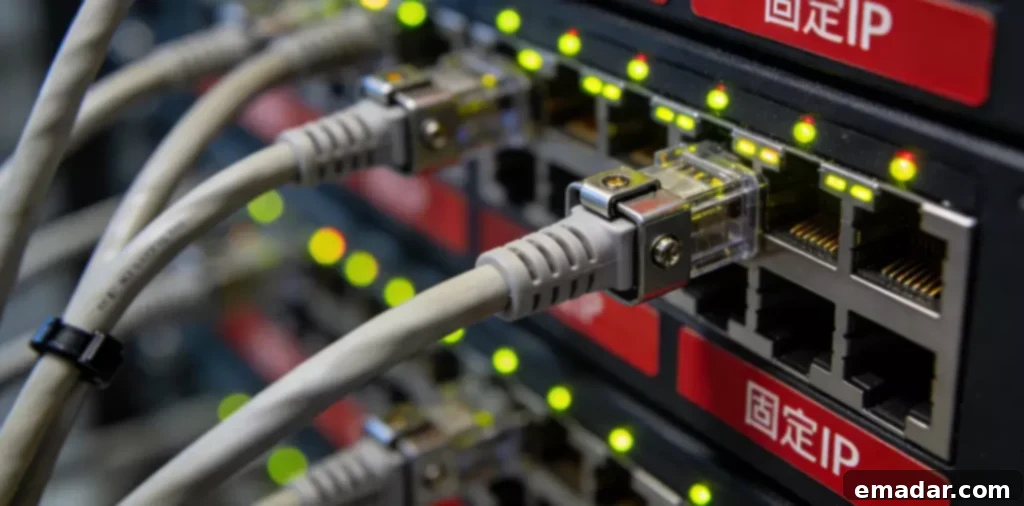
Static IP Usage and Configuration
Core Usage Requirements
In enterprise office environments, static IPs primarily address three core needs: internal network device management, stable remote access, and core service deployment. First, assigning static IPs to essential internal network devices such as servers and printers ensures that employees can access them reliably at any time. This also simplifies unified management for administrators, enabling efficient monitoring and control.
Second, providing remote workers with dedicated static IPs guarantees secure and stable access to the corporate intranet. This allows them to seamlessly access critical data and office systems, preventing connectivity issues that can negatively impact productivity. A static IP ensures consistent access to resources, regardless of the user’s location or network conditions.
Practical Configuration Techniques
A three-step strategy can streamline the configuration process. First, assign static IPs to core internal network devices. This can be accomplished through the router’s administrative interface by binding the device’s MAC address to a specific IP address. This creates a one-to-one mapping, effectively preventing IP address conflicts or unauthorized modifications.
Second, for remote access scenarios, consider using a proxy network to assign static IPs. This ensures a stable connection between remote devices and the corporate intranet. Services like IPFLY’s static IPs are specifically designed to meet the needs of remote enterprise environments, prioritizing both connection stability and data transmission security. They offer a range of IP addresses that are suitable for various locations and purposes.
Third, implement granular access control based on static IPs. This allows you to precisely manage device access scope, preventing unauthorized devices from accessing critical internal network resources and strengthening overall network security. By defining specific rules and permissions based on IP addresses, you can create a layered security system that protects sensitive data and prevents unauthorized access.
Cross-Border Operations: Static IP Adaptation and Optimization
Core Usage Requirements
In cross-border e-commerce, overseas platform operations, and other international scenarios, the primary role of static IPs is to ensure network environment stability and regional adaptability. One crucial aspect is using a static IP that aligns with the target operating region. This accurately simulates the local network environment, ensuring normal access to overseas platforms and facilitating various operational tasks.
Furthermore, a static IP can prevent your account from being flagged as an anomaly by platforms due to frequent IP address changes. This reduces the risk of account restrictions and ensures the smooth operation of your business. By maintaining a consistent IP address, you can build trust with the platform and avoid triggering security measures that could disrupt your operations.
Practical Configuration Techniques
Configuration should focus on three core elements. First, select a static IP with attributes corresponding to the target operating region. Ensure that the IP’s location is fully aligned with the target region and prioritize the use of native IPs to enhance the authenticity and compatibility of the network environment, reducing the risk of detection by platforms. Native IPs are typically associated with residential or business internet service providers (ISPs) in the target region, making them appear more legitimate than IPs from data centers or other sources.
Second, implement a “one account, one static IP” configuration principle. Avoid sharing the same IP address across multiple operating accounts to minimize the risk of account association. This is particularly important for platforms that have strict policies against multiple accounts being controlled by the same entity. Using a unique IP address for each account can help you avoid penalties and maintain the integrity of your online presence.
Third, combine static IPs with a stable proxy network service. IPFLY provides high-quality static IP resources in multiple regions, and its transmission links are specifically optimized to effectively reduce cross-border network latency and packet loss, ensuring smooth access and operation on overseas platforms. Once configured, regularly check the IP’s validity to ensure continuous regional adaptability and connection stability.
Service Deployment: Static IP Setup and Maintenance
Core Usage Requirements
In scenarios such as personal server setup, corporate email service deployment, and private website hosting, a static IP is a core prerequisite for ensuring service accessibility. With a static IP, users can precisely locate the service address, ensuring that the service is available 24/7 without interruption. Using a dynamic IP address can lead to accessibility issues due to address changes, severely impacting the service experience and availability. The predictability and consistency of a static IP are essential for maintaining a reliable online presence.
Practical Configuration Techniques
During the setup phase, prioritize selecting a public static IP. Apply through your network service provider and complete the necessary registrations according to local regulations to ensure that external users can access the service normally. Additionally, bind the static IP to a domain name to enhance user access convenience. Configure a firewall and set granular access rules based on the static IP, opening only the necessary service ports to defend against unauthorized access and network attacks. A firewall acts as a barrier between your server and the outside world, preventing malicious traffic from reaching your system.
During the maintenance phase, regularly check the IP connection status and service operation. If network fluctuations or link anomalies occur, temporarily switch to a backup static IP through a proxy network. IPFLY’s static IP resources are known for their stability and can serve as a reliable backup solution to ensure continuous service operation without interruption. Having a backup plan in place is crucial for minimizing downtime and maintaining service availability.
Optimization Techniques After Static IP Configuration
Ensuring Stable Network Links
After configuring the static IP, you need to specifically optimize the network links to enhance stability. Close unnecessary network services and background processes on the device to reduce unnecessary bandwidth consumption and ensure that core businesses have sufficient network resources. Establishing a regular testing mechanism to test indicators such as latency and packet loss through professional network tools is also important. If anomalies occur, switch network nodes or contact the service provider to troubleshoot problems and quickly restore network connectivity.
Effective IP Address Management
If you need to use multiple static IPs simultaneously, establish a standardized IP management list. This list should record detailed information about each IP, including its location, purpose, bound device, and configuration parameters, to avoid IP mixing and configuration confusion. Regularly review the IP usage status, reclaim idle IP resources in a timely manner, and update IP access permission settings to improve resource utilization and network management efficiency. Proper IP address management is essential for maintaining a secure and efficient network.
Scenario Adaptation is Key to Static IP Usage
The core of static IP usage lies in “scenario-based precise adaptation.” Different scenarios have varying requirements for IP attributes and configuration methods, necessitating targeted configuration strategies. Enterprise office scenarios emphasize manageability and stability, cross-border operating scenarios emphasize regional adaptability and independence, and service deployment scenarios emphasize public network accessibility and security. Understanding the specific needs of each scenario is crucial for maximizing the benefits of static IPs.
Using IPFLY Residential Proxy IPs
IPFLY has self-built servers + a big data screening system, only providing:
- Real ISP-assigned residential IPs
- Clean and unpolluted IP segments, non-shared, no historical abuse records
- Support IP detection, location filtering, multi-country switching
Prevent wind control, control risk, use IPFLY to achieve IP isolation!