
Troubleshooting the “You Seem to Be Using a VPN or Proxy” Message: Your Guide to Uninterrupted Access
In today’s interconnected digital world, encountering the message “You seem to be using a VPN or proxy” can be a frustrating roadblock, interrupting your online activities and limiting access to desired content or services. Whether you’re striving for enhanced online privacy, bypassing geographical content restrictions, or conducting essential business operations, this common warning often halts your progress. It signals that a website or online service has identified your internet connection as being routed through an anonymizing tool like a Virtual Private Network (VPN) or a proxy server. This comprehensive guide will delve into why this detection occurs, what it truly signifies, and, most importantly, provide actionable strategies and solutions to effectively navigate this challenge without compromising your privacy or legitimate access. Prepare to understand the nuances of VPN and proxy detection and reclaim your seamless online experience.

Understanding the “You Seem to Be Using a VPN or Proxy” Alert
When a website or service presents you with the “You seem to be using a VPN or proxy” message, it means their systems have identified characteristics of your internet traffic that suggest you’re employing an intermediary server. These tools, primarily VPNs (Virtual Private Networks) and proxy servers, are designed to mask your true IP address and route your internet requests through a different server, thereby altering your perceived online location and identity. While both offer similar core functionalities, they operate with distinct differences:
- VPN (Virtual Private Network): A VPN encrypts your entire internet connection, creating a secure tunnel between your device and the VPN server. All your online activity, from web browsing to app usage, passes through this encrypted tunnel, providing comprehensive privacy and security.
- Proxy Server: A proxy server acts as an intermediary for specific applications, such as your web browser. It forwards your requests to the website and then returns the website’s response to you. While proxies can mask your IP address, they typically do not encrypt your traffic, offering less security than a VPN.
Users leverage these tools for a multitude of reasons, including masking their real IP address, bypassing geographic content restrictions (geo-blocking), maintaining online anonymity to prevent tracking by third parties, enhancing digital security, and safeguarding sensitive data. However, many websites, particularly streaming platforms, financial institutions, and e-commerce sites, employ sophisticated detection mechanisms to identify and block traffic originating from known VPN or proxy IP ranges. This is often done to enforce licensing agreements, prevent fraud, or maintain regional content integrity.
Why Websites Actively Block VPN and Proxy Connections
The decision for websites and online services to block users employing VPNs or proxy servers isn’t arbitrary; it stems from a combination of business, security, and legal considerations. Understanding these reasons can help illuminate why such stringent detection methods are in place:
- Geolocation and Licensing Restrictions: One of the primary drivers for VPN/proxy blocking, especially for streaming services like Netflix, Hulu, BBC iPlayer, or even online sports broadcasts, is the enforcement of licensing agreements. Content creators and distributors often have strict regional distribution rights. VPNs and proxies allow users to bypass these geographical fences, accessing content not licensed for their actual location. Blocking these tools helps platforms comply with these legal obligations and avoid potential penalties.
- Security and Fraud Prevention: For banking portals, e-commerce sites, and social media platforms, blocking anonymized IP addresses is a critical security measure. Proxies and VPNs can be used by malicious actors for various nefarious purposes, including credential stuffing, account takeovers, credit card fraud, spam generation, and launching denial-of-service (DDoS) attacks. By blocking these connections, websites aim to reduce the risk of fraudulent activities, protect user data, and safeguard their infrastructure from abuse.
- Compliance and Regulatory Enforcement: In some cases, websites need to ascertain a user’s true geographical location for regulatory compliance. This could involve adherence to data privacy laws (like GDPR or CCPA), tax regulations, or age verification mandates specific to certain regions. Anonymizing services can obscure this crucial information, making it difficult for websites to comply with legal requirements.
- Preventing Web Scraping and Abuse: Automated bots and web scraping tools often utilize large networks of proxy IPs to harvest data, monitor prices, or engage in competitive intelligence. While some scraping can be legitimate, excessive or malicious scraping can overload servers, steal proprietary information, and negatively impact site performance. Blocking known proxy IPs helps protect against such automated abuse and ensures fair access for legitimate human users.
- Maintaining Service Quality and Integrity: For online gaming platforms or services that rely on precise latency and stable connections, traffic routed through a VPN or proxy might introduce instability or unfair advantages. Blocking these connections helps maintain a level playing field and ensures a consistent quality of service for all users.
Advanced Tactics: How Websites Identify VPNs and Proxy Servers
The methods websites employ to detect VPNs and proxies have become increasingly sophisticated, evolving beyond simple IP blacklisting. They combine multiple techniques to build a comprehensive profile of your connection and determine its authenticity:
- IP Reputation Databases and Geolocation Services: Websites frequently consult third-party databases (e.g., MaxMind, IPinfo) that categorize IP addresses. These databases maintain records of IPs associated with data centers, hosting providers, or known VPN/proxy services, distinguishing them from residential IPs linked to consumer ISPs. If your IP is flagged as originating from a data center, it’s a strong indicator of VPN or proxy usage.
- DNS and WebRTC Leak Detection: Even with a VPN or proxy active, misconfigurations can lead to “leaks” that expose your true IP address or location.
- DNS Leaks: Your DNS requests (which translate website names into IP addresses) might bypass your VPN/proxy and go directly to your ISP’s DNS servers, revealing your actual location.
- WebRTC Leaks: Web Real-Time Communication (WebRTC) is a technology enabling real-time communication in browsers. Without proper configuration, it can sometimes reveal your actual IP address, even when using a VPN or proxy.
Websites can perform simple tests to check for these discrepancies between your apparent IP (from the VPN/proxy) and your actual IP (from a leak).
- Traffic Pattern Analysis and Digital Fingerprinting: Websites analyze various aspects of your connection and browsing behavior to identify anomalies:
- HTTP Headers: Inconsistent or unusual HTTP headers that don’t match typical browser behavior can be a red flag.
- Time Zone Discrepancies: If your IP address indicates one country, but your device’s time zone or language settings suggest another, this inconsistency can trigger detection.
- Browser Fingerprinting: Websites collect data about your browser, operating system, plugins, fonts, screen resolution, and more. A unique or inconsistent “fingerprint” can reveal that something is amiss, especially if it doesn’t align with the expected profile for the detected IP address.
- Connection Speed and Latency: Unusual latency or speeds that don’t align with a typical residential connection in the IP’s apparent location can sometimes be a subtle indicator.
- Blacklists and Blocklists: Many services maintain their own internal blacklists of IP addresses previously identified as VPN or proxy endpoints. These lists are continually updated through various sources and machine learning algorithms. If an IP is on such a list, access is immediately denied.
Comprehensive Strategies to Bypass or Avoid VPN/Proxy Detection
Successfully navigating the “You seem to be using a VPN or proxy” message requires a strategic approach, focusing on making your connection appear as legitimate and untraceable as possible. Here are several effective workarounds to maintain privacy and access without triggering detection:
1. Utilize Residential Proxies Instead of Datacenter Proxies
This is arguably the most effective solution. Datacenter proxies originate from commercial hosting providers and are easily identifiable as non-residential. Residential proxies, however, are IP addresses assigned by Internet Service Providers (ISPs) to real homes and mobile devices. Websites perceive traffic from residential proxies as coming from ordinary users, making them vastly harder to detect and block. They blend seamlessly with regular internet traffic, significantly reducing the chances of triggering VPN/proxy warnings.
2. Implement Smart IP Address Rotation
Using the same IP address for prolonged periods or for multiple high-volume requests increases the likelihood of detection. Implementing a strategy of rotating IP addresses is crucial. Dynamic rotation services automatically assign a new IP address from their pool at set intervals or after each request, mimicking the behavior of numerous different users. This prevents any single IP from accumulating suspicious activity flags and keeps you under the radar, especially for tasks requiring frequent access or multiple accounts.
3. Select Geographically Relevant or Close Server Locations
When choosing a proxy or VPN server, geographical relevance is key. If you are trying to access a service licensed for the US, select a US-based IP. More broadly, some websites perform stricter checks if your IP appears to come from an unusually distant or illogical location compared to your browser’s linguistic or time zone settings. Selecting a server location that is logically consistent with your activity, or simply closer to your actual physical location (if geo-restriction isn’t the primary concern), can help avoid suspicious inconsistencies and reduce detection risk.
4. Proactively Clear Browser Data and Use Dedicated Profiles
Browser cookies, cache, and local storage can store a wealth of information about your past browsing habits, original IP address, and location data. If this stored data contradicts your current proxy IP and apparent location, it can trigger detection. Always clear your browser’s cookies, cache, and history before connecting via a new proxy. For sustained use, consider using your browser’s incognito/private mode or, even better, a dedicated browser profile that remains clean and doesn’t store conflicting information, ensuring a fresh digital footprint for each session.
5. Ensure Robust VPN/Proxy Configuration: HTTPS, DNS, and WebRTC Leak Prevention
A high-quality proxy or VPN service should offer robust security features that prevent leaks. Always verify that your chosen solution supports encrypted traffic (e.g., HTTPS, SOCKS5 proxies, or VPN protocols like OpenVPN/WireGuard). Crucially, perform DNS and WebRTC leak tests regularly to ensure your real IP address isn’t being exposed. A reliable provider will incorporate built-in leak protection, often including a “kill switch” for VPNs that automatically disconnects your internet if the VPN connection drops, preventing any accidental exposure of your true IP.
6. Consider Dedicated IPs for Consistent Access
For certain applications, such as managing specific online accounts or accessing particular websites where consistency is valued over constant change, a dedicated residential IP can be highly effective. A dedicated IP is an address exclusively assigned to you, making it less likely to be flagged due to the actions of other users. This consistency often mimics regular user behavior and can build trust with online services, reducing the chance of detection that comes from rapidly changing IPs.
7. Leverage Anti-Detect Browsers for Advanced Fingerprint Management
For highly sensitive tasks, consider using an anti-detect browser. These specialized browsers allow you to control and customize your digital fingerprint (user agent, WebGL, canvas, fonts, browser headers, etc.) across multiple profiles. This advanced control helps you create unique, consistent, and seemingly natural browser environments for each session, making it extremely difficult for websites to link your activities or identify you as using an anonymizing service.
What to Absolutely Avoid When Bypassing Detection
While the goal is to bypass detection, not all methods or services are created equal. Opting for the wrong tools can not only lead to continued blocking but also compromise your security:
- Free and Public Proxy Servers: These are generally riddled with problems. They often have abysmal security, are shared by countless users (making them notoriously slow and already blacklisted by virtually all major websites), and many are fronts for data harvesting or malware distribution. Using them is a surefire way to see the “VPN or proxy” warning and risk your personal data.
- Outdated or Unreliable VPNs/Proxies: Not all paid services are high quality. Some providers use outdated technology, have small IP pools, or suffer from frequent leaks. Always research and choose a provider with a strong reputation for reliability, speed, and privacy features.
- Inconsistent Browser/Device Settings: Avoid mismatches between your proxy’s location and your device’s time zone, language settings, or geolocation services. These inconsistencies are easily spotted and will trigger flags.
- Over-Aggressive Activity from a Single IP: Don’t perform an unusually high volume of requests or actions from a single IP address that would be uncharacteristic for a human user. This “bot-like” behavior is a major detection trigger, even with a clean IP.
How IPFLY Empowers You to Stay Undetected and Secure
When the stakes are high—whether for market research, ad verification, brand protection, unblocking streaming content, or securing online accounts—investing in a premium proxy network designed for undetectability is paramount. IPFLY stands out as a leading provider, offering sophisticated solutions tailored to minimize detection and maximize your online freedom.
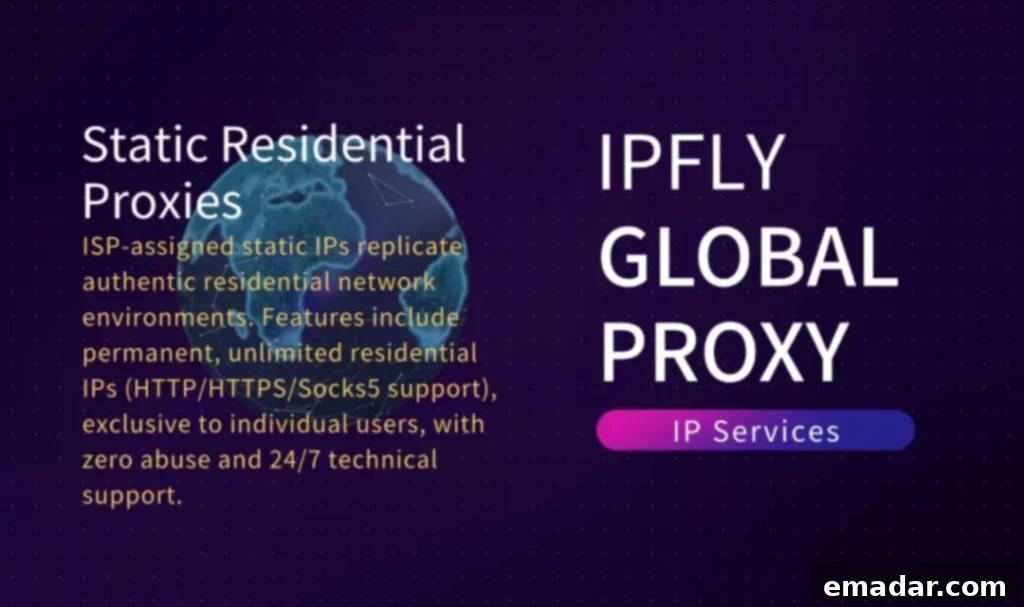
IPFLY specializes in static residential proxies, a superior class of proxy that combines the stability of a dedicated IP with the authentic appearance of a residential connection. These proxies are sourced from real Internet Service Providers (ISPs), meaning they are indistinguishable from the internet connections of ordinary home users. This fundamental difference makes them incredibly difficult for even the most advanced detection systems to flag as proxy or VPN traffic.
Key features that make IPFLY an exceptional choice for bypassing detection include:
- Genuine Static Residential IPs: IPFLY provides IPs that are tied to real ISPs and remain consistent, offering stable and reliable connections that mimic typical user behavior, drastically reducing the chances of being blacklisted or detected.
- Extensive Global IP Coverage: With a vast network spanning over 190+ countries, IPFLY offers unparalleled geographical flexibility. This allows you to select the precise location needed to access geo-restricted content or services, ensuring that your connection always appears locally relevant.
- Intelligent Filtering System: IPFLY employs an advanced, proactive filtering system that continuously monitors IP reputation. This ensures that you are consistently provided with clean, high-quality IPs that have not been previously flagged or abused, maintaining a low detection rate.
- High Anonymity and Performance: Designed for optimal performance, IPFLY’s proxies deliver high speeds and low latency, ensuring a smooth browsing experience while maintaining the highest level of anonymity and security.
- Dedicated Support: IPFLY offers expert support to guide you through setup and troubleshooting, ensuring you get the most out of your proxy solution.
By leveraging IPFLY’s advanced residential proxy solutions, users can confidently navigate the web, access critical resources, and conduct sensitive operations without the persistent worry of being blocked or triggering security alerts. IPFLY helps you stay anonymous, secure, and always connected, ensuring that your online objectives are met efficiently and effectively.
Conclusion: Achieve Uninterrupted Access and Enhanced Security

Encountering the “You seem to be using a VPN or proxy” message is a clear indicator that a website’s detection systems have flagged your connection. Far from suggesting you’re doing something illicit, it simply means your current anonymizing tool might not be sophisticated enough to bypass modern anti-VPN/proxy measures. In an era where online privacy, security, and unrestricted access are more crucial than ever, merely accepting these blocks is no longer an option.
The key to overcoming this challenge lies in understanding the detection mechanisms and adopting more advanced, reliable solutions. By moving away from easily detectable datacenter proxies and unreliable free services, and instead embracing superior options like static residential proxies, you can significantly enhance your chances of remaining undetected. Ensuring your configuration is leak-free, managing your browser data effectively, and choosing reputable providers that prioritize IP quality and security are fundamental steps.
Platforms like IPFLY empower users to navigate the internet freely and securely, offering high-quality residential proxies that mimic real user behavior, making detection exceptionally difficult. With the right tools and strategies, you can maintain your online anonymity, bypass geo-restrictions, and access the content and services you need without the frustrating interruptions of a blocked connection. Reclaim your digital freedom and ensure your online activities remain seamless and secure.
👉Explore IPFLY’s residential proxy solutions today to browse the web freely, safely, and without getting flagged.