
How to Change Your IP Address: A Comprehensive Guide to Digital Identity Management
In our increasingly digital lives, an IP address is as fundamental as a physical home address. It’s a unique string of numbers that identifies your device on the internet, acting as your digital return address for all the data you send and receive. Whether you’re browsing the web, sending emails, or streaming videos, your IP address is working silently in the background.
But what if you need to change this address?
“How to change my IP address” is one of the most frequently asked tech questions online, and for good reason. The motivations range from simple network troubleshooting to complex business strategies. For some, it’s a daunting technical hurdle; for others, it’s a critical step in ensuring online privacy or supporting business operations. Understanding how to manipulate your IP address is a crucial skill in today’s digital landscape.
Understanding the Basics: Public IP vs. Private IP
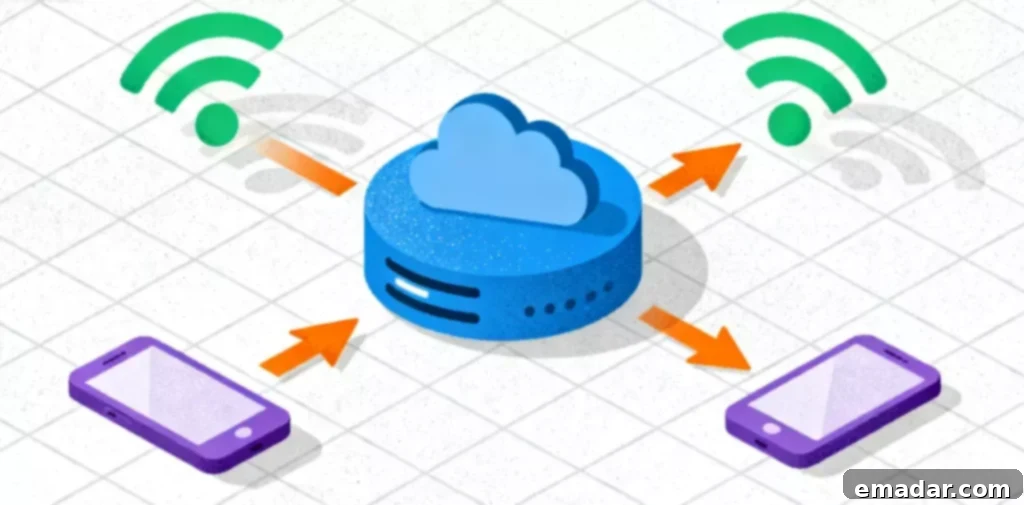
Before you attempt to change your IP address, it’s essential to understand which IP address you’re targeting. Every device on your home Wi-Fi network actually has two IP addresses.
- Private IP Address (Internal IP)
Think of this as the apartment number within a building. Your router (acting as the “building manager”) assigns a private IP address to each device – computers, phones, TVs, etc. – to manage traffic within your local network. For example:
- Computer: 192.168.1.10
- Phone: 192.168.1.11
These private IPs are completely invisible to the outside internet. They are only used for communication within your local network.
- Public IP Address (External IP)
This is the unique address of the entire building (your home network) to the outside world. It’s assigned to your router by your Internet Service Provider (ISP). When you visit any website, the website only sees this public IP address. All devices in your home share this single public IP address when accessing the internet.
When most people say “change my IP address,” they almost always mean changing the public IP address. This is the address that identifies your location and online identity to the outside world. Modifying this IP can have significant implications for your online privacy and access to content.
How to Change Your Private IP Address (Internal Network Fixes)
Modifying your private IP address is typically only done for troubleshooting purposes. For example, you might encounter an “IP conflict” – where two devices on the same network have been assigned the same address. This can prevent one or both devices from accessing the internet correctly.
Method 1: Command Prompt (Windows)
This is a classic method for forcing your computer to request a new private IP address from your router:
- Press the Windows key, type
cmd, and open the Command Prompt. - Type the following command:
ipconfig /release- This releases your current private IP address.
- Next, type the following command:
ipconfig /renew- This instructs your router to assign you a new private IP address.
Method 2: Update DHCP (macOS)
- Open “System Preferences” -> “Network”.
- Select the Wi-Fi or Ethernet connection you’re currently using and click “Advanced…”.
- Go to the “TCP/IP” tab.
- Click “Renew DHCP Lease“.
How to Change Your Public IP Address (Externally Visible)
This is what determines how websites identify you. The methods range from the simplest to the most sophisticated:
Method 1: Restart Your Router (Luck-Based)
Your public IP address is assigned by your ISP. Most home networks use a dynamic IP address, which changes periodically.
- Unplug your router from the power outlet.
- Wait for 60 seconds.
- Plug the router back in.
Sometimes, this will cause your ISP to assign you a new public IP address. However, success is not guaranteed. If you have a static IP address (common for business internet plans), this method will not work at all. Static IPs are designed to remain constant.
Method 2: Switch Networks (The Easiest)
The most straightforward way to obtain a new public IP address is to simply switch to a different network.
- Turn off Wi-Fi on your phone.
- Use your 4G/5G mobile data.
Mobile carriers and home broadband networks are completely independent. Switching to mobile data will instantly give you a different public IP address. This is suitable for temporary testing but not ideal for computers or long-term, complex tasks.
Method 3: Use a Proxy Server (The Professional Approach)
This is the most flexible and powerful method, used by both individual privacy enthusiasts and large corporations.
A proxy server acts as a middleman between you and the internet:
- You send your request to the proxy server.
- The proxy server sends the request to the target website on your behalf.
- The website sees the proxy server’s IP address, not your real IP address.
Your real IP address and location are completely hidden. This provides a high level of anonymity and allows you to bypass geographic restrictions.
The type of proxy is crucial:
- Datacenter Proxies: These come from commercial data center servers. They offer extremely fast speeds and high cost-effectiveness, making them suitable for large-scale research and AI model training. However, they are easier to detect and block.
- Residential Proxies: These are the gold standard. They are IP addresses assigned to real households by ISPs. When you use a residential proxy, your traffic appears identical to that of a regular user in that location, allowing you to bypass advanced anti-fraud and geo-restriction systems that block datacenter IPs.
Why You Need to Change Your Public IP Address
Let’s move from “how to change” to “why change.” Many people change their IP address for privacy reasons, but the most critical scenarios are in e-commerce, social media, and market research. Understanding these applications can help you appreciate the value of IP address manipulation.
Scenario 1: Cross-Border E-commerce Sellers & IP Isolation
The Problem: You’re legitimately operating multiple stores on platforms like Amazon, such as store A selling electronics and store B selling home goods. Platform algorithms detect and associate multiple accounts under the same public IP address. If store A violates the rules (even by mistake), store B can be banned as well, potentially destroying your entire business.
The Solution: IP Isolation Each account must have a separate, stable, and clean digital identity, and must never share an IP address. This is the core value proposition of static residential proxies. For example, a seller in New York could use IPFLY (or a similar provider) to assign a static residential IP from Texas to store A and another static IP to store B. From the platform’s perspective, these are two legitimate accounts from different regions and different individuals. This is a fundamental strategy for modern e-commerce risk management.
Scenario 2: TikTok Influencers & Precise Geo-Targeting
The Problem: The TikTok algorithm heavily relies on geographic location. A creator in Germany will primarily have their content shown to German users. But if the target audience is in the United States, the content won’t reach the intended demographic.
The Solution: Change Digital Location Connect to a high-quality proxy server in the United States before starting a live stream. The TikTok algorithm will recognize you as a US user and push the stream to a US audience, helping you break out of the local traffic bubble. This scenario is best suited for dynamic residential proxies: real user IPs + the ability to flexibly switch regions.

Choosing the Right Tools
As you can see, “changing your IP” is a sophisticated strategy. Restarting your router can only solve minor glitches; professional challenges require professional tools. Selecting the right tool depends on your specific needs and goals.
For businesses and power users, reputable proxy service providers are the only reliable choice:
- E-commerce Sellers: Require static residential proxies that provide stable, exclusive, high-reputation IP addresses to ensure secure account isolation.
- Data Collection/Research: Require high-speed datacenter proxies to meet speed and volume requirements.
- TikTok/Global Content Users: Require a vast pool of dynamic residential proxies covering 190+ countries to unlock exclusive content from various regions.
For example, IPFLY boasts a resource library of over 90 million IP addresses, capable of meeting all the above scenarios.
Ultimately, your IP address is more than just a string of numbers – it’s your digital passport. Mastering how to change, when to change, and why to change it is a core skill for using the modern internet safely and effectively. By understanding the different types of IP addresses, the methods for changing them, and the various use cases, you can navigate the digital world with greater control and security.