
Gemini 3 Pro Access: Bypassing Restrictions and Achieving Stable Performance
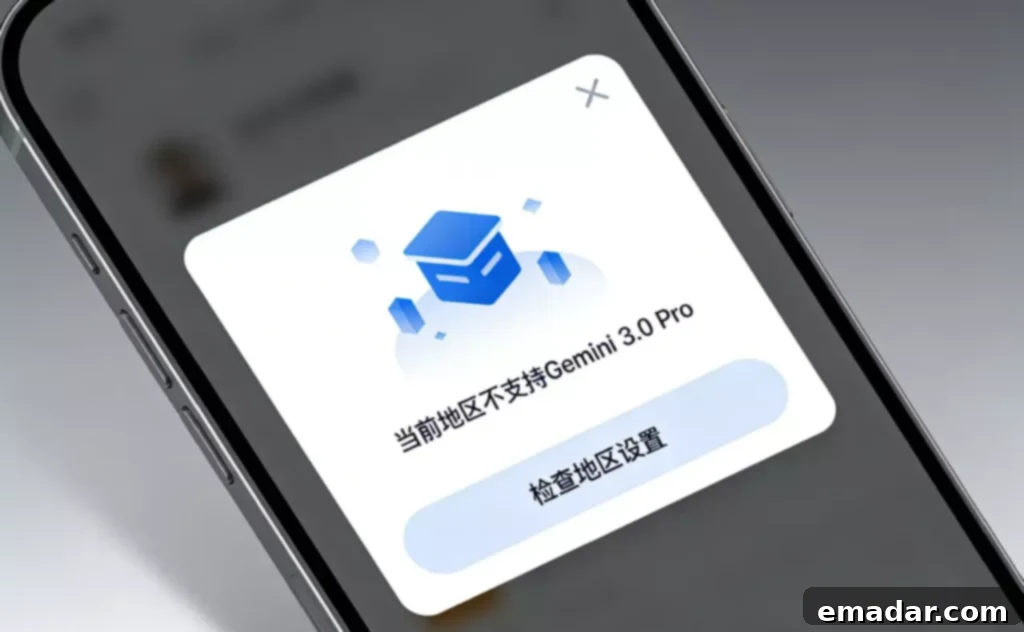
Since Google released the Gemini 3 series models, particularly Gemini 3.0 Pro, many users have encountered a frustrating issue:
“My account is fine, my browser is fine, but I can’t access it, or I get blocked as soon as I start a conversation.”
These problems are often summarized as: Bypassing Gemini 3.0 Pro Regional Restrictions.
However, if you follow the online tutorials, you’ll likely find that it still doesn’t work.
The problem isn’t the process itself, but rather that the access environment has already been flagged by Google as a high-risk source.
Understanding Gemini 3 Series Restrictions: It’s Not Just About Location
This is where most articles get it wrong.
Access restrictions for Gemini 3.0 Pro are not as simple as “the IP is not in an approved country.” Instead, it’s a combination of factors:
- Whether the IP region is within the allowed access range.
- The IP’s type (residential, business, or data center).
- ASN historical behavior.
- Concurrent request characteristics from the same exit point.
- Whether it has been used for automated or abnormal access.
This explains why many encounter:
“Even though my IP shows as being in a supported region, I’m blocked from the conversation immediately, or I can access the page but can’t actually use the model.”
Why Traditional Data Center IPs Are Identified as Data Centers
This is the core reason why Gemini 3.0 Pro blocks access.
Data Center IPs Are “Well-Known” in the Google System
Google, being a cloud provider itself, is extremely sensitive to:
- AWS / GCP / Azure
- Large proxy provider data center ranges
- Common IDC ASNs
These IPs are often marked in Google’s internal system with clear labels:
Data Center / Automated Traffic Prone
Even if you use a “high-anonymity proxy,” it’s basically ineffective for Gemini 3 series, especially with the newer model permission controls.
Gemini 3.0 Pro is Highly Sensitive to “Interaction Behavior”
Unlike regular website access, Gemini 3.0 Pro involves:
- High-frequency interaction
- Long connections
- Continuous behavior
If the IP type is deemed untrustworthy, the system won’t observe it for long; it will directly refuse to establish a conversation.
This is why many report:
“It’s not a risk control prompt; it’s just completely unusable.”
A Practical Approach to Accessing Gemini 3.0 Pro
Here’s a fact that many overlook:
The access logic for the Gemini 3 series is more about determining “whether you’re a real user” than whether you have permission.
Therefore, the solution isn’t to “bypass,” but to reduce the probability of being identified as automated or data center access.
How to Create an Environment for Stable Access to Gemini 3.0 Pro
Essential Condition 1: The IP Must Be Residential
This is the bottom line.
- It must be a residential network assigned by an ISP.
- The ASN behavior must “resemble a normal user.”
- The historical access records for the same IP must be clean.
Many tests clearly show that:
- Residential IP: Can enter the Gemini 3.0 Pro conversation layer.
- Data center IP: Blocked directly at the interface layer.
Essential Condition 2: Environment Consistency > Anonymity
Gemini 3.0 Pro isn’t looking for you to be “completely clean,” but rather:
- The IP shouldn’t change frequently.
- The browser environment should remain consistent.
- Avoid frequently switching accounts or regions.
This is the real reason why many “advanced proxies” fail.
In some real-world usage scenarios, teams choose to use a fixed residential IP to access Gemini 3 series models, rather than rotating IPs. The value of IPFLY’s residential proxy IP lies in the fact that it’s not about “evading detection,” but about making your access behavior more like a long-term, genuine user.
Typical Use Case Analysis
Scenario 1: Accessing Gemini 3.0 Pro for Long Conversation Reasoning
- Long context
- Multiple follow-up questions
- Continuous for 30 minutes or more
👉 In this scenario, IP stability is more important than anonymity.
Scenario 2: Code/Document Analysis Based on Gemini 3
- Uploading content
- Multiple calls
- Highly continuous behavior
If using a data center IP, you’re highly likely to have your permissions interrupted mid-process.
Scenario 3: Team Internal Use of Gemini 3 Series Tools
- Multiple people sharing an account
- Logging in at different times
The focus here shouldn’t be on “changing IPs,” but on account-level + environment-level isolation to avoid being flagged as abnormal sharing.
Why “Changing Browsers / Changing Accounts” Doesn’t Solve the Problem
This is another common misconception found online.
Gemini 3.0 Pro’s judgment logic is:
First, determine network trustworthiness, then judge account behavior.
If the first layer doesn’t pass,
Subsequent operations are basically wasted effort.
Gemini 3.0 Pro Regional Restriction Bypass: A Correct Understanding
The key to reliably accessing Gemini 3 series models isn’t “bypassing,” but rather:
- Avoiding the use of already flagged data center IPs.
- Using a residential, long-term consistent network environment.
- Controlling behavioral rhythm and reducing abnormal characteristics.
When you build your environment from this perspective, many of the so-called “regional restrictions” will naturally disappear.
In actual tests, some users, after switching to a stable residential proxy environment, found that Gemini 3.0 Pro’s conversational ability was directly restored, without requiring additional operations. This is why proxy solutions like IPFLY, which emphasize residential attributes and stability, are better suited for accessing Google’s latest AI models than short-term anonymity needs.
IPFLY Proxy Features:
- Stable across all nodes, supporting 190+ countries and regions worldwide.
- Second-level connection, seamless operation, simulating real home broadband scenarios.