
Understanding IPv4 Addresses: A Comprehensive Guide
In today’s digital world, navigating the internet involves encountering various technical terms, and one of the most fundamental is the “IPv4 address.” You might have stumbled upon questions like “What does IPv4 address mean?”, “Why does my IPv4 address change?”, or “Do I need a special IPv4 address for cross-border access?”
Before delving into these specific questions, let’s address the core definition: An IPv4 address is a unique identifier assigned to devices based on the Internet Protocol version 4. It’s used to locate devices and transmit data across the internet, much like the “sender’s address” and “recipient’s address” on a package. It forms the very foundation of all online activity.
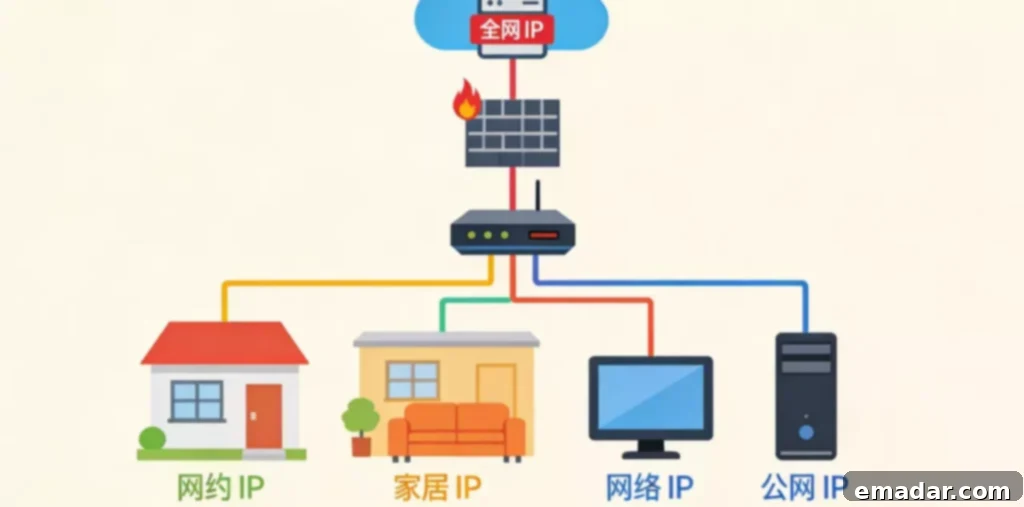
Understanding the Core Definition of IPv4 Addresses
What is an IPv4 Address? What’s the Difference Between an IPv4 Address and an IP Address?
The term “IP address” is a general term for Internet Protocol addresses. An IPv4 address is one specific version (version 4) of an IP address. To put it simply, the IP address is the overall family, and the IPv4 address is its most common member. Besides IPv4 addresses, there are also IPv6 addresses (version 6), but IPv4 remains the most widely used type of IP address globally. When people casually mention an “IP address,” they are usually referring to an IPv4 address.
What is an IPv4 Address Composed Of? Why is it in the “xxx.xxx.xxx.xxx” Format?
An IPv4 address consists of 32 binary digits. Binary numbers are made up of only 0s and 1s, making them difficult to read and remember directly. To make them easier for humans to use, engineers divide the 32 binary digits into four groups, each containing eight digits. Then, each group of binary numbers is converted into a decimal number, and the groups are separated by a period “.”. This results in the “dotted decimal” format we see (e.g., “192.168.1.1”). Each decimal number ranges from 0 to 255, ensuring that each section of an IPv4 address never exceeds 255.
What is the Purpose of an IPv4 Address? Can I Use the Internet Without It?
The core functions of an IPv4 address are to “identify devices” and “locate data.” Essentially, all online activities (like browsing websites, sending messages, and watching videos) involve data transmission between devices using IPv4 addresses. Without an IPv4 address, a device cannot be located on the internet, and it cannot interact with other devices. Therefore, you cannot use the internet. Even communication between devices within a local network requires private IPv4 addresses.
Addressing Real-World Concerns About IPv4 Addresses
Is My Device’s IPv4 Address Static? Why Does it Change?
For most typical users, a device’s IPv4 address is not static; it is dynamically assigned.
There are two primary reasons for this:
- Home users’ public IPv4 addresses are dynamically assigned by their internet service provider (ISP). Each time you restart your router or reconnect to the internet, the ISP assigns a new address.
- Private IPv4 addresses within a local network are dynamically assigned by the router through the DHCP service. When a device disconnects and reconnects to the network, its address may change. Only devices that require stable access, such as servers, typically use static IPv4 addresses.
How Do I Find My Device’s IPv4 Address?
The method for finding the IPv4 address varies depending on the device. Here are common methods for different devices:
(1) Windows Computer
Open the “Command Prompt,” type the “ipconfig” command, and locate the “IPv4 Address” corresponding to the “Ethernet adapter” or “Wireless LAN adapter.” This is the private IPv4 address of your computer.
(2) Mac Computer
Open “System Preferences,” click on “Network,” select the currently connected network, and you’ll see the IPv4 address on the right side.
(3) Mobile Phone (Android/Apple)
Open “Settings,” find “Wi-Fi,” tap on the name of the currently connected Wi-Fi network, and you’ll see the IPv4 address on the details page.
Why Do Multiple Devices at Home Only Need One Public IPv4 Address?
This is because routers have a feature called NAT (Network Address Translation). The router assigns a private IPv4 address to each device in the home, allowing them to communicate within the local network. Simultaneously, the router forwards all network requests from the devices to the internet using a single public IPv4 address. In essence, multiple devices share one public IPv4 address to access the internet, which conserves valuable public IPv4 address resources.
Why Can’t Devices at Home Sometimes Access Each Other? Is it Related to IPv4 Addresses?
It’s highly likely that it is related to IPv4 addresses. The main reasons are: First, the devices are not on the same local network. For example, one device connects to the home Wi-Fi (using a private IPv4 address), while the other device connects to a mobile hotspot (using a different private IPv4 address range), preventing them from accessing each other. Second, the devices’ IPv4 addresses are not in the same network segment. For example, one device has an address of “192.168.1.2,” while the other has “192.168.2.3,” and both have a subnet mask of “255.255.255.0.” They belong to different network segments and cannot communicate directly. The solution is to ensure that all devices connect to the same network and that their IPv4 addresses are in the same network segment.
Addressing Special Needs Such as Cross-Border Access
Do I Need a Special IPv4 Address for Cross-Border Access? Why Can’t I Use a Regular IPv4 Address?
Yes, cross-border access requires using an IPv4 address from the target country. Regular domestic IPv4 addresses will not work. This is because network resources have geographical restrictions. Many overseas network resources (such as overseas e-commerce platforms and overseas academic databases) use the visiting device’s IPv4 address to determine its location, and they only allow access from local or specific regional IPv4 addresses. The public IPv4 address of a typical user is a domestic address, which cannot pass the regional verification, and therefore cannot access these overseas resources.
How Do I Obtain a Foreign IPv4 Address? What Should I Pay Attention to When Using It?
Regular users can obtain foreign IPv4 addresses through legitimate proxy network services. These services assign users independent foreign IPv4 addresses, helping devices bypass geographical restrictions and access overseas networks. For example, proxy services can provide foreign IPv4 addresses in multiple regions around the world, meeting cross-border access needs.
When using these services, there are three points to keep in mind: First, choose a legitimate proxy network service to avoid using illegal tools. Second, select an independent foreign IPv4 address instead of a shared address to ensure stable access. Third, select the corresponding IPv4 address according to the target region you want to access. For example, if you want to access European resources, choose a European address to improve the access experience.
Is My Data Secure When Using a Proxy Network Service’s IPv4 Address?
When you choose a reputable proxy network service, your data security is generally guaranteed. Reputable services use encryption technology to encrypt data during transmission, preventing it from being stolen or tampered with. They also strictly protect the user’s IPv4 address and access logs, preventing information leakage. Be careful to avoid using unauthorized, small-scale services, as these may have data security risks.
Understanding IPv4 Addresses: Starting with Answering Questions
In reality, questions about “What does IPv4 address mean?” revolve around three core aspects: “definition, usage, and special needs.”
As long as you understand that an IPv4 address is a device’s “internet ID card” and grasp the logic of using it in different scenarios, you can resolve most of your concerns. For typical users, it’s not necessary to delve deep into technical details; understanding the basic concepts and practical methods is sufficient to handle everyday online activities and special needs.
If you have special needs such as cross-border access, choosing a legitimate proxy network service and using its dedicated foreign IPv4 address allows you to easily achieve stable access to overseas network resources. Hopefully, the answers to these 10 common questions will help you fully understand IPv4 addresses and make your online experience smoother.
Using Residential Proxy IP
It has self-built servers + a big data filtering system to provide:
- Residential IP assigned by a real ISP
- Clean and unpolluted IP segments, non-shared, with no history of abuse
- Support for IP detection, location filtering, and multi-country switching
Use IPFLY to implement IP isolation for risk prevention and control!