
Web scraping stands as an invaluable skill in today’s data-driven world, empowering individuals and organizations to systematically extract vast amounts of information from websites. Whether your goal is to gather crucial product details for market analysis, diligently monitor competitor pricing strategies, or delve into the intricate patterns of social media trends, Python emerges as the go-to language. Its comprehensive and robust ecosystem of libraries offers an unparalleled blend of accessibility and power, making the process of efficient data extraction both straightforward and highly effective. This comprehensive tutorial is meticulously designed to serve as your step-by-step guide through the entire journey of Python web scraping. We’ll cover everything from the foundational aspects of setting up your development environment to navigating the complexities of dynamic, JavaScript-heavy websites, ensuring you gain the expertise needed to master this essential data acquisition technique.
Understanding Web Scraping: A Gateway to Unstructured Data
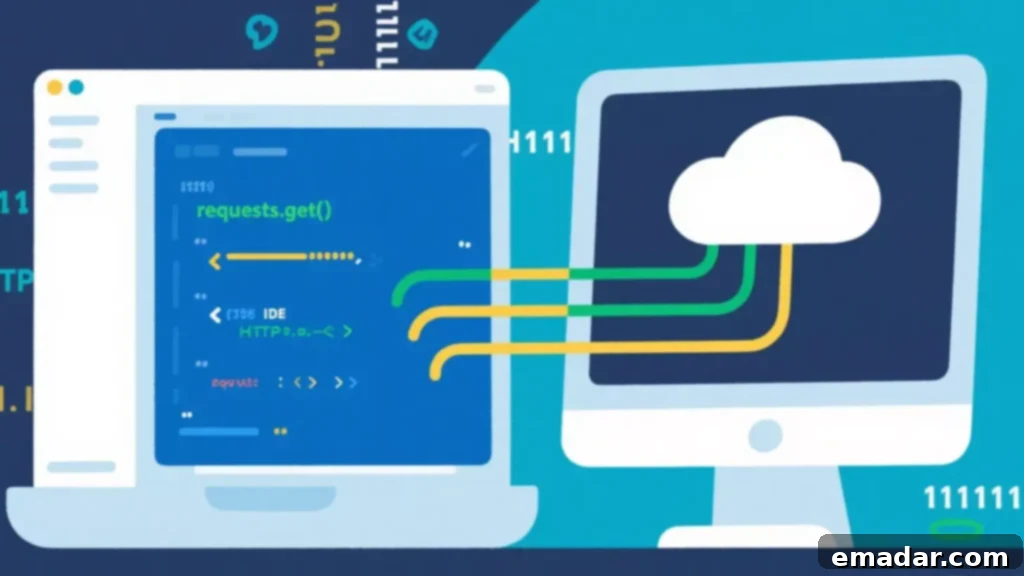
At its core, web scraping is the automated methodology of extracting information directly from websites. Imagine a world where all data you need is readily available through neatly structured Application Programming Interfaces (APIs). While APIs offer a streamlined and predefined pathway to data, they are not always available, or their scope might be limited. This is where web scraping shines, providing a versatile alternative to access data directly from the very fabric of web pages. By simulating a human user’s interaction with a browser, a web scraper can navigate, read, and collect data, transforming unstructured web content into structured, usable datasets.
Python’s dominance in the realm of web scraping is no accident. Its inherent simplicity, coupled with an expansive array of powerful, community-supported libraries, makes it the preferred choice for both nascent learners and seasoned data professionals. Libraries such as Requests handle the initial communication with web servers, while BeautifulSoup excels at parsing and navigating complex HTML structures. For dynamic content rendered by JavaScript, Selenium provides an indispensable tool for browser automation. Furthermore, Pandas integrates seamlessly to facilitate the organization and storage of scraped data, ensuring a clean and efficient workflow from extraction to analysis. Together, these tools empower users to scrape data not just efficiently, but also cleanly and safely, adhering to best practices.
Setting Up Your Python Environment for Web Scraping Success
Before embarking on your first web scraping project, a properly configured Python environment is crucial. This foundational step ensures smooth operation and prevents dependency conflicts. Begin by verifying your Python installation. It is highly recommended to use Python 3.7 or a more recent version, as these offer improved features and compatibility with modern libraries. You can quickly check your installed version by opening your terminal or command prompt and executing:
python --versionOnce Python is confirmed, the next vital step is to establish a virtual environment. A virtual environment creates an isolated space for your project’s dependencies, preventing conflicts with other Python projects on your machine. This practice is a cornerstone of robust Python development. Create a dedicated virtual environment for your scraping project using the following commands:
python -m venv scraping_env
# For Linux/macOS users:
source scraping_env/bin/activate
# For Windows users:
scraping_env\Scripts\activate
After activating your virtual environment, your terminal prompt should reflect its active status (e.g., `(scraping_env) youruser@yourmachine:`). Now, you are ready to install the essential libraries that form the backbone of any effective web scraping toolkit:
pip install requests beautifulsoup4 pandas selenium lxml- Requests: This elegant and simple HTTP library is the foundation for sending web requests. It enables your Python script to fetch the raw HTML content of web pages, acting as your program’s browser to the web server.
- BeautifulSoup (beautifulsoup4): An incredibly powerful library designed for parsing HTML and XML documents. It creates a parse tree from page source code, which can be used to extract data in a highly structured and intuitive manner. Paired with a parser like `lxml`, it becomes exceptionally fast and robust.
- Pandas: The go-to library for data manipulation and analysis in Python. After successfully extracting data, Pandas provides DataFrames – a tabular data structure – to store your scraped information in an organized, spreadsheet-like format, making it easy to export to CSV, Excel, or databases.
- Selenium: This is not just a web scraping tool but a web automation framework. Selenium is indispensable when dealing with dynamic websites that heavily rely on JavaScript to load content. It automates a real web browser (like Chrome or Firefox), allowing your script to interact with elements, scroll, click, and wait for content to load, thereby enabling the scraping of otherwise inaccessible data. You’ll also need to download the appropriate WebDriver (e.g., ChromeDriver) for your browser and add it to your system’s PATH.
- lxml: While not explicitly required for BeautifulSoup to function, `lxml` is a very fast HTML/XML parser that BeautifulSoup can utilize. Installing it often significantly speeds up the parsing process compared to Python’s built-in `html.parser`.
Step 1: Initiating Communication – Sending HTTP Requests
The journey of web scraping invariably begins with fetching the content of a target webpage. This is achieved by sending an HTTP request to the website’s server. The requests library simplifies this process remarkably, allowing your Python script to act as a client requesting resources from a server. The most common type of request in web scraping is a GET request, which retrieves data from a specified resource.
import requests

# Define the URL of the webpage you intend to scrape
url = "https://example.com/products"

# Send a GET request to the specified URL
response = requests.get(url)

# Always check the HTTP status code to ensure the page loaded successfully
if response.status_code == 200:
    print("Page fetched successfully! Status Code: 200 OK")
    # Access the HTML content of the page
    html_content = response.text
    # You can now proceed to parse html_content
elif response.status_code == 404:
    print(f"Failed to retrieve the page. Status Code: {response.status_code} Not Found.")
elif response.status_code == 403:
    print(f"Access Forbidden. Status Code: {response.status_code}. You might need a User-Agent or proxy.")
else:
    print(f"Failed to retrieve the page. Status Code: {response.status_code}")
    # Handle other error codes as appropriate
It is paramount to always inspect the HTTP status code returned by the server. A status code of `200` indicates a successful request, meaning the server responded with the page content. Other codes, such as `404` (Not Found), `403` (Forbidden), or `500` (Internal Server Error), signal issues that require different handling strategies. For example, a `403` might suggest the server is blocking your request, often due to a missing or generic User-Agent header. You can mitigate this by including custom headers in your request:
headers = {
    "User-Agent": "Mozilla/5.0 (Windows NT 10.0; Win64; x64) AppleWebKit/537.36 (KHTML, like Gecko) Chrome/91.0.4472.124 Safari/537.36"
}
response = requests.get(url, headers=headers)
This mimics a request coming from a standard web browser, often bypassing basic anti-scraping measures. Additionally, consider implementing `try-except` blocks for network errors and `timeout` parameters to prevent your script from hanging indefinitely.
Step 2: Dissecting the Data – Parsing HTML with BeautifulSoup
Once you have successfully retrieved the raw HTML content of a webpage, the next crucial step is to parse it and pinpoint the specific data elements you wish to extract. This is where BeautifulSoup steps in as an indispensable tool. It transforms the raw HTML string into a navigable tree structure, allowing you to search, filter, and extract data with remarkable ease and precision.
from bs4 import BeautifulSoup
import requests

# Assume html_content was obtained from a successful requests.get(url).text
# For demonstration, let's use a simple HTML string
sample_html_content = """


        Laptop Pro X
        $1200.00
        High performance laptop for professionals.


        Wireless Mouse 5000
        $25.99
        Ergonomic design with long battery life.


"""

soup = BeautifulSoup(sample_html_content, "html.parser") # Or "lxml" for faster parsing

# Find all div elements that have the class "product-item"
products = soup.find_all("div", class_="product-item")

# Iterate through each found product item to extract specific details
for product in products:
    # Find the h2 tag within the current product item and get its text
    title_element = product.find("h2")
    title = title_element.text.strip() if title_element else "N/A" # .strip() removes leading/trailing whitespace

    # Find the span tag with class "price" within the current product item and get its text
    price_element = product.find("span", class_="price")
    price = price_element.text.strip() if price_element else "N/A"

    # Example of extracting another element
    description_element = product.find("p", class_="description")
    description = description_element.text.strip() if description_element else "No description available"

    print(f"Title: {title}, Price: {price}, Description: {description}")
BeautifulSoup’s flexibility is its greatest strength. You can search for elements by tag name (e.g., `soup.find(‘a’)`), by CSS class (`soup.find_all(‘div’, class_=’product-card’)`), by ID (`soup.find(id=’main-content’)`), or by specific attributes. You can also use CSS selectors with `soup.select()`, offering a powerful and familiar way to target elements, especially for those with web development experience. For instance, `soup.select(‘div.product-item h2’)` would find all `h2` tags nested within `div` elements that have the class `product-item`.
Navigating the parse tree is also intuitive. You can move up to a parent element (`element.parent`), down to children (`element.children`), or across to siblings (`element.next_sibling`, `element.previous_sibling`), allowing for highly granular data extraction even from complex and deeply nested HTML structures. Remember to always handle cases where an element might not be found by checking if the result of `find()` or `find_all()` is `None` or an empty list before attempting to access its attributes or text.
Step 3: Organizing Your Harvest – Storing Scraped Data Efficiently
After the arduous process of extracting valuable data from web pages, the next critical step is to store it in a structured, accessible, and analyzable format. The Pandas library, with its robust DataFrame object, provides an exceptionally efficient and user-friendly solution for this. DataFrames are akin to spreadsheets or SQL tables, making it intuitive to organize and manipulate tabular data.
import pandas as pd
from bs4 import BeautifulSoup
import requests

# Re-using the sample HTML content for demonstration
sample_html_content = """


        Laptop Pro X
        $1200.00
        High performance laptop for professionals.
        View Details


        Wireless Mouse 5000
        $25.99
        Ergonomic design with long battery life.
        View Details


        Mechanical Keyboard 200
        $89.50
        Tactile feedback, RGB lighting.
        View Details


"""

soup = BeautifulSoup(sample_html_content, "html.parser")
products_html = soup.find_all("div", class_="product-item")

data = [] # Initialize an empty list to store dictionaries of product data

for product in products_html:
    title_element = product.find("h2")
    title = title_element.text.strip() if title_element else "N/A"

    price_element = product.find("span", class_="price")
    # Clean price data by removing currency symbols and converting to float
    price_str = price_element.text.strip().replace('$', '') if price_element else "N/A"
    try:
        price = float(price_str)
    except ValueError:
        price = None # Handle cases where price might not be a valid number

    description_element = product.find("p", class_="description")
    description = description_element.text.strip() if description_element else "No description available"

    link_element = product.find("a")
    product_link = link_element['href'] if link_element and 'href' in link_element.attrs else "N/A"

    # Append a dictionary representing one product's data to the list
    data.append({
        "Title": title,
        "Price": price,
        "Description": description,
        "Link": product_link
    })

# Convert the list of dictionaries into a Pandas DataFrame
df = pd.DataFrame(data)

# Display the first few rows of the DataFrame
print("Scraped Data DataFrame:")
print(df.head())

# Export the DataFrame to a CSV file. index=False prevents Pandas from writing the DataFrame index as a column.
df.to_csv("products.csv", index=False, encoding='utf-8')
print("\nData successfully saved to products.csv")

# You can also save to other formats, for example, JSON
df.to_json("products.json", orient="records", indent=4)
print("Data successfully saved to products.json")
Beyond CSV, Pandas supports a multitude of output formats, including Excel (`df.to_excel(“products.xlsx”, index=False)`), JSON (`df.to_json(“products.json”, orient=”records”)`), and even direct export to SQL databases. Storing your scraped data in a structured and standardized format is a critical step that unlocks its true potential. This organized data can then be readily used for in-depth analysis, compelling visualizations, or as a robust dataset for training machine learning models, transforming raw web content into actionable intelligence.
Step 4: Conquering Dynamic Websites with Selenium for Advanced Scraping
While `requests` and `BeautifulSoup` are excellent for static HTML content, many modern websites are built using JavaScript frameworks that dynamically load content after the initial page load. These elements, which are not present in the initial HTML fetched by `requests`, remain inaccessible to `BeautifulSoup`. This is where Selenium becomes an indispensable tool. Selenium automates a real web browser, such as Chrome or Firefox, allowing your Python script to interact with web elements, simulate user actions (like clicks, scrolls, and typing), and wait for dynamic content to render, effectively mimicking a human browsing experience.
from selenium import webdriver
from selenium.webdriver.common.by import By
from selenium.webdriver.support.ui import WebDriverWait
from selenium.webdriver.support import expected_conditions as EC
import pandas as pd

# IMPORTANT: Ensure you have the ChromeDriver (or geckodriver for Firefox) executable downloaded
# and placed in a directory that's included in your system's PATH, or specify its path directly.
# For example: driver = webdriver.Chrome(executable_path='/path/to/chromedriver')

# Initialize the Chrome WebDriver. This will open a Chrome browser window.
driver = webdriver.Chrome()

# Navigate to the target URL
driver.get("https://example.com/products") # Replace with an actual dynamic website for testing

# To handle dynamic content, it's often necessary to wait for elements to appear.
# Explicit wait: waits up to 10 seconds until an element with class 'product-item' is present.
try:
    WebDriverWait(driver, 10).until(
        EC.presence_of_element_located((By.CLASS_NAME, "product-item"))
    )
    print("Product items loaded successfully.")
except Exception as e:
    print(f"Error waiting for product items: {e}")
    driver.quit()
    exit()

# Find all product items using their class name
products_elements = driver.find_elements(By.CLASS_NAME, "product-item")

scraped_data = []

for product_element in products_elements:
    # Find the title and price elements within each product_element
    # Using try-except for individual elements to handle missing data gracefully
    try:
        title_element = product_element.find_element(By.TAG_NAME, "h2")
        title = title_element.text.strip()
    except Exception:
        title = "N/A"

    try:
        price_element = product_element.find_element(By.CLASS_NAME, "price")
        price = price_element.text.strip()
    except Exception:
        price = "N/A"

    scraped_data.append({"Title": title, "Price": price})
    print(f"Scraped: Title - {title}, Price - {price}")

# Close the browser window once scraping is complete
driver.quit()

# Store the scraped data using Pandas
df_selenium = pd.DataFrame(scraped_data)
df_selenium.to_csv("dynamic_products.csv", index=False, encoding='utf-8')
print("\nDynamic data successfully saved to dynamic_products.csv")
Selenium’s capabilities extend far beyond simply waiting for content. It can simulate a wide range of user interactions: clicking buttons (`element.click()`), typing into input fields (`element.send_keys(“search query”)`), scrolling the page (`driver.execute_script(“window.scrollTo(0, document.body.scrollHeight);”)`), and even handling pop-up windows. For performance and to prevent opening visible browser windows, Selenium can also be run in “headless mode,” where the browser operates in the background without a graphical user interface. This is particularly useful for server-side scraping tasks. Always remember to call `driver.quit()` to properly close the browser session and release system resources when your scraping task is finished.
Step 5: Ethical Considerations and Best Practices in Web Scraping
While web scraping offers immense power for data collection, it is crucial to wield this power responsibly and ethically. Ignoring best practices can lead to your IP address being banned, legal issues, or even causing harm to the target website. Adhering to a code of conduct ensures sustainable and respectful data extraction:
- Consult the `robots.txt` File: Before initiating any scraping, always check the website’s `robots.txt` file (e.g., `https://example.com/robots.txt`). This file, a de-facto standard for web crawlers, outlines which parts of the site automated scripts are allowed or disallowed to access. Respecting these directives is a fundamental ethical obligation and a sign of good scraping practice.
- Implement Delays and Rate Limiting: Bombarding a server with too many requests in a short period can be interpreted as a denial-of-service attack, potentially overloading the server and causing performance issues for legitimate users. To avoid this, introduce polite delays between your requests. Using `time.sleep(X)` (where X is a few seconds) between consecutive requests is a simple yet effective way to throttle your scraping speed and mimic human browsing behavior.
- Rotate User-Agents: Websites often monitor User-Agent strings to identify automated bots. Using a single, generic User-Agent for all requests can quickly lead to your requests being blocked. Maintain a list of common browser User-Agents and rotate them randomly with each request to appear as different users.
- Utilize Proxies for IP Rotation: For large-scale scraping projects or when targeting websites with stringent IP restrictions, your scraper’s IP address might get blocked. Rotating proxy servers are an invaluable solution. Proxies act as intermediaries, routing your requests through different IP addresses, making it difficult for websites to identify and block your scraper. Reputable providers like IPFLY offer reliable residential and datacenter proxies, which are essential for maintaining uninterrupted access and supporting high-volume scraping without triggering blocks. Residential proxies, in particular, appear as legitimate users, significantly reducing the chances of detection.
- Avoid Scraping Sensitive Data: Never scrape personal identifiable information (PII) or other sensitive data unless you have explicit permission or a legitimate legal basis. Always prioritize user privacy and data security.
- Handle Errors Gracefully: Implement robust error handling (e.g., `try-except` blocks) to manage network issues, HTTP errors, or unexpected changes in website structure. This prevents your scraper from crashing and allows for more resilient operation.
- Cache Data: If you need to revisit the same pages frequently, consider caching the scraped data locally. This reduces the load on the target server and speeds up your subsequent scraping efforts.
Step 6: Elevating Your Game – Advanced Web Scraping Techniques
Once you’ve mastered the fundamentals, a world of advanced techniques opens up, allowing you to tackle more complex scraping challenges and build highly sophisticated data collection pipelines:
- Mastering Pagination: Most websites distribute large datasets across multiple pages. Implementing pagination involves identifying the navigation controls (e.g., “Next” buttons, page numbers) and programming your scraper to loop through each page, ensuring all items are collected. This often requires dynamically constructing URLs or simulating clicks with Selenium.
- Leveraging Website APIs for Data Scraping: Sometimes, websites retrieve data using hidden or undocumented internal APIs (often returning JSON). By monitoring network requests in your browser’s developer tools, you can sometimes discover these endpoints. Scraping directly from an API is typically faster, more efficient, and less prone to breaking than parsing HTML, as the data is already structured.
- Robust Data Cleaning and Transformation: Raw scraped data is rarely pristine. It often contains extraneous HTML tags, inconsistent formatting, extra whitespace, or special characters. Implementing a data cleaning phase using Python’s string methods, regular expressions (`re` module), and Pandas functions is crucial. This step normalizes and standardizes your data, making it ready for analysis.
- Automating Your Scraping Workflow: For continuous data collection, automating your scraping scripts is key. Tools like `cron` on Linux/macOS or Task Scheduler on Windows allow you to schedule your Python scripts to run at specific intervals (e.g., daily, hourly). For cloud-based solutions, consider services like AWS Lambda, Google Cloud Functions, or Azure Functions to run your scrapers without managing servers.
- Handling CAPTCHAs and Bot Detection: Websites often deploy CAPTCHAs, reCAPTCHA, or other bot detection mechanisms. While bypassing these can be challenging and ethically grey, solutions like CAPTCHA solving services (human-powered or AI-based) or more sophisticated browser automation techniques (e.g., mimicking human mouse movements) exist for legitimate use cases.
- Dealing with Changing Website Structures: Websites undergo redesigns, which can break your scraper. Building robust scrapers involves using multiple selectors (e.g., trying a class name, then an ID) or employing more flexible approaches. Regularly testing and maintaining your scrapers is vital to adapt to these changes.
Conclusion: Empowering Your Data-Driven Future with Python Web Scraping

Web scraping with Python is a remarkably versatile, efficient, and accessible methodology for collecting valuable data from the vast expanse of the internet. By adeptly combining the power of the `Requests` library for fetching content, `BeautifulSoup` for precise HTML parsing, `Pandas` for structured data storage, and `Selenium` for navigating complex dynamic websites, you gain a comprehensive toolkit capable of handling virtually any web data extraction challenge, from simple static pages to the most intricate JavaScript-rendered sites.
In the pursuit of reliable and scalable data collection, especially when dealing with geographic restrictions, high traffic volumes, or sophisticated bot detection systems, the strategic use of high-quality proxies is not merely an advantage—it’s often a necessity. Solutions like IPFLY provide robust and diverse proxy networks that ensure stable, anonymous, and consistent access to target websites, safeguarding your critical data pipelines and preserving optimal scraping performance. Their residential and datacenter proxies are designed to minimize the risk of IP blocks, allowing your scraping operations to run smoothly and continuously.
Whether your objectives revolve around enhancing business analytics, fueling academic research, enriching personal projects, or empowering data-driven decision-making, mastering Python web scraping opens up an expansive realm of possibilities. It transforms you from a passive consumer of information into an active architect of your data landscape, enabling you to gather the insights needed to stay competitive and informed.
Take Action Now: Ready to unlock the full potential of web data? Start building your Python web scraping projects today and ensure reliable, uninterrupted access to critical information with IPFLY proxies. Elevate your scraping capabilities and join a community dedicated to seamless data extraction. For exclusive tips, updates, and community support, connect with them on their Telegram channel.