
In the vast, interconnected world of the internet, every device relies on a crucial digital identifier: the IP address. Think of it as your device’s unique street address or precise coordinates in the network universe. Without this string of numbers, computers, smartphones, and servers wouldn’t be able to locate each other or exchange information amidst billions of online nodes. Despite its fundamental role, many users often find themselves navigating a maze of misconceptions, ranging from dismissing it as an “unintelligible string of numbers” to being misled by common myths like “static IPs are more secure” or “dynamic IPs lead to platform throttling.” This lack of clear understanding can leave individuals feeling helpless when faced with basic network issues or the need to access geo-restricted content.
However, the true value of an IP address lies in its adaptability to different scenarios. There’s no inherent “good” or “bad” IP type; rather, it’s about understanding their classifications and applications. By grasping these distinctions, you can avoid unnecessary complications and harness their full potential. When coupled with specialized proxy services like IPFLY, which offer optimized nodes, you can effortlessly overcome common usage limitations. This guide aims to demystify IP addresses, empowering even the most non-technical users to make informed choices and maximize their online experience without wasted effort or frustration.
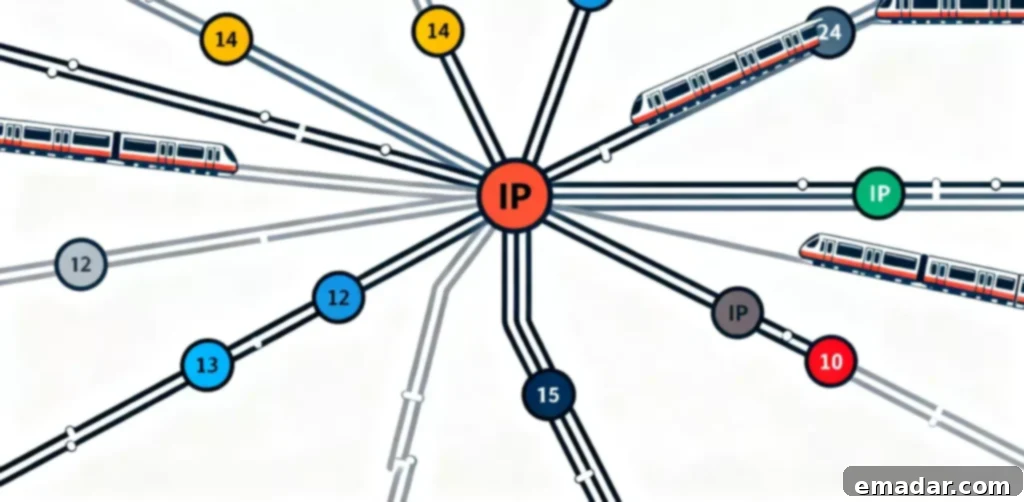
Debunking Common IP Address Myths: The Simple Truths Revealed
Many users struggle with IP addresses because they fall prey to common misunderstandings, mistaking inherent characteristics for flaws or making incorrect assumptions about their functions. Clearing up these three widespread misconceptions will help you gain a much clearer perspective and confidently manage your online presence.
1. Is a More Complex IP Address Synonymous with Greater Network Security?
A prevalent myth suggests that a longer or more intricate IP address offers superior security compared to a shorter one, or that manually configured IPs are inherently more private than automatically assigned ones. The reality is that an IP address’s security attributes have absolutely no correlation with its complexity or the method of its configuration. Its core function is to pinpoint a device’s location on a network. The actual security of your online activity is determined by a multitude of factors, including your network’s encryption protocols (like HTTPS), the robustness of your firewall settings, the security of the websites you visit, and your overall online habits—not the IP address itself. Whether you’re using an automatically assigned dynamic IP or a manually configured static IP, if your network environment lacks proper encryption and security measures, your data transmissions could be vulnerable. Therefore, it’s crucial not to over-rely on the notion that a “complex IP” offers enhanced security; true protection comes from comprehensive network safeguards.
2. Do Dynamic IPs Lead to Platform Throttling or Account Flags?
Many individuals worry that frequent changes in their IP address, a characteristic of dynamic IPs, might cause shopping, streaming, or social media platforms to flag their accounts as suspicious or abnormal, potentially leading to restrictions or throttling. This concern, however, often overlooks the real criteria platforms use for flagging. The primary basis for platform restrictions is not whether your IP is dynamic, but rather the legitimacy and compliance of your online behavior. When you’re browsing, shopping, streaming videos, or working online normally, the frequency of dynamic IP changes typically falls within acceptable limits for most platforms and won’t trigger false positives. Even if you occasionally encounter an access anomaly, it’s more often due to overly frequent actions, bot-like behavior, or violating terms of service, rather than the dynamic nature of your IP address. There’s no need for excessive anxiety over dynamic IPs; focus instead on maintaining legitimate and responsible online conduct.
3. Does Manual IP Address Modification Offer Greater Flexibility?
Some users mistakenly believe that the ability to manually change an IP address signifies advanced technical prowess and grants them more control or flexibility over their internet usage. In truth, IP address allocation is meticulously managed by your router or internet service provider (ISP). Manually altering your IP address requires precise knowledge and configuration of related network parameters, such as the gateway address, subnet mask, and DNS servers. Incorrectly entering any of these parameters will inevitably lead to a complete loss of internet connectivity. For everyday internet use, there is absolutely no need to manually change your IP address. If you genuinely require IP switching capabilities, perhaps for bypassing geo-restrictions or testing applications, utilizing a reputable proxy service is a far safer and more reliable method than haphazardly altering your device’s network settings, which can lead to frustrating downtime and troubleshooting.
Understanding IP Address Classifications: Choose Wisely for Your Needs
IP addresses are broadly categorized into two main types, with the fundamental distinction being whether the address remains constant or changes. There isn’t one type that is inherently superior; rather, the “best” choice depends entirely on which type better suits your specific requirements. Avoid blindly following trends and instead make an informed decision.
1. Dynamic IP: The Agile Choice for Everyday Internet Use
Dynamic IP addresses are the default configuration for most home networks and standard office environments. Their defining characteristic is “automatic assignment and cyclical reuse.” When your device connects to the internet, your router, acting as a DHCP server, automatically allocates an IP address from a pool of available, unassigned addresses. Once your device disconnects from the network, that IP address is released back into the pool, making it available for other devices to use. This system eliminates the need for manual parameter configuration; new devices can simply connect to the network and immediately access the internet. It also inherently prevents IP conflicts, making it perfectly suited for multi-device households, general office work, daily entertainment, and casual browsing. Dynamic IPs offer a hassle-free and efficient solution, perfectly fulfilling the internet needs of the average user without any complex setup.
2. Static IP: The Stable Foundation for Professional Applications
In contrast, a static IP address is characterized by its “fixed and unchanging” nature. Configuring a static IP requires manual entry of specific network parameters, including the IP address itself, the gateway address, and the subnet mask. Once configured, your device will consistently use the exact same IP address every time it connects to the network. While static IPs are generally unsuitable for everyday internet use due to the potential for configuration errors and the increased risk of IP conflicts in multi-device environments, they are absolutely indispensable in specialized professional scenarios. These include hosting a server (e.g., web, email, or game server), remotely controlling unattended devices (like surveillance cameras or IoT devices), or running specialized industrial software that requires a persistent, fixed point of access. A stable and unchanging address ensures continuous, reliable service operation, making static IPs a critical component for specific, advanced applications, though typically unnecessary for the average user.
Simplifying IP Address Management for Beginners: Effortless and Effective
You don’t need to grasp complex network protocols to manage IP addresses effectively. By remembering these four straightforward tips, you can confidently handle common IP-related issues. Furthermore, by integrating proxy services, you can overcome usage limitations and ensure a smoother online experience, even without technical expertise.
1. How to Check Your IP Address in Seconds, No Tech Support Needed
Wondering what your device’s IP address is? There’s no need to ask for technical assistance. On a Windows computer, simply navigate to “Network Settings,” click on your currently connected network, and then select “Properties” to view your IPv4 address. For macOS, you can find it under “System Settings” > “Network” > select your connection > “Details” > “TCP/IP” tab. On most smartphones, whether Android or iOS, you can easily locate your IP address within the Wi-Fi network’s “Details” or “Advanced Settings” page. If these steps seem too many, the quickest method is to simply open a web browser and search for “What is my IP address.” Numerous online IP lookup services will instantly display your public IP address and its approximate geographical location with a single click, making the process incredibly simple and memorable.
2. Quick IP Conflict Resolution: Rebooting Solves 80% of Problems
If you encounter an “IP address conflict” error when connecting to your network, resist the urge to immediately start tinkering with complex network parameters. The most effective first step is to disconnect the conflicting device from the network, then restart your router. This action forces the DHCP server within your router to reassign dynamic IP addresses to all connected devices from its available pool, resolving the majority of common IP conflict issues almost instantly. If, after rebooting, the conflict persists, you may need to access your router’s administrative interface (usually via a web browser by typing the router’s default gateway IP, like 192.168.1.1) to view the list of currently assigned addresses. From there, you can manually assign an unused static IP address to the problematic device, ensuring it doesn’t clash with others. However, for most home users, a simple router reboot is sufficient.
3. Overcoming Limitations with Proxies: No Need to Alter Local IP Settings
When you face challenges such as geo-restrictions preventing access to content, or instability when multiple devices collaborate on specific tasks, there’s an elegant solution that doesn’t require you to manually change your local IP configuration: utilizing a proxy service. For instance, if you wish to access a legitimate platform available only in a specific region, you can opt for a proxy service like IPFLY. By selecting a target regional node, your device will route its internet traffic through an IP address from that desired location, effectively bypassing geographical blocks without any modification to your own local network settings. For scenarios involving multiple devices where IP conflicts are a concern, IPFLY’s adaptive nodes can unify address management, ensuring each device receives an independent IP, preventing interference. Moreover, if you’re concerned about IP fluctuations causing connectivity issues or lag, IPFLY’s robust, anti-fluctuation nodes can automatically switch to backup addresses, guaranteeing a smooth and uninterrupted online experience.
4. Choose the Right IP Type: Avoid Blindly Switching
For routine online activities such as streaming videos, online shopping, or processing office documents, a dynamic IP address is the most suitable and hassle-free choice. Your router automatically handles the address allocation, eliminating any need for you to manage complex network parameters. Conversely, static IP addresses should only be considered for specialized requirements, such as setting up a web server, hosting a dedicated game server, or remotely controlling specific equipment. Before attempting to configure a static IP, it is absolutely essential to consult your internet service provider (ISP) to confirm the correct parameters. Incorrectly entering information can easily lead to a complete loss of internet connectivity. Always align your IP choice with your specific use case to avoid unnecessary complications and ensure optimal network performance.
Smart IP Management: Avoid Wasting Your Time
Understanding and managing IP addresses doesn’t have to be a daunting task. By avoiding these common pitfalls, you can streamline your internet experience and focus on what truly matters online.
- Don’t Manually Modify Dynamic IP Parameters: Your router is designed to automatically and efficiently handle dynamic IP allocation through DHCP. Attempting to manually alter these parameters can easily lead to connection failures and unnecessary troubleshooting. If you encounter network issues, a simple reboot of your router is often the most effective solution, rather than haphazardly changing settings.
- Don’t Confuse IP Type with Usage Scenarios: It’s crucial to match the IP type to its intended application. For everyday internet usage, a dynamic IP is the most practical choice; manually configuring a static IP for casual browsing is cumbersome and increases the risk of conflicts. Conversely, for professional applications like hosting servers or remote device control, using a dynamic IP will lead to service interruptions due to frequent address changes. Always use the right tool for the job.
- Don’t Believe “Changing IP Solves All Network Problems”: While IP addresses are fundamental, altering them is not a magic bullet for every internet issue. Changing your IP will not resolve problems like insufficient bandwidth from your ISP, an aging or faulty router, or performance bottlenecks on a platform’s servers. If you truly want to optimize your internet experience, prioritize upgrading your hardware, improving your Wi-Fi signal, or contacting your internet service provider for speed upgrades or troubleshooting. Don’t waste valuable time tinkering with IP settings for issues it cannot address.
Ultimately, IP addresses are not as complicated as they might seem. For beginners, there’s no need to delve into professional jargon like “TCP/IP protocols” or “subnet masks.” The key takeaway is simple: dynamic IPs are ideal for daily use, static IPs are for specialized professional scenarios, and when you encounter limitations, leveraging a proxy service fills the gap. An IP address is not a comprehensive “security tool” nor a “flexible configuration” that can be haphazardly changed; it is merely a fundamental coordinate for devices connecting to the internet.
For your routine online activities, dynamic IPs offer convenience and peace of mind. For professional demands, static IPs provide essential stability. And when faced with challenges such as geo-restrictions, multi-device collaboration issues, or a need for enhanced anonymity, advanced proxy services like IPFLY provide an accessible and powerful solution. By rationally understanding its value, choosing the right IP type based on your needs, and avoiding unnecessary complexities, you master the art of using IP addresses effectively.
IPFLY stands out with its extensive global network of over 90 million high-quality IP resources, offering unparalleled solutions for diverse online needs:
- ✅ Highly stable static residential IPs (customizable by country/city)
- ✅ A vast pool of dynamic residential IPs, with automatic rotation capabilities
- ✅ Exceptional IP purity and robust anti-fingerprinting measures for enhanced security
- ✅ Dedicated customer support for expert guidance on IP environment configuration
Register with IPFLY today to truly anonymize your online presence and ensure secure, seamless operations across the globe!