
In 2026, data powers every modern company. Developers routinely gather public web information to inform business decisions, and many teams rely on automated scripts for market research automation.
During this process, you will encounter server redirects—HTTP responses that point clients to a new URL. When using cURL for data collection, handling these redirects correctly is essential. cURL needs explicit instructions to follow redirected locations. Knowing how to configure a curl follow redirect workflow is therefore a critical skill.
Modern networks and web platforms enforce strict security checks. A simple redirect can cause session loss, dropped cookies, or raise flags tied to your IP address. With 15 years of experience as a network architect, I’ve seen these issues repeatedly and will explain practical approaches to avoid them.
This guide explains how to handle redirects reliably. It covers cURL flags and behaviors, protocol rules, session and identity preservation, and how pairing cURL with residential proxies like IPFLY can protect your identity throughout a redirect chain. Let’s examine the technical details and best practices.
The Fundamentals of HTTP Redirects and cURL
Websites use redirects to send users from one URL to another. Understanding the common 3xx status codes and the Location header is key to building robust data pipelines.
1. What Happens Behind a Server Redirect?
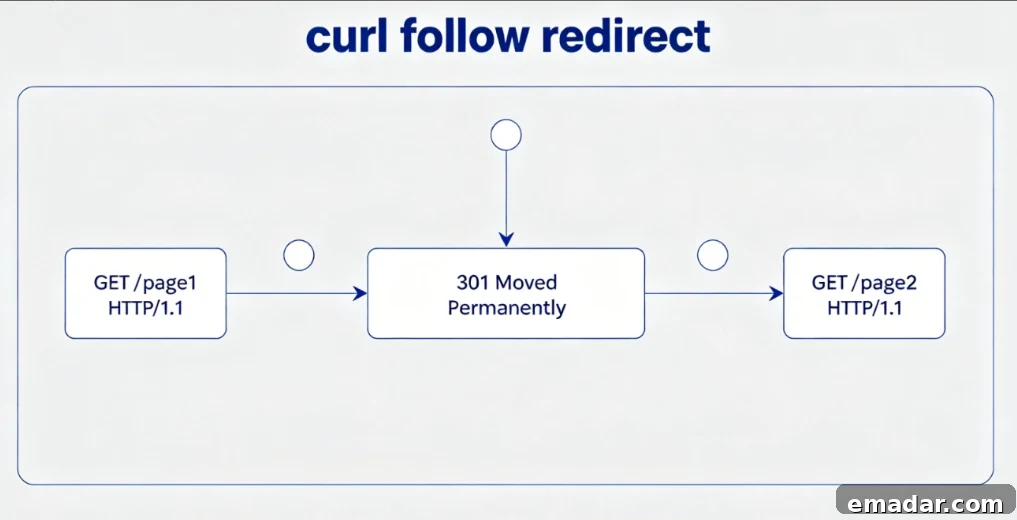
When a server issues a redirect, it responds with a 3xx status code—commonly 301 (Permanent Redirect) or 302 (Found)—and includes a Location header with the new URL. Browsers follow this header automatically, but cURL does not follow redirects by default; it returns the initial response unless you instruct it otherwise.
2. The Basic Command: How to Enable Curl Follow Redirect
To make cURL follow redirects, add the -L or --location flag to your command. This tells cURL to read the Location header and issue a new request to the specified address automatically.
Bash
curl -L https://example.comWith -L, cURL will follow each hop until it reaches the final destination or hits a configured limit. This prevents scripts from stopping at intermediate 302 responses and helps your automation reach the data you expect.
3. Inspecting the Redirect Chain: Using -I and -v
Before automating a workflow, inspect the redirect path the server requires clients to take. Use -I to fetch only HTTP headers and see each Location header in the chain.
Bash
curl -L -I https://example.comAdd -v for verbose output, which shows SSL handshakes and detailed network metadata. This helps diagnose whether headers or cookies are being dropped during hops.
Advanced Parameters for Complex Curl Follow Redirect Scenarios
Simple redirects are straightforward, but complex platforms often require fine-grained control over request behavior across hops.
1. Handling POST Data Across Redirects: --post301 to --post303
A POST request followed by a redirect can change the request method to GET, which drops the form payload. To preserve POST data across redirects, use --post301, --post302, or --post303. These flags instruct cURL to retain the POST method and payload during specified redirect responses.
2. Setting Maximum Redirect Limits with --max-redirs
Servers can be misconfigured and produce redirect loops. To avoid infinite hops that waste bandwidth and crash processes, set a limit with --max-redirs.
Bash
curl -L --max-redirs 5 https://example.comIf the chain exceeds the configured limit, cURL stops and reports an error—protecting resources and preserving stability.
3. Forwarding Authentication Credentials and Headers
By default, cURL does not forward Authorization headers to different hosts during redirects to prevent token leakage. For trusted internal flows, use --location-trusted to allow credentials to be sent to the next server in the chain. Use this option only when you trust all redirect targets.
The Hidden Trap: Identity and Session Loss During Curl Follow Redirect Tasks
Correct flags are only part of the solution. Web defenses inspect connection state across hops, and losing session or identity information can cause blocks.
1. The Cookie Disconnection Problem in Multi-Hop Redirects
Many sites set security cookies during a redirect sequence. If your cURL routine doesn’t persist cookies, downstream requests may appear unauthenticated and receive 403 responses or captchas. cURL does not store cookies automatically unless you explicitly enable cookie handling.
2. Using Cookie Jars (-b and -c) to Maintain Session Consistency
To maintain session continuity across hops, save and reuse cookies with cURL’s cookie jar options:
- Step 1: Use
-c cookies.txtto save incoming cookies to a file. - Step 2: Use
-b cookies.txtto send those cookies with subsequent requests. - Step 3: Run the command with
-Lto follow redirects.
Bash
curl -L -c cookies.txt -b cookies.txt https://example.comThis approach replicates browser-like session behavior and reduces the chance of being flagged during redirect sequences.
3. Network Geolocation Mismatch: The 2026 Silent Block
CDNs and security gateways validate IP geolocation across redirects. If the initial request appears to come from one region but your IP is located elsewhere, the system can trigger a silent block. Preserving consistent network identity across every hop is essential to avoid these silent failures.
Elevating Trust: Integrating IPFLY Proxies with Curl Follow Redirect Functions
To reliably follow redirects without getting blocked, route traffic through reputable proxy infrastructure. Cheap data center proxies are often flagged; residential proxies from trusted providers are far less likely to trigger security systems.
1. Why Your Proxy Choice Determines Redirect Success Rates
Data center IPs are associated with commercial hosts and are often flagged by strict security gateways. If a redirect chain reaches a gate that inspects IP reputation, low-quality proxies can cause the connection to be dropped mid-sequence.
2. IPFLY Residential Proxies: Providing a Clean Environment for cURL
Residential proxies route traffic through real ISP-assigned home IPs. When requests pass through such nodes, security systems see legitimate home-user traffic rather than server-originated automation. Using a high-reputation residential proxy reduces blocking and improves data collection success.
3. Static ISP vs. Rotating Nodes in Curl Follow Redirect Tasks
Choose proxy types based on task requirements. For multi-step authenticated flows where IP consistency matters, a static ISP node keeps the same address across all hops. Static identities prevent fraud detection systems from reacting to sudden geographic changes and maintain session continuity.
Case Study: Resolving Redirect Blocks in Market Research Automation
Here’s a practical example from early 2026 that illustrates how combining cURL logic with residential proxies solved a real problem.
1. Scenario: Scraping a Global Retailer with Localized Redirects
A team collecting competitor pricing across regions used cURL routed through data center proxies. The target site applied multi-hop redirects to local domains. The scripts consistently failed on the third hop because the data center IPs were flagged and sessions were dropped.
2. The Solution: Combining cURL Logic with IPFLY Global Nodes
The team switched to a residential proxy node in the target country, configured cURL to use cookie jars, set appropriate redirect limits, and preserved POST behavior where needed. With the proxy’s local IP reputation and correct cURL options, the redirect chain completed successfully and appeared as legitimate local traffic.
3. Technical Metrics and Achieving a High ROI
After upgrading to a high-reputation residential network and refining cURL behavior, the project’s redirect success rates and data accuracy increased dramatically, operational overhead dropped, and automation became reliable.
| Metric | Old Infrastructure | New IPFLY Infrastructure |
| Redirect Jump Success Rate | 41% | 99.60% |
| Session Disconnection Rate | High (Constant Failures) | Zero (Complete Stability) |
| Data Extraction Accuracy | Fragmented | 100% Complete |
| Operational Efficiency | Low (Constant Manual Fixes) | High ROI / Automated |
Using a trusted residential network and proper cURL flags allowed the team to complete redirect chains reliably and gather accurate market intelligence at scale.
Developer Best Practices: Code Snippets Beyond the Command Line
Most teams embed redirect logic in applications rather than invoking cURL from the shell. Here are common approaches in popular languages.
1. Implementing Curl Follow Redirect in Python (Requests & PycURL)
The Python requests library follows redirects by default but you can control behavior explicitly. Supply proxy settings and set allow_redirects to True to ensure clean multi-hop flows through trusted nodes.
Python
import requests

proxies = {
    "http": "http://user:[email protected]:8000",
    "https": "http://user:[email protected]:8000"
}

response = requests.get("https://example.com", proxies=proxies, allow_redirects=True)
print(response.url)
This pattern routes traffic through a high-reputation node and preserves redirect behavior as expected.
2. Implementing Curl Follow Redirect in Node.js and PHP
In Node.js, libraries like axios or fetch handle redirects automatically and let you configure maxRedirects. In PHP, set CURLOPT_FOLLOWLOCATION to true via curl_setopt. These options let backend applications follow redirects while keeping control over limits and headers.
3. Respecting Rate Limits and Robots.txt During Automated Jumps
Responsible data collection is essential. Add reasonable delays between requests, honor robots.txt and rate limits, and design scripts that avoid overloading target hosts. Ethical scraping preserves long-term access and avoids unnecessary blocking.
Troubleshooting Quick-Reference & FAQ
Use this quick guide to address common cURL redirect issues.
1. “Maximum number of redirects reached” – How to debug infinite loops?
This indicates a redirect loop. Remove -L and use -I to inspect the initial response headers and the Location values, then adjust the URL pattern or logic to prevent looping.
2. Why does cURL lose my custom User-Agent after a redirect?
cURL normally preserves custom User-Agent strings, but some versions drop custom headers when moving from HTTPS to HTTP for security reasons. Prefer secure HTTPS endpoints to avoid header loss.
3. How to inject IPFLY credentials directly into a cURL redirect command?
Standard Command Syntax
Pass proxy credentials with the -x or --proxy flag.
Unified Command Example
Bash
curl -x http://user:[email protected]:8000 -L --max-redirs 5 -c cookies.txt -b cookies.txt https://example.comThis command follows redirects, preserves cookies, limits hops, and routes traffic through a reputable proxy to reduce blocks and session loss.
Handling HTTP redirects properly is fundamental to dependable automation. Mastering flags like -L, --max-redirs, and cookie jar options, and using a reliable proxy network, will help you build resilient data collection systems.
Combining solid cURL practices with residential proxy identity preservation reduces connection flags, maintains session continuity across multi-hop redirects, and improves the reliability and accuracy of market research automation workflows.