
Automating CSV to JSON Conversion: A Comprehensive Guide
The technical barrier to data processing is continuously decreasing. Once upon a time, converting CSV format to JSON format required Python scripts or customized development. Today, modern cloud platforms, with their visual interfaces, pre-built connectors, and configuration-driven workflows, enable complex data transformation tasks. This “democratization” trend empowers business analysts, marketing operations teams, and domain experts to build data pipelines, freeing them from dependence on engineering development resources – significantly accelerating insight generation and operational response efficiency.
However, this ease of use also introduces new complexities. While “no-code” platforms excel in handling standardized data transformation tasks, they often struggle with non-standard data, customized business logic, or large-scale data processing requirements. Therefore, a deep understanding of the platform’s features, limitations, and extension mechanisms is crucial to ensure successful implementation and effective operation of production-grade data automation workflows.
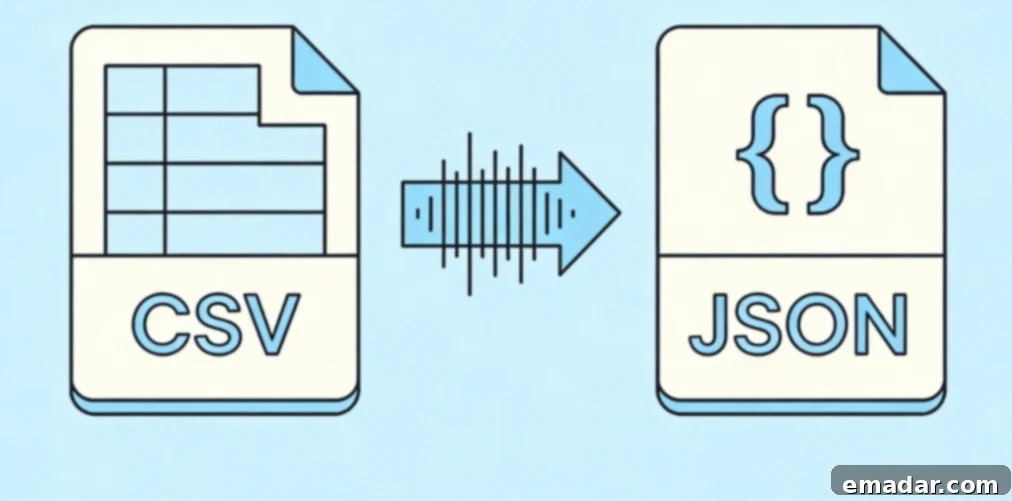
Cloud-Native Transformation Services
AWS Glue and Athena
Amazon’s serverless data integration service, Glue, offers built-in CSV to JSON conversion capabilities through visual ETL jobs and crawling processes. This service can automatically infer data schemas from CSV sources, generate JSON output formats, and handle data partitioning for efficient querying. For event-driven processing scenarios, S3 triggers can automatically invoke Glue jobs when CSV files are uploaded.
Example Configuration (Conceptual):
{
    "source": "s3://data-lake-raw/uploads/",
    "targets": ["s3://data-lake-processed/json/"],
    "format": "json",
    "compression": "gzip",
    "partitionKeys": ["year", "month", "day"]
}
This serverless architecture automatically scales up or down with data volume changes, but processing costs can accumulate with the complexity and frequency of transformations. Understanding these cost implications is vital for optimizing your data pipeline.
Azure Data Factory
Microsoft’s cloud integration service provides “Mapping Data Flows,” a visual design environment specifically for converting CSV format to JSON format. It includes over 200 built-in transformation operations. This service uses schema matching to handle “schema drift,” building robust data pipelines that automatically adapt to changes in source data structure without manual intervention. Furthermore, integration with Azure Functions allows users to execute complex data transformation tasks beyond the capabilities of visual tools using custom Python or C# code. This flexibility is a key advantage for enterprises with unique data processing requirements.
Google Cloud Dataflow
Based on Apache Beam’s streaming and batch capabilities, Google Cloud Dataflow enables the construction of complex CSV to JSON conversion pipelines and provides “exactly-once” processing guarantees. This service excels in real-time application scenarios, processing uploaded CSV files as they arrive and immediately delivering JSON data to downstream consumers. This is particularly valuable for applications requiring immediate data availability, such as real-time analytics and event-driven systems.
Automation Platforms and Integration Orchestration
Zapier and Make (Integromat)
These integration platforms connect hundreds of SaaS applications, enabling no-code CSV to JSON workflows. A typical setup process involves monitoring CSV file uploads (e.g., via Google Drive, Dropbox, or email attachments), parsing their contents, converting them to JSON format, and then sending them to an API endpoint or database service via POST requests. These platforms are excellent for quickly connecting various applications and automating simple data transformations.
However, as business scales, these platforms expose limitations, including file size limits (typically between 100MB and 1GB), processing timeout issues, and sharply increasing costs under high transaction volumes. Additionally, because these platforms often use fixed IP address ranges for task execution, their requests may be blocked when interacting with data sources that have implemented frequency limits or geographical restrictions. Understanding these limitations is crucial for choosing the right automation solution.
For workflows that require data collection from web sources before data transformation, integrating residential proxy services becomes essential. While Zapier itself doesn’t directly support proxy configuration, users can leverage IPFLY’s residential proxy infrastructure through custom Webhook receivers or middleware services to complete upstream data acquisition steps – i.e., first grab data through an authenticated proxy connection and then transfer it to the automation platform for subsequent processing. This ensures access to data even when geographical restrictions or anti-bot measures are in place.
n8n and Self-Hosted Alternatives
The open-source automation platform n8n offers high flexibility, including support for configuring proxy settings in its HTTP request nodes. Through self-hosted deployment, users can route all external requests through IPFLY’s residential proxy network, ensuring successful CSV data extraction from geographically restricted sources regardless of deployment location. This level of control and customization is a significant advantage for organizations with specific security or compliance requirements.
Example Configuration (Conceptual):
// n8n HTTP Request node configuration
{
    "url": "https://data-source.example.com/export.csv",
    "method": "GET",
    "proxy": {
        "host": "ipfly_proxy_server",
        "port": 8080,
        "auth": {
            "username": "ipfly_user",
            "password": "ipfly_pass"
        }
    },
    "responseFormat": "file"
}
With this configuration, n8n workflows can acquire CSV data from geographically restricted sources in a visual, no-code environment enhanced by enterprise-grade proxy infrastructure. They can then use n8n’s Function node to convert the data to JSON format and distribute it to downstream services. This combination of visual workflow design and robust infrastructure makes n8n a powerful option for complex data automation scenarios.
Serverless Function Implementation
For requirements beyond the capabilities of no-code platforms, lightweight serverless functions can provide custom transformation logic without infrastructure management.
AWS Lambda (Python Runtime)
AWS Lambda allows you to run code without provisioning or managing servers. You pay only for the compute time you consume. With Lambda, you can upload your code as a ZIP file or container image. Lambda automatically allocates compute power and runs your code in response to triggers like HTTP requests, changes to data in S3 buckets, and more. This makes it an ideal choice for automating CSV to JSON conversion tasks.
Example Python Code (Conceptual):
import json
import csv
import boto3
import io

s3 = boto3.client('s3')

def lambda_handler(event, context):
    # Triggered by S3 upload event
    bucket = event['Records'][0]['s3']['bucket']['name']
    key = event['Records'][0]['s3']['object']['key']

    # Retrieve CSV from S3
    response = s3.get_object(Bucket=bucket, Key=key)
    csv_content = response['Body'].read().decode('utf-8')

    # Transform to JSON
    reader = csv.DictReader(io.StringIO(csv_content))
    json_data = [row for row in reader]

    # Write to destination
    output_key = key.replace('csv/', 'json/').replace('.csv', '.json')
    s3.put_object(
        Bucket='processed-data-bucket',
        Key=output_key,
        Body=json.dumps(json_data),
        ContentType='application/json')

    return {
        'statusCode': 200,
        'body': f'Processed {len(json_data)} records'
    }
The Lambda execution environment presents challenges for external data collection – the function runs on AWS’s IP address range, which may be blocked by target websites, and is subject to execution time limits (up to 15 minutes). For CSV data sources that require web scraping or API calls for retrieval before data transformation, use a middleware service equipped with IPFLY’s residential proxy program to temporarily store data in an S3 bucket. After the retrieval work is complete, trigger Lambda for subsequent processing. This separation of data retrieval and transformation is crucial for ensuring reliable data pipelines.
Cloudflare Workers
Edge-deployed JavaScript functions support data transformation closer to the data source, reducing latency. Cloudflare’s network of over 300 data centers worldwide ensures a fast processing experience regardless of user location. This is particularly important for applications requiring low latency, such as real-time data streaming and interactive dashboards.
Example JavaScript Code (Conceptual):
export default {
    async fetch(request, env) {
        const url = new URL(request.url);
        if (url.pathname === '/transform') {
            // Fetch CSV from origin through IPFLY proxy
            const csvResponse = await fetch('https://source.example.com/data.csv', {
                cf: {
                    // Cloudflare-specific options
                    cacheTtl: 300
                },
                headers: {
                    'User-Agent': 'Mozilla/5.0 (Windows NT 10.0; Win64; x64)'
                }
            });
            const csvText = await csvResponse.text();

            // Parse CSV and convert to JSON
            const lines = csvText.split('\n');
            const headers = lines[0].split(',');
            const records = lines.slice(1).map(line => {
                const values = line.split(',');
                return headers.reduce((obj, header, i) => {
                    obj[header.trim()] = values[i]?.trim();
                    return obj;
                }, {});
            });

            return new Response(JSON.stringify(records), {
                headers: {
                    'Content-Type': 'application/json'
                }
            });
        }

        return new Response('Not Found', {
            status: 404
        });
    }
};
Cloudflare’s caching layer can store transformed JSON responses, reducing origin server load and improving performance for frequently accessed data. This combination of edge computing and caching makes Cloudflare Workers an excellent choice for high-performance data transformation.
Data Pipeline Orchestration
Apache Airflow / Cloud Composer
Production workflows require orchestration – managing dependencies between acquisition, transformation, validation, and distribution steps. Apache Airflow (available as Google Cloud Composer service or self-hosted) supports DAG-based pipeline definitions. This allows you to define complex data pipelines with dependencies and scheduling, ensuring that data flows smoothly and reliably.
Example Python Code (Conceptual):
from airflow import DAG
from airflow.operators.python import PythonOperator
from airflow.providers.amazon.aws.hooks.s3 import S3Hook
from datetime import datetime, timedelta
import requests
import csv
import json
import io

default_args = {
    'owner': 'data-engineering',
    'depends_on_past': False,
    'email_on_failure': True,
    'retries': 3,
    'retry_delay': timedelta(minutes=5)
}

def collect_csv_from_source(**context):
    """
    Collect CSV data through IPFLY residential proxy
    """
    proxy = {
        'http': 'http://username:password@ipfly_proxy:port',
        'https': 'http://username:password@ipfly_proxy:port'
    }

    response = requests.get('https://restricted-source.example.com/data.csv',
        proxies=proxy,
        timeout=60)
    response.raise_for_status()

    # Stage to S3
    s3 = S3Hook(aws_conn_id='aws_default')
    s3.load_string(
        string_data=response.text,
        key=f'raw/{context["ds"]}/data.csv',
        bucket_name='data-lake-landing')

    return f'Staged {len(response.content)} bytes'

def transform_to_json(**context):
    """
    Convert CSV to JSON with data quality checks
    """
    s3 = S3Hook(aws_conn_id='aws_default')

    # Read CSV from S3
    csv_obj = s3.get_key(
        key=f'raw/{context["ds"]}/data.csv',
        bucket_name='data-lake-landing')
    csv_content = csv_obj.get()['Body'].read().decode('utf-8')

    # Transform
    reader = csv.DictReader(io.StringIO(csv_content))
    records = []
    for row in reader:
        # Data cleaning
        cleaned = {k.strip(): v.strip() for k, v in row.items()}
        records.append(cleaned)

    # Write JSON
    json_content = json.dumps(records, indent=2)
    s3.load_string(
        string_data=json_content,
        key=f'processed/{context["ds"]}/data.json',
        bucket_name='data-lake-processed')

    return f'Processed {len(records)} records'

with DAG(
    'csv_to_json_pipeline',
    default_args=default_args,
    description='Daily CSV collection and JSON transformation',
    schedule_interval=timedelta(days=1),
    start_date=datetime(2025, 1, 1),
    catchup=False
) as dag:

    collect_task = PythonOperator(
        task_id='collect_csv',
        python_callable=collect_csv_from_source
    )

    transform_task = PythonOperator(
        task_id='transform_to_json',
        python_callable=transform_to_json
    )

    collect_task >> transform_task
This orchestration pattern separates collection responsibilities – i.e., the proxy infrastructure required for reliable access – from transformation logic, enabling independent scaling and fault handling. This separation of concerns improves the maintainability and scalability of your data pipelines.
Monitoring and Observability
Production pipelines require comprehensive monitoring. Cloud-native implementations typically utilize the following:
- Structured Logging: Using JSON format for logs, making operational data searchable and parsable.
- Metric Collection: Covering key metrics such as transformation throughput, error rates, and latency distributions.
- Alerting: Sending notifications via PagerDuty or Slack to preemptively warn of pipeline failures or data quality anomalies.
- Data Lineage: Tracking data from the original CSV file to the final JSON output to meet compliance audit requirements.
Uncompromising Automation
The combination of cloud-native and no-code technologies for CSV to JSON conversion can significantly accelerate data pipeline development. However, to ensure reliable operation in production environments, it’s essential to pay close attention to edge cases, scale limitations, and data source accessibility. Even the most well-designed visual workflow will fail if the upstream CSV data acquisition encounters geographical blocks or access throttling. A truly effective automation solution should tightly integrate easy-to-use conversion tools with a robust infrastructure – specifically, using a residential proxy network to ensure data acquisition stability, regardless of access restrictions imposed by various data sources. This infrastructure layer, often hidden in architectural diagrams, determines whether an automated data pipeline can truly achieve the reliability and coverage required for business operations.

The reliability of your cloud automation system is entirely dependent on the reliability of the data sources that feed it. When CSV data sources are subject to geographical restrictions or anti-automation defenses, even the most ingeniously designed “no-code” workflows will ultimately fail without the support of high-quality data acquisition infrastructure. IPFLY’s residential proxy network provides a solid foundation for building truly automated “CSV to JSON” data pipelines – with over 90 million real residential IP addresses in more than 190 countries and regions around the world. Whether you are running Apache Airflow for task orchestration, using AWS Lambda for data transformation, or building visual workflows with n8n, IPFLY seamlessly integrates to ensure you can continuously and smoothly obtain data. Our static residential proxies can maintain persistent and stable identities for data sources that require authentication, while dynamic rotating proxy mechanisms can effectively avoid access throttling caused by high-frequency data collection. With millisecond-level response speeds ensuring timely data delivery, 99.9% service availability eliminating pipeline failures, unlimited concurrency supporting large-scale automation expansion, and 24/7 technical support providing integration assistance, IPFLY comprehensively upgrades fragile and easily broken automation processes into robust systems with production-grade reliability. Stop spending your energy “babysitting” frequently failing data acquisition tasks – register with IPFLY today and build a truly automated, unattended “CSV to JSON” data pipeline!