
AI Automation and IP Stability: Why a Stable IP Environment is Essential
In early 2026, a wave of concerns swept through the developer community regarding AI automation tools. Many users of platforms like OpenClaw suddenly found their accounts restricted or even banned by platforms like Google. The perplexing part? Some of these users hadn’t intentionally abused APIs; they were simply using AI agents to automate routine tasks such as organizing emails, scraping data, or processing information with AI models.
Why did this seemingly “normal” automation trigger platform risk controls?
This issue highlights a crucial fact often overlooked by developers: when an AI agent acts on your behalf on the internet, your behavior pattern becomes markedly different from that of a typical user.
Platform monitoring systems identify potential risks by detecting these discrepancies.

When AI Works for You, the Internet Sees a Different Kind of “User”
Consider a simple scenario:
A developer uses OpenClaw to create an automated task that regularly visits specific websites, gathers information, and uses AI models to summarize it.
If done manually, this might involve:
- Opening a browser
- Reading content
- Copying information
- Using AI tools
The entire process could take several minutes or even hours.
However, when an AI agent handles the task, the same operations can be completed in seconds.
Developers see this as increased efficiency, but platforms see a completely different behavior pattern.
Platform monitoring systems might detect:
- A large number of requests in a short time
- Very regular access intervals
- Continuous operation for extended periods
- Requests originating from a fixed IP address
These characteristics differ significantly from real user behavior, making them easy to flag as anomalous.
How AI Platforms Identify “Anomalous Accounts”
Many mistakenly believe that platforms ban accounts solely for using specific tools. However, most platforms don’t target specific software; instead, they use multi-dimensional behavioral analysis to assess risk.
1. Is the Request Rhythm “Human-Like”?
Genuine user activity typically exhibits distinct characteristics:
- Pauses
- Switching between pages
- Random actions
Automated programs, on the other hand, often display:
- Precise time intervals
- Continuous requests
- Highly regular access patterns
Even if the task itself is legitimate, an overly mechanical execution rhythm can trigger a risk score.
2. Is Resource Consumption Abnormal?
AI service platforms like Google also monitor model usage, including:
- Token usage
- Request growth curves
- Short-term consumption spikes
If an account’s usage suddenly far exceeds typical user levels, the system may automatically flag it, even without any explicit violations.
3. Is the Network Environment “Suspicious”?
Many developers building automated systems overlook a critical factor: IP addresses themselves are also monitored.
Platforms commonly analyze:
- IP origin (residential or data center)
- IP historical reputation
- Whether the IP is shared by multiple users
- IP geographic location changes
For example, if an account logs in from the United States today and makes requests from Europe minutes later, this cross-regional jumping is often flagged as abnormal behavior.
Why Automated Tasks Need a Stable IP Environment
When the scale of an automated system is small, a single IP address can often function normally. However, problems arise as the number of tasks increases.
Common issues include:
- A single IP address making a large number of requests in a short time
- Multiple automated tasks sharing a single IP address
- An IP address maintaining high-frequency access for extended periods
These behaviors increase the likelihood of being flagged by risk control systems.
Therefore, many automation teams proactively design IP strategies to distribute access load when deploying systems.
Examples include:
- Using different IP addresses for different tasks
- Maintaining a fixed IP address for long-term sessions
- Rotating IP addresses regularly for data collection tasks
This approach helps make the access behavior of automated systems more closely resemble that of real users.
In practical deployments, we use IPFLY dynamic residential proxies to achieve this.
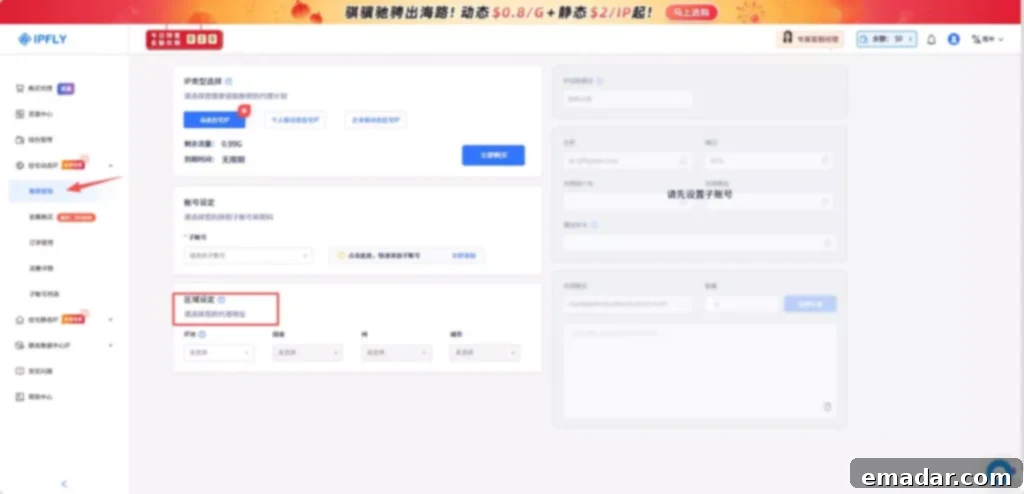
1. Accessing the Proxy Acquisition Page
Visit the IPFLY official website, register and log in to your account, and click “Left Menu -> Residential Dynamic IP -> Account Password Extraction.”
2. Selecting the Target Country or Region
Choose the access region based on the needs of your automated task, such as:
- Country
- State/Province
- City
IPFLY’s proxy network covers 190+ countries and regions, allowing you to configure the corresponding access location based on your business needs.
3. Setting Proxy Parameters
The system will automatically generate proxy information including “Address:Port,” “Proxy Username,” and “Password.” If you need to generate in bulk, scroll down the page.
Select different IP usage methods based on the task type:
● Sticky Session: The same task maintains the same IP address for a certain period, typically lasting about 30 minutes to 1 hour. Suitable for automated tasks that require maintaining a login state or long-term sessions.
● Rotate Per Request: A new IP address is automatically changed for each request. Suitable for data collection or high-frequency request scenarios, which can reduce the access load on a single IP address.
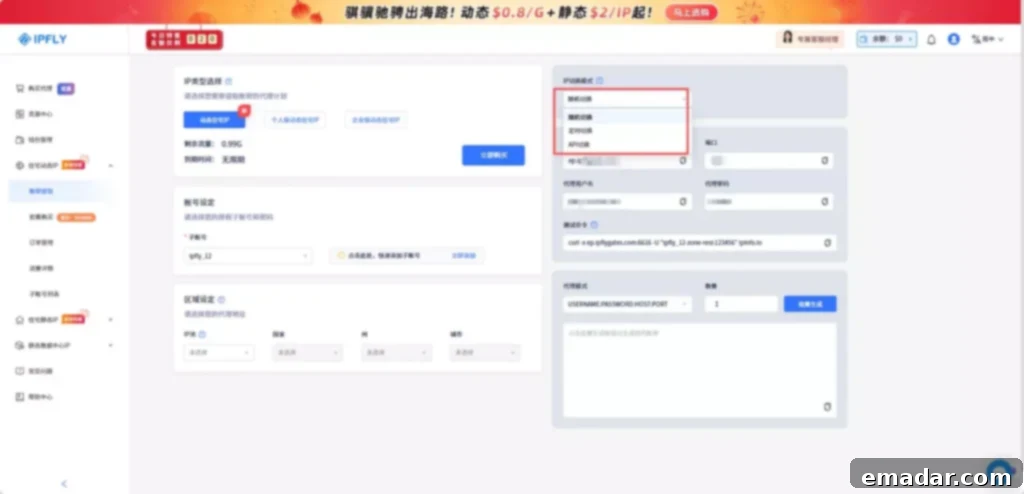
4. Selecting the Proxy Export Method
Choose the appropriate proxy format based on the automation script or runtime environment, such as:
- API Extraction
- Account Password Mode
- IP:Port Format
Choosing the right export method can reduce configuration steps for your script or system.
5. Obtaining Proxy Connection Information and Configuring It in the Automation Environment
Obtain the relevant parameters of the proxy, such as:
- Proxy Address (Host)
- Port
- Username
- Password
- Protocol Type (HTTP / HTTPS / SOCKS5)
Configure this information in the AI automation script, browser environment, or server network settings to start using the proxy network to execute tasks.
This approach allows the automation system to distribute requests to different IP addresses during runtime, reducing the risk of high-intensity access from a single IP.
Common IP Strategies in Automation Scripts
When building an automation system, the IP strategy is often closely related to the task type.
Sticky IP Sessions
For tasks that require maintaining a login state, such as:
- Account management
- Long-term data operations
It is common to have the same task use the same IP address for a certain period.
This approach avoids the risks associated with frequent session changes.
IP Rotation
IP rotation is more common in data collection or monitoring tasks.
Using a different IP address for each request or batch of tasks can effectively reduce the access load on a single IP.
Geographic Location Matching
For cross-border businesses or global data monitoring, the geographic location of the access IP can also affect results.
For example:
- Search results may vary by region
- E-commerce platform prices may vary by region
The AI Automation Era: The Network Environment is Becoming “Infrastructure”
With the development of AI agent technology, the scale of automated systems is constantly expanding.
Past automation scripts might have only needed to run on a single server, but today’s AI automation platforms often include:
- Multiple task nodes
- Distributed execution systems
- Global access environment
In such an architecture, the network environment is no longer just a simple connection tool; it is a crucial component for the stable operation of the entire system.
For teams using AI agents like OpenClaw, designing a reasonable access rhythm, task structure, and IP environment is often more important than simply optimizing code.
Conclusion
The discussion triggered by OpenClaw is just a microcosm of the AI automation era.
As more and more tasks are performed by AI agents, internet platforms are constantly upgrading their risk control mechanisms to distinguish between real users and automated systems.
For developers, understanding these rules doesn’t mean fighting the platform; it means running automated systems more reasonably and stably.
In this process, a stable IP network, a reasonable access strategy, and standardized invocation methods are becoming indispensable parts of AI automation systems.
Not sure which solution is right for your business? Register with IPFLY now and consult our experts for help!