
AI Agent Multi-Account Management: Achieving Facebook Environment Isolation with Dynamic Proxies
The recent surge in AI Agent automation has, in some ways, become a bit uncontrollable. From writing code to running tasks and even managing entire accounts, many teams are no longer just “using AI” but are allowing AI to operate their entire system.
Tools like OpenClaw have significantly lowered the barrier to entry for automation. However, this ease of access also brings its own set of challenges: a script that runs doesn’t necessarily equate to a stable system.
Many teams working on Facebook automation quickly encounter a bottleneck:
- Multiple account login anomalies
- Frequent verification triggers
- Account restrictions after running for a while
- Continuous decline in automation success rate
While these issues might appear to be “code-related,” they often stem from an underlying environment problem.

Why AI Agents for Multi-Account Management Are Prone to Risk Control
Let’s take Facebook as an example. Its risk control logic, although not overly complex, is highly effective. The platform typically focuses on several key indicators:
- IP address stability
- Multiple accounts sharing the same IP address
- Frequent changes in the login environment
- Presence of bulk operation behaviors
The problem is that most AI Agent projects operate in:
- Cloud servers
- Linux environments
- Automated containers
These environments share a common characteristic: all requests originate from the same IP address.
When you have 10, or even 50 accounts:
- Logging in simultaneously
- Performing operations concurrently
- Requesting interfaces at the same time
The platform doesn’t perceive a “marketing team”; instead, it identifies abnormal automation behavior. This triggers security measures designed to prevent bot activity and maintain platform integrity.
The Three-Layer Structure of AI Agent Automation (Many Overlook the Third Layer)
To understand how to mitigate these risks, it’s essential to break down the complete automation system into its three core layers:
Layer 1: AI Agent
This layer is responsible for generating tasks and executing scripts. Popular examples include tools like OpenClaw, which provides the intelligence and instructions for automation.
Layer 2: Browser Environment
This layer simulates a real device. Tools like fingerprint browsers or automated browsers mimic human browsing behavior, including user agents, screen resolutions, and other device-specific characteristics.
Layer 3: Network Access Environment
This encompasses the IP address, proxy network, and source of the access. This layer is frequently overlooked, but it’s often the deciding factor in determining the stability and success of automation efforts. A consistent and unique network environment is crucial for avoiding detection.
Many focus on optimizing the first two layers, but the third layer is often what truly determines stability. Neglecting this layer will inevitably lead to issues with account restrictions and verifications.
The Role of Dynamic Proxies in Facebook Automation
In multi-account management scenarios, the core value of dynamic proxies isn’t merely “changing IP addresses.” Instead, it’s about building a realistic user access distribution. Dynamic proxies allow each account to appear as if it’s originating from a different location, device, and network.
Consider this simple example:
Without a proxy:
- Account A → Same server IP
- Account B → Same server IP
- Account C → Same server IP
Using dynamic proxies:
- Account A → US residential IP
- Account B → Different regional IP
- Account C → Independent network exit
The platform then sees:
- Different users
- Different networks
- Different behavior paths
Instead of:
👉 One machine batch operating accounts.
In real-world projects, many automation teams use dynamic residential proxies, such as those offered by IPFLY, to diversify the sources of requests. This makes the AI Agent’s behavior more closely resemble that of a real user. Residential proxies are IP addresses assigned to real residential locations, which makes them less likely to be flagged as suspicious.
Real-World Test: AI Agent + Dynamic Proxy vs. Single IP
We conducted a simple test using an AI Agent automated login process to illustrate the difference in performance.
Environment:
- AI Agent: OpenClaw
- Browser Control: Automated browser
- Operating Environment: Linux server
Scenario 1: Using a Server IP
Result:
- Significant increase in login verification
- Risk control triggered for multiple accounts
- Abnormal behavior detected in some accounts
Scenario 2: Integrating a Dynamic Proxy
Result:
- Significant improvement in login success rate
- Reduced verification frequency
- More stable multi-account operation
The only difference was: whether the source of access was diversified.
How to Configure a Dynamic Proxy (Combined with Real-World Operation Processes)
This section isn’t just a tutorial but also demonstrates how to integrate dynamic proxies into your existing automation workflows.
Step 1: Obtain a Dynamic Proxy IP
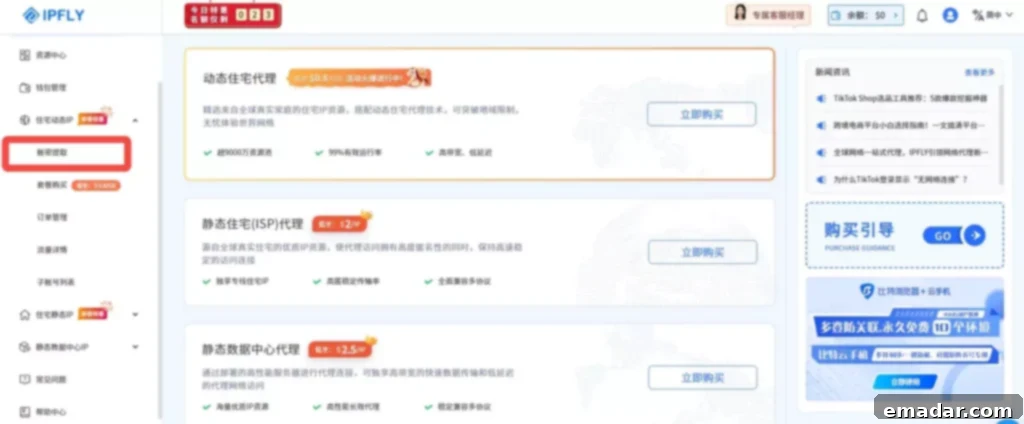
Go to the IPFLY website, register and log in to your account, and click on “Left Menu -> Residential Dynamic IP -> Account Password Extraction.”
You can set:
- Different levels of IP types
- Country/City
Three IP switching modes:
Random Switching: Randomly reassigns a usable IP from the IP pool at irregular intervals.
Timed Switching: Reassigns a usable IP from the IP pool after a set period.
API Switching: Reassigns a usable IP from the IP pool after a set period following a successful API trigger.
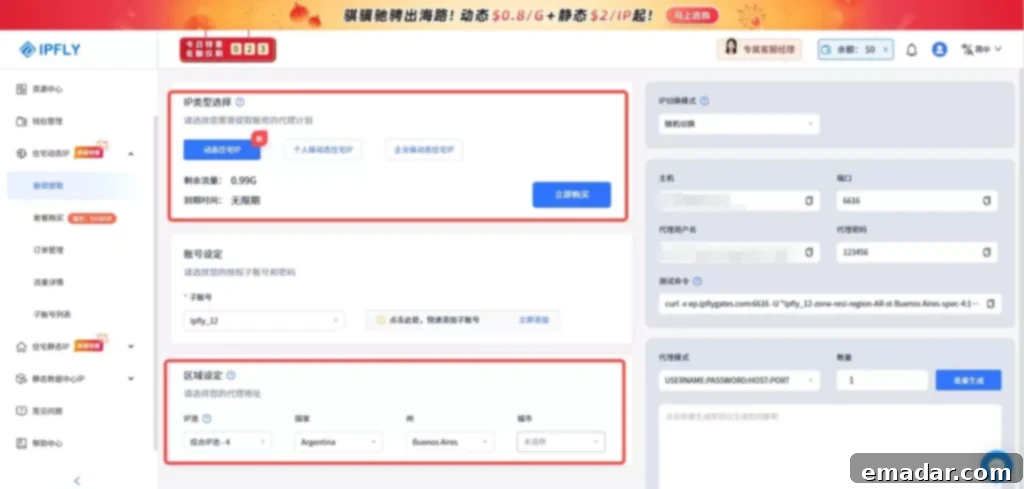
The system automatically generates:
- Address
- Port
- Username
- Password
For multi-account projects, use batch generation to obtain a group of proxy IPs at once. This ensures each account is assigned a unique IP address.
Step 2: Bind the Proxy to the Account
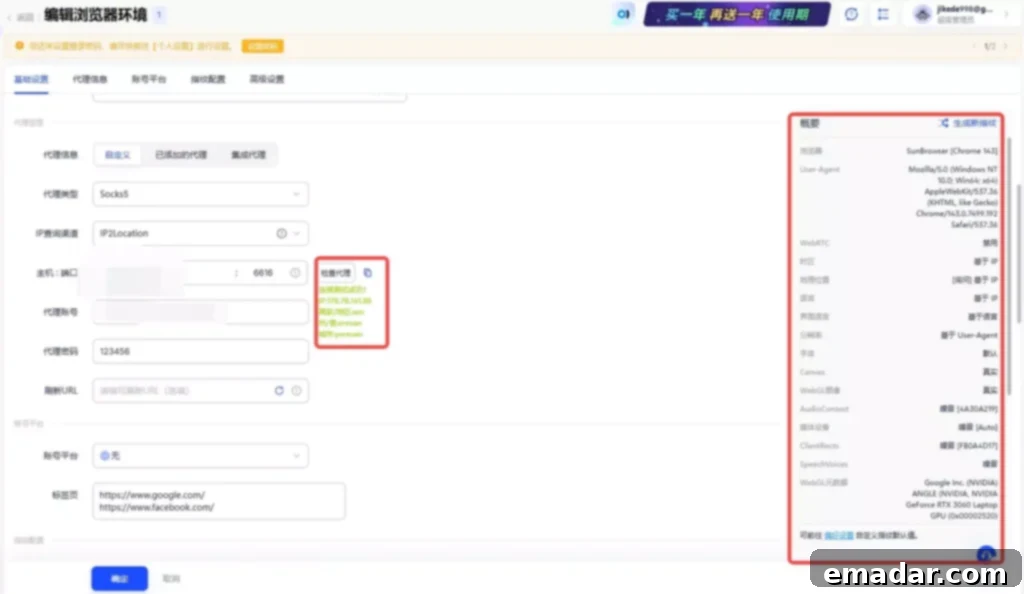
In the automation process: AI Agent → Controls the Browser → The Browser Uses the Proxy.
For example, in an automation tool:
Configure an independent proxy for each account.
Achieving:
👉 Account = Independent IP Environment
Step 3: Test Proxy Stability
Before running any tasks, verify with a test command:
Windows:
- Win + R
- Enter cmd
- Paste test command
A returned IP indicates success. This is crucial for avoiding “problem IPs” that could affect the automation success rate.
Step 4: API Dynamic Switching (Suitable for Long-Term Tasks)
If your AI Agent runs continuously, you can use the API switching feature:
- Select a sub-account
- Refresh the token
- Obtain a new proxy link
Achieving:
👉 Automatic IP rotation without manual intervention.
Why This Structure Is More Stable
When you disassemble the system:
AI Agent: Responsible for executing logic
Browser Environment: Responsible for simulating the device
IPFLY Dynamic Proxy: Responsible for providing the access source
The entire link becomes:
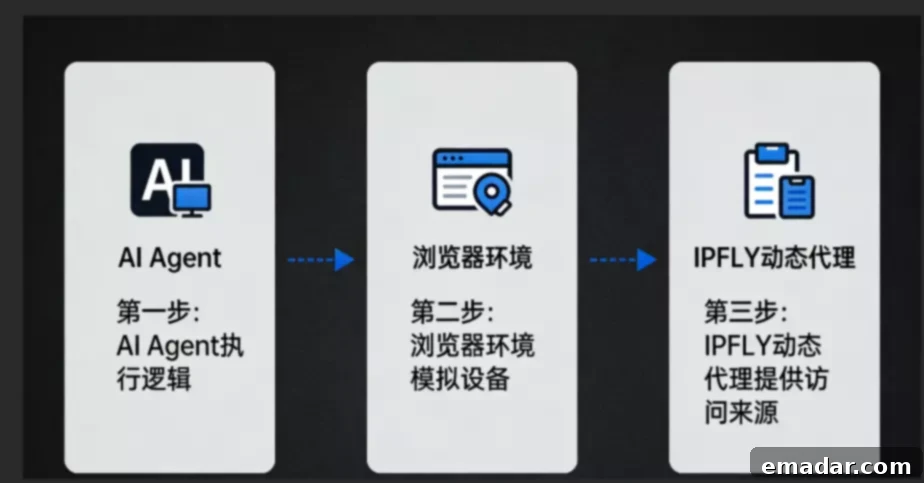
AI Agent → Browser → Proxy → Facebook
Compared to “running all tasks on a single IP,” this structure is:
- Closer to real user behavior
- More difficult to identify as automation
- More suitable for long-term operation
Conclusion: The AI Agent’s Bottleneck Is the Environment
Many discussions revolve around what AI Agents can do. However, those who’ve worked on projects are more concerned with: how long it can run stably.
When the account scale increases:
Code issues are no longer the primary concern.
Environment issues are.
Dynamic proxies essentially solve the problem of: making automated behavior more like real user behavior. By masking the true origin of requests and providing diverse network environments, dynamic proxies minimize the risk of detection and account restrictions.
This is why, in an increasing number of AI Agent projects, proxy IPs are evolving from “auxiliary tools” to “infrastructure.” They are becoming an integral part of the automation ecosystem, ensuring the reliability and stability of multi-account operations.
IPFLY Proxy:
- Stable full nodes, supporting 190+ countries and regions worldwide
- Second-level connection, barrier-free operation, simulating real home broadband scenarios