
Comprehensive Guide to Proxy IP Testing: Ensuring Reliability and Performance
Determining whether a proxy IP is truly “usable” is a deceptively complex task involving intricate interactions at multiple layers of the network protocol stack. For technology teams and operations engineers, establishing a systematic testing framework is crucial. This framework should comprehensively assess the actual usability of proxy IPs, from the foundational connection quality to the performance of upper-layer business applications.
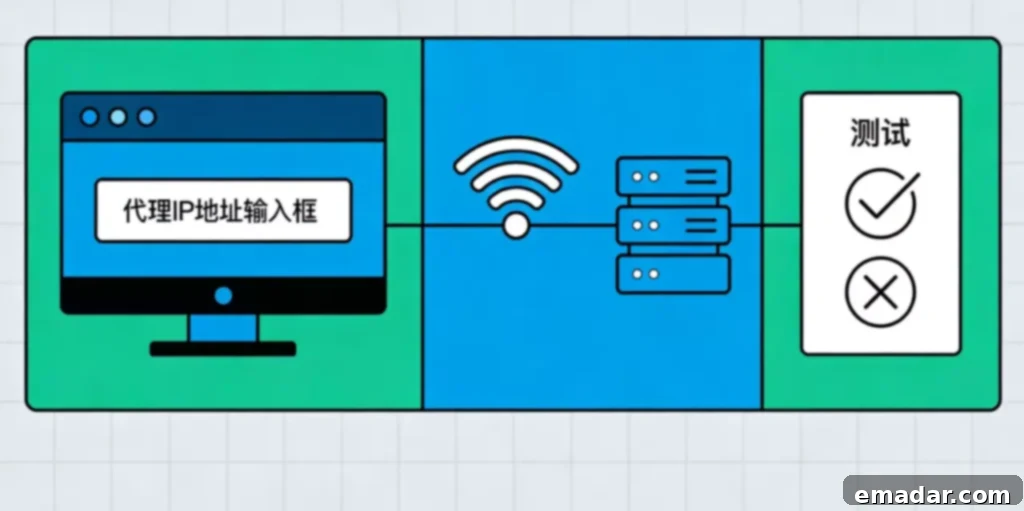
Network Layer Testing: Establishing Basic Connectivity and Performance Baselines
TCP Connection Quality Analysis
At its core, a proxy IP functions as a TCP connection forwarder, making connection quality the bedrock of its performance:
Three-Way Handshake Latency:
- Measure the TCP handshake time from the client to the proxy server.
- Measure the TCP handshake time from the proxy server to the target server.
- Total latency = Local to proxy + proxy to target + proxy processing overhead.
Testing Methodology:
Key Metrics:
- DNS Resolution Time: Should be <100ms. Longer times indicate DNS configuration issues.
- TCP Connection Time: Should be <50ms. Longer times indicate poor network quality.
- Time to First Byte (TTFB): Reflects proxy processing capability and backend response.
Bandwidth and Throughput Testing
A proxy’s bandwidth capacity determines its concurrent performance:
Single Connection Bandwidth:
- Use iperf or similar tools to test the maximum bandwidth of a single TCP connection.
- Compare the bandwidth loss rate between direct connection and proxy connection.
- A high-quality proxy should have a bandwidth loss of <20%.
Concurrent Connection Testing:
- Gradually increase the number of concurrent connections (10, 50, 100, 500).
- Observe whether the linear growth of throughput is interrupted.
- Identify the proxy’s concurrency bottlenecks (connection number limit, bandwidth limit).
Testing Tools:
- iperf3: A professional bandwidth testing tool.
- wrk/ab: HTTP layer concurrent stress testing.
- Establish a self-built file download service to test actual transfer speed.
Protocol Layer Testing: Ensuring Compliance of Proxy Implementation
HTTP Proxy Protocol Testing
HTTP proxies are the most common type, requiring validation of the correctness of protocol implementation:
Request Method Support:
- Basic methods like GET, POST, PUT, DELETE.
- CONNECT method (for HTTPS tunneling).
- Custom methods (required by some APIs).
Request Header Handling:
- Test whether the proxy modifies or adds headers.
- Check proxy-related headers such as Via and X-Forwarded-For.
- Verify whether user data such as User-Agent and Cookie are transparently transmitted.
Response Handling:
- Complete transmission of large response bodies.
- Chunked Transfer Encoding.
- Correct handling of compressed content (gzip, br).
Testing Methodology:
Use httpbin.org or a self-built test endpoint, send various requests, and check the request mirror in the response to confirm that the proxy behavior meets expectations.
SOCKS Proxy Protocol Testing
SOCKS proxies provide a lower-level forwarding capability:
Version Support:
- SOCKS4: Basic TCP forwarding.
- SOCKS4a: Supports domain name resolution.
- SOCKS5: Supports UDP, IPv6, authentication.
Authentication Mechanism:
- No authentication.
- Username/password authentication.
- GSS-API authentication (enterprise environment).
DNS Resolution Location:
- SOCKS4a/5 supports domain name resolution by the proxy server.
- Test for DNS leakage risks.
- Verify the consistency of remote DNS and local DNS results.
Testing Tools:
- curl supports SOCKS proxy: curl –socks5 proxy IP:port target URL.
- proxychains: A SOCKS proxy testing tool under Linux.
Anonymity Testing: Evaluating the Effectiveness of Identity Hiding
Anonymity Level Determination
Proxy anonymity is divided into three levels, requiring precise testing:
Transparent Proxy:
- Reveals real IP: REMOTE_ADDR, HTTP_X_FORWARDED_FOR.
- Reveals the use of a proxy: HTTP_VIA, HTTP_PROXY_CONNECTION.
- Offers almost no anonymity, only used for caching or access control.
Anonymous Proxy:
- Hides real IP: Does not reveal the client IP.
- Reveals the use of a proxy: Retains headers such as Via.
- The target knows you are using a proxy, but does not know who you are.
High Anonymity Proxy (Elite/High Anonymous Proxy):
- Hides real IP.
- Hides the fact of using a proxy: Does not add any proxy-related headers.
- The performance is completely consistent with direct connection.
Testing Methodology:
Visit httpbin.org/ip and similar services, check the returned request header information, and determine the anonymity level.
Advanced Fingerprint Detection Avoidance
Modern websites use more sophisticated techniques to identify proxies:
TCP/IP Fingerprints:
- TTL (Time To Live) value: Different operating systems have different initial TTLs.
- TCP window size: Characteristics of the operating system and network.
- TCP options: MSS, SACK, timestamps, etc.
Testing Methodology:
Use passive operating system fingerprint recognition tools such as p0f to compare fingerprint changes before and after using the proxy.
Browser Fingerprint Consistency:
- Canvas fingerprints, WebGL fingerprints.
- Font list, plugin list.
- Screen resolution, time zone, language.
Testing Methodology:
Use tools such as browserleaks.com to check the consistency and credibility of fingerprints in a proxy environment.
Application Layer Testing: Real-World Performance in Business Scenarios
Target Website Compatibility Testing
The ultimate value of a proxy lies in successfully accessing target services:
Functional Integrity Testing:
- Page rendering: JavaScript execution, CSS loading, image display.
- Interactive functions: Form submission, AJAX requests, WebSocket connections.
- Multimedia: Video playback, audio streaming, real-time communication.
Anti-Crawling Mechanism Response:
- Access frequency limit: Test the proxy’s carrying capacity.
- Captcha trigger frequency: Evaluate anonymity quality.
- Banning and rate limiting: Long-term stability observation.
Geographic Targeting Accuracy:
- Verify the consistency of IP geolocation with the target website’s recognition.
- Test the correctness of localized content (prices, languages, recommendations).
- Check whether CDN node selection is optimized.
Session Persistence and State Management
Stateful applications require proxy support for session persistence:
Cookies and Sessions:
- Test the persistence of login status.
- Check the correct handling of Cookie domain and path.
- Verify Session stickiness (the same user always uses the same exit IP).
IP Rotation Strategy (Dynamic Proxy):
- Test rotation timing: By time, by number of requests, by session.
- Verify the smoothness of the rotation: Whether it interrupts existing connections.
- Check the quality consistency of the new IP.
Testing Scenarios:
Simulate an e-commerce shopping process (browse → login → add to cart → checkout) to verify the session integrity throughout the process.
Long-Term Stability and Monitoring System
Availability Monitoring
Establish continuous proxy health monitoring:
Detection Frequency:
- Key proxies: Detect every minute.
- Normal proxies: Detect every 5-10 minutes.
- Backup proxies: Detect every hour.
Detection Content:
- Basic connectivity: Whether the TCP port is open.
- Application availability: Whether the HTTP request is successful.
- Performance indicators: Response time, download speed.
Alarm Mechanism:
- Continuous failure count threshold.
- Performance degradation percentage threshold.
- Multi-channel alarm (email, SMS, Webhook).
Quality Trend Analysis
Identify proxy quality changes based on historical data:
Success Rate Trend:
- Daily/weekly/monthly success rate statistics.
- Identify proxies with declining quality and replace them in time.
- Compare the performance of different suppliers and different regions.
Performance Baseline Drift:
- Long-term trend of response time.
- Bandwidth stability assessment.
- Anomaly detection: Identify sudden performance degradation.
Business Indicator Association:
- The relationship between proxy quality and business success rate.
- Cost-effectiveness analysis: Quality vs. price.
- Optimization suggestions: Adjustment direction of proxy strategy.
Automated Testing Framework Construction
Test Architecture Design
Layered testing model:
- Unit test: Basic functions of a single proxy IP.
- Integration test: Cooperation between the proxy and the business system.
- End-to-end test: Simulation of complete business processes.
Continuous Integration Integration:
- Incorporate proxy testing into the CI/CD process.
- Verify proxy availability before each deployment.
- Automated test report generation.
Recommended Toolchain
Network Layer: tcping, iperf3, ping, traceroute
Application Layer: curl, httpie, Postman, JMeter
Browser Layer: Selenium, Puppeteer, Playwright
Monitoring Layer: Prometheus + Grafana, Zabbix, Self-built Dashboard
Professional Service Provider Support:
IPFLY and other enterprise-level proxy services usually provide:
- API interface for automated testing.
- Webhook pushes proxy status changes.
- Detailed logs and metrics data.
- Technical support to assist with complex scenario testing.
From Experience Judgment to Data-Driven Engineering Practice
Testing proxy IPs is not a one-time task, but a continuous quality management process. From the connection quality of the network layer to the compliance of the protocol layer, and then to the business adaptation of the application layer, each layer requires professional testing methods and tool support.
Establishing a systematic testing system can help technical teams:
- Quantify proxy quality and avoid subjective judgments.
- Detect failures in time and reduce business impact.
- Optimize proxy strategies and improve cost-effectiveness.
- Accumulate historical data to support decision analysis.
IPFLY, as an enterprise-level proxy service provider, not only provides high-quality IP resources, but also provides complete testing tools, monitoring capabilities and technical support to help users build a scientific proxy quality assessment system, and upgrade proxy services from “usable” to “easy to use” and “worry-free use”.
IPFLY has 90 million+ high-quality IP resources worldwide, supporting:
- ✅ Highly stable static residential IPs (customizable country/city).
- ✅ Massive dynamic residential IPs, supporting automatic rotation.
- ✅ High purity and strong anti-risk control capabilities.
- ✅ Exclusive customer service IP environment configuration guidance.
Register IPFLY and let your account ‘hide’ overseas to truly achieve secure operation!