
Gemini’s Region Lock: How It Really Works and Effective Solutions
Many articles suggest that if you see the “Gemini is not supported in your region” message, you simply need to change your network. While that sounds simple, it often overlooks the underlying issue.
The reality is, if you’re seeing this message, it’s likely not the first time Gemini has determined your location. It means the determination has solidified.
This article doesn’t offer a quick “try this” fix. Instead, we’ll break down: 👉 How Gemini actually determines your location.
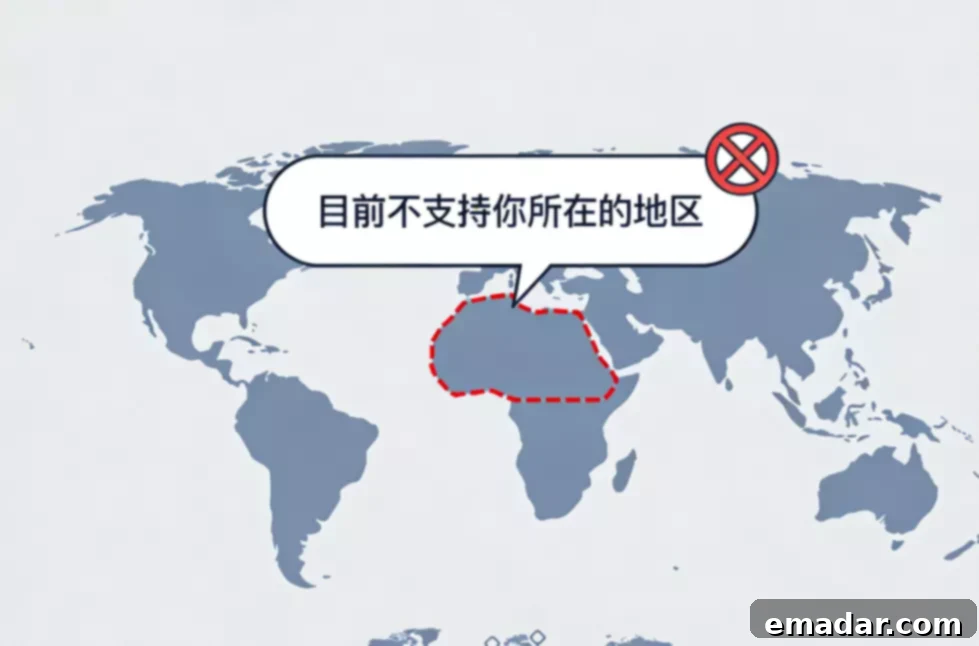
1. Gemini Doesn’t Rely Solely on Your IP Address
This is a common and potentially damaging misunderstanding. Many users believe that simply changing their IP address will solve the region lock issue. However, testing reveals a more complex reality.
In practical testing, you’ll find that:
- Using the same IP address
- With different accounts
- On different devices
Produces completely different results.
This indicates that Gemini’s location determination involves at least three layers:
- Network exit location (IP address)
- Account history and behavior
- Consistency of the user environment
The IP address is merely the “entry condition,” not the final judgment. Gemini uses it as one data point among several.
2. Why Does the “Region Not Supported” Message Persist After Changing Your Region?
This is a frustrating point for many users. You change your IP address to a supported region, but the message remains.
The reason is simple: The system is no longer actively determining your location in real-time. It’s relying on your “historical profile.”
Once you’ve engaged in activities such as:
- Frequent region switching
- Logging into the same account from multiple countries
- Using high-risk networks (e.g., free VPNs)
Gemini will increasingly prioritize account and environment history over your current IP address. It has built a profile of your activity that it trusts more than your immediate location.
This explains why some users report:
“I’ve changed to a supported region, but it still doesn’t work.”
Gemini remembers your past actions and uses them to inform its decision, even if your current IP suggests a different location.
3. Which Actions Most Easily “Lock” Your Region?
The following actions might not immediately trigger an error, but they significantly reduce your chances of success later:
- Using free VPNs to frequently switch countries
- Changing your account region immediately after registration
- Repeatedly logging into the same account on multiple devices
- Having your network exit through multiple countries in a single day
From the system’s perspective, your behavior looks like: An automated user attempting to bypass region restrictions. These behaviors raise red flags and contribute to your historical profile of potentially malicious activity.
4. An Effective Solution: Not Just “Changing,” But “Rebuilding” Trust
Instead of constantly trying to “switch regions,” it’s more effective to understand a fundamental principle:
Gemini is more willing to re-trust a stable, new environment than a compromised, repeatedly modified old one.
Think of it like this: You’re trying to convince Gemini that you’re a legitimate user in a supported region. Constant changes suggest otherwise, while a consistent, trustworthy environment strengthens your case.
Option 1: Stable Environment + Time
Suitable for mild restrictions:
- Maintain a fixed, single-region network connection
- Cease all region-switching activities
- Maintain this for 24-48 hours
Some accounts will be re-enabled. By demonstrating stability, you give Gemini a chance to reset your historical profile and reconsider your access.
Option 2: New Account + Strong Environmental Consistency
Suitable for situations with multiple failures:
- Ensure account region, IP region, and system language are consistent
- Avoid using public or shared networks
- After registration, maintain a natural usage pattern
During this phase, many users opt for a long-term, fixed residential network environment. The primary goal isn’t just access, but:
- Ensuring long-term consistency in region determination
- Avoiding IP history conflicts
- Preventing the account from being re-flagged before use
Services like IPFLY’s static residential IPs address the issue of rebuilding environmental credibility, rather than simply providing a connection. These IPs are not shared, come from real residential addresses, and provide consistent location information that can help Gemini build trust in your account.
Using a dedicated residential IP gives your account a clean slate, free from the baggage of shared IPs or VPNs.
5. Why Do Some “Tutorials” Make the Problem Worse?
Because they only address one issue: Whether you can currently access the page. These quick fixes often ignore the long-term consequences of their actions.
They overlook:
- Whether the account has been flagged for anomalies
- Whether the behavior triggers compliance policies
- Whether the activity is classified as a high-risk attempt
In the long run, these actions only tighten region restrictions. While you might temporarily bypass the lock, you’re also reinforcing the idea that your account is trying to circumvent the system.
6. A Simple Criterion: Should You Keep Trying?
Use this simple checklist:
- ❌ Have you switched regions multiple times?
- ❌ Have you logged into the same account from multiple environments?
- ❌ Have you used public IPs?
👉 We advise against continuing to “try.” Stop first. Further attempts are likely to reinforce the negative signals already associated with your account.
- ✅ Are you using a single, consistent environment?
- ✅ Have you made few attempts?
- ✅ Is your region consistent across your account, IP, and system?
👉 You have a better chance of success. In this case, you can try again, but be mindful of maintaining consistency and avoiding any actions that might raise red flags.
7. Key Takeaway
Gemini’s region lock isn’t fundamentally about “where you are,” but rather “whether the system deems you worthy of access.”
It doesn’t judge a single action, but a history of behavior. Your overall pattern of activity, including IP changes, login locations, and account settings, contributes to Gemini’s assessment of your trustworthiness.
Frequently Asked Questions (FAQ)
Q1: Why can others use the same network, but I can’t?
Account history and usage patterns often outweigh the IP address. Gemini gives more weight to your individual account’s history than to the IP address alone. If your account has a history of suspicious activity, it will be more likely to be blocked.
Q2: Does waiting for a period of time really help?
It helps with mild restrictions but has limited impact on accounts with repeated anomalies. A short waiting period can help Gemini reset its assessment of your account, but it’s unlikely to solve the problem if you have a history of suspicious activity.
Q3: Will registering a new account definitely solve the problem?
Only if the environment is highly consistent; otherwise, it will still fail. A new account can provide a clean slate, but it’s essential to maintain consistency in your location, IP address, and system settings to avoid being flagged again.
Q4: Why is dynamic network switching particularly prone to failure?
Because it disrupts the consistency of region and behavior. Dynamic IP addresses and frequent location changes make it difficult for Gemini to trust your account. Consistency is key to establishing trust.
Q5: Will the region lock last forever?
Not necessarily, but incorrect attempts significantly extend the recovery period. The length of the region lock depends on the severity of the violation and your subsequent behavior. Making further mistakes will only prolong the lockout period.
IPFLY provides static/dynamic residential IPs and data center proxies to safeguard your cross-border operations, without disconnection, association, or account bans, giving your account a clean start. A clean IP and consistent location can help you regain access to Gemini and other region-restricted services.