
LinkedIn is a powerful platform for businesses engaged in international trade, cross-border e-commerce, and overseas B2B customer development. It’s a treasure trove of opportunities often overlooked.
Compared to trade shows, mass email campaigns, or third-party platforms, LinkedIn offers a significant advantage: the chance to directly connect with **key decision-makers** in overseas companies.
However, many encounter obstacles right from the start:
- How to register for the international version of LinkedIn?
- What information is needed for registration?
- Why is my account restricted soon after registration?
- How can businesses effectively use LinkedIn to find international clients?
This guide provides a comprehensive overview, covering **LinkedIn registration, account environment setup, and practical methods for developing international clients**.
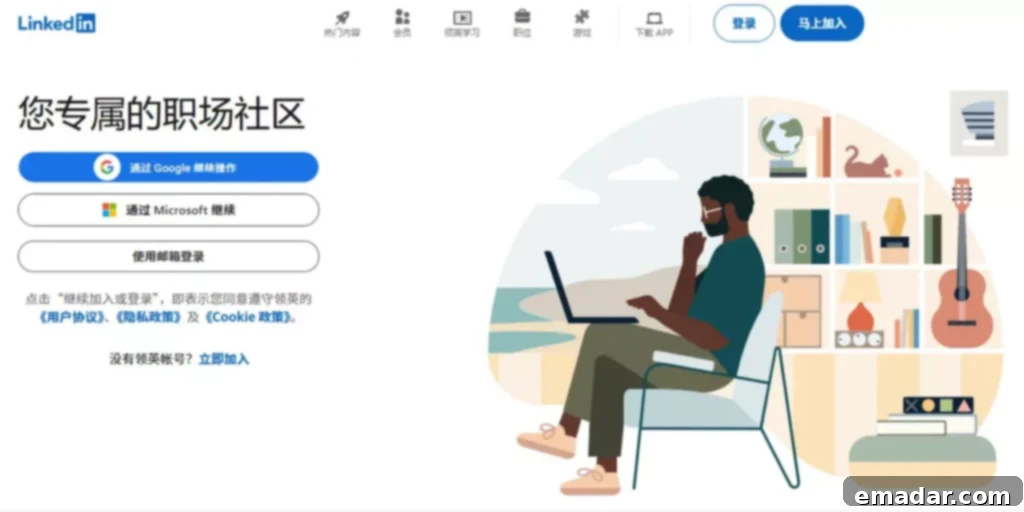
What is LinkedIn International, and Who Should Use It?
LinkedIn International is the world’s largest professional networking platform. Its core users include:
- Overseas company founders/CEOs
- Procurement managers and supply chain heads
- Marketing directors and business leaders
- International sales professionals, cross-border business practitioners, and freelancers
For businesses, LinkedIn is essentially a **customer pool that allows precise targeting by industry, company, job title, and decision-making authority**.
It’s especially suitable for:
- International B2B customer development
- Finding overseas agents/distributors
- High-value, long-decision-cycle businesses
How to Register for LinkedIn International: A Complete Guide for Beginners
- What Information Do You Need Before Registering?
Before registering for LinkedIn International, it’s recommended to prepare the following:
- **A long-term, reliable email address** (Gmail or Outlook are recommended). Ensure you have access to this email address for verification and important communications.
- **Your real name** (in pinyin or English). Consistency in your personal branding is crucial for building trust and credibility.
- **Basic professional information** (job title, industry, company, or business focus). This helps LinkedIn connect you with relevant professionals and opportunities.
- **A consistent and stable network environment**. Maintaining a stable IP address and avoiding frequent location changes is important for account security.
⚠️ Important: LinkedIn places a high emphasis on account authenticity. **Avoid using temporary email addresses, frequently switching environments, or providing false identity information.** Doing so can lead to account restrictions or suspension.
- LinkedIn International Registration Steps
The registration process itself is straightforward:
- Go to the LinkedIn International website. Make sure you are accessing the correct regional version if needed.
- Fill in:
- Your name. Use your real name as it appears on your official documents.
- Your email address or phone number. Choose the method you prefer for account verification and communication.
- A password. Create a strong and unique password to protect your account.
- Complete the email or phone verification code. This step confirms that you own the email address or phone number provided.
- Select your country/region. Ensure this is accurate to connect with the right professional network.
- Fill in your professional information. Be specific and accurate to help LinkedIn understand your background and interests.
Once registered, you’ll be taken to your account homepage. Take some time to familiarize yourself with the platform’s features and settings.
- Three Things to Do Immediately After Registration
Many beginners start adding connections aggressively right after registration, which **can easily lead to account limitations.**
The correct order should be:
- **First, complete your profile.** A well-crafted profile is essential for attracting the right connections and opportunities.
- **Then, maintain a period of stable usage.** This helps establish your account as a legitimate and active user.
- **Finally, start your client development activities.** Once your profile is optimized and your account is established, you can begin networking and engaging with potential clients.
LinkedIn International Registration and Usage: Setting Up a Stable Network Environment
This is a common pitfall for many businesses.
- Why Does the Network Environment Affect LinkedIn Accounts?
LinkedIn comprehensively assesses:
- The IP address’s country. This is a key factor in determining your location and the relevance of your network.
- The login device environment. LinkedIn tracks the type of device, operating system, and browser used to access your account.
- The consistency of your actions. Sudden changes in your activity patterns can raise red flags.
- Whether your account information matches your access environment. Discrepancies between your profile information and your location can trigger security measures.
If you experience:
- Frequent location changes. This can indicate that your account is being accessed from multiple locations, which is a sign of potential compromise.
- Multiple accounts being used interchangeably. Sharing a single IP address among multiple accounts is a common violation of LinkedIn’s terms of service.
- Abrupt and erratic behavior. Sending a large number of connection requests or messages in a short period can be flagged as spam.
It’s easy to trigger restrictions, such as:
- Inability to send invitations. This can severely limit your ability to grow your network and connect with potential clients.
- Limited search functionality. This makes it difficult to find and target specific individuals or companies.
- Temporary account restrictions. In severe cases, your account may be temporarily suspended while LinkedIn investigates potential violations.
- Common Stable Environment Practices for Businesses
In practice, many business teams will:
- Configure **fixed-region access environments** for different business accounts. This ensures that each account appears to be consistently located in a specific region.
- Ensure the registration, login, and daily operation environments are consistent. Maintaining a consistent digital footprint is crucial for building trust with LinkedIn.
- Avoid frequently switching country nodes. Frequent changes in your IP address can raise red flags and trigger security measures.
Some users use residential proxy or static proxy resources, to support stable access to overseas platforms (such as LinkedIn), **making account behavior more like a real overseas user, reducing the risk of restrictions due to environmental anomalies.** This allows businesses to maintain a consistent and reliable online presence.
How to Effectively Acquire Clients Through LinkedIn
Registration is just the beginning; **the real value lies in how you use it.**
- Optimize Your Personal Profile
Your LinkedIn profile ≈ your international business card.
Focus on optimizing these three areas:
- **Profile Picture:** Clear, professional, avoid casual selfies. Your profile picture is the first impression you make on potential connections.
- **Headline:** Highlight the problem you solve. Your headline should clearly communicate your value proposition and target audience.
- **About Section:** Describe your value from the customer’s perspective. Focus on the benefits you provide to your clients and how you can help them achieve their goals.
❌ Incorrect Example:
Sales Manager at XXX
✅ Recommended Example:
Helping wholesalers source table OEM suppliers from China
- Use the Search Function to Precisely Target Clients
LinkedIn search supports multi-dimensional filtering:
- Job Title (Purchasing Manager, Buyer, Founder). Use specific keywords to target individuals in relevant roles.
- Industry (Import & Export, Retail, Manufacturing). Narrow your search to focus on industries that align with your business.
- Company Size. Target companies of a specific size to match your ideal customer profile.
- Country/Region. Focus on specific geographic areas to target your desired markets.
Businesses are advised to prioritize:
- **Small and Medium-sized Enterprises (SMEs).** SMEs often have more flexible decision-making processes and are more open to new partnerships.
- **Founders or Leaders.** Connecting with founders and leaders can provide access to key decision-makers and strategic opportunities.
- **Procurement-related Positions.** Targeting procurement professionals can lead to valuable insights into their sourcing needs and processes.
Start building connections.
- Send Connection Requests Correctly
Common mistakes beginners make:
- Using template messages. Generic messages are often ignored and can be perceived as spam.
- Adding dozens of people a day. Sending too many connection requests in a short period can trigger LinkedIn’s spam filters.
- Pitching products right away. Focus on building relationships and providing value before attempting to sell your products or services.
A more reliable approach is:
- Control the daily number of requests. Limit the number of connection requests you send each day to avoid triggering spam filters.
- Briefly explain who you are + why you’re connecting. Personalize your connection requests to explain why you’re interested in connecting with the individual.
- Don’t rush into a sale. Focus on building rapport and establishing trust before attempting to close a deal.
For example:
Hi [Name], I work with overseas buyers in the [Industry] industry. Would love to connect and exchange insights.
- Enhance Account Trust Through Content
In addition to actively searching for clients, you can also:
- Like and comment on industry content. Engaging with relevant content helps you stay informed and build relationships with other professionals in your industry.
- Publish experiences related to your business. Sharing your experiences and insights can establish you as a thought leader and attract potential clients.
- Share industry observations or case studies. Providing valuable content can help you build trust and credibility with your target audience.
By consistently creating and sharing content, LinkedIn will gradually recommend you to **more targeted audiences.** This increases your visibility and helps you connect with the right people.
Key Considerations for Beginners Using LinkedIn
- Avoid frequently changing your name, region, or job title. Consistency in your profile information is important for building trust and credibility.
- Don’t add a large number of people in a short period. Gradual and consistent network growth is more effective and less likely to trigger spam filters.
- Avoid using multiple accounts in the same environment. Sharing a single IP address among multiple accounts is a common violation of LinkedIn’s terms of service.
- Maintain a natural and consistent operating rhythm. Avoid sudden changes in your activity patterns, which can raise red flags.
In international business, **account + network environment + operating habits** are a complete system. Instability in any one aspect will affect the account’s lifecycle.
Conclusion
**LinkedIn International registration is just the first step. The subsequent usage method truly determines the effect.**
From preparing registration information and maintaining a stable network environment to optimizing your account and searching for and communicating with clients, each step directly impacts your ability to continuously acquire overseas clients.
For businesses, as long as the method is correct and the pace is reasonable, LinkedIn can become a **long-term, stable, and replicable source of customers.**
Dedicated to continued focus on cross-border and trade sectors.
Stay informed about the evolving landscape of international trade and e-commerce.