
Understanding ISPs: Your Gateway to the Internet
Many people think of an “ISP” simply as the company they pay for internet access. This is a very limited understanding. Delving deeper into the role of ISPs raises many questions, such as: “Why does the IP address assigned by my ISP change?” “Can my ISP control what content I access?” “Can a proxy network replace my ISP?”
Misconceptions about ISPs are also common, such as the idea that “the higher the ISP’s bandwidth, the faster my internet speed will be,” or that “all ISPs offer the same level of service.”
As the essential link to the internet, the operating principles and boundaries of an ISP directly influence our online experience. Because most people don’t understand the underlying mechanics, misunderstandings easily arise.
What is an ISP? Is it the Same as a Carrier?
An ISP is a generic term for “Internet Service Provider.” Carriers (like major telecommunication companies) are a core component of ISPs, but the two are not entirely synonymous. Carriers are large ISPs with national network resources that can provide basic network access. Besides carriers, smaller ISPs (like regional broadband providers) also exist. They lease network resources from carriers and then offer internet access to users, also falling under the ISP category. In simple terms, a “carrier” is a type of ISP, but ISPs are not limited to carriers.
Why Does the IP Address Assigned by My ISP Change? Can I Request a Static IP?
The IP addresses assigned by ISPs are divided into dynamic IPs and static IPs. Ordinary personal users typically use dynamic IPs, which change when you restart your router, reconnect to the network, or when the ISP updates its IP address pool. This allocation method improves the utilization of IP address resources and reduces operating costs. If you need a static IP address (e.g., for remotely accessing home devices or setting up a corporate server), you can request one from your ISP. However, static IPs usually incur an extra fee, and the requirements and costs for business users are significantly lower than for personal users.
Can My ISP See the Websites I Visit and the Content I View? Can They Control What I Access?
From a technical standpoint, ISPs can monitor users’ network access behavior (e.g., the domain names of websites visited, access times, and data transfer volumes). However, they cannot directly view encrypted content (like web content encrypted with HTTPS or encrypted chat messages). Furthermore, ISPs are legally obligated to filter and block illegal or non-compliant online content based on relevant laws and regulations. This is not arbitrary control over users’ access. For legal and compliant online content, ISPs have no right to restrict access.
Why is There a Difference in Network Quality Between Different ISPs? Where Does This Difference Manifest?
The network quality differences between ISPs mainly stem from variations in network infrastructure, network resources, and optimization capabilities. First, in terms of network infrastructure, large carriers (like major telecommunication companies) have broader fiber optic coverage and more base stations, leading to greater network stability. Smaller ISPs have relatively weaker infrastructure, potentially leading to coverage gaps and unstable signals. Second, in terms of network resources, large carriers have more IP address resources and wider international exit links, enabling them to handle more concurrent user access requests. Smaller ISPs have limited network resources, making them prone to congestion during peak hours. Finally, in terms of optimization capabilities, large carriers have more mature technologies for route optimization and domain name resolution, enhancing data transmission efficiency. Smaller ISPs have relatively weaker optimization capabilities, which might result in a poorer network experience.
When Using a Proxy Network, Can My ISP Still Monitor My Access Behavior?
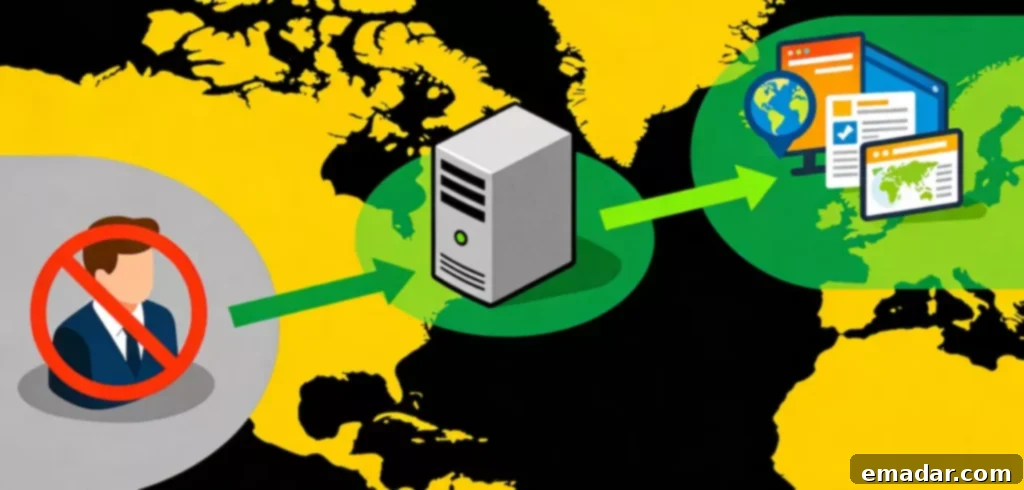
When using a proxy network, the ISP can still monitor the device’s network connection behavior (e.g., connections to the proxy server, data transfer volume). However, they cannot directly monitor the specific content accessed or the target websites visited through the proxy network. This is because the user’s access data is first transmitted to the proxy server, encrypted, and then transmitted to the target website. The ISP can only see the data flow between the device and the proxy server and cannot decipher the encrypted content. For example, when using proxy network services, the ISP only knows that the device is transmitting data to the proxy node, but cannot know which specific overseas website is being accessed.
Common Misconceptions About ISPs
“The Higher the ISP’s Bandwidth, the Faster My Internet Speed Will Be”
Bandwidth is an important factor influencing internet speed, but higher bandwidth does not necessarily mean faster internet speed. Other factors also affect internet speed, such as the ISP’s network quality (latency, packet loss), the target server’s load, device performance, and network connection method. For example, choosing an ISP with high bandwidth but poor network stability might still result in slow speeds and buffering during peak hours. When accessing a heavily loaded target server, even with sufficient bandwidth, page loading might still be slow.
“All ISPs Offer the Same Service, Just Choose the Cheapest One”
The services offered by different ISPs vary significantly, and you shouldn’t just focus on price. Besides bandwidth and price, you should also consider network quality, coverage, customer service, and value-added services. For example, some smaller ISPs might offer lower prices, but their network stability is poor, and their customer service response is slow. Problems might not be resolved promptly, negatively affecting the online experience. Large carriers might charge slightly more, but their network quality and customer service are more reliable, leading to a more worry-free long-term experience.
“A Proxy Network Can Replace My ISP, I Can Access the Internet Without an ISP”
Proxy networks cannot replace ISPs. They require the underlying network provided by an ISP to function. The core function of a proxy network is to optimize transmission links and allocate IP addresses from specific regions. It does not have the ability to build a basic network access channel itself. Without the basic network provided by an ISP, the device cannot access the internet, and the proxy network cannot connect to the target server. For example, without subscribing to home broadband or mobile data, you cannot use a proxy network service to access overseas resources.
“The Public IP Address Assigned by My ISP is My Device’s Address, It Can Accurately Locate My Position”
The public IP address assigned by the ISP can roughly locate the network access point (e.g., city, region, ISP’s service center), but it cannot accurately locate the specific physical location of an individual device (e.g., home address, office address). The public IP address locates the ISP’s network node, not the device itself. For example, when a mobile phone uses mobile data, the public IP address corresponds to the location of the mobile base station. When using home broadband, it corresponds to the location of the broadband access node in the community or surrounding area. Achieving accurate device positioning requires combining GPS and other positioning technologies; the public IP address assigned by the ISP alone is insufficient.
What Can ISPs Do? What Can’t They Do?
1. What ISPs Can Do:
- Provide basic network access, establishing a connection channel between devices and the internet.
- Allocate IP addresses, ensuring device network identification and data transmission.
- Optimize network links, ensuring smooth and efficient data transmission.
- Provide after-sales services such as network maintenance and troubleshooting.
- Filter and block illegal and non-compliant online content in accordance with laws and regulations.
- Provide value-added services such as domain name registration and virtual hosting.
2. What ISPs Cannot Do:
- Arbitrarily restrict users’ access to legal and compliant online content.
- Directly view users’ encrypted network content.
- Replace optimization services like proxy networks to solve specific issues such as cross-border access and IP restrictions.
- Accurately locate the specific physical location of user devices.
- Solve non-network access layer issues such as target server failures and insufficient device performance.
Deepen Your Understanding of ISPs to Optimize Your Online Experience
Understanding “what an ISP is” means not only knowing its basic definition but also delving into its operating principles, common questions, misconceptions, and boundaries. An ISP is the core link to the internet, and its service quality directly affects the online experience. However, it is not a panacea and cannot solve all network problems.
In actual use, we should choose the appropriate ISP according to our needs and correctly view the role of auxiliary network services such as proxy networks. Proxy networks cannot replace ISPs; they are optimization supplements on top of the ISP’s basic network, capable of solving specific problems like cross-border access.
For example, when cross-border access is required, combining a high-quality ISP with a proxy network service can achieve a smoother access experience. A deeper understanding of ISPs can help us better utilize network resources, solve problems encountered during online activities, and improve the overall online experience.