
How to Bypass a Roblox IP Ban: The Ultimate Guide
Being blocked from your favorite game is incredibly frustrating. If you’re seeing an error message even when your password is correct, you might be experiencing a Roblox IP ban. This means Roblox has blocked your entire internet connection, not just your account.
This guide will show you three effective methods to regain access to the game by changing your IP address.
Understanding Roblox IP Bans
Why IP Bans Are Different from Account Bans
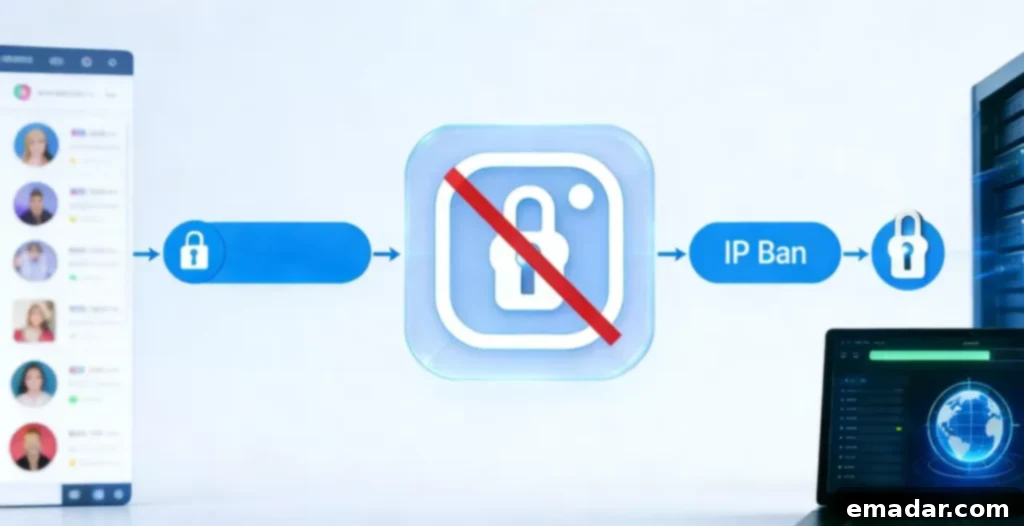
An account ban prevents you from using a specific username. However, a Roblox IP ban blocks the “door” your house uses to access the game servers. Therefore, simply creating a new account usually won’t work.
The Technology Behind the Ban
Roblox uses your public IP address to identify your network. If someone on your Wi-Fi violates the rules, the entire network can be blocked. Therefore, you need to present the server with a new, clean IP address to play again.
Why Roblox Bans Your IP Address
Common Triggers for Network Blocks
Roblox might block an IP address if it detects a serious violation of its rules. This often happens when users attempt to create numerous malicious accounts simultaneously.
Real-Life Scenarios
For example, if a player uses scripts that are not allowed in the game, the platform might block the network to ensure the community’s safety. However, even if you haven’t done anything wrong, technical errors can sometimes lead to a ban.
Method 1: Restarting Your Internet Router
How a Dynamic IP Address Can Benefit You
Many internet service providers (ISPs) assign you a “dynamic” IP address. This means your address can change. By turning your router off and on, you might get a new address for free.
Step-by-Step Instructions
- Close the Game: Completely exit Roblox and any associated launchers.
- Unplug the Power: Unplug the power cords from both your modem and your router.
- Wait: Leave them unplugged for 5 to 10 minutes to allow the connection to reset. This ensures the ISP releases the current IP address.
- Restart: Plug the modem back in first, wait for it to fully connect, and then plug in the router.
- Check: Search “What is my IP address” on Google to see if your IP address has changed. This confirms whether the restart was successful.
Method 2: Connecting to a Mobile Hotspot
Using Cellular Data as a Quick Fix
If the router trick doesn’t work, you can use your phone’s data. Your phone’s IP address is entirely different from your home Wi-Fi.
The Pros and Cons of This Method
- Success: This method is almost guaranteed to work since it uses a different network.
- Cons: However, playing games on a hotspot can be slow (laggy) and can use a significant amount of your phone’s data plan. This is best for short gaming sessions. Consider monitoring your data usage to avoid overage charges.
Method 3: Using a Residential Proxy like IPFLY
Why IPFLY is the Best Option for Gaming
For a stable and fast connection, a high-quality residential proxy is the ultimate solution. Unlike cheap proxies, IPFLY uses real home IP addresses. This makes your connection look like a normal user to Roblox.
Residential proxies provide a higher level of anonymity and are less likely to be detected compared to datacenter proxies. This is crucial for bypassing IP bans effectively.
Key Advantages of IPFLY
- Vast IP Pool: You can choose from over 90 million real residential IP addresses. This ensures a wide range of options and reduces the risk of using an IP address that has already been flagged.
- Fast Speeds: It uses the SOCKS5 protocol, which is optimized for gaming with lower latency. SOCKS5 provides a secure and efficient connection, minimizing lag during gameplay.
- Global Access: You can pick IPs from over 190 regions to find the fastest connection. This allows you to connect through servers located closer to the game servers, further reducing latency.
- Affordable: Static ISP proxies can cost as little as $2 per IP. This makes it a cost-effective solution for serious gamers looking to maintain uninterrupted access to Roblox.
Configuring IPFLY: A Step-by-Step Guide
Preparing Your Proxy
First, sign up for a plan on the IPFLY website. Filter by country or city to find the proxy you want to use.
Ensure that you select a plan that meets your specific needs, considering factors like bandwidth, number of IP addresses, and geographical locations.
Setting Up the Proxy on Windows and macOS
- Windows: Go to Settings > Network & Internet > Proxy. Turn on “Use a proxy server” and enter the IP and port provided by IPFLY.
- macOS: Open System Preferences > Network. Find your connection, click “Advanced,” and go to the “Proxies” tab. Select “SOCKS Proxy” and enter your details. Therefore, once you save these settings, Roblox will see your new IP and let you play.
After configuring the proxy, test your connection to ensure that it is working correctly. You can use online tools to verify your IP address and location.
Using Anti-Detect Browsers for Advanced Protection
Keeping Multiple Accounts Safe
If you manage multiple Roblox accounts, you should use an anti-detect browser with your IPFLY proxy. These browsers create separate “fingerprints” for each account.
Anti-detect browsers isolate each account, preventing them from being linked together. This is essential for maintaining the anonymity and security of your accounts.
Why This Prevents Future Bans
For example, if one account gets a Roblox IP ban, the other accounts remain safe because they are in their own isolated environments. Furthermore, this is the most professional way to stay online without interruptions.
By using anti-detect browsers, you can minimize the risk of all your accounts being banned due to the actions of a single account.
Conclusion and Final Tips
Choosing the Right Method
A Roblox IP ban is a major obstacle, but it’s not permanent. Restarting your router is a good first step, but it might not always be effective.
The Ultimate Game Plan
In conclusion, using a service like IPFLY offers the best reliability and speed for serious players. It ensures you always have a clean “door” into the Roblox universe.
Remember to always comply with Roblox’s terms of service to avoid future bans, even when using these methods. This includes avoiding the use of unauthorized scripts, respecting other players, and adhering to community guidelines.
Frequently Asked Questions About Roblox IP Bans
Q1: How long does a Roblox IP ban last?
A: It depends on the reason. Some bans are temporary (24 hours), while others might be permanent unless you change your IP.
Q2: Why didn’t my IP change after restarting my router?
A: Your internet provider might have given you a “static IP” that stays the same. Therefore, you need to use a residential proxy like IPFLY to change it.
Q3: Will using a proxy make my game lag?
A: Many proxies are slow, but IPFLY uses SOCKS5, which is built for speed to handle heavy gaming data with lower latency.
Q4: Can I use IPFLY on my phone?
A: Yes, IPFLY offers versions for Android and iOS devices, so you can bypass bans on your phone too.
Q5: Is bypassing an IP ban legal?
A: This guide provides users with technical paths to regain access. However, you should always follow Roblox’s terms of use to avoid future bans and ensure compliance with their rules.
Analogy: Imagine a Roblox IP ban is like a security guard blocking the front door of a park. Restarting your router is like waiting for a shift change, while using IPFLY is like having a private entrance the guard doesn’t even know about.