
Why You Need to Learn How to Use a Proxy Server Today
Ever encountered the frustrating “This content is not available in your location” message when trying to stream a show? Or worried about your online privacy while using public Wi-Fi? Perhaps you’re a business owner struggling to gather competitor data due to IP blocks. The solution to these problems is surprisingly simple: a proxy server.
For many beginners, the phrase “how to use a proxy server” can sound daunting. Terms like “HTTP proxy,” “SOCKS5,” and “proxy configuration” might seem like technical jargon. However, using a proxy server is much easier than you think. You don’t need to be a tech expert. With the right tool, like IPFLY, a client-free proxy, you can have it set up in just a few minutes.
This comprehensive guide will demystify proxy servers. We’ll start with the fundamentals – defining what a proxy server is and explaining why you need one. Then, we’ll provide step-by-step instructions on how to use a proxy server on Windows, Mac, Android, and iOS devices. We’ll also explore advanced applications, such as web crawling, with practical code examples. Finally, we’ll explain why IPFLY stands out as the optimal client-free proxy option. By the end of this guide, you’ll be confident in using a proxy server for a wide range of scenarios.
Understanding Proxy Servers: What They Are and Why You Need Them
What Exactly Is a Proxy Server?
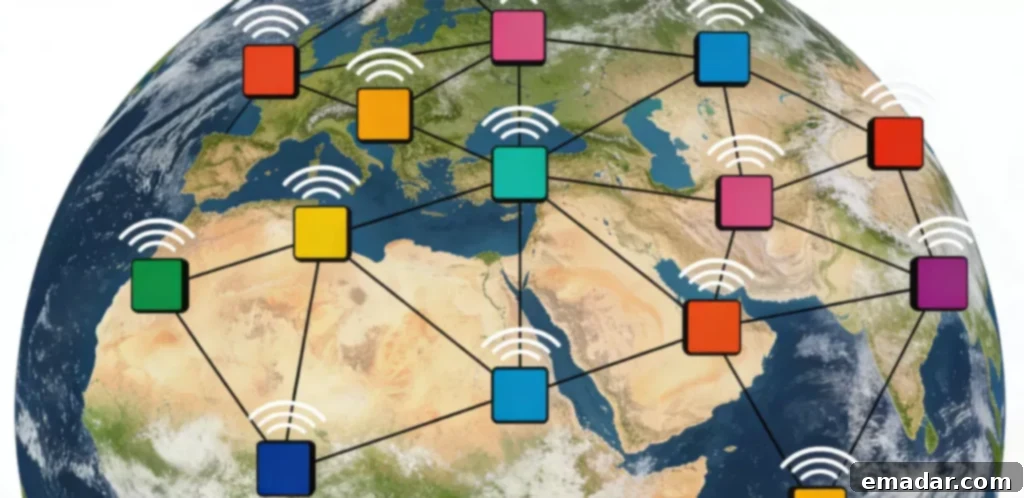
In simple terms, a proxy server acts as an intermediary between your device and the internet. When you use a proxy server, your internet traffic doesn’t go directly to the website you’re trying to access. Instead, it passes through the proxy server first. The proxy server masks your real IP address and uses its own IP address to send the request. This means the website only sees the proxy server’s IP address, not your actual IP address.
Think of it as sending a letter through a friend. You (your device) write the letter (the request), give it to your friend (the proxy server), and your friend mails it to the recipient (the website). The recipient only sees your friend’s address, not yours.
The Top 4 Reasons to Use a Proxy Server
- Protect Your Online Privacy: A proxy server hides your real IP address, preventing websites, advertisers, and hackers from tracking your online activity. This is especially crucial when using public Wi-Fi networks, which are often unsecured.
- Bypass Geographical Restrictions: Access content that’s restricted to specific regions, like Netflix US or BBC iPlayer, by using a proxy server located in the desired country. This allows you to enjoy content that would otherwise be unavailable.
- Avoid IP Bans: Businesses and developers can use proxy servers to collect data, manage multiple social media accounts, or test websites without risking their real IP address being blocked. This is essential for activities that might trigger security measures on target websites.
- Improve Internet Speed and Stability: Certain proxy servers, like IPFLY, have global servers that can reduce latency for cross-border browsing and gaming. By connecting to a server closer to the content you’re accessing, you can experience faster and more stable connections.
Step-by-Step Guide: How to Use a Proxy Server on Any Device
The specific steps for using a proxy server vary slightly depending on your device, but the fundamental principle remains the same: enter the proxy server’s IP address, port number, and any required authentication details (username and password) into your device’s network settings. Below are detailed instructions for the most popular devices.
Important Note: This guide uses IPFLY as our example proxy server. IPFLY is a client-free proxy, meaning it doesn’t require any software installation. You can obtain your IPFLY proxy details (IP address, port number, username, and password) by signing up for their free trial.
Scenario 1: Setting Up a Proxy Server on Windows 10/11
- Open the Settings app (press the Windows key + I) and navigate to Network & Internet.
- In the left-hand sidebar, click on Proxy.
- Under the “Manual proxy setup” section, toggle the Use a proxy server switch to On.
- Enter your IPFLY proxy server details:
- Address: Your IPFLY proxy IP address (e.g., 192.0.2.100).
- Port: Your IPFLY proxy port number (e.g., 8080).
- If your IPFLY proxy server requires authentication (as most paid proxies do), click Save. A pop-up window will appear, prompting you to enter your IPFLY username and password.
- Click Save again. You’re now connected to the proxy server! To confirm, visit a website like whatismyipaddress.com. It should display the IPFLY proxy server’s IP address, not your own.
Scenario 2: Configuring a Proxy Server on Mac
- Click the Apple menu in the top-left corner of your screen and select System Preferences.
- Choose Network.
- Select your current network connection (Wi-Fi or Ethernet) from the left sidebar, then click Advanced.
- Go to the Proxies tab.
- Check the boxes next to Web Proxy (HTTP) and Secure Web Proxy (HTTPS).
- For both Web Proxy (HTTP) and Secure Web Proxy (HTTPS), enter your IPFLY proxy server details:
- Web Proxy Server: Your IPFLY proxy IP address.
- Port: Your IPFLY proxy port number.
- Click OK, then Apply.
- A pop-up window will appear, asking for your IPFLY username and password. Enter them, and you’re all set!
Scenario 3: Setting Up a Proxy Server on Android
- Open the Settings app and go to Wi-Fi.
- Long-press on the Wi-Fi network you’re currently connected to, then select Modify network.
- Check the Advanced options box (you might need to scroll down to see it).
- Under “Proxy,” select Manual (the default setting is “None”).
- Enter your IPFLY proxy server details:
- Proxy hostname: Your IPFLY proxy IP address.
- Proxy port: Your IPFLY proxy port number.
- If required, enter your IPFLY username and password under “Authentication.”
- Tap Save. The proxy server is now active.
Scenario 4: Using a Proxy Server on iOS (iPhone/iPad)
- Open the Settings app and go to Wi-Fi.
- Tap the “i” icon next to the Wi-Fi network you’re connected to.
- Scroll down to Configure Proxy and select Manual.
- Toggle the Authentication switch to On (since IPFLY requires authentication).
- Enter your IPFLY proxy server details:
- Server: Your IPFLY proxy IP address.
- Port: Your IPFLY proxy port number.
- Username: Your IPFLY username.
- Password: Your IPFLY password.
- Tap Back twice to save the settings. You’re now using the proxy server!
Advanced Usage: Web Crawling with a Proxy Server (Python Example)
For developers or businesses involved in data scraping (e.g., e-commerce product prices, competitor analysis), proxy servers are indispensable for avoiding IP blocks. Below is a simple Python code example demonstrating how to use an IPFLY proxy server for web crawling, eliminating the need for complex configurations.
Step 1: Required Tools
Install the necessary Python library (requests):
pip install requestsStep 2: Web Crawling Code with IPFLY Proxy
import requests

# Configure IPFLY proxy (replace with your actual credentials)
ipfly_proxy = {
    "http": "http://your_ipfly_username:your_ipfly_password@your_ipfly_proxy_ip:your_ipfly_proxy_port",
    "https": "https://your_ipfly_username:your_ipfly_password@your_ipfly_proxy_ip:your_ipfly_proxy_port"
}

# URL to crawl (example: a product page)
target_url = "https://example.com/product/12345"

try:
    # Send request using IPFLY proxy
    response = requests.get(
        url=target_url,
        proxies=ipfly_proxy,
        timeout=10  # Set timeout to prevent indefinite waiting
    )

    # Verify successful request
    if response.status_code == 200:
        print("Crawling successful!")
        print("Page content snippet:", response.text[:500])  # Show the first 500 characters of the page
    else:
        print(f"Crawling failed. Status code: {response.status_code}")
except Exception as e:
    print(f"Error occurred: {str(e)}")
How It Works
By integrating the IPFLY proxy into the request, all crawling traffic is routed through the proxy server’s IP address instead of your actual IP address. This prevents the target website from blocking you, even with high-volume crawling. IPFLY’s high availability (99.99% uptime) ensures your crawler runs consistently without frequent interruptions.
Choosing the Right Proxy Server: Why IPFLY Excels
Now that you understand how to use a proxy server, the next critical step is selecting the right one. Not all proxy servers are equal. Free proxy servers are frequently slow, unreliable, and pose security risks (they can potentially steal your data). Paid proxy servers vary in quality, particularly in terms of client requirements, stability, and global coverage.
Key Considerations for Choosing a Proxy Server
- Client-Free vs. Client-Based: Client-based proxies need software installation (e.g., VPN apps), which might be restricted by schools or businesses. Client-free proxies (like IPFLY) function through network settings, eliminating the need for installation.
- Stability and Uptime: Prioritize proxy servers with 99.9%+ uptime to prevent frequent disconnections.
- Global Server Coverage: If you need to circumvent geographical restrictions, choose a proxy server with servers in the target countries (e.g., IPFLY boasts coverage in 100+ countries).
- Authentication and Security: Paid proxy servers should mandate username/password authentication to prevent unauthorized use. Look for robust encryption (like IPFLY’s AES-256) for data protection.
- Customer Support: Reliable customer support is vital for swiftly resolving setup or connectivity issues (IPFLY offers 24/7 live chat support).
IPFLY Compared to Other Proxy Options
| Proxy Type | Client Required? | Stability (Uptime) | Global Servers | Security | Ideal For |
|---|---|---|---|---|---|
| IPFLY (Paid Client-Free) | No | 99.99% | 100+ Countries | AES-256 Encryption | Beginners, Businesses, Crawling, Cross-Border Browsing |
| Free Public Proxies | No | 50-70% | Limited | Low (Risk of Data Theft) | Not Recommended |
| Client-Based VPN Proxies | Yes | 99.5% | 80+ Countries | High | Personal Use (If Installation is Allowed) |
| Shared Paid Proxies | No | 90-95% | 50+ Countries | Medium | Basic Browsing (Budget-Friendly) |
The Advantages of IPFLY
IPFLY’s primary advantage lies in its client-free design. It functions on all devices without requiring any software installation, making it perfect for environments where software installations are restricted (schools, offices). Coupled with 99.99% uptime, a vast network of global servers, and enterprise-level security, IPFLY stands out as the best overall option for both beginners and businesses. Unlike free proxies, it’s secure and reliable; unlike client-based VPNs, it’s flexible and discreet.
For advanced proxy strategies and dependable enterprise-grade services, visit IPFLY.net. Join the IPFLY Telegram community for industry insights and personalized tips to boost your business growth.

Common Mistakes to Avoid When Using a Proxy Server
Even if you know how to set up a proxy server, certain common mistakes can negatively impact your experience. Here’s how to avoid them:
- Using Free Proxies: Free proxies are slow, unstable, and often compromise your data. Opt for an affordable paid proxy like IPFLY to avoid these issues.
- Failing to Verify the Proxy: After setting up your proxy, always confirm that it’s working by checking your IP address using a website like whatismyipaddress.com. A common mistake is entering an incorrect port number.
- Using the Wrong Proxy Type: Use HTTP/HTTPS proxies for general browsing and streaming, and SOCKS5 proxies for gaming and file sharing. IPFLY supports both types.
- Ignoring Authentication: Always enable username/password authentication for your proxy server. Without it, anyone can use your proxy, leading to potential blocks and security vulnerabilities.
- Using a Proxy from the Wrong Region: If you’re trying to access US Netflix, make sure to use a US-based proxy server. IPFLY allows you to select specific regions with ease.
Frequently Asked Questions About Proxy Servers
Q1: Is using a proxy server legal?
Yes, using a proxy server is legal in most countries for legitimate activities such as protecting your privacy, accessing public data, and streaming content. It’s only illegal if you use it for unlawful purposes like hacking, copyright infringement, or fraud.
Q2: Will a proxy server slow down my internet speed?
Free proxy servers often will, but reliable paid proxy servers like IPFLY will not. IPFLY’s global servers and intelligent routing mechanisms are designed to optimize speed, potentially providing the same (or even better) speed than your normal internet connection, especially for accessing content from overseas.
Q3: Can I use a proxy server on multiple devices simultaneously?
Yes! IPFLY permits up to 5 devices to use the same proxy account concurrently (computers, smartphones, tablets). You’ll need to configure the proxy settings separately on each device.
Q4: How can I troubleshoot proxy server connection problems?
Common solutions include: 1. Double-checking your proxy IP address, port number, username, and password for typos (this is a frequent cause); 2. Switching to a different proxy server location (IPFLY offers multiple servers per country); 3. Restarting your device or router; 4. Contacting IPFLY’s customer support team.
Q5: Do I need a proxy server if I already use a VPN?
VPNs are a type of proxy server, but they require software installation. If you need to use a proxy server in an environment where software installations are restricted (e.g., a school), a client-free proxy like IPFLY is a better option. For personal use at home, a VPN is acceptable, but IPFLY provides greater flexibility for managing multiple devices and different scenarios.
Using a Proxy Server Is Easy – Get Started with IPFLY Today!
Understanding and using proxy servers doesn’t have to be complicated. With this guide, you’re now equipped to configure a proxy server on any device, utilize it for various tasks from general browsing to advanced web crawling, and select the most appropriate proxy server for your specific needs.
If you’re ready to get started, IPFLY is an excellent choice. Its client-free design ensures easy setup, its 99.99% uptime guarantees reliability, and its global server network allows you to access content from any region. Best of all, it offers a free trial, allowing you to test its capabilities risk-free.
Don’t let geographical restrictions, IP blocks, or privacy concerns limit your online activities. With IPFLY and the guidance provided in this guide, you can master the use of proxy servers and take control of your internet experience.