
What is an ISP? A Simple Guide to Internet Service Providers
The term “ISP” pops up frequently when dealing with internet access, broadband subscriptions, or selecting proxy IPs. While many recognize names like Verizon, AT&T, or Comcast as ISPs, the exact meaning and function of an ISP often remain unclear. This article provides a straightforward explanation of what an ISP is and its crucial role in connecting you to the internet.
ISP Explained in Seconds
ISP = Internet Service Provider
In simple terms, an ISP is the company that provides you with internet access. Whether it’s the broadband connection in your home or the mobile data on your smartphone, all internet traffic passes through an ISP.
ISPs in Everyday Life
Here are some common examples of ISPs:
- United States: Comcast, AT&T, Verizon, Cox Communications
- United Kingdom: BT, Virgin Media, Sky Broadband
- Japan: NTT, Softbank, KDDI
A Simple Analogy
Imagine the internet as a vast library:
- The Internet: All the books and resources in the library.
- The ISP: The librarian responsible for issuing library cards and providing access to the library.
- You: The reader who wants to access the books.
Without an ISP, you wouldn’t be able to enter this “library” and access the wealth of information it contains.
The Core Functions of an ISP
ISPs play several vital roles in providing internet connectivity.
- Providing Network Access
ISPs offer various types of network access to cater to different needs:
Home Broadband
- Fiber to the Home (FTTH): Offers the fastest speeds and most reliable connection.
- Cable: Uses existing cable TV infrastructure for internet access.
Mobile Networks
- 4G/5G Mobile Data: Provides internet access on smartphones and other mobile devices.
- Mobile Hotspot Sharing: Allows you to share your mobile data connection with other devices.
Dedicated Business Lines
- High-Speed, Stable Business Networks: Designed for businesses that require reliable and fast internet access.
- Static IP Addresses: Provide a consistent IP address for servers and other devices.
- Dedicated Technical Support: Offers specialized support for business customers.
- Assigning IP Addresses
Every device that connects to the internet needs an IP address, similar to a house needing a street address. ISPs are responsible for assigning IP addresses to users.
Types of IP Addresses
- Dynamic IP: The IP address changes each time you connect to the internet (common for home users).
- Static IP: The IP address remains the same (typically used by businesses or for specific needs).
Example
- When you connect to the internet at home, your ISP (e.g., Verizon) might assign you the IP address: 192.168.1.100.
- After restarting your router, the IP address might change to: 192.168.1.101.
- Both of these IP addresses belong to Verizon’s IP address range.
- Managing Network Traffic
ISPs are responsible for:
- Controlling Network Bandwidth: Ensuring fair allocation of bandwidth to all users.
- Allocating Network Resources: Optimizing network performance.
- Monitoring Network Quality: Identifying and addressing network issues.
- Handling Network Failures: Resolving network outages and technical problems.
- Providing Value-Added Services
Many ISPs offer additional services beyond basic internet access:
Common Value-Added Services
- Business Email: Professional email accounts for businesses.
- Cloud Storage Space: Online storage for files and data.
- Network Security Protection: Security measures to protect against online threats.
- Static IP Addresses: As mentioned above, for consistent IP addresses.
- VPN Dedicated Lines: Secure and private network connections.

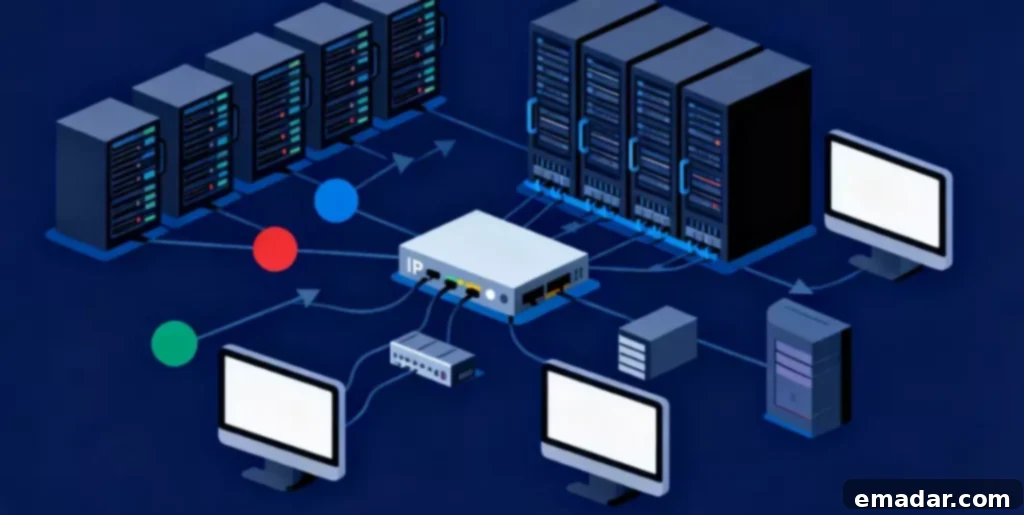
*Image illustrating the concept of Internet Service Providers*
Why Should You Understand ISPs?
Understanding ISPs is particularly important for various online activities, including e-commerce and choosing proxy services.
Cross-Border Business and Proxy Selection
When conducting cross-border e-commerce or international marketing, the concept of an ISP becomes crucial.
Why It Matters
- The Trustworthiness of IPs Varies Among ISPs: Different platforms may assign varying levels of trust to IP addresses from different ISPs.
- Residential IPs from ISPs Are More Authentic: Residential IPs are generally perceived as more trustworthy than data center IPs.
- Multi-Account Management Requires IPs from Different ISPs: Using diverse ISP IP addresses helps avoid account association.
When choosing a proxy IP service, reputable providers offer residential IPs sourced from real ISPs. These IPs, often covering numerous countries, ensure account security and business stability.
Types of ISPs
ISPs can be categorized based on their service range and access methods.
Classification by Service Range
Tier 1 ISPs
- The Top-Tier Internet Service Providers: These are the most prominent ISPs in the world.
- Possess Global Backbone Networks: They own and operate the core infrastructure of the internet.
- Peer with Other Tier 1 ISPs: They exchange traffic with other Tier 1 ISPs without charging each other.
- Examples: AT&T, Verizon, Level 3 (now Lumen Technologies).
Tier 2 ISPs
- Large Regional ISPs: These ISPs operate on a regional or national level.
- Purchase Bandwidth from Tier 1 ISPs: They rely on Tier 1 ISPs for access to the global internet.
- Provide Services to Tier 3 ISPs and End Users: They serve as intermediaries between Tier 1 ISPs and smaller ISPs or individual customers.
- Examples: Regional cable companies, national telecom providers.
Tier 3 ISPs
- Local Small ISPs: These are smaller ISPs that operate within a limited geographic area.
- Purchase Services from Tier 2 ISPs: They depend on Tier 2 ISPs for their internet connectivity.
- Directly Serve End Users: They provide internet access directly to homes and businesses in their local communities.
- Examples: Small community broadband providers, local internet companies.
Classification by Access Method
Fixed-Line ISPs
- Provide Wired Broadband Access: They use physical cables to deliver internet service.
- Fiber Optic, Coaxial Cable, Telephone Line: Different types of cables offer varying speeds and bandwidth.
- Fast Speed, Good Stability: Fixed-line connections generally offer faster and more reliable internet access compared to mobile connections.
Mobile ISPs
- Provide Mobile Network Services: They offer internet access through cellular networks.
- 4G, 5G Data Services: Mobile internet speeds and performance have significantly improved with the advent of 4G and 5G technologies.
- Flexible and Convenient, Wide Coverage: Mobile internet is convenient because it can be accessed from almost anywhere with cellular coverage.
Satellite ISPs
- Provide Internet via Satellite: They use satellite technology to deliver internet service.
- Suitable for Remote Areas: Satellite internet is often the only option for people living in remote or rural areas where wired connections are unavailable.
- High Latency, High Cost: Satellite internet typically has higher latency (delay) and is more expensive compared to other types of internet access.
The Relationship Between ISPs and IP Addresses
IP Address Attribution
Every IP address is associated with a specific ISP, allowing you to determine:
- Which ISP owns the IP address.
- The geographical location of the IP address.
- The type of IP address (residential, business, data center).
How to Find Out: Use tools like ipinfo.io or WHOIS lookups to view the ISP, type, and other details.
Why is ISP Information Important?
Website Identification Websites can use the ISP information associated with an IP address to determine:
- Whether it’s a real user or a bot.
- Whether it’s a home user or a data center.
- Whether additional verification is required.
Risk Management Systems E-commerce platforms and social media sites utilize ISP information to:
- Detect whether an account is using a proxy.
- Determine if multiple accounts are linked.
- Assess the risk level of an account.
Real-World Impact
- Data center IPs are often restricted.
- Residential ISP IPs have a higher success rate.
- Some services only allow access from specific ISPs.
The Importance of ISPs in Various Applications
E-commerce
Role of ISPs
- Stable ISP Environment Required for Store Login: Maintaining a consistent ISP environment is crucial for secure store access.
- Multiple Stores Need IPs from Different ISPs: Running multiple stores often requires using IP addresses from different ISPs to avoid account association.
- Localized Operations Need Target Market ISPs: Localized marketing and operations benefit from using ISPs within the target market.
Best Practices
- Use Independent ISP IPs for Each Store: Dedicate IP addresses from separate ISPs to each online store.
- Maintain Stability by Using the Same IP Long-Term: Long-term stability is enhanced by consistently using the same IP address.
- Select Local ISPs in the Target Country: Opt for local ISP services when operating in a particular country or region.
Social Media Marketing
ISP Requirements
- ISP Record at Account Registration: ISPs are documented when an account is created.
- Consistency of Long-Term Login Environment: An unchanging, long-term login environment is vital for security.
- Avoid Data Center ISP Detection: The avoidance of data center ISP detection is essential for maintaining a human-like presence.
Operation Techniques
- Use Residential IPs from Real ISPs: Real residential IPs are vital for a natural online presence.
- Keep IP and Account Location Consistent: Keep the locations of IP addresses and accounts aligned.
- Avoid Frequent ISP Switching: Minimizing the frequency of ISP changes is vital for consistency.
Data Collection
ISP Selection
- Residential ISPs: Suited for data collection requiring a high pass rate.
- Data Center ISPs: Appropriate for large-scale, high-speed collection.
- Rotate Different ISPs to Reduce Blocking Risk: Change the ISP used periodically to minimize the risk of being blocked.
Network Testing
ISP Environment
- Test Website Performance Under Different ISPs: Evaluate website performance across various ISPs.
- Verify CDN Distribution Effects: Evaluate how a Content Delivery Network performs.
- Detect Regional Content Differences: Find out whether a website shows region-specific content.
Conclusion
ISPs (Internet Service Providers) serve as the bridge that connects us to the internet. Understanding the concept and function of ISPs can not only help you choose the right broadband package but also provide practical assistance in areas such as cross-border business, network security, and troubleshooting.
Key Takeaways:
- An ISP is the operator that provides internet access.
- ISPs are responsible for IP address assignment and network management.
- The level of trust that platforms place in IPs can vary among ISPs.
- Selecting proxy services based on the relevant ISP is crucial for cross-border operations.
Whether you are a regular user, an IT professional, or involved in cross-border e-commerce, a grasp of the concept of ISPs allows you to navigate the digital world more effectively. Selecting the right ISP, along with professional tools, can provide a strong foundation for your online life and business development.