
How to Master List Crawling: A Beginner’s Guide to Effortless Data Extraction with Proxies
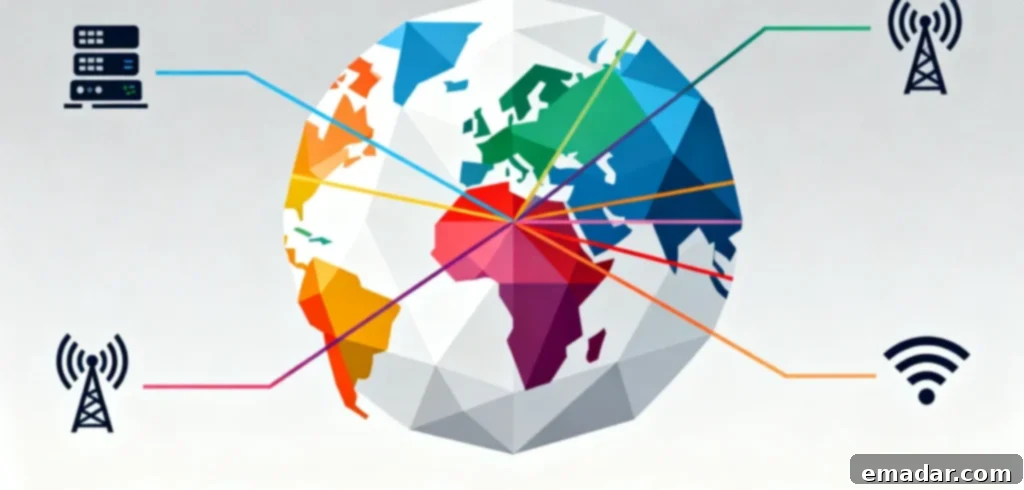
Are you tired of manually copying and pasting endless lists of data from websites? Whether you’re tracking competitor prices, building lead lists, or gathering content ideas, the traditional method is not only tedious but also prone to errors. Today, we’re breaking down the powerful technique of **list crawling** for total beginners. Forget complex coding jargon; we’ll use relatable examples, provide clear step-by-step instructions, and show you how to seamlessly pair this invaluable tool with a robust proxy service like IPFLY. This combination is your ultimate defense against the biggest headache in data extraction: getting your IP address blocked.
By the end of this comprehensive guide, you’ll possess the knowledge and confidence to efficiently scrape your very first list, transforming hours of manual work into minutes of automated insight—absolutely no tech degree required. Get ready to unlock a world of data-driven possibilities!
What Exactly Is List Crawling? (It’s Simpler Than You Think)
Let’s demystify the core concept. “List crawling,” often referred to interchangeably with “web scraping for lists,” is a specialized form of data extraction that focuses on systematically collecting structured list data from websites. Picture any web page that organizes information into a sequence of items, each with consistent attributes—these are precisely the lists we’re targeting.
Unlike general web scraping, which might extract entire articles or images, list crawling zeroes in on repeatable patterns. Imagine a digital library assistant meticulously scanning a website, identifying all items on a specific “shelf” (the list), and then neatly organizing their details into a format you can immediately use, such as an Excel spreadsheet, a CSV file, or a Google Sheet. Instead of you laboriously clicking “copy” and “paste” hundreds or thousands of times, the list crawler executes this task automatically, accurately, and at lightning speed.
Common Real-World Examples of Lists Perfect for Crawling:
- An e-commerce site’s “Best-Selling Products” page, yielding product names, current prices, customer ratings, and direct links.
- A comprehensive business directory’s “Local Restaurants” listing, providing addresses, phone numbers, opening hours, and cuisine types.
- A popular job board’s “Remote Tech Jobs” section, offering job titles, company names, estimated salaries, and application deadlines.
- A well-known blog’s “Top 100 Books of the Year” compilation, revealing authors, genres, publication dates, and purchase links.
- A real estate portal’s “Houses for Sale” search results, extracting property addresses, prices, number of bedrooms, and square footage.
Think of it this way: if a website’s list is a meticulously organized grocery store aisle, list crawling is like deploying a super-efficient helper to rapidly record every product name, its current price, brand, and even expiration date on that shelf—performing the task with unparalleled speed, unwavering accuracy, and zero fatigue. This analogy highlights the immense power of automation over manual effort.
Why Bother with List Crawling? 4 Game-Changing Reasons for Every Professional
At this point, you might be wondering, “Can’t I just do this manually for smaller tasks?” And for very small lists (say, 10-20 items), you certainly could. However, for anything larger, list crawling isn’t just a convenience; it’s a strategic imperative that dramatically saves time, drastically reduces human error, and unlocks invaluable opportunities you’d otherwise completely miss. Here are the top use cases demonstrating its transformative power:
1. E-Commerce: Dynamic Competitor Price & Inventory Tracking
For anyone operating an online store, real-time awareness of your competitors’ pricing strategies and inventory levels is absolutely crucial for survival and growth. List crawling enables you to regularly scrape their “Product List” pages, providing a dynamic edge:
- Competitive Pricing Strategy: Instantly compare competitor prices and adjust your own offerings. For instance, if “Competitor X” drops their popular laptop price by $50, you can receive an alert and match or beat that price, ensuring you remain competitive.
- Inventory Gap Identification: Swiftly spot stock shortages among rivals. If “Competitor Y” is out of wireless headphones, you can immediately promote your own stock, capturing their potential customers.
- New Product Launch Monitoring: Stay ahead of market trends by monitoring new product additions. If “Competitor Z” adds 10 innovative phone cases, you can update your catalog or develop similar products, maintaining market relevance.
A successful e-commerce seller we recently interviewed leveraged list crawling to slash their weekly price-tracking time from a staggering 8 hours to a mere 15 minutes. This incredible efficiency gain allowed them to reallocate precious resources to more impactful areas like marketing campaigns and product development, directly boosting their bottom line.
2. Market Research: Rapid & Targeted List Building for Campaigns
Market researchers, sales teams, and strategists constantly require up-to-date lists of companies, potential customers, or emerging industry trends for analysis and campaign execution. List crawling empowers you to compile these vital lists with unprecedented speed and precision:
- Industry Directory Aggregation: Scrape specialized industry directories to build highly targeted lists, such as “European SaaS startups with recent funding” for a focused B2B lead generation campaign.
- Social Media Influencer Identification: Quickly compile lists of “TikTok influencers in the fitness niche” for potential collaboration opportunities, complete with follower counts and engagement rates.
- Customer Feedback Analysis: Aggregate “Top 50 customer pain points” from various review sites or forums to refine product features or marketing messages.
- Competitor Analysis: Collect a list of all products or services offered by competitors, along with their features and target audiences.
Instead of enduring the painstaking manual process of searching across dozens of different websites, you can compile a comprehensive 1,000-item (or even 10,000-item) list in a single, automated sweep, providing a significant competitive advantage in market understanding.
3. Content Creation: Aggregate Ideas & Resources for Enhanced Output
Bloggers, YouTubers, podcasters, and other content creators constantly seek fresh inspiration, trending topics, and valuable resources to engage their audience. List crawling acts as a powerful content curation engine:
- Trending Topic Discovery: Scrape “Best Blog Posts of the Year” or “Top 10 YouTube Videos” lists to identify hot topics and content gaps in your niche, ensuring your content remains relevant and captivating.
- Expert Quote Collection: Rapidly gather “Expert Quotes” or key insights from multiple industry articles for a well-researched roundup post or a compelling video script.
- Tool & Resource Compilation: Compile comprehensive “Tool Lists” (e.g., “Top 30 SEO Tools” or “Best Video Editing Software”) to share with your audience, positioning yourself as a valuable resource.
- Idea Generation: Collect diverse listicle ideas (e.g., “10 Ways to Improve Productivity,” “5 Must-Have Gadgets”) to spark new content concepts.
It’s crucial to emphasize that this isn’t about plagiarizing content; it’s about intelligently curating and aggregating high-quality resources and ideas much faster, empowering you to create original, authoritative content with greater efficiency and impact.
4. Business Operations: Streamlined Data Entry & Process Automation
Many teams spend countless hours on monotonous manual data entry tasks, from updating customer relationship management (CRM) systems to maintaining internal directories. List crawling automates these repetitive processes, freeing up valuable human capital:
- Contact List Management: Effortlessly scrape updated contact lists from partner websites, industry association pages, or public directories to keep your CRM accurate and current.
- Event Attendee Data: Automate the collection of attendee lists from conference pages or webinar registration sites, facilitating follow-ups and post-event engagement.
- Supplier & Vendor Management: Compile and update supplier lists from industry portals, ensuring you have the most current information for procurement and logistics.
- Internal Directory Updates: Regularly update employee or department directories from company intranet pages or public profiles.
One HR team successfully deployed list crawling to reduce their new-hire data entry time by a remarkable 70%. This not only saved significant administrative hours but also drastically minimized typos and errors commonly introduced through manual copy-pasting, leading to cleaner, more reliable data across their systems.
The Biggest Obstacle in List Crawling: Why You Get Blocked (And How to Fix It Permanently)
List crawling sounds like a perfect solution—until you encounter the inevitable wall: IP blocking. Websites are often wary of automated scrapers, even those performing legitimate data collection, for several reasons: they can consume excessive server resources, potentially overload the site, or in some cases, extract data that the site owners prefer to keep less accessible. To counteract this, websites employ sophisticated anti-scraping measures that track your IP address and will block it if they detect suspicious activity. This often manifests as:
- High Request Frequency: Sending too many requests to the server in a very short period (e.g., attempting to scrape 100 product pages in under 30 seconds).
- Repeated Access from a Single IP: A single IP address accessing the same list page or related pages an unusual number of times within a day or hour.
- Unnatural Browsing Patterns: Lack of typical human browsing behaviors, such as no delays between clicks, no mouse movements, no scrolling, or accessing pages in a perfectly sequential, machine-like order.
- Missing User-Agent Headers: Not simulating a real web browser (e.g., Chrome, Firefox) which signals the request as potentially automated.
This is where many aspiring data crawlers become frustrated and give up. However, there’s a remarkably simple and effective solution that allows you to bypass these blocks and scrape efficiently: utilizing a reliable proxy service like IPFLY. Here’s a detailed look at how it works and why it’s indispensable:
A proxy acts as a secure “middleman” or intermediary server between your device (where your crawler runs) and the target website. Instead of the website seeing your actual IP address, it sees the IP address of the proxy server. IPFLY takes this concept several steps further, offering specialized proxies explicitly designed for robust and undetectable list crawling:
- Residential Proxies for Authenticity: These are real IP addresses assigned by Internet Service Providers (ISPs) to genuine home devices (e.g., a laptop in London, a smartphone in Tokyo, a desktop in Chicago). From a website’s perspective, traffic originating from a residential IP looks indistinguishable from that of a regular human user. This dramatically reduces the likelihood of detection and blocking. IPFLY boasts an expansive network of over 90 million residential IPs spread across 190+ countries, making it ideal for scraping geographically specific lists (e.g., “US-only product pages” or “European job listings”).
- Dynamic IP Rotation for Stealth: One of IPFLY’s most powerful features is its dynamic IP rotation. Its residential proxies can rotate IP addresses either per request or on a predefined schedule (e.g., every 30 seconds). This means that every time your crawler requests a new list item or page, it can utilize a completely fresh IP address. The target website never sees the same IP address hitting its servers repeatedly, effectively eliminating “suspicious activity” flags and mitigating rate-limiting measures.
- High Stability and Uninterrupted Operation: Unlike often unreliable free proxies (which are slow, frequently shared, and prone to crashing mid-scrape), IPFLY operates on robust, self-built server infrastructure with an industry-leading 99.9% uptime guarantee. This ensures that your list crawling tasks complete without frustrating interruptions, preserving data integrity and saving you valuable time—a critical factor for extracting large or time-sensitive lists.
For example, a developer who partnered with IPFLY shared their experience: “I used to experience IP blocks 3-4 times during each market data collection run, leading to incomplete datasets. After switching to IPFLY’s residential proxies, I haven’t encountered a single block in months. My data collection is now consistently accurate and reliable, allowing me to make better business decisions.” This anecdote perfectly encapsulates the tangible benefits of a premium proxy service.
Step-by-Step: How to Execute List Crawling (No Coding or Basic Coding Methods)
You absolutely do not need to be a seasoned programmer to successfully crawl lists. We’ll guide you through two distinct methods, catering to different skill levels and control preferences: no-code tools (perfect for beginners) and basic coding (for those desiring more customization). Both approaches integrate seamlessly with IPFLY to ensure uninterrupted data collection and evade IP blocks.
Method 1: No-Code List Crawling with Octoparse (Best for Beginners)
Octoparse is a popular, user-friendly desktop application that empowers you to build sophisticated web scrapers (including list crawlers) using intuitive point-and-click controls, eliminating the need to write any code. It even offers a free tier to get started.
Step 1: Identify Your Target List & Prepare IPFLY Proxy Credentials
First, carefully select the specific web list you wish to scrape (e.g., Amazon’s “Best-Selling Headphones” page, a local business directory, or a news article archive). Then, you’ll set up your proxy service:
- Sign Up for IPFLY: Visit IPFLY’s website and sign up for an account (they typically offer a free trial or introductory package). When choosing your proxy type, select Residential Proxy as it provides the highest level of anonymity and is most effective at evading detection for general list crawling.
- Obtain Proxy Details: After successful registration and subscription, IPFLY will provide you with your proxy credentials. These typically include an IP address (or host), a port number, a username, and a password. Keep these details secure and accessible, as you’ll need them for configuration.
Step 2: Download Octoparse & Configure the IPFLY Proxy
Now, let’s get your scraping tool ready:
- Install Octoparse: Download and install the Octoparse application from its official website (always avoid third-party download sites to ensure software integrity).
- Configure Proxy Settings: Open Octoparse. Navigate to the “Settings” menu (usually found in the top right or a sidebar) and then select “Proxy.” Look for an option like “Add Proxy” or “Custom Proxy.”
- Input IPFLY Details: Paste your IPFLY proxy details (IP address, port, username, password) into the respective fields. Crucially, select “HTTPS” or “HTTP/HTTPS” as the protocol type (IPFLY supports various protocols, including HTTP, HTTPS, and Socks5).
- Test Connection: Click the “Test” button provided within Octoparse’s proxy settings. This step is vital to confirm that your connection to the IPFLY proxy server is successful and that the credentials are correct. A successful test means your crawler will route traffic through IPFLY.
Step 3: Build Your List Crawler with Point-and-Click Ease
This is where the magic of no-code scraping happens:
- Create a New Task: In Octoparse, click on “New Task” or “New Project.” A web browser interface will appear. Paste the URL of your chosen target list page into the address bar and press Enter to load the page within Octoparse.
- Auto-Detect Data (and Refine): Once the page loads, look for the “Auto-Detect Web Page Data” button (it often resembles a magic wand or intelligent selector). Click it. Octoparse’s intelligent engine will analyze the page and automatically identify potential list items, such as product names, prices, and images. Review the preview pane carefully. If Octoparse missed specific data points (e.g., star ratings, specific attributes), use the intuitive “Point & Click” tool to manually select these missing elements. Octoparse will then learn the pattern and apply it to all list items.
- Configure Pagination (if applicable): Many lists span multiple pages. If your target list has “Next Page” buttons or numbered pagination, click on the “Next Page” button on the website itself within Octoparse’s browser. Then, in the Octoparse workflow designer, select the “Loop Click” action and confirm that it correctly identifies the pagination link. This instructs the crawler to navigate and scrape data from all subsequent pages.
- Name Your Fields: Ensure that all extracted data fields (e.g., “Product Name,” “Price,” “Rating”) are clearly and descriptively named in Octoparse for easier analysis later.
Step 4: Run the Crawler & Export Your Valuable Data
With your crawler configured, it’s time to gather data:
- Initiate the Crawl: Click the “Start” or “Run” button in Octoparse. The application will begin executing your scraping task. Crucially, it will route all its requests through your configured IPFLY proxy, ensuring that the target website perceives each request as coming from a different, legitimate user, thereby preventing IP blocks.
- Monitor Progress: Octoparse provides a real-time view of the scraping process, showing how many items have been scraped and which page it’s currently on.
- Export Data: Once the crawling task is complete (or at any point you wish to stop it), Octoparse will allow you to export the collected data. You can choose from popular formats such as CSV, Excel, or JSON. Once exported, open the file in your preferred data analysis tool (e.g., Microsoft Excel, Google Sheets, or a database) to organize, filter, and derive insights from your newly acquired data.
Method 2: Basic Coding for List Crawling with Python & Scrapy (For More Control)
If you desire greater customization, finer control over the scraping process (e.g., filtering data mid-scrape, handling complex JavaScript-rendered pages, or building highly scalable solutions), learning basic Python with a powerful scraping framework like Scrapy is the way to go. This method also works flawlessly with IPFLY to manage IP rotation and avoid blocks.
Step 1: Set Up Your Python Environment & Install Scrapy
- Install Python: If you don’t already have it, download and install Python (version 3.x is recommended) from the official website (python.org). Ensure you select the option to add Python to your PATH during installation.
- Install Scrapy: Open your Command Prompt (on Windows) or Terminal (on Mac/Linux). Type the following command and press Enter:
pip install scrapy. This command uses Python’s package installer (`pip`) to download and install the Scrapy framework and its dependencies.
Step 2: Configure IPFLY Proxy in Your Scrapy Project
- Create a New Scrapy Project: In your Command Prompt/Terminal, navigate to the directory where you want to store your project. Then, create a new Scrapy project by typing:
scrapy startproject listcrawler. This will generate a directory structure for your scraping project. - Edit `settings.py`: Navigate into your new `listcrawler` project folder. Open the `settings.py` file using a text editor (like VS Code, Sublime Text, Notepad++). This file controls your Scrapy project’s behavior. You need to enable Scrapy’s HTTP proxy middleware and add your custom proxy middleware. Locate the `DOWNLOADER_MIDDLEWARES` section and add (or uncomment and modify) these lines:
DOWNLOADER_MIDDLEWARES = { 'scrapy.downloadermiddlewares.httpproxy.HttpProxyMiddleware': 1, 'listcrawler.middlewares.ProxyMiddleware': 100, } # Optionally, set a User-Agent to mimic a real browser for better stealth # USER_AGENT = 'Mozilla/5.0 (Windows NT 10.0; Win64; x64) AppleWebKit/537.36 (KHTML, like Gecko) Chrome/91.0.4472.124 Safari/537.36' # You might also want to set a download delay to be polite and avoid blocks # DOWNLOAD_DELAY = 1.5 # seconds - Create `middlewares.py`: In the same `listcrawler` project directory, inside the `listcrawler` subfolder (where `settings.py` is), create a new Python file named `middlewares.py`. Paste the following code into this new file, making sure to replace `USERNAME`, `PASSWORD`, `IP`, and `PORT` with your actual IPFLY proxy credentials:
class ProxyMiddleware:
    def process_request(self, request, spider):
        # Replace with your actual IPFLY proxy details
        request.meta['proxy'] = 'http://USERNAME:PASSWORD@IP:PORT'  # Example: 'http://myuser:[email protected]:8080'
        # For HTTPS targets, you might need 'https://USERNAME:PASSWORD@IP:PORT' or ensure your proxy supports CONNECT method
        # IPFLY typically supports both
Step 3: Write the Scrapy Crawler Code (Spider)
- Generate a Spider: From your Command Prompt/Terminal, navigate back to the root `listcrawler` project directory. Create a new spider (the core scraper script) by typing:
scrapy genspider amazon_spider amazon.com. This command creates a basic Python file (`amazon_spider.py`) inside the `listcrawler/spiders` folder. - Edit `amazon_spider.py`: Open the newly created `amazon_spider.py` file. Replace its contents with the following Python code. This example spider is designed to scrape product names, prices, and ratings from Amazon’s Best Sellers page for headphones.
import scrapy

class AmazonSpider(scrapy.Spider):
    name = 'amazon_spider' # Unique name for your spider
    # Define the starting URLs where the spider will begin crawling
    start_urls = ['https://www.amazon.com/Best-Sellers-Electronics-Headphones/zgbs/electronics/17724515011']

    def parse(self, response):
        # This method is called for each URL in start_urls (and subsequent pages)
        # It parses the response and extracts data.

        # Iterate through each product item found on the page
        # 'div.zg-grid-general-faceout' is a CSS selector targeting product containers
        for product in response.css('div.zg-grid-general-faceout'):
            # Yield a dictionary containing the extracted data for each product
            yield {
                'name': product.css('span.a-size-base-plus.a-color-base.a-text-normal::text').get(),
                'price': product.css('span.a-price-whole::text').get(), # Example: '129' from '$129.99'
                'rating': product.css('span.a-icon-alt::text').get(), # Example: '4.5 out of 5 stars'
                'link': response.urljoin(product.css('a.a-link-normal::attr(href)').get()), # Construct full link
            }

        # Handle pagination: find the 'Next Page' link and follow it
        # 'a.pagnNext::attr(href)' targets the href attribute of the next page link
        next_page = response.css('a.pagnNext::attr(href)').get()
        if next_page:
            # If a next page link is found, make a new request to that page
            # and call the 'parse' method again to extract data from it.
            yield response.follow(next_page, self.parse)
Step 4: Run Your Scrapy Crawler
Finally, execute your spider:
- Run the Spider: From your Command Prompt/Terminal (ensure you are in the root `listcrawler` project directory), type the following command:
scrapy crawl amazon_spider -o headphones.csv. - Monitor and Export: Scrapy will start crawling the specified Amazon page, using your IPFLY proxy to avoid detection. The `-o headphones.csv` flag instructs Scrapy to save the extracted data directly into a file named `headphones.csv` in your project’s root directory. You can also specify other formats like `.json` or `.xml`.
Both methods offer powerful ways to perform list crawling. The no-code approach is perfect for quick, straightforward tasks and visual learners, while the basic coding method provides unparalleled flexibility for complex projects and deep data manipulation.
How to Choose the Right IPFLY Proxy for Your List Crawling Needs
Understanding proxy types is crucial for successful and efficient list crawling. Not all proxies are created equal, and using the wrong type can lead to slow performance, frequent blocks, or even data loss. Free proxies, for instance, are notoriously unreliable, often slow, shared by many users, and get blocked almost instantly by any sophisticated website. IPFLY, however, offers three distinct proxy types, each tailored to specific list crawling requirements. Here’s a breakdown to help you pick the best one:
| IPFLY Proxy Type | Ideal Use Case for List Crawling | Key Benefits (as per IPFLY Documentation) |
| Static Residential Proxies (ISP Proxies) | Best for list crawling tasks that demand a consistent, stable IP address over an extended period. Examples include scraping password-protected company directories, maintaining sessions on logged-in portals, or accessing geo-restricted content where the same IP needs to persist. | ISP-issued static IPs that appear as genuine residential users. They are exclusively assigned to you, offering high anonymity, extreme stability, and robust anti-blocking capabilities. Perfect for tasks requiring a consistent identity. |
| Residential Proxies (Dynamic & Rotating) | The go-to choice for high-frequency, large-scale list crawling, especially for public data. Excellent for daily price tracking across hundreds or thousands of products, collecting extensive market research data, or rapidly building massive contact lists from public sources without fear of detection. | Offers dynamic IP rotation (per request or on a timed schedule), leveraging a vast network of 90+ million genuine global IPs. Ensures unparalleled anonymity by constantly changing your perceived location. Supports unlimited concurrent connections and boasts high success rates. |
| Dedicated Datacenter Proxies | Optimal for ultra-fast list crawling of very large datasets from less aggressive or publicly accessible websites where speed and bandwidth are the primary concerns. Ideal for scraping millions of startup names, public government databases, or aggregating extensive news archives where anti-bot measures are minimal. | Provides exceptionally low latency and high connection speeds, coupled with unlimited bandwidth. These are dedicated IPs for peak performance and are cost-effective for high-volume, speed-critical tasks, especially when the target sites are less prone to advanced anti-scraping systems. |
For most beginners embarking on their list crawling journey, IPFLY’s Residential Proxies (Dynamic & Rotating) are the ideal sweet spot. They expertly balance superior stealth and anonymity (crucial for avoiding blocks) with the flexibility and scale required to handle the majority of list crawling tasks effectively. For more specific needs, IPFLY’s other options provide tailored solutions, ensuring you always have the right tool for the job.
Stuck with persistent IP bans from sophisticated anti-crawlers, struggling to access crucial customs data for trade analysis, or experiencing significant delays in obtaining competitor insights for cross-border research? Don’t let these challenges hinder your progress. Visit IPFLY.net now to explore their suite of high-anonymity scraping proxies, engineered to overcome the toughest digital barriers. Furthermore, join the vibrant IPFLY Telegram community to gain access to exclusive resources like “global industry report scraping guides,” practical “customs data batch collection tips,” and direct insights from tech experts sharing advanced techniques such as “proxy-based real-user simulation to bypass anti-crawlers.” Make your data collection processes not only efficient but also secure and reliably effective!

5 Critical List Crawling Mistakes to Avoid (Save Time & Prevent Headaches)
Even with the most advanced tools and reliable proxies, beginners can easily fall into common traps. Being aware of these pitfalls will save you immense time, frustration, and potential repercussions. Here’s how to steer clear of the most frequent list crawling errors:
1. Scraping Too Fast (Triggering Anti-Bot Defenses)
Websites are designed to detect abnormally rapid requests, which are a hallmark of automated bots. Sending hundreds of requests per second is a surefire way to trigger anti-bot mechanisms, regardless of your proxy. Your goal is to mimic human browsing behavior as much as possible:
- In No-Code Tools (like Octoparse): Always set a “request interval” or “delay” between requests. A common recommendation is 2-5 seconds between each page load, but this can vary depending on the target site.
- In Python (Scrapy): Incorporate random delays into your scraper. Add `time.sleep(random.randint(1,3))` (after importing `time` and `random`) between requests or leverage Scrapy’s built-in `DOWNLOAD_DELAY` and `AUTOTHROTTLE_ENABLED` settings.
While IPFLY’s proxies enhance your stealth, responsible speed control is a fundamental practice for ethical and successful scraping.
2. Ignoring the `robots.txt` File
Before initiating any crawl, always check the target website’s `robots.txt` file. This is a text file located in the website’s root directory (e.g., `www.example.com/robots.txt`). It serves as a set of instructions for web crawlers, indicating which parts of the site they are permitted or forbidden to access. Respecting these directives is crucial:
- Ethical and Legal Implications: Disregarding `robots.txt` can lead to your IP being permanently banned, and in some cases, even legal action, as it may be viewed as unauthorized access or overburdening a server.
- Preserving Access: Adhering to these rules helps maintain a positive relationship with website owners and ensures continued access to public data in the long run.
3. Scraping Sensitive or Private Data (Illegal and Unethical!)
It’s vital to understand the legal and ethical boundaries of web scraping. List crawling is generally legal when extracting publicly available, non-sensitive data (e.g., product prices, public company names, general job descriptions). However, it is unequivocally illegal and unethical to scrape:
- Personal Identifiable Information (PII): This includes email addresses, phone numbers, home addresses, or any data that can identify an individual, especially without explicit consent. Laws like GDPR (Europe) and CCPA (California) impose severe penalties for such violations.
- Copyrighted Content: Copying full articles, proprietary images, or entire databases without permission.
- Private or Login-Required Data: Attempting to access and scrape data that requires a login, subscription, or is clearly marked as private, such as customer lists or internal documents.
Always prioritize privacy, adhere to terms of service, and stick strictly to publicly accessible, non-sensitive lists to avoid severe legal complications and ethical dilemmas.
4. Not Testing with a Small List First
Jumping directly into a massive scrape of 10,000 items is a common and costly mistake. Always begin with a small test run—perhaps 10-20 items or just one page. This iterative approach allows you to:
- Identify Data Formatting Issues: Catch problems early, such as prices appearing as “$50.00 USD” instead of a clean numerical “50,” or missing fields. This allows you to refine your selectors or parsing rules.
- Verify Proxy Functionality: Confirm that your IPFLY proxy is correctly configured and effectively bypassing any anti-bot measures, ensuring no blocks occur during the test.
- Optimize Crawler Performance: Tweak your crawler’s settings (delays, concurrency) to find the optimal balance between speed and stealth before scaling up to larger datasets.
- Ensure Data Completeness: Check that all desired data points are being extracted accurately for each item.
A small test run is your quality control checkpoint, preventing wasted time and resources on a flawed large-scale operation.
5. Forgetting to Clean and Validate Scraped Data
Raw scraped data is rarely perfect. It often contains inconsistencies, extraneous characters, duplicates, or missing values that can render it useless for analysis. Effective data cleaning is a critical post-scraping step:
- Remove Duplicates: Use tools like Excel’s “Remove Duplicates” feature or Python’s `pandas` library to eliminate redundant entries.
- Standardize Formats: Convert all prices to a consistent numerical format, ensure dates are uniformly formatted, and clean up currency symbols.
- Address Typos and Inconsistencies: Correct variations like “headphone” vs. “headphones” or “NY” vs. “New York” to ensure data uniformity.
- Handle Missing Data: Decide how to treat missing values – replace them with “N/A,” impute them, or remove rows with critical missing information.
- Validate Data Types: Ensure numerical fields are indeed numbers, text fields are strings, etc.
Clean, validated data is essential for accurate analysis and confident decision-making. Don’t let messy data undermine the effort you put into collection.
List Crawling: Your Gateway to Faster, Smarter Work
List crawling is far from being an exclusive domain for “tech people” or programming wizards. It’s a powerful, accessible skill for anyone who is weary of the mundane, error-prone tasks of manual data entry, competitive price tracking, or exhaustive list building. With the right combination of intuitive tools—be it user-friendly no-code platforms like Octoparse or the flexible power of Python and Scrapy—and a robust, reliable proxy service like IPFLY, you can transform hours of tedious work into minutes of automated, actionable insights.
Remember this crucial takeaway: the most significant and frustrating obstacle in list crawling is almost always IP blocking. This challenge is precisely where IPFLY shines, solving it effectively with its expansive network of over 90 million global residential proxies, intelligent dynamic rotation capabilities, and dedicated 24/7 customer support. Whether you’re an ambitious e-commerce seller aiming to dominate your market, a meticulous market researcher seeking deep consumer trends, or a creative content creator looking for fresh ideas, this powerful combination empowers you to achieve more with significantly less stress and effort.
Ready to revolutionize your data collection? Start your journey with IPFLY’s free trial (http://www.ipfly.net) today and scrape your very first list this week. You’ll quickly wonder how you ever managed your work without this indispensable tool in your arsenal.