
Waking up to the dreaded “You have been blocked from this server” message on Discord can be a frustrating and confusing experience. Even worse, encountering the chilling “Your IP address has been banned” message can feel like a complete digital lockdown. For many, Discord is more than just a chat app; it’s a vital platform for communities, gaming, professional networking, and personal connections.
But don’t panic. You’re not alone, and this isn’t a permanent roadblock. As Discord’s moderation and security tools become increasingly sophisticated – leveraging advanced IP fingerprinting and device data tracking to identify and ban users – traditional workarounds are becoming obsolete. By 2025, these systems are projected to be even smarter, making it harder for users to re-engage after a ban. However, with the right knowledge and a proper proxy setup, you can safely and discreetly reconnect to Discord, all while cleverly sidestepping its detection mechanisms.
This comprehensive guide will demystify how Discord IP bans operate and provide a step-by-step roadmap to bypass these restrictions like a seasoned professional. We’ll explore the critical tools and techniques needed to regain access, ensuring your online presence remains uninterrupted and secure.
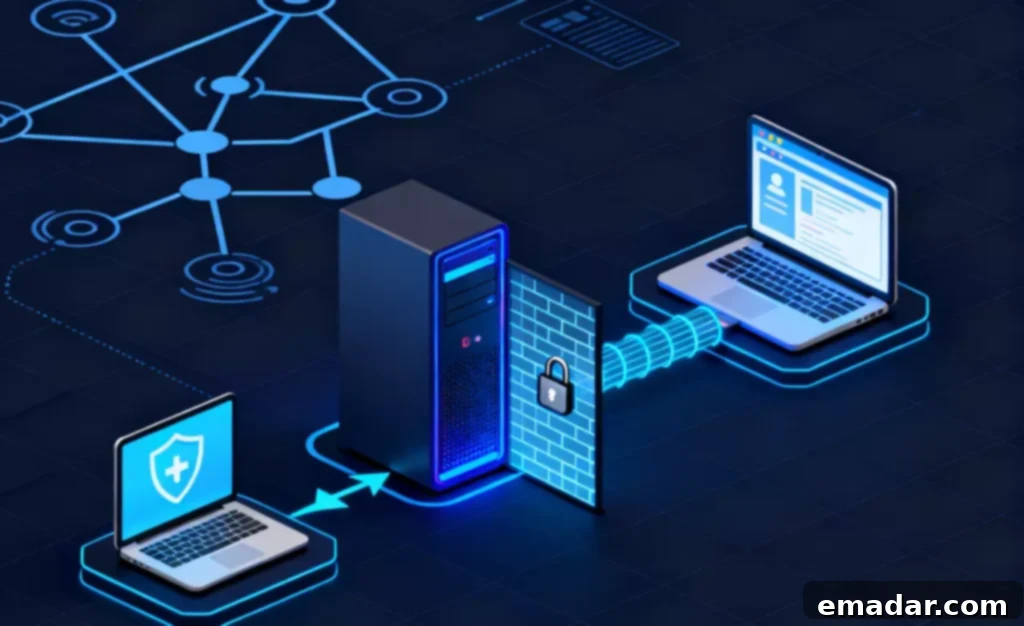
🧩 Understanding Discord IP Bans: How They Work and Why They’re So Effective
Before diving into solutions, it’s crucial to grasp the mechanics behind a Discord IP ban. Understanding the enemy is the first step toward victory. Discord implements these bans to maintain a safe and respectful environment, preventing spammers, abusers, and malicious actors from disrupting communities. When you’re banned, Discord doesn’t just block a single account; it initiates a multi-layered lockdown that targets several aspects of your digital identity:
- Account Suspension: Your specific Discord account is disabled and marked as non-compliant.
- Device Fingerprinting: Discord collects unique identifiers from your device (operating system, browser type, installed fonts, hardware specifications, etc.). This “device fingerprint” allows them to recognize your hardware even if you create a new account.
- IP Address Blacklisting: Your current IP address is flagged and added to a blacklist. This is the most crucial part of an IP ban, as it prevents any new connections or account creations from that specific internet location.
This integrated approach means that merely creating a new account or reinstalling the app isn’t enough. If you attempt to log in or create a new account from the same IP address or device that was previously associated with a banned account, Discord’s systems will instantly detect and block you. Even clearing your browser cache or reinstalling Discord won’t work, because your fundamental online identity – your IP address and device fingerprint – remains unchanged. Essentially, you’re trying to re-enter a restricted area with the same identification you were just denied for.
Therefore, a successful bypass strategy must involve changing both your device’s digital footprint and, more importantly, acquiring a completely new and uncompromised IP address that has no historical connection to your banned status.
🧠 Step-by-Step Guide: How to Safely Unblock Yourself from a Discord Ban
Step 1: Thoroughly Eliminate All Traces of Discord from Your Device
The first critical step is to completely sever all digital ties between your device and the banned Discord account. This goes beyond a simple uninstall and is vital for erasing your device fingerprint from Discord’s records.
- Uninstall the Discord Application:
- Windows: Go to Control Panel > Programs > Programs and Features, find Discord, and click “Uninstall.”
- macOS: Drag the Discord app from your Applications folder to the Trash, then empty the Trash.
- Android/iOS: Long-press the Discord app icon and select “Uninstall” or “Remove App.”
- Clear All Associated Data and Cache:
- Windows: Press
Win + R, type%AppData%, and hit Enter. Locate and delete the “Discord” folder. Repeat the process for%LocalAppData%and delete any “Discord” related folders there as well. This removes all lingering application data and temporary files. - macOS: Open Finder, press
Cmd + Shift + G, type~/Library/Application Support/, and delete the “discord” folder. Also check~/Library/Caches/and~/Library/Preferences/for any Discord-related files and delete them. - Mobile Devices (Android/iOS): Go to your device’s Settings > Apps (or Application Manager) > Discord. Select “Clear Cache” and “Clear Data” (for Android) or “Offload App” and then delete it (for iOS).
- Windows: Press
- Restart Your Device: A full restart helps to clear temporary memory and finalize the removal of any lingering processes or data.
This comprehensive cleaning process resets your device’s digital footprint, making it significantly harder for Discord to immediately recognize your equipment as associated with a banned account. It’s like giving your device a fresh, untraceable identity before re-engaging.
Step 2: Acquire a New, Undetectable IP Address with Residential Proxies
This is where most users falter. Simply rebooting your router might give you a new IP, but it’s often still within the same range and easily identifiable by Discord’s advanced filters. Similarly, relying on free VPNs or public proxies is a recipe for disaster. Discord’s security systems are highly adept at detecting and blocking shared, datacenter, or compromised IPs commonly associated with free VPN services. These IPs are frequently flagged for suspicious activity and will likely result in an immediate re-ban.
What you need is a genuine, unflagged residential IP address – the same type of IP assigned to real home internet users by internet service providers (ISPs). Residential proxies make your connection appear as if it’s coming from a legitimate, individual household, making it virtually indistinguishable from regular user traffic. This authenticity is key to bypassing Discord’s sophisticated detection mechanisms.
This is precisely where services like IPFLY shine. IPFLY provides premium residential proxy IPs that seamlessly mimic normal user connections, free from datacenter characteristics or red flags. You can choose between static residential IPs (ideal for maintaining a consistent online identity for a single Discord account) or rotating residential IPs (perfect for managing multiple accounts or if you need to frequently change your virtual location).
Here’s how to set up your residential proxy with IPFLY:
- Access Your IPFLY Control Panel: Log in to your IPFLY dashboard.
- Select Your Desired Location: Choose a country or region that aligns with the Discord servers you wish to access (e.g., USA or UK). This helps ensure a natural connection profile.
- Retrieve Proxy Credentials: Copy the provided IP address, port number, username, and password. These are unique to your chosen proxy.
- Configure Your Proxy Settings:
- System-wide Proxy: Enter these details into your operating system’s network proxy settings. This will route all your internet traffic through the proxy.
- Browser-Specific Proxy: Use a browser extension (like FoxyProxy for Chrome/Firefox) to configure the proxy for your web browser if you’re using Discord in a browser.
- SOCKS5 Configuration: If Discord supports SOCKS5 proxy settings directly (which it often does through certain third-party clients or advanced configurations), input the IPFLY details there. SOCKS5 is generally preferred for its versatility and better privacy.
By routing your connection through an IPFLY residential proxy, Discord will perceive your access as originating from a completely new, clean, and legitimate IP address, effectively treating you as an entirely new user with no history of previous bans.
Step 3: Securely Create a Brand New Discord Account
With your device cleaned and your IP address masked, you’re ready to establish a new presence on Discord. This step requires strict adherence to creating a completely fresh digital identity to avoid linking back to your banned account.
- Use a Brand New Email Address: Create a new email address that has absolutely no connection to your previous, banned Discord account. Do not use an email linked to any of your old social media profiles or personal information that Discord might have on file. Services like ProtonMail or a newly created Gmail account are good options, provided they are clean.
- Avoid Reusing Phone Numbers for Verification: If Discord prompts for phone verification (which is common for new accounts), do not use the same phone number associated with your banned account or any other account you frequently use. Consider using a new SIM card, a temporary phone number service (be cautious and research reliable ones), or a burner phone. Services like Google Voice can sometimes work, but Discord is increasingly adept at identifying and blocking these as well.
- Maintain Consistent Proxy Usage: From the moment you create your new account and for every subsequent login, always connect through your IPFLY residential proxy. Consistency is paramount. Discord’s algorithms constantly monitor IP addresses. If you ever switch back to your old IP, even momentarily, the system will immediately flag your new account and link it to your previously banned identity, leading to another swift ban.
Professional Reminder 💡: Think of your new Discord account and your IPFLY proxy as an inseparable pair. Any deviation can compromise your entire strategy and result in another ban. Absolute separation from your past digital self is key to long-term success on Discord after a ban.
Step 4: Practice Digital Hygiene and Maintain a Low Profile
Now that you’ve successfully regained access to Discord, the next crucial step is to avoid repeating the actions that led to your previous ban. Adopting a cautious and low-key approach is essential, especially during the initial re-integration phase.
- Avoid Rapid Engagement: Do not immediately join a large number of servers in a short period. This behavior is often flagged by Discord’s anti-spam algorithms as bot-like activity. Join servers gradually and organically.
- Refrain from Spamming or Mass Direct Messages (DMs): Discord’s powerful anti-abuse AI is designed to quickly detect and flag activities such as sending unsolicited messages, mass DMs, or posting repetitive content. Engaging in these behaviors will lead to a swift re-ban. Interact naturally and responsibly.
- Observe a Quiet Period: After setting up your new account, it’s advisable to maintain a low profile for at least 48 to 72 hours. Engage in minimal activity – perhaps join one or two relevant servers, introduce yourself politely, and participate in discussions sparingly. This “cool-down” period helps your new account build a positive reputation within Discord’s system.
For Multi-Account Users or Community Managers: If your role requires managing multiple Discord accounts (e.g., as a moderator, community manager, or for NFT project teams), IPFLY’s multi-region static residential proxies are invaluable. Allocate a unique, dedicated IPFLY proxy to each Discord account. This ensures that each account has its own distinct and consistent IP footprint, preventing any cross-contamination or correlation by Discord’s detection systems. This robust isolation strategy is critical for avoiding cascading bans across your entire operational setup.
⚡ Advanced Strategies: Managing Multiple Discord Accounts Safely for Professionals
For power users, community managers, marketers, or anyone operating multiple Discord accounts (e.g., for different projects, communities, or moderation roles), a single IP ban can be catastrophic, potentially taking down your entire operational framework overnight. To safeguard against this, a sophisticated strategy involving a pool of dedicated residential proxies is essential – with each Discord account configured to use its own unique and isolated IP address.
Here’s an effective setup example to prevent cross-account detection and maintain robust separation:
- Create Separate Browser User Profiles: In browsers like Google Chrome, Mozilla Firefox, or Brave, you can create distinct user profiles. Each profile acts like a completely separate browser instance, with its own cookies, cache, and settings.
- Assign a Unique IPFLY Proxy to Each Profile: For each browser profile, configure a different IPFLY residential proxy. This can be done through the browser’s proxy settings or by using a reliable proxy management extension (like FoxyProxy), ensuring that each profile’s internet traffic is routed through its designated, unique IP.
- Dedicate One Discord Account Per Profile: Log in to only one Discord account within each browser profile. This strict segregation is paramount. Never log into multiple Discord accounts within the same browser profile or using the same proxy IP.
- Maintain Strict Session Isolation: Ensure that your work sessions remain entirely isolated. Discord will be unable to establish any correlation between your accounts because each is operating from a unique, legitimate IP address and within its own isolated browsing environment.
This advanced operational model is precisely how professional moderators, community engagement teams, and Discord growth managers successfully circumvent bans, scale their operations, and manage their online presence without fear of widespread account compromise. By employing IPFLY’s robust residential proxy network, they create a highly secure and undetectable infrastructure that Discord’s systems are unable to penetrate.
🚀 Final Recommendations: Reclaiming Your Discord Freedom with Confidence
Experiencing a Discord IP ban is undoubtedly frustrating, but it’s not the end of your online journey. Instead, view it as an opportunity to upgrade your digital toolkit and fortify your online identity. With the strategic application of IPFLY’s residential IP proxies, you’re not just bypassing a ban; you’re investing in a more secure, anonymous, and stable environment for all your future online interactions.
The digital landscape is constantly evolving, and so are the methods platforms use to monitor and regulate user behavior. By equipping yourself with the knowledge and tools discussed in this guide, you empower yourself to navigate these challenges with confidence. Never again will you feel completely locked out of your online communities.
So, the next time Discord displays that daunting “You have been blocked” message, you can smile, knowing you possess the comprehensive solution to effectively return online and continue your vital engagements without interruption.
👉 Discover the security and reliability of IPFLY’s premium residential IP services today and take control of your online presence: https://www.ipfly.net/zh-cn/