
In our increasingly interconnected world, an IP address serves as your fundamental digital identity, much like a physical home address guides mail to your doorstep. It’s a unique numerical string that precisely identifies your device on the vast expanse of the internet, functioning as a critical return address for all the data you transmit and receive. Whether you’re exploring the latest news on a website, sending an important email, or streaming your favorite high-definition video, your IP address operates seamlessly and silently in the background, making every online interaction possible.
However, what happens when circumstances dictate that you need to alter this digital identifier? The seemingly straightforward query, “how to modify IP address,” consistently ranks among the most frequently searched technical questions online, and for compelling reasons. The motivations behind such a need are incredibly diverse, spanning from simple network troubleshooting to sophisticated business strategies and critical privacy considerations. For many, navigating this technical process can be a source of frustration, presenting a formidable hurdle. Yet, for others, understanding and executing IP address modification is not just a convenience, but an absolutely essential component of their online privacy, security, or business operations.
Understanding the Foundation: Public vs. Private IP Addresses
Before embarking on the journey to “modify” your IP address, it’s absolutely crucial to distinguish between the two primary types you’ll encounter. Every single device connected to your home or office Wi-Fi network possesses not one, but two distinct IP addresses.
- Your Private IP Address: Envision your home network as a large, bustling apartment building. In this analogy, your private IP address is akin to the specific door number for an individual apartment or unit within that building. Your router, acting as the diligent building manager, intelligently assigns a private IP address to each connected device – be it your laptop, smartphone, smart TV, gaming console, or any other IoT gadget. This internal assignment allows the router to efficiently manage and direct network traffic within your local network, ensuring that data packets reach their intended device. For instance, your laptop might be assigned
192.168.1.10, while your phone receives192.168.1.11. These private IPs are confined to your local network and remain completely invisible and inaccessible to the outside world, providing an internal addressing system. - Your Public IP Address: Continuing our apartment building analogy, your public IP address represents the single, unique street address for your entire apartment building – which, in this context, signifies your entire home network. Your Internet Service Provider (ISP) is responsible for assigning this one singular public IP address directly to your router. When any device within your home network attempts to access a website, send an email to an external server, or connect to an online game, that website or external service only perceives your public IP address. All devices within your home effectively share and utilize this single public address when communicating with the broader internet, making it the primary identifier for your network to the rest of the digital world. It’s the address that reveals your general geographic location and serves as your online identity to external servers.
It’s important to clarify that when the vast majority of users inquire about how to “change their IP address,” they are almost invariably referring to their public IP address. This is the critical identifier that broadcasts your network’s location and online presence to websites, services, and indeed, the entire internet. Changing this address can have significant implications for privacy, access, and online functionality.
How to Modify Your Private IP Address (The “Inside the House” Network Fix)
Modifying your private IP address is a localized procedure, primarily employed for internal network troubleshooting and management. A common scenario necessitating this change is an “IP conflict,” where two or more devices on your local network inadvertently receive the same private IP address from your router, leading to connectivity issues. Fortunately, resolving this is typically a straightforward process. Here are the most common and simple methods to address it:
Method 1: Utilizing the Command Prompt (For Windows Users)
This classic technique forces your Windows computer to relinquish its current private IP address and request a fresh one from your router’s Dynamic Host Configuration Protocol (DHCP) server. Follow these steps:
- Press the Windows key on your keyboard, type
cmdinto the search bar, and then press Enter to open the Command Prompt application. You might need to run it as an administrator for full privileges, though it’s often not required for this specific task. - In the Command Prompt window, type
ipconfig /releaseand press Enter. This command instructs your computer to release its current private IP address back to the router, effectively disconnecting it from that specific network identifier. - Next, type
ipconfig /renewand press Enter. This command prompts your computer to request a brand new private IP address from your router. Your router’s DHCP server will then assign an available IP from its pool, ideally resolving any conflicts.
After executing these commands, your computer should have a new private IP address within your local network, and any previous IP conflicts should be resolved, restoring seamless internal connectivity.
Method 2: Renewing DHCP Lease (For macOS Users)
Apple’s macOS provides an equally simple, button-click solution for renewing your private IP address, directly accessible through System Settings. Here’s how:
- Navigate to System Settings (or System Preferences on older macOS versions). From there, select the Network option in the sidebar.
- In the Network panel, click on your currently active network connection. This will typically be your Wi-Fi connection, or an Ethernet connection if you’re wired. Once selected, click the Details… button.
- Within the network details window, locate and click on the TCP/IP tab. This section displays your device’s IP configuration.
- Finally, click the Renew DHCP Lease button. This action triggers your Mac to release its current private IP and request a new one from your router, similar to the Windows command prompt method.
It is crucial to understand that altering your private IP address has absolutely no bearing on your online privacy, your visible location to external websites, or your ability to bypass geo-restricted content. For those broader concerns, your focus must shift to modifying your public IP address.
How to Modify Your Public IP Address (The “Outside World” Connection Fix)
Changing your public IP address is where the real impact on how websites and online services perceive you comes into play. This address is what determines your apparent geographical location and digital footprint on the internet. Here are the primary methods for modifying your public IP, ranging from simple attempts to highly sophisticated and reliable solutions.
Method 1: Restart Your Router (The “Dynamic IP” Gamble)
Your Internet Service Provider (ISP) is the entity that assigns your public IP address. Most ISPs utilize dynamic IP addresses, which means the specific IP assigned to your network is not permanent and can, and often does, change periodically. The simplest attempt to acquire a new public IP involves a full power cycle of your router. Here’s why and how:
Unplugging your router from its power source, waiting a full 60 to 120 seconds (to ensure all residual power drains and the connection is fully dropped), and then plugging it back in can sometimes be sufficient to signal your ISP’s system to assign you a new public IP address. When your router restarts, it initiates a new DHCP request to your ISP. If the ISP’s DHCP server has released your previous lease and has an alternative IP address available in its pool for your connection, it might assign you a different one.
However, this method is by no means guaranteed. If your ISP has assigned you a static IP address (a common practice for business internet plans where a consistent IP is critical), or if their DHCP lease time is very long and no other IPs are readily available in your local distribution, simply restarting your router will not result in a new public IP. Furthermore, even with dynamic IPs, some ISPs prioritize re-assigning the same IP if it’s available, making this method more of a hopeful gamble than a reliable solution.
Method 2: Switch Your Network (The “Quick Fix” for Mobile)
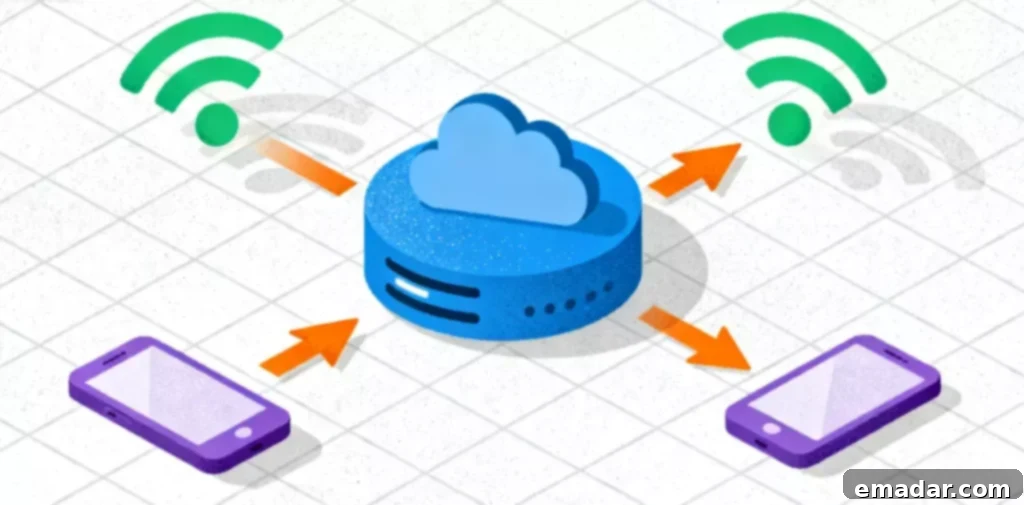
The most immediate and undeniably easy way to obtain a completely different public IP address is to switch the network your device is connected to. For mobile devices like smartphones or tablets, this often means simply turning off your Wi-Fi connection and enabling your 4G or 5G mobile data. Your mobile carrier operates a entirely separate network infrastructure from your home or office ISP. Consequently, when you transition to mobile data, your device is instantly assigned a public IP address from your mobile carrier’s network, which will be entirely different from your home Wi-Fi IP.
This method is excellent for a rapid check or for bypassing a temporary IP block on a website. However, it’s not a sustainable or practical solution for consistent use, especially for laptops, desktop computers, or for tasks that require a stable, dedicated IP address in a specific location over an extended period. Data limits, slower speeds compared to broadband, and the inability to select a specific geographic IP are significant drawbacks.
Method 3: Leverage a Proxy Server (The Professional & Versatile Solution)
For those seeking a flexible, powerful, and reliable method to modify their public IP address, especially for professional or privacy-conscious applications, utilizing a proxy server is the undisputed gold standard. This method is extensively employed by individuals concerned about their online anonymity, as well as by large-scale enterprises for a myriad of strategic operations.
At its core, a proxy server functions as an intermediary gateway positioned between your device and the broader internet. When you configure your device or browser to use a proxy, your web request (e.g., to visit a website) is first sent to the proxy server. The proxy server then forwards that request to the target website on your behalf. Critically, the website you are trying to access only sees the IP address of the proxy server, not your actual, true IP address. This effectively masks your real IP and your physical location, allowing you to appear as if you are browsing from the proxy server’s geographical location.
The effectiveness and suitability of a proxy server largely depend on its type. Understanding these distinctions is paramount:
- Data Center Proxies: These IP addresses originate from servers hosted in commercial data centers. They are characterized by their exceptional speed and cost-effectiveness, making them an excellent choice for tasks that prioritize high throughput and minimal latency. Data center proxies are ideal for activities such as large-scale general web scraping, conducting extensive market research on non-sensitive platforms, or accessing websites that have basic IP-based restrictions. However, because their origin is easily identifiable as a data center, they can sometimes be detected and blocked by more sophisticated anti-bot and anti-spam systems.
- Residential Proxies: Often regarded as the gold standard in IP modification, residential proxies utilize real IP addresses that are legitimately assigned by Internet Service Providers (ISPs) to actual homes and mobile devices. When you route your internet traffic through a residential proxy, your online activity appears indistinguishable from that of a genuine, regular user located in that specific geographic region. This unparalleled authenticity makes residential proxies absolutely essential for bypassing the most sophisticated security systems, CAPTCHAs, and geo-restrictions that are designed to block data center IPs or identify suspicious automated traffic. They are crucial for tasks demanding high trust and anonymity.
We will delve deeper into specific scenarios where these proxy types become indispensable tools in modern digital operations.
Why You Absolutely Need to Modify Your Public IP: Crucial Use Cases
Beyond basic troubleshooting, the “how” of modifying your IP address truly converges with the “why” in advanced scenarios. While a general desire for privacy drives many users, the most critical and impactful use cases for IP modification are found in the dynamic realms of modern e-commerce, global social media engagement, competitive market intelligence, and robust cybersecurity strategies.
Scenario 1: The E-commerce Entrepreneur and Imperative “IP Isolation”
The Problem: Consider a savvy cross-border e-commerce entrepreneur who manages a legitimate business necessitating two distinct online storefronts on major platforms like Amazon or eBay. For example, one store might specialize in “Brand A” electronics, while the other sells “Brand B” home goods. E-commerce platforms employ sophisticated algorithms meticulously designed to detect and link accounts that appear to be managed by the same individual or entity. The paramount “red flag” that triggers such suspicion and potential account linking is the egregious act of multiple, disparate accounts consistently logging in from the same public IP address. If, for instance, your “Brand A” account faces a suspension due to a perceived policy violation (even if it’s an erroneous one), your “Brand B” account could be automatically suspended by association, irrespective of its own performance, thereby crippling your entire business operation.
The Solution: Strategic IP Isolation. To operate securely, compliantly, and resiliently, each distinct seller account must be maintained with its own unique, stable, and unequivocally “clean” digital identity. This fundamental principle forms the core of “environmental isolation,” ensuring that these separate accounts never, under any circumstances, share or “touch” the same public IP address. This is precisely where a static residential proxy transforms from a luxury into an absolutely essential tool.
An e-commerce seller based in, say, New York, can strategically utilize a static residential proxy from a reputable provider like IPFLY to manage their “Brand A” account. This configuration provides a dedicated, clean, and exclusive IP address sourced from a real home in, for example, Texas. This specific IP is then reserved for and used only for that particular account, establishing a distinct digital fingerprint. Concurrently, the same entrepreneur can employ a different static residential proxy for their “Brand B” account, perhaps from a location in Florida. To the discerning e-commerce platform, these two accounts legitimately appear to be operated by two entirely separate individuals residing in two distinct geographical locations. This professional application of IP modification is not merely a workaround; it is a fundamental, proactive strategy for comprehensive risk management, ensuring business continuity and compliance in the highly scrutinized world of modern e-commerce.
Scenario 2: The Global Content Creator and Precision Geo-Targeting
The Problem: Social media platforms, particularly algorithm-driven giants like TikTok, possess incredibly powerful and often hyper-local algorithms that heavily prioritize geographical proximity. If you are a talented content creator based in Germany, your engaging live streams and captivating videos are primarily shown to other users within Germany. But what if your strategic target audience, the demographic you wish to reach and grow, is predominantly located in the United States? In such a scenario, your meticulously crafted content struggles to break through its local bubble, failing to reach the crucial “For You” pages of your desired international audience, severely limiting your growth potential.
The Solution: Dynamic Geo-Location Modification. By intelligently deploying a proxy server, content creators can dynamically alter their digital location to precisely align with their target audience. Before commencing a live stream, the creator in Germany can connect their streaming software or device through a high-speed proxy server strategically located in the United States. When the creator initiates their live stream, TikTok’s sophisticated algorithm, rather than seeing a German IP address, perceives the request originating from a legitimate, US-based IP address. Consequently, the algorithm will begin pushing the live stream to users predominantly located in the United States, effectively allowing the creator to bypass geographical restrictions and connect directly with their desired international viewership. For this highly dynamic and location-sensitive application, a dynamic residential proxy is ideally suited, offering the unparalleled legitimacy of a real user IP combined with the crucial flexibility to switch or rotate locations as needed, unlocking global reach and engagement.
Scenario 3: Web Scraping, Data Collection, and Market Research
The Problem: Businesses and researchers constantly need to collect vast amounts of public data from the web for market analysis, competitive intelligence, trend prediction, and lead generation. However, websites actively employ sophisticated anti-scraping mechanisms, IP bans, and rate limits to prevent automated data collection. If a single IP address makes too many requests in a short period, it gets blocked, crippling data collection efforts.
The Solution: IP Rotation and Geo-Specific Data. Proxy servers, particularly residential and high-quality data center proxies, are indispensable for web scraping. By routing requests through a pool of rotating proxies, each request appears to originate from a different IP address, preventing detection and bans. Furthermore, businesses can use proxies from specific countries or regions to gather localized data, understanding pricing, product availability, and consumer sentiment unique to those markets. This allows for comprehensive and unbiased market research without triggering website defenses.
Scenario 4: Ad Verification and Brand Protection
The Problem: Advertisers need to ensure their ads are being displayed correctly, in the right locations, and to the intended audience, free from fraud or misplacement. Brands need to monitor for counterfeit products, unauthorized resellers, copyright infringement, and negative sentiment across different regions.
The Solution: Geo-Targeted Ad & Brand Monitoring. Proxy networks enable ad verification companies and brand protection teams to simulate user experiences from virtually any geographic location. By connecting through proxies in various countries, they can verify ad placements, check for geo-specific pricing, detect ad fraud, and monitor brand mentions or product listings as seen by local consumers. This ensures advertising budgets are spent effectively and brand integrity is maintained globally.
Scenario 5: Enhanced Online Privacy and Cybersecurity
The Problem: For the average internet user, privacy is a growing concern. ISPs can monitor online activity, websites track user behavior based on IP addresses, and geographical restrictions limit access to content. Cyber threats also necessitate a layer of anonymity.
The Solution: Anonymity and Encrypted Tunnels. While not a silver bullet for all security concerns, using a proxy server effectively masks your real IP address from the websites you visit. This makes it significantly harder for third parties to track your online movements and build a profile of your activity linked directly to your physical location. For individuals seeking to access geo-restricted content (like streaming services or news sites unavailable in their region), a proxy located in the desired country provides a simple and effective bypass. While VPNs offer more comprehensive encryption, proxies provide a lighter-weight solution for changing your digital location and enhancing anonymity.
Choosing the Right Tool for the Job: A Strategic Approach
As evident from the diverse and critical scenarios outlined, “modifying your IP address” is far more than a simple technical tweak; it is a sophisticated, strategic maneuver. While a quick router restart might indeed resolve a minor, transient network glitch, tackling professional-grade challenges and securing critical business operations unequivocally demands professional-grade tools and expertise.
For businesses, dedicated entrepreneurs, and serious individual users whose operations or online safety depend on clean, stable, and reliable IP addresses, relying on a reputable and specialized proxy provider is not just an option, but the only truly dependable solution. When the integrity of your business accounts, the accuracy of your market data, or the reach of your content is at stake, you need a provider that boasts an expansive, diverse, and high-quality IP pool. A leading service like IPFLY, for instance, distinguishes itself by maintaining an impressive resource library of over 90 million ethically sourced IP addresses. This immense pool guarantees unparalleled flexibility, geographical coverage, and the ability to find the perfect IP for any specific requirement.
- For the shrewd e-commerce seller, IPFLY’s static residential proxies are purpose-built to provide the stable, exclusive, and high-trust IP addresses absolutely necessary for secure, compliant, and undetectable account isolation, safeguarding against platform suspensions.
- For the diligent market researcher engaged in large-scale web data scraping, high-speed data center proxies offer the raw speed, sheer volume, and robust infrastructure needed to efficiently collect vast datasets without encountering debilitating rate limits or blocks.
- For the ambitious TikTok creator, the brand protection specialist, or any user needing to genuinely appear as a local in virtually any part of the world, IPFLY’s vast pool of dynamic residential proxies, covering over 190 countries, provides the ultimate key to unlocking geo-specific content, achieving hyper-targeted reach, and navigating regional restrictions with absolute authenticity.
Ultimately, your IP address transcends its simple numerical designation; it functions as your digital passport, your online identity, and your network’s primary gateway to the internet. Understanding precisely how, when, and—most importantly—why to strategically modify it is an absolutely critical skill for navigating the complex, dynamic, and often challenging landscape of the modern internet safely, efficiently, and effectively. Investing in the right tools and knowledge empowers you to control your digital presence and unlock new opportunities.