

Have you ever encountered frustrating digital roadblocks that bring your online operations to a screeching halt?
- Your newly registered social media account gets banned just a day after logging in?
- Your web scraping bot gets IP-blacklisted by target websites within half an hour of starting?
- Attempting to manage multiple accounts on the same device instantly triggers an “abnormal operation” warning from the platform?
If you’re still relying on traditional Virtual Private Servers (VPS), these persistent issues are likely an unavoidable reality. Modern, efficient online operators have long since transitioned to a superior strategy: the powerful combination of IPFLY Proxy IPs and NestBrowser Fingerprint Browser. This synergy delivers unparalleled benefits, allowing you to achieve:
- Authentic Human Environment Simulation
- Zero Account Ban Risk
- A Remarkable 5x Increase in Operational Efficiency
Discover in just one minute how this “Golden Combination” outperforms traditional VPS, and find a comprehensive, step-by-step configuration guide at the end of this article!
Why Traditional VPS is Obsolete: Two Critical Flaws Hindering Modern Operations
For many years, Virtual Private Servers (VPS) were the go-to solution for online ventures requiring dedicated resources or geographic flexibility. However, the rapidly evolving landscape of anti-detection technologies and sophisticated platform algorithms has rendered traditional VPS largely ineffective for tasks like multi-account management, large-scale data scraping, or maintaining anonymity. Its fundamental design presents two fatal flaws that severely limit its utility in today’s digital environment.
The core issue with VPS for sensitive online activities stems from its inherent lack of environmental diversity. Each virtual machine typically presents a fixed set of device parameters – including timezone, language settings, and hardware fingerprints. While seemingly innocuous, this uniformity becomes a significant liability when attempting to operate multiple accounts. Any platform’s advanced fraud detection systems can instantly flag multiple accounts originating from or operating within identical digital environments as suspicious, leading to swift and often permanent account bans. This makes scaling operations incredibly risky and inefficient.
Furthermore, the vast majority of IP addresses associated with traditional VPS providers are classified as “data center IPs.” These IP ranges are universally known to anti-fraud systems and are inherently treated with a higher degree of suspicion. When these data center IPs are detected performing bulk or automated actions, platforms immediately recognize them as non-human traffic, leading to IP blacklisting, CAPTCHA challenges, or outright service denial. For businesses relying on stealth and scalability, this constant battle against detection translates into lost time, wasted resources, and significant operational setbacks. Relying on data center IPs for sensitive operations is akin to wearing a neon sign that screams “I’m a bot!” to sophisticated detection systems.
Beyond the immediate risks of detection and banning, VPS solutions also introduce substantial hidden costs and inefficiencies. Manually configuring and maintaining a fleet of virtual machines is a time-consuming and labor-intensive process. Even a modest setup of 10 VPS instances to manage 100 accounts quickly becomes an administrative nightmare, draining valuable time and human resources that could be better spent on core business activities. The continuous need for system updates, security patches, and troubleshooting further compounds this burden, making large-scale management impractical and costly.
Perhaps the most significant hidden cost lies in the aftermath of account bans. The process of rebuilding a banned account involves more than just creating a new login; it requires acquiring fresh personal data, patiently “warming up” new accounts to establish trust, and navigating complex verification procedures. This “account nurturing” phase can take weeks or even months, representing a substantial loss in potential revenue and market reach. The cumulative cost of these rebuilds—including lost data, missed opportunities, and the effort involved in restarting from scratch—far outweighs the initial investment in more advanced anti-detection tools. In essence, while VPS might seem cheaper upfront, its long-term operational costs and risks are astronomically higher.
How the “Golden Combination” Achieves Perfect Digital Camouflage
In contrast to the vulnerabilities of traditional VPS, the strategic pairing of IPFLY Proxy IPs and NestBrowser Fingerprint Browser offers a robust and sophisticated solution designed for ultimate stealth and efficiency. This “Golden Combination” doesn’t just bypass detection; it actively simulates unique, genuine user environments, making your online activities virtually indistinguishable from real human users. This section delves into how each component plays a pivotal role in achieving this unparalleled level of digital invisibility.

IPFLY Proxy IP: Your Gateway to High-Quality, Undetectable IP Resources
IPFLY provides the essential foundation for anonymity with its vast pool of premium proxy IP addresses. Unlike the easily detectable data center IPs, IPFLY specializes in high-quality residential and native IPs that blend seamlessly with regular user traffic. This ensures that your requests appear to originate from genuine residential locations, significantly reducing the likelihood of detection and blacklisting.
- Direct Operator Partnerships for Unmatched Reliability: IPFLY distinguishes itself by establishing direct, foundational connections with global internet service providers (ISPs). This means there are no intermediaries in the proxy chain, which translates directly into superior stability, lower latency, and higher reliability for every IP address. By cutting out the middleman, IPFLY guarantees a cleaner, faster, and more dependable connection, crucial for time-sensitive operations and maintaining consistent performance.
- Industry-Leading Native IP Quality: As a pioneer in offering truly native IPs, IPFLY provides an unparalleled advantage for highly sensitive platforms such as TikTok, Amazon, and other major e-commerce or social media sites. Native IPs are not just residential; they are IP addresses that are registered and recognized by platforms as legitimate, non-VPN, non-proxy traffic from real residential users. This dramatically reduces the risk of flags and ensures your operations are perceived as organic and authentic, effectively eliminating critical operational risks.
- Extensive Dynamic Residential IP Pool: Scalability and diversity are key for robust anti-detection strategies. IPFLY boasts an immense pool of over 90 million dynamic residential IP addresses, far surpassing the typical million-level offerings of competitors. This massive scale ensures an endless supply of fresh, untainted IPs across 190+ countries, with continuous updates. For tasks like web scraping, market research, or managing numerous social media accounts, this vast pool allows for rapid IP rotation, preventing detection and maintaining high success rates without constant interruptions.
- Premium Static Residential IPs with Dual ISP Properties: For operations requiring consistent IP addresses over extended periods, IPFLY’s static residential IPs are a game-changer. These IPs possess dual ISP residential attributes, meaning they are provisioned directly from an ISP and appear as legitimate, fixed home connections. They come with dedicated bandwidth, guaranteeing low latency and unrestricted concurrent connections, ensuring exclusive use without sharing bandwidth with others. Available in over 50 countries, these static IPs are perfect for maintaining long-term trust on specific accounts or platforms where IP consistency is paramount.
- Dedicated 24/7 Customer Support: Understanding that online operations can be complex and global, IPFLY offers round-the-clock (7*24 hour) customer support, specifically tailored for cross-border sellers and various industry scenarios. This dedicated assistance ensures that users receive expert guidance and prompt troubleshooting, helping them navigate specific operational challenges and maximize their success in international markets.
NestBrowser Fingerprint Browser: The Art of Digital Impersonation
NestBrowser complements IPFLY by providing an isolated browsing environment that can mimic thousands of distinct digital identities. It’s the sophisticated “disguise” for your online presence.
- Perfect Environment Isolation & Customization:
- NestBrowser allows users to create entirely independent browser profiles, each with its own unique and customizable browser fingerprints. This includes critical parameters like Canvas fingerprints, WebGL rendering, User Agent strings, fonts, timezone settings, and screen resolutions. Each account you operate can effectively possess a completely distinct “device” identity, preventing cross-correlation by platforms. This level of granular control ensures that even if you’re operating hundreds of accounts from a single physical machine, each appears to be a separate, legitimate user device.
- Equipped with advanced anti-detection technology, NestBrowser actively evades sophisticated tracking mechanisms employed by websites and online services. This ensures that your network activities remain highly anonymous, offering unparalleled flexibility in online operations. By obscuring your true digital footprint, NestBrowser empowers users to navigate global network environments freely and without restrictions, providing a seamless and secure experience for multi-account management, data collection, and privacy protection.
- Efficiency Powerhouse for Scalable Operations:
- Streamlining your workflow is critical for high-volume operations. NestBrowser allows for the batch creation of multiple independent browser environments. Crucially, it provides a one-click solution to bind these environments to IPFLY proxy IPs, eliminating tedious manual configuration. This significantly accelerates setup times and simplifies management, enabling rapid deployment of new accounts or projects.
- Designed for team collaboration, NestBrowser supports tiered permission management. This feature allows managers to assign specific access levels and responsibilities to team members, ensuring secure and organized operations. By centralizing management and enabling efficient team workflows, NestBrowser can dramatically reduce operational costs, potentially by up to 70%, by maximizing productivity and minimizing administrative overhead.
Step-by-Step Guide: IPFLY Proxy IP & NestBrowser Configuration
Implementing this powerful duo is straightforward and requires minimal technical expertise. Follow these detailed steps, and you’ll have your secure, anti-detection environment up and running in minutes, ready to conquer your online objectives without the fear of bans or restrictions. This guide provides a comprehensive walkthrough, ensuring you can seamlessly integrate IPFLY’s superior IP resources with NestBrowser’s advanced fingerprinting capabilities.
Deploy your robust, ban-proof environment in just 4 simple steps and under 3 minutes!
Step 1: Acquire Your IPFLY Proxy IP
The first step involves securing your high-quality IP addresses from IPFLY. This process is designed to be user-friendly, allowing you to quickly select and purchase the type of IP most suitable for your specific operational needs, whether it’s dynamic residential IPs for broad coverage or static native IPs for consistent, long-term use.
- Begin by navigating to the official IPFLY website and registering for an account. Once registered, proceed to select and purchase your desired IP package. For this demonstration, we’ll illustrate the purchase of static native IP addresses specifically for the United States region, which are ideal for stable, long-term account management.
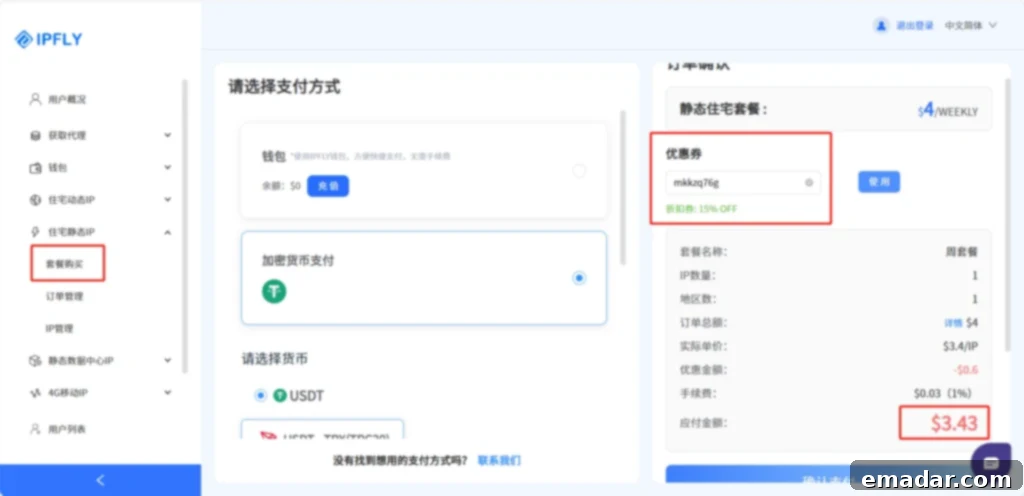
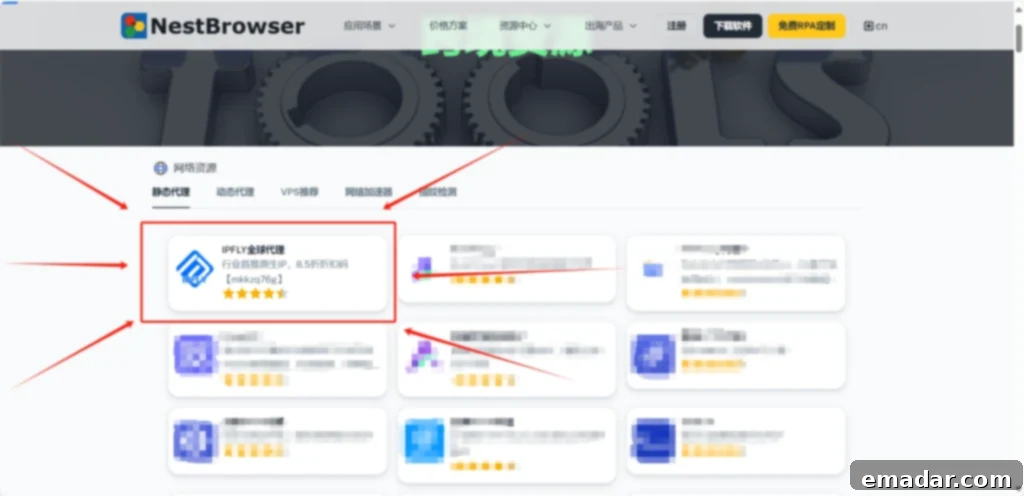
(Special offer: NestBrowser users can enjoy an exclusive 15% discount on all IPFLY IP purchases! Use discount code 【mkkzq76g】 at checkout to apply your savings.)
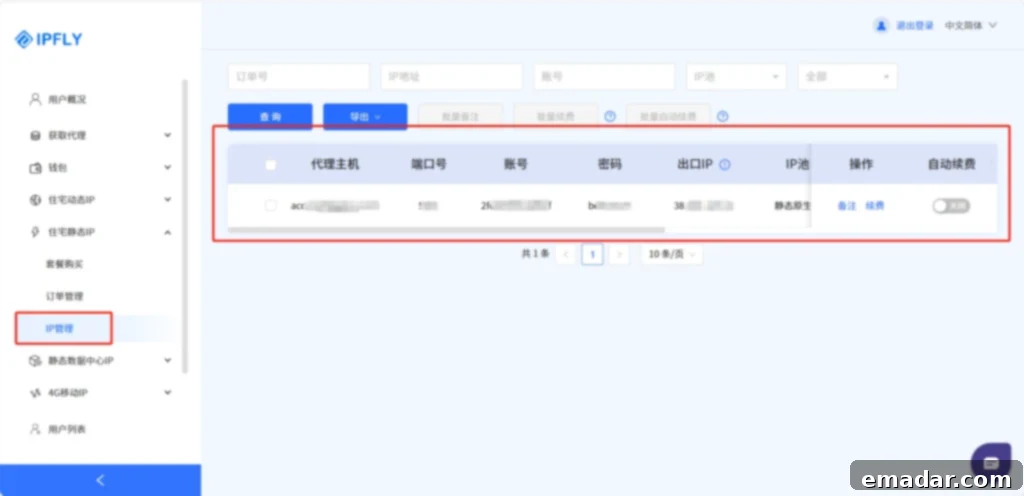
- After your purchase is complete, you can easily access and view the detailed information of your newly acquired IP addresses within your IPFLY account dashboard. This includes the IP address itself, port numbers, and any necessary login credentials.
Step 2: Create a NestBrowser Browser Environment
With your IPFLY IPs ready, the next step is to set up a unique browsing environment within NestBrowser. This environment will act as your distinct digital persona, complete with customized browser fingerprints, ensuring complete isolation from other operations and enhanced anonymity.
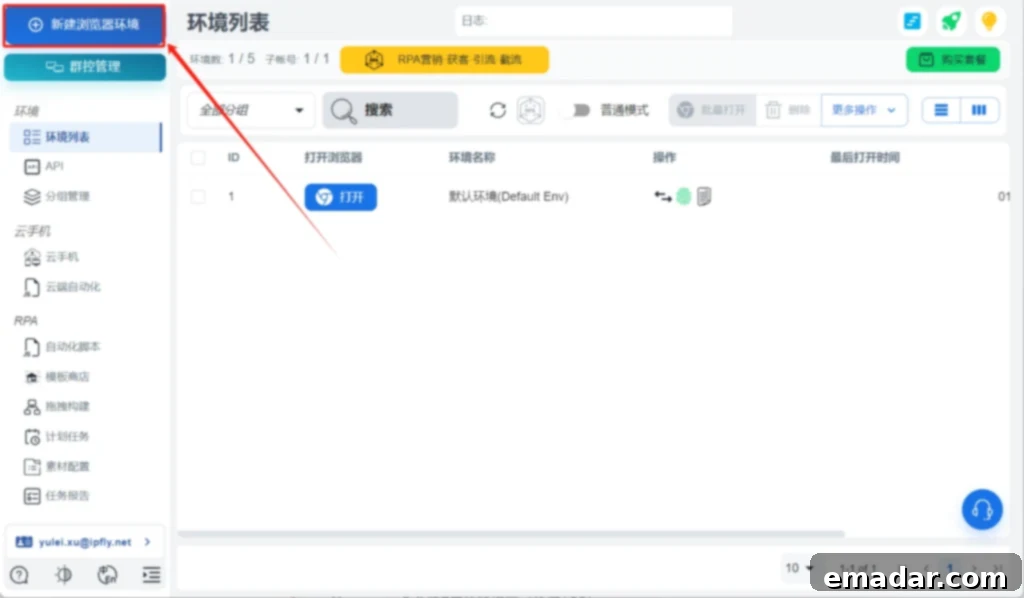
- Download and install NestBrowser, then register and log in to your account. Once inside the application, locate and click the “Create New Profile” button to begin configuring your isolated browsing environment.
- Carefully configure the browser fingerprint parameters according to your specific needs. This includes setting unique values for Canvas fingerprints, WebGL, User Agent (UA), fonts, screen resolution, and other device-specific settings. Tailoring these parameters ensures that each profile appears as a truly distinct and organic user to any detection system.
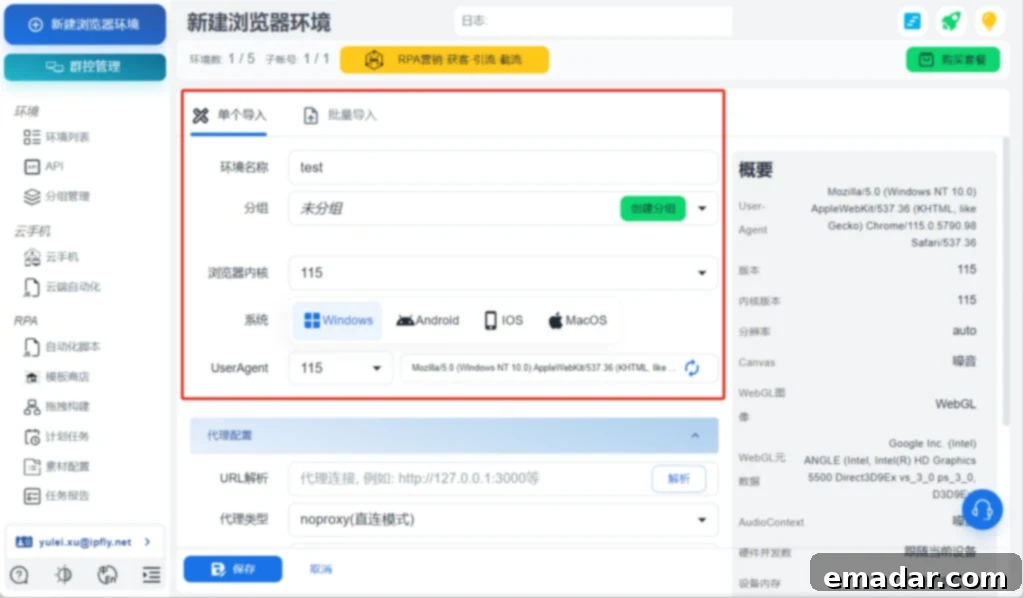
Step 3: Bind Your IPFLY Proxy IP
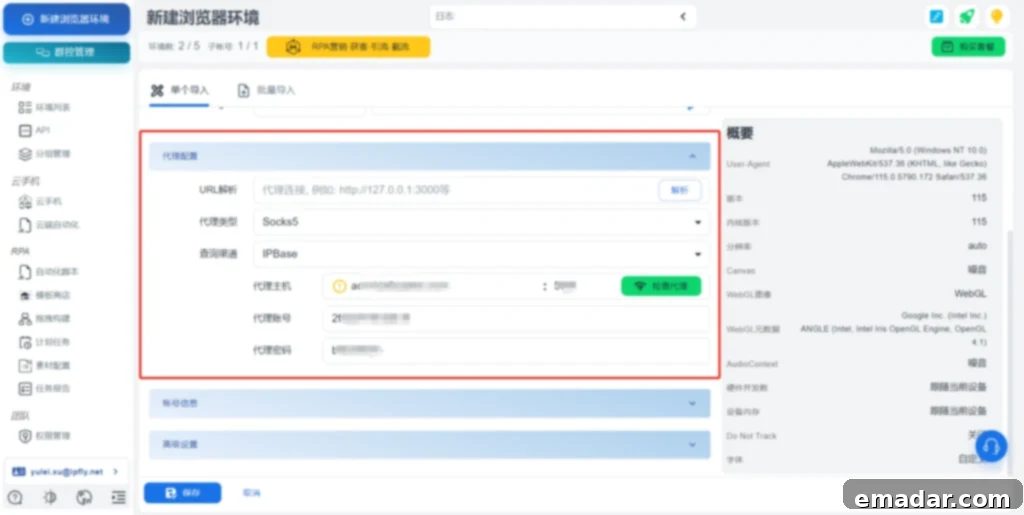
Now it’s time to connect your unique NestBrowser profile with the high-quality IPFLY proxy. This crucial step links your digital identity to a legitimate residential IP, ensuring that your online activities appear to originate from a real user location, significantly enhancing your stealth and bypass capabilities.
- Navigate to the “Proxy Configuration” section within NestBrowser. Here, you will input the IP address, port number, account, and password provided by IPFLY. After entering the details, click the “Verify Connectivity” button to ensure a successful connection to your proxy. This verification step confirms that your proxy is active and correctly configured.
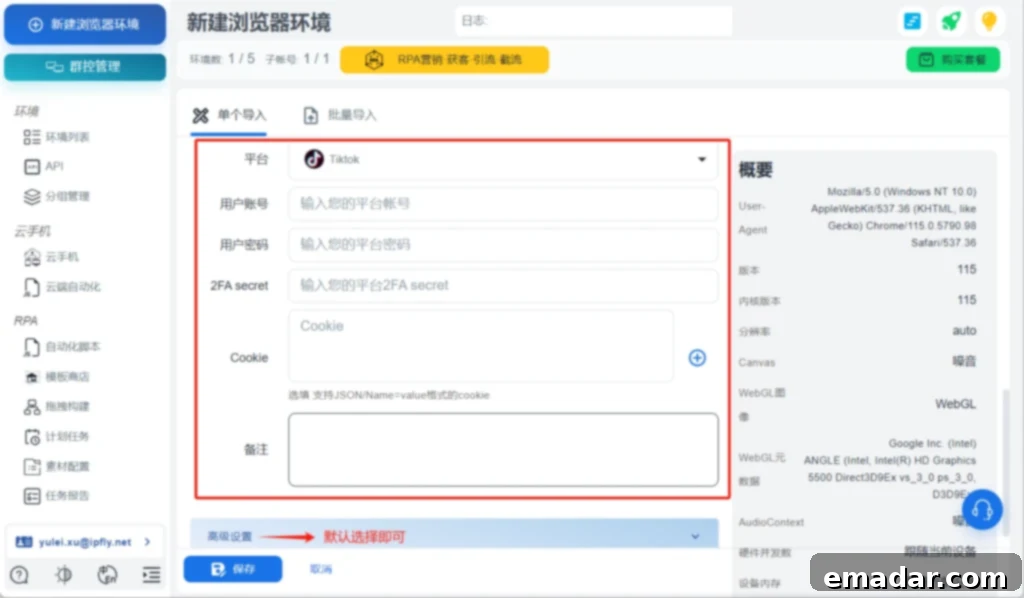
- Once the proxy is successfully verified, proceed to fill in your “Account Information” and adjust “Advanced Settings” as necessary. For most users without highly specialized requirements, the “Advanced Settings” can typically be left at their default configurations. After completing all relevant fields, remember to click “Save” to apply your changes and finalize the profile setup.
Step 4: Launch Your Enhanced Browser Environment
With all configurations complete, you are now ready to launch your new, perfectly cloaked browsing environment. This final step brings together the unique fingerprinting of NestBrowser with the genuine residential IP of IPFLY, providing you with an unprecedented level of anonymity and control over your online presence.
- Open your newly created browser environment within NestBrowser. At this point, the account you are using will be operating from a completely independent, clean, and unique digital environment, seemingly originating from the specific US region you selected for your IPFLY proxy. You are now equipped with a powerful tool for secure and undetectable online operations.
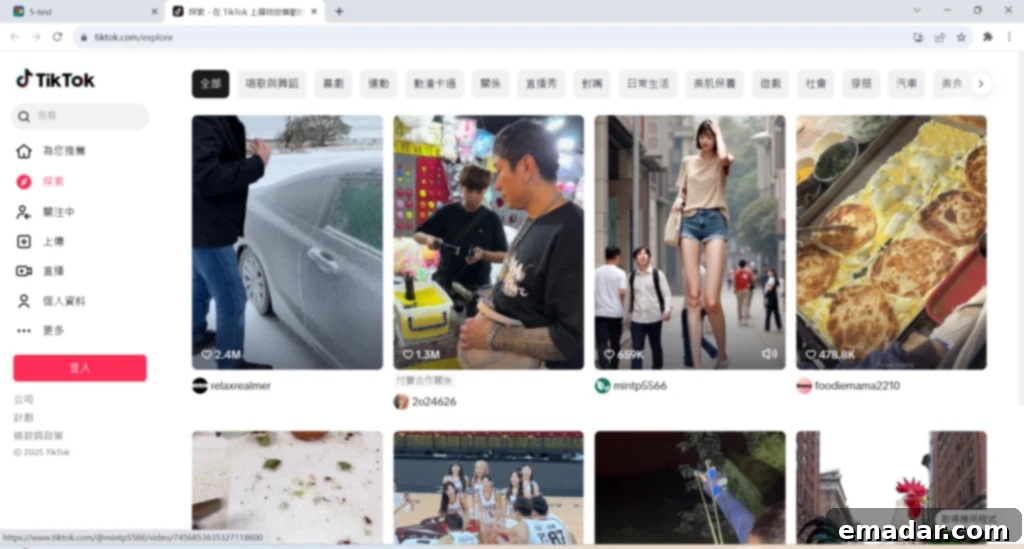
(Note: The setup and subsequent operations described above must be performed within an appropriate environment that allows for international access or is suitable for your target regions, often implying an “overseas” or non-restricted internet connection.)
Should your operations demand a large number of accounts, simply repeat the above steps for each profile. Alternatively, for greater efficiency, NestBrowser offers a convenient bulk import feature, allowing you to quickly set up multiple environments by importing a list of your purchased IPFLY IPs. This streamlines the process, making large-scale account management both feasible and highly efficient.
Don’t let outdated tools hold back your potential. It’s time to decisively upgrade your operational toolkit, leaving your competitors struggling to keep pace. Embrace the future of online efficiency and security, and usher in your own “zero-risk” era with IPFLY and NestBrowser!