
Navigating the digital landscape to create a new Facebook account in 2025 comes with its own set of considerations. As the platform evolves, ensuring a secure, compliant, and seamless registration process is more important than ever. Whether you’re a first-time user eager to connect with friends and family, or looking to establish a professional presence, understanding the nuances of account setup is crucial. One of the most frequently asked questions revolves around a powerful tool: the Facebook proxy. Is it merely an option, or an essential component for optimal Facebook usage today? This comprehensive guide will walk you through every step of creating your Facebook account, highlighting how proper preparation and the strategic use of a proxy can safeguard your digital identity and enhance your overall experience.
I. Essential Preparation Before Creating Your Facebook Account
Before you dive into the registration process, a little preparation can go a long way in ensuring a smooth and successful setup. Think of these steps as laying a solid foundation for your new digital home on Facebook.
1. Secure Your Identity Information and Contact Details
The very first step involves gathering the necessary personal information. Facebook, like most major social media platforms, requires certain details to verify your identity and maintain a trustworthy community environment. You’ll need:
- A Unique Email Address or Cell Phone Number: This is paramount. Ensure the email or phone number you intend to use has never been associated with another Facebook account. This helps prevent conflicts, potential account flags, and streamlines the verification process. Creating a fresh, dedicated email for your new account can be a good practice for organization and security.
- Accurate Real Identity Information: Facebook generally operates under a “real name” policy. Be prepared to provide your genuine full name, date of birth, and gender. Using your real identity not only adheres to Facebook’s community standards but also makes it easier for your legitimate connections to find you and for Facebook to verify your account if any issues arise. Providing false information can lead to account suspension or permanent deletion, making recovery difficult or impossible.
2. Craft a Strong Password and Understand the Verification Process
Once your basic information is ready, securing your account with a robust password and understanding the subsequent verification steps are critical.
- Set a Secure and Memorable Password: Your password is the primary gatekeeper to your account. It’s imperative to create a strong, complex password that combines uppercase and lowercase letters, numbers, and special characters. Avoid easily guessable information like birthdays, pet names, or common phrases. Aim for a password that is at least 12-16 characters long. While making it complex, ensure it’s something you can recall or manage securely through a password manager.
- Identity Verification: After inputting your initial details, Facebook will send a verification code to the email address or cell phone number you provided. This crucial step confirms that you own the contact information and helps prevent automated bot registrations. Keep your email inbox or SMS app open and ready to retrieve this code promptly. Entering it correctly completes the initial verification, bringing you closer to a fully functional account.
3. Ensure a Stable Network Environment and Consider a Residential IP
Your internet connection plays a silent yet significant role in the registration process and ongoing account stability. A stable, high-speed Internet connection is a fundamental requirement for successful registration. Any interruptions or slow speeds can lead to timeouts, errors, or an incomplete setup, forcing you to restart.
Furthermore, be highly cautious about the type of network you use:
- Avoid Public Wi-Fi Hotspots: While convenient, public Wi-Fi networks in cafes, airports, or libraries are often unsecured and prone to various security risks. They can be breeding grounds for data interception, making your personal information vulnerable. More importantly, Facebook’s security algorithms might flag registrations from shared or potentially compromised public IPs, potentially leading to immediate account restrictions or suspensions.
- The Advantage of a Real Residential IP Address: For optimal security and to avoid any red flags from Facebook’s sophisticated detection systems, using a real residential IP address is highly recommended. Residential IPs are internet protocol addresses provided by Internet Service Providers (ISPs) to homeowners. They are perceived by websites as legitimate user connections, indistinguishable from a regular home internet connection. This significantly reduces the risk of your account being misjudged or blocked by Facebook’s system due to suspicious network activity or an IP address associated with spam or bot behavior.
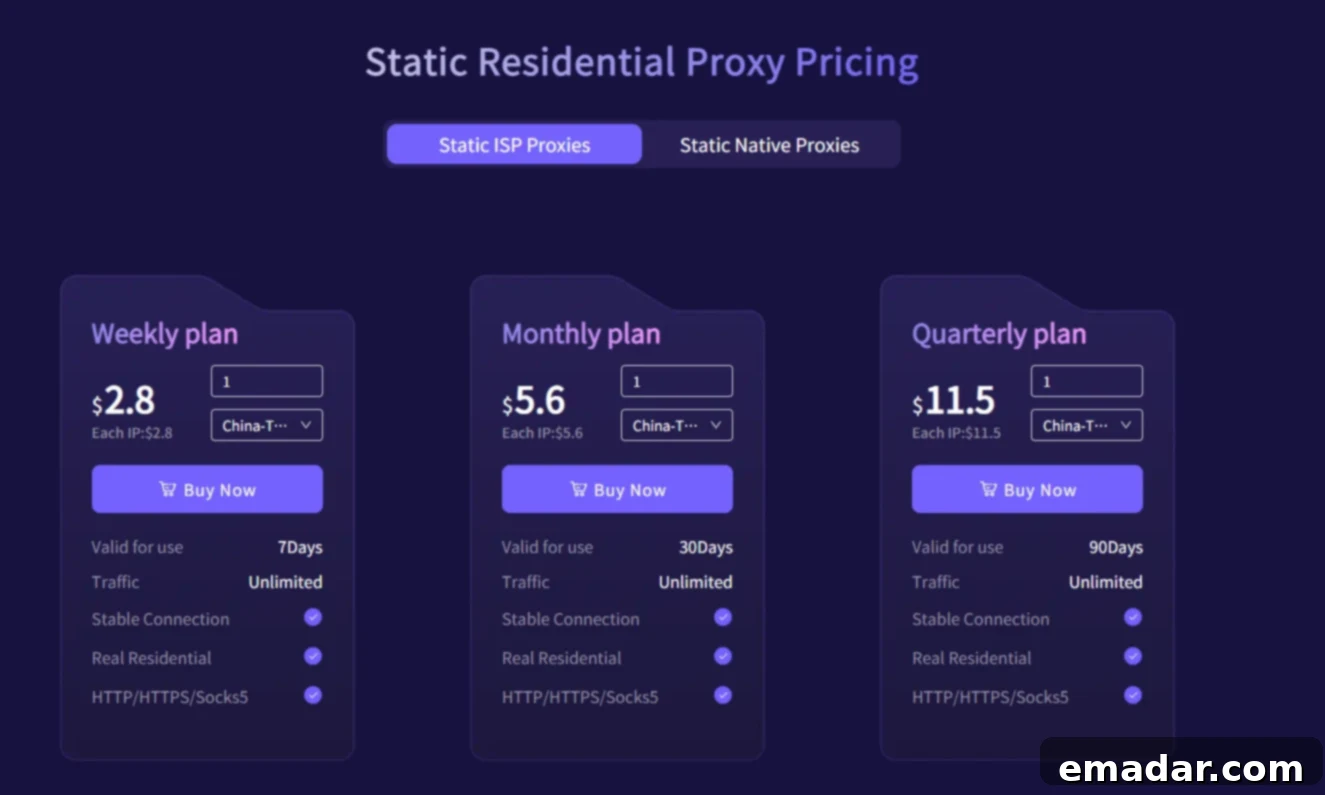
- Leveraging Professional Proxy Services: To obtain a stable, secure, and independent residential IP address, professional proxy services are invaluable. Providers like IPFLY (or similar reputable services) offer access to a vast network of residential IPs across numerous geographic locations worldwide. These services not only ensure the purity and anonymity of your IP address but also provide the consistency needed to prevent Facebook from flagging your account for unusual connection patterns. This is especially vital if you anticipate managing your account from different locations or need to maintain a specific geo-location for various Facebook features.
4. Understanding the Crucial Role of a Facebook Proxy
Now, let’s delve deeper into the concept of a Facebook proxy, a tool that transcends simple convenience to become a strategic asset for account security and operational flexibility. A proxy server acts as an intermediary between your device and the internet, specifically Facebook in this context. When you use a proxy, your internet traffic first goes to the proxy server, which then forwards your request to Facebook. The response from Facebook then travels back through the proxy to your device. This process effectively masks your true IP address and geolocation information.
The benefits of integrating a proxy, particularly a residential one, into your Facebook strategy are multifaceted:
- Enhanced Online Security and Privacy: By hiding your real IP address, a proxy makes it significantly harder for third parties, including potential malicious actors or even Facebook’s own tracking mechanisms, to pinpoint your exact location or build a comprehensive profile based solely on your IP. This adds a crucial layer of anonymity and privacy to your online interactions.
- Bypassing Geographic Restrictions: Facebook offers various features, content, and advertising opportunities that can be restricted based on geographical location. If you need to access or engage with Facebook features that are unavailable in your current region, a geographically specific proxy IP allows you to virtually “relocate” yourself. By connecting through a proxy server located in the desired region, you can bypass these restrictions seamlessly, opening up a world of possibilities for global engagement or market research.
- Preventing Account Blocking and Maintaining Natural Activity: Facebook’s algorithms are constantly monitoring for unusual activity that might indicate bot behavior, spam, or security breaches. Frequent changes in your IP address, especially across disparate geographical locations, or connections from IPs associated with known data centers, can trigger these alarms. A stable residential proxy provides a consistent and trusted IP address, making your account activity appear natural and human-like. This significantly reduces the risk of your account being flagged, temporarily locked, or permanently blocked due to suspicious IP patterns or improper operation, ensuring the longevity and integrity of your Facebook presence.
II. Step-by-Step Guide: How to Register for a Facebook Account
With your preparations complete, you’re ready to embark on the straightforward process of creating your Facebook account. Follow these steps carefully to ensure a successful registration.
1. Visit the Official Facebook Website
Your journey begins at the official Facebook website. It’s absolutely critical to ensure you’re accessing the legitimate site to protect your personal information.
- Navigate to Facebook.com: Open your preferred web browser and type “www.facebook.com” directly into the address bar.
- Verify Authenticity: Before proceeding, double-check the URL to ensure it begins with “https://” (indicating a secure connection) and that the domain name is exactly “facebook.com.” Be wary of any variations or suspicious-looking URLs, as these could be phishing websites designed to steal your credentials. Phishing attacks are a common threat, and unknowingly entering your details on a fake site can lead to the immediate leakage of your personal information and compromise your security.
- Click “Create New Account”: On the Facebook homepage, you’ll typically find a prominent button or link that says “Create New Account” or “Sign Up.” Click this to begin the registration form.
2. Fill in the Registration Information Accurately
Once you click “Create New Account,” a registration form will appear. This is where you’ll input the personal details you prepared earlier. Accuracy is key here.
- Your Name: Enter your first and last name as they appear on your official identification. Facebook encourages users to use their real names for authenticity.
- Email Address or Mobile Phone Number: Provide the unique email address or cell phone number you’ve set aside for this account. This will serve as your primary contact and login credential.
- New Password: Re-enter the strong, complex password you created during your preparation phase. Make absolutely certain there are no typos. Facebook will often provide an indicator of password strength as you type.
- Date of Birth: Select your accurate date of birth from the dropdown menus. Facebook has age restrictions (typically 13 years old) and uses this information for various features and privacy settings.
- Gender: Choose your gender from the provided options. Facebook offers multiple choices, including “Custom” for more specific identity selection.
- Review and Consent: Before proceeding, you’ll usually find links to Facebook’s Terms, Data Policy, and Cookie Policy. It’s advisable to review these documents to understand how Facebook uses your data and your responsibilities as a user. You’ll then click a “Sign Up” or “Register” button to continue.
3. Verify Your Identity to Activate Your Account
After submitting your registration form, Facebook initiates the identity verification process to confirm your ownership of the provided contact information.
- Check for the Verification Code: Facebook will immediately send a verification code to the email address or cell phone number you registered with.
- Retrieve and Enter the Code: Open your email inbox (and check your spam/junk folder if you don’t see it) or your SMS message inbox. Locate the message from Facebook containing a numerical verification code. Carefully enter this code into the designated field on the Facebook registration page.
- Successful Verification: Once the code is correctly entered and submitted, Facebook will confirm your identity, and your basic account will be successfully registered. You can now proceed to personalize your profile. If you encounter issues receiving the code, check for typos in your registered contact details or use the “Resend Code” option.
4. Complete Your Profile for Enhanced Connectivity
With your account successfully registered, Facebook will guide you through the process of completing your profile. A comprehensive profile not only enhances your presence but also helps you connect with others more effectively.
- Upload a Profile Picture: This is one of the first things people see. Choose a clear, recent, and recognizable photo of yourself. A good profile picture builds trust and makes it easier for friends to identify you.
- Add Personal Information: Facebook will prompt you to add more details about yourself. This can include:
- Bio/Introduction: A short description of who you are or what you’re interested in.
- Work Experience: Your current and past employers.
- Educational Background: Schools, colleges, and universities you’ve attended.
- Current City and Hometown: To help connect with local communities and friends.
- Relationship Status: Optional, but can be added if you wish.
- Interests: Pages you like, hobbies, and activities.
- Connect with Friends: Facebook will often suggest friends based on your email contacts or mutual connections. You can start sending friend requests to people you know.
- Adjust Privacy Settings: As you complete your profile, take a moment to review and adjust your privacy settings. You can control who sees your posts, photos, personal information, and who can send you friend requests or messages. This ensures your comfort and security on the platform.
III. The Indispensable Role of Proxies in Facebook Registration and Operations
In the dynamic ecosystem of Facebook, the utility of a proxy IP extends far beyond mere initial registration. It becomes a critical tool for maintaining account health, ensuring security, and unlocking the full potential of the platform. A proxy server, acting as an intermediary, fundamentally enhances your interaction with Facebook by obscuring your original IP address and managing your online identity. The importance of a proxy IP in Facebook account management is multifaceted and profound:
1. Bolstering Anonymity and Hiding Your Real IP Address
The internet is a vast network where your IP address serves as your digital fingerprint, capable of revealing your geographical location and identifying your internet service provider. For Facebook, this IP can be a key piece of data for tracking user behavior, geographical distribution, and even for identifying potential policy violations. By routing your connection through a proxy, your real IP address is masked, replaced by the proxy’s IP. This prevents Facebook from tracking your activity through your actual IP address and significantly reduces the risk of being detected or scrutinized by the system for reasons related to your network origin. This layer of anonymity is crucial for users prioritizing privacy and data security.
2. Overcoming Geographic Restrictions and Expanding Access
Facebook’s content, features, and advertising capabilities often vary by region due to licensing agreements, local regulations, or targeted marketing strategies. If you need to access content, manage a page, or run ad campaigns targeting a specific country or region where direct access from your current location is restricted, a proxy is indispensable. By selecting a proxy IP located in the desired geographical area, you can virtually bypass these restrictions. This opens up opportunities for market research, engaging with specific communities, or accessing geo-restricted content, ensuring you’re not limited by your physical location.
3. Safeguarding Account Security and Ensuring Longevity
Facebook’s robust security algorithms are designed to detect unusual patterns that might indicate unauthorized access, bot activity, or account compromise. One significant trigger for these alarms is inconsistent or rapidly changing IP addresses, especially if they span disparate global locations in a short period. Such behavior can lead to immediate account flags, temporary locks, or even permanent blocking. A stable and consistent proxy IP, particularly a residential one, helps in creating a ‘natural’ digital footprint. It maintains a consistent IP address for your account’s operations, preventing it from being flagged for suspicious network activity and thus protecting your account from premature blocking or suspension. This consistency is vital for long-term account health and operational stability.
4. Maintaining Natural Account Activity and Avoiding Detection
Beyond simply avoiding blocks, a proxy helps in cultivating an environment where your Facebook account’s activity appears genuinely human and organic. If your account’s primary purpose involves interacting with a specific target audience or community, choosing a proxy IP address in the same or a geographically similar location to that audience is a strategic move. This localized IP makes your interactions—such as posting, commenting, or liking—seem more authentic and less like automated or manipulative behavior originating from a distant, unrelated data center. This “natural” activity is crucial for avoiding Facebook’s bot detection systems, enhancing engagement rates, and ensuring your posts reach their intended audience without being suppressed by algorithms looking for inorganic behavior.
5. Mitigating Risk for Specific Use Cases (e.g., Marketing, Research)
For individuals or businesses involved in social media marketing, competitive analysis, or large-scale data collection (within Facebook’s terms of service), proxies are not just beneficial but essential. They enable the safe and efficient management of multiple accounts (if permitted by platform policies and managed responsibly), allow for localized content testing, and facilitate data scraping without revealing the original source IP or incurring bans. The strategic deployment of diverse, high-quality proxy IPs is fundamental to scaling such operations successfully while adhering to platform guidelines.
In conclusion, registering for a new Facebook account in 2025 demands more than just filling out a form. It requires thoughtful preparation, a keen awareness of security best practices, and a strategic understanding of tools like proxy services. By following the steps outlined in this guide and leveraging the power of a reliable residential proxy, you not only ensure a smooth registration process but also lay the groundwork for a secure, private, and unhindered experience on one of the world’s largest social networks. Embrace these practices, and you’re set to enjoy all that Facebook has to offer, connecting with confidence and peace of mind. Have a great time exploring and engaging on Facebook!