

Seamless Global Operations: Integrating IPFLY Residential Proxies with MuLogin Anti-Detect Browser
In today’s interconnected digital landscape, businesses and individuals often need to manage multiple online accounts for various purposes, from e-commerce and social media marketing to data scraping and brand protection. Navigating these tasks securely and efficiently requires robust tools that can ensure anonymity, prevent account association, and maintain high performance. This comprehensive guide explores how to achieve precisely that by combining the unparalleled power of IPFLY’s global proxy network with MuLogin’s advanced anti-detect browser. Learn how to set up IPFLY’s static residential IPs within MuLogin to establish a secure, private, and highly effective environment for all your online endeavors.
About IPFLY: Your Gateway to Global Proxy Excellence
IPFLY stands out as a premier provider of high-quality global proxy IP services, engineered to meet the demanding needs of modern online operations. What sets IPFLY apart is its commitment to an exclusive IP control mechanism coupled with a fully self-built server infrastructure. This unique approach allows IPFLY to cultivate and maintain a vast and reliable proxy network spanning over 190 countries and regions worldwide, offering an impressive pool of more than 90 million premium IP resources. Whether you require access to popular regions like the United States, the United Kingdom, or Japan, IPFLY ensures broad global coverage and unparalleled resource diversity.
Key Services and Advantages of IPFLY Proxies:
- Dynamic Residential Proxies: Ideal for tasks requiring frequent IP changes, such as web scraping, ad verification, and market research. These proxies support real-time global node rotation, ensuring you can bypass even the most sophisticated geo-restrictions and detection systems with ease. Their dynamic nature provides a fresh identity with every request, significantly enhancing anonymity.
- Static Residential Proxies: Designed for users who need a stable and dedicated IP address with a high trust score. IPFLY’s static residential proxies boast an impressive purity rate of 99.8%, making them virtually indistinguishable from regular home internet connections. They are perfect for managing long-term accounts on platforms like e-commerce sites, social media, and classifieds, where consistent IP identity is crucial for preventing bans and maintaining reputation.
- Datacenter Proxies: For high-volume, speed-critical tasks, IPFLY offers flexible and customizable datacenter proxies. These are known for their exceptional speed and cost-effectiveness, making them suitable for scenarios where high performance is prioritized, such as large-scale data collection or bot operations.
Beyond these specialized proxy types, IPFLY’s entire service suite is built on a foundation of reliability and performance. Users benefit from a remarkable 99.8% IP availability rate, ensuring that your operations run smoothly with minimal interruptions. An average response time of mere milliseconds guarantees swift data transmission and execution. Furthermore, IPFLY emphasizes high anonymity, high concurrency, and low latency, providing a robust solution that safeguards your identity, handles multiple simultaneous connections, and delivers lightning-fast communication. Complementing its technical prowess, IPFLY offers 24/7 customer support and personalized package options, demonstrating its dedication to empowering businesses to expand their global reach and optimize operational efficiency comprehensively.
About MuLogin: Your Secure Anti-Detect Browser for Multi-Account Management
MuLogin is a cutting-edge anti-detect browser specifically engineered for secure multi-account management. In an era where online platforms are increasingly vigilant about detecting and banning users who operate multiple accounts from a single device, MuLogin provides an essential layer of protection. It achieves this by creating independent, isolated browser fingerprinting environments for each account you manage. This means that every browser profile within MuLogin appears as a unique, legitimate user to websites, effectively preventing account association and safeguarding your valuable online assets.
The Power of Browser Fingerprinting Disguise:
The core innovation of MuLogin lies in its ability to meticulously control and manipulate various browser parameters that websites use to identify and track users. These “browser fingerprints” include, but are not limited to, User-Agent strings, WebGL graphics information, Canvas rendering data, screen resolution, operating system, installed fonts, time zone settings, language preferences, and more. By generating distinct and consistent profiles for each browser instance, MuLogin ensures that every account you operate possesses a unique and credible digital identity. This level of isolation is paramount for maintaining the integrity and longevity of your accounts across diverse platforms.
Benefits of Using MuLogin:
- Prevents Account Association: The primary benefit of MuLogin is its ability to stop platforms from linking your accounts. This is crucial for activities like e-commerce (managing multiple seller accounts), social media marketing (operating numerous profiles), affiliate marketing, and cryptocurrency activities, where linked accounts can lead to suspensions.
- Enhanced Security: By isolating each browser environment, MuLogin reduces the risk of cross-contamination from cookies, local storage, and other data, adding an extra layer of security to your operations.
- Streamlined Workflow: Manage all your accounts from a single, intuitive interface. MuLogin simplifies the process of switching between accounts without the constant need for clearing cookies or using cumbersome incognito modes.
- Scalability: With the ability to create and manage an unlimited number of browser profiles, MuLogin empowers businesses to scale their online operations efficiently and safely.
- User-Friendly Interface: Despite its advanced capabilities, MuLogin is designed for ease of use, making it accessible for both novices and experienced digital marketers.
MuLogin ensures a secure, efficient, and rapid development path for your online business, offering peace of mind that your multi-account strategies are protected against detection and association. New users can even take advantage of a free trial to experience its capabilities firsthand.
Integrating IPFLY Static Residential Proxies with MuLogin: A Step-by-Step Guide for Seamless Operations
Combining IPFLY’s pristine static residential proxies with MuLogin’s advanced anti-detect capabilities creates an unparalleled environment for secure and efficient multi-account management. This synergy ensures that each of your online profiles not only has a unique digital fingerprint but also operates from a dedicated, high-trust IP address, making your activities virtually undetectable. Follow this detailed guide to configure your IPFLY static residential IP within MuLogin.
Step 1: Acquire Your Premium IPFLY Static Residential IP
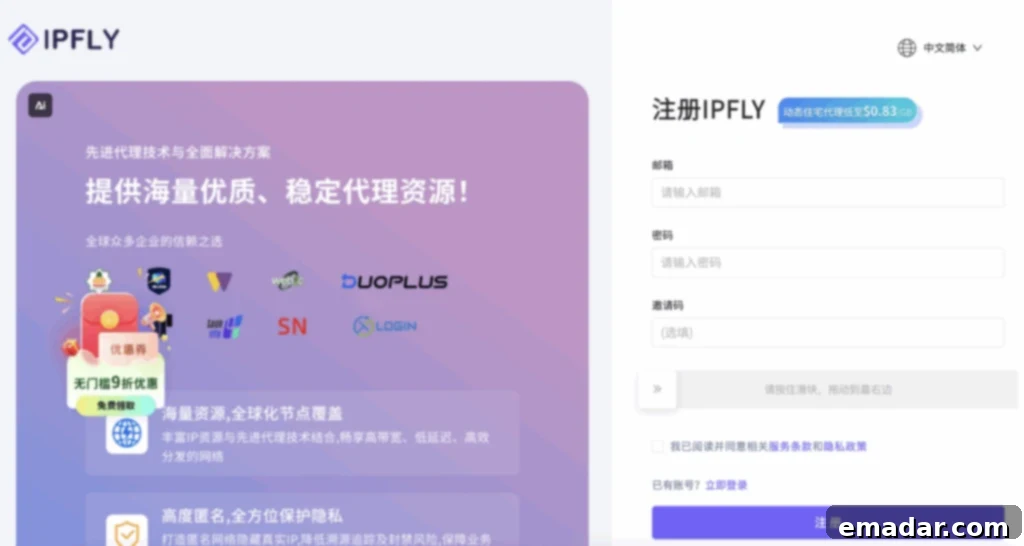
The journey begins by securing a high-quality static residential IP from IPFLY. These IPs are crucial for maintaining consistent online identities, which is essential for stable account management. Navigate to the official IPFLY website, register for an account if you haven’t already, and then log in to your user dashboard.
Step 2: Select and Purchase Your Desired Static Residential Proxy Plan
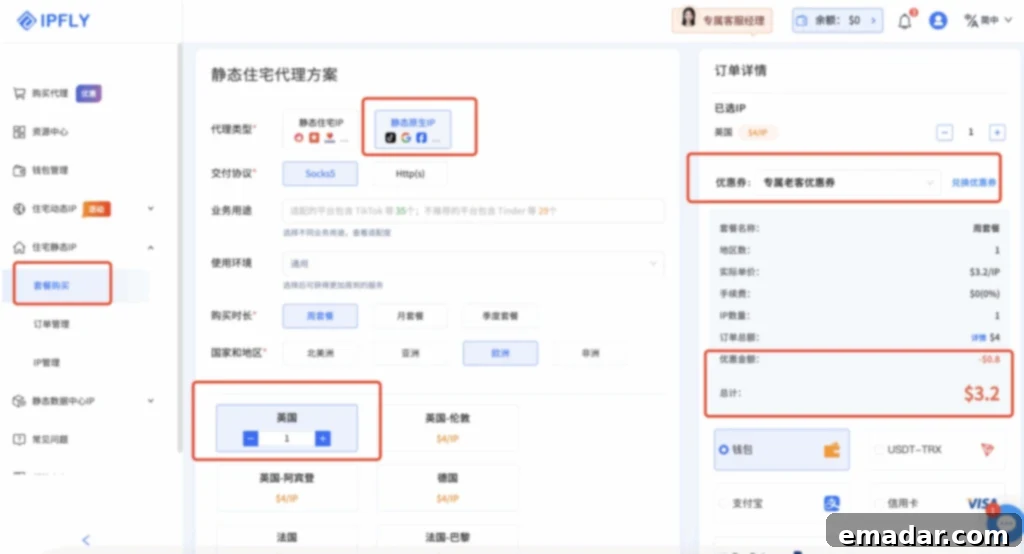
Once logged in, proceed to the “Residential Static IP” section, then click on “Package Purchase,” and finally select “Static Residential IP.” Here, you can browse available countries and choose the one that best suits your geographical targeting needs. This flexibility allows you to simulate a local presence anywhere in the world, which is vital for geo-specific tasks and market access. Complete your purchase to activate your chosen IP package.
Exclusive Offer: MuLogin users can now enjoy a special 20% discount on their IPFLY package purchases! Use the discount code IP6688 at checkout to redeem your savings.
Step 3: Access and Manage Your Newly Purchased IP
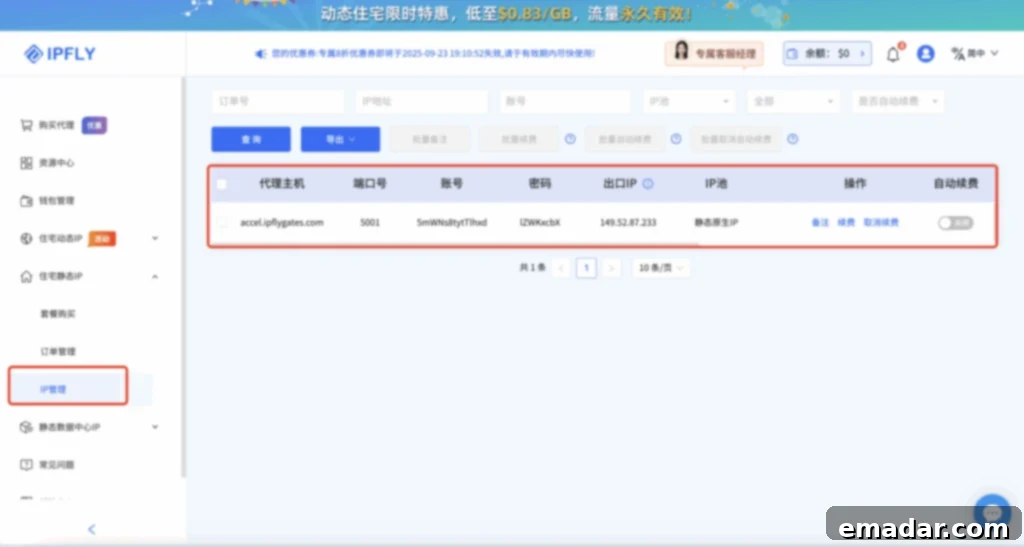
Upon successful payment, your new static residential IP will be ready for use. You can locate all the necessary details by navigating back to the “Residential Static IP” section and then selecting “IP Management.” This area will display your purchased IP address, port, username, and password, which are essential credentials for configuring it within MuLogin.
Step 4: Setting Up MuLogin Browser Profiles
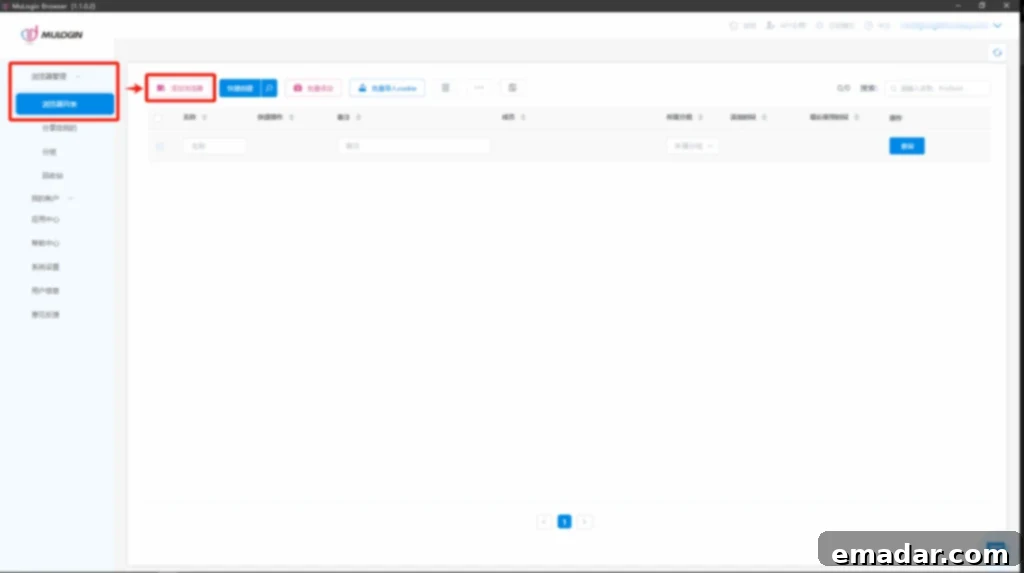
Next, download and register for the MuLogin anti-detect browser if you haven’t already. Log into the MuLogin backend. New users are eligible for a free trial to explore its features. Once inside the dashboard, navigate to “Browser Management,” then “Browser List,” and click on “Add Browser” to create a new, isolated browser profile. Each profile will act as a unique digital identity, preventing cross-account association.
Step 5: Configuring Proxy Settings within MuLogin
Within the new browser profile setup, scroll down to the “Basic Configuration” section. Here, you will find the “Proxy Settings” option. Click on it and choose the appropriate proxy type for your IPFLY residential proxy. IPFLY supports HTTP, HTTPS, and Socks5 protocols. For most applications, HTTP or HTTPS will suffice, providing a balance of security and compatibility. Socks5 offers a higher degree of anonymity and can handle any type of traffic.
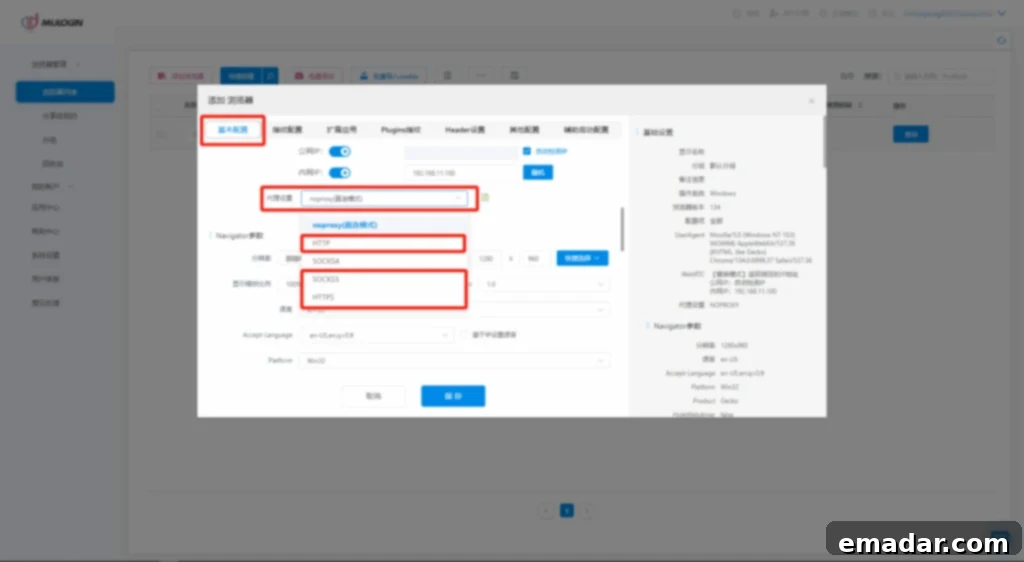
Step 6: Enter IPFLY Proxy Credentials and Verify Connection
In the “Proxy Configuration” area, you will need to input the details obtained from your IPFLY IP management panel:
- IP Address: Enter `accel.ipflygates.com` (Note: This address may vary based on your specific IPFLY package or instructions, always refer to your IPFLY dashboard for the precise details).
- Port: Enter `5001` (Again, verify this port number with your IPFLY package details, as it can be specific to your service).
- Login User: Input your proxy account username provided by IPFLY.
- Login Password: Input your proxy account password provided by IPFLY.
After entering all the credentials, it is crucial to verify the connection. Click on the “Check Network” button. This function will test if your proxy is working correctly and establishing a stable connection. If the check is successful, indicating that the proxy is operational, click “Save” to apply these settings to your MuLogin browser profile. If the check fails, double-check all your entered credentials and ensure your IPFLY proxy is active.
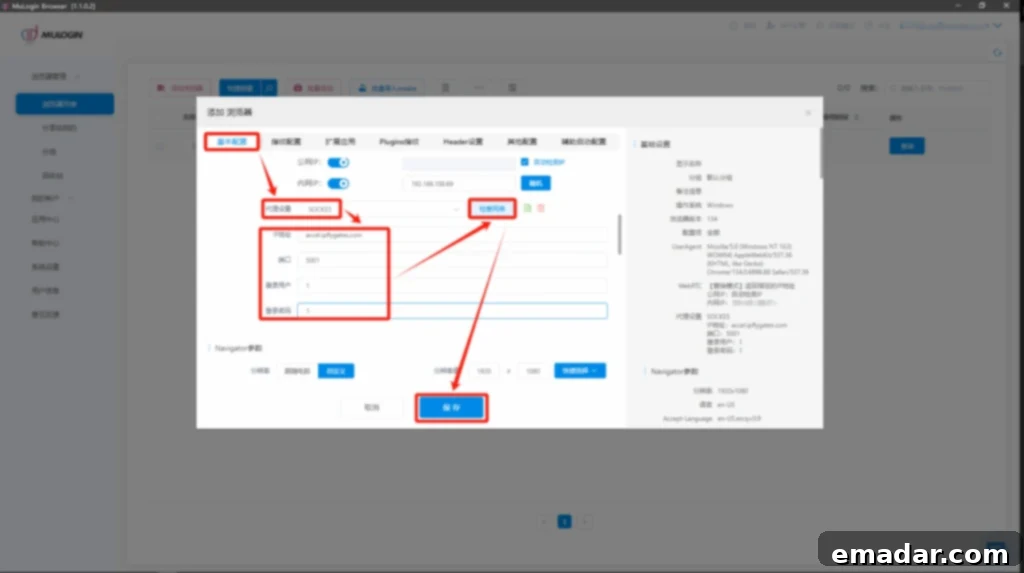
Important Note: It is highly recommended to perform these steps and operate your MuLogin browser profiles within an overseas network environment, or an environment that aligns with the geographical location of your purchased IPFLY proxy, for optimal performance and to maintain the highest level of anonymity.
Congratulations! Your IPFLY global proxy is now successfully configured within MuLogin, providing a powerful, secure, and isolated browsing environment for all your multi-account needs.
Why This Combination Is Unbeatable for Modern Online Operations
The synergy between IPFLY’s high-quality proxy network and MuLogin’s advanced anti-detect browser capabilities creates an incredibly powerful toolkit for anyone serious about secure and scalable online operations. This combination is particularly crucial for:
- E-commerce Specialists: Manage multiple seller accounts on platforms like Amazon, eBay, or Shopify without fear of detection or association, expanding your market reach and sales opportunities.
- Social Media Marketers: Operate numerous social media profiles across Facebook, Instagram, Twitter, and more for diverse marketing campaigns, brand management, and content distribution, all while maintaining account safety.
- Data Researchers and Web Scrapers: Collect vast amounts of public data from various websites without encountering IP bans or CAPTCHAs, ensuring continuous and accurate data acquisition.
- Affiliate Marketers: Run geo-targeted campaigns and manage multiple affiliate accounts from different regions, optimizing performance and compliance.
- Brand Protection Agencies: Monitor online marketplaces and social media for counterfeit products or unauthorized usage from various geographical perspectives.
By leveraging IPFLY’s extensive pool of genuine residential IPs – whether dynamic for rotating anonymity or static for consistent, trusted access – alongside MuLogin’s sophisticated browser fingerprinting technology, users can confidently navigate the complexities of the internet. This setup provides an unparalleled level of security, efficiency, and scalability, allowing you to focus on growing your online business without the constant worry of account suspensions or detection.
Ready to Elevate Your Online Presence?
Take the first step towards uncompromised online security and efficiency. Join countless professionals who trust IPFLY and MuLogin for their global online operations.
One-Click Registration/Download Channels:
- IPFLY Registration: https://console.ipfly.net/register
- MuLogin Download: https://www.mulogin.com/