
The dynamic world of social media constantly evolves, offering creators new avenues to connect, engage, and even earn. Among these, TikTok Live streaming stands out as a powerful gateway to building a thriving community and unlocking significant opportunities. For aspiring live streamers, particularly those just beginning their journey, understanding the intricacies of TikTok’s live broadcast mechanism is not just helpful—it’s essential. Think of it as a comprehensive treasure map, guiding you through every step, ensuring a smooth and successful launch into the vibrant realm of live content creation.

Unlocking Your Potential: A Comprehensive Guide to TikTok Live Streaming for Beginners
Embarking on your first TikTok Live stream can feel both exciting and a little daunting. This guide will walk you through everything you need to know, from meeting the initial requirements to mastering advanced strategies that will elevate your broadcasts and help you connect with a global audience. Whether you aim to share your talents, educate, entertain, or simply build a community, understanding the foundational principles and best practices of TikTok Live is crucial for long-term success. Let’s delve into how you can transform your passion into a captivating live experience.
Meeting the Requirements: Your Ticket to Go Live on TikTok
Before you can hit the “Go Live” button and share your content with the world, TikTok has established a few fundamental criteria. These requirements are in place to ensure a positive, secure, and high-quality broadcasting environment for all users. Meeting these conditions is your initial step towards becoming a recognized live streamer on the platform.
1. Building Your Community: The 1,000 Follower Threshold
TikTok requires creators to have at least 1,000 loyal followers to unlock the live streaming feature. This isn’t merely an arbitrary number; it’s a strategic prerequisite that encourages creators to first establish a presence and an audience through regular video content. By building a follower base, you ensure that when you eventually go live, you already have a community ready and eager to tune into your broadcasts. If you haven’t reached this milestone yet, focus on creating engaging, high-quality short videos, leveraging trending sounds and hashtags, and actively interacting with your audience. Consistency in content creation and genuine engagement are the most effective ways to grow your follower count organically.
2. Age Verification: Ensuring a Safe and Compliant Environment
To participate in TikTok Live, you must be at least 16 years old. This age restriction is paramount for protecting younger users and ensuring that the platform adheres to global safety guidelines and regulations. For creators who are 18 years old and above, an exciting monetization feature becomes available: the ability to receive virtual gifts from your viewers. These gifts, purchased by viewers using real money, can be converted into ‘Diamonds’ within the app, which can then be cashed out. This offers a direct and rewarding way to monetize your content and acknowledge your efforts, transforming viewer appreciation into tangible support.
It’s important to note that the type of TikTok account you possess—whether it’s a personal account, a dedicated creator account, or a business account—does not impact your eligibility for live streaming. As long as you successfully meet the specified follower and age requirements, the expansive world of TikTok Live is readily accessible to you. Therefore, concentrate on cultivating your online presence, fostering meaningful interactions with your audience, and very soon, you’ll be fully prepared to immerse yourself in the dynamic realm of live broadcasting.
Your First Broadcast: Simple Steps to Go Live on TikTok
Once you’ve successfully met TikTok’s eligibility criteria, starting your inaugural live stream is a remarkably straightforward process. Follow these simple yet crucial steps to initiate your broadcast and seamlessly connect with your audience in real-time, ushering in a new chapter of content creation.
-
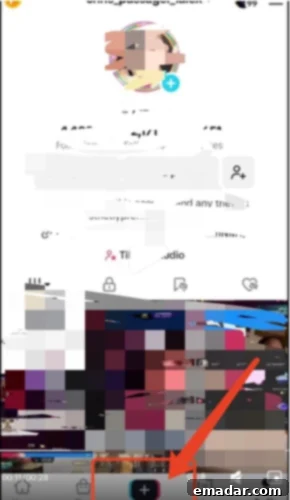
1. Accessing the Live Feature: Sign In and Tap ‘Add’
Begin by opening your TikTok application and logging into your account. At the bottom of your screen, you’ll find a prominent “+” (plus) sign. This intuitive button serves as your central hub for creating all types of content, including your live streams. Tapping it will reveal a range of content creation options, guiding you to the next stage of your broadcasting journey.
-
2. Selecting the ‘LIVE’ Option
After tapping the “+” sign, a navigation bar will appear at the bottom of your screen, presenting various content formats such as ‘Photo’, ‘Templates’, and ‘Story’. To access the live streaming interface, simply swipe right along this bar until you locate the distinctive “LIVE” option, typically positioned at the far right. This is where you will configure all the essential settings for your upcoming live stream.
-
3. Configuring Your Live Stream: Make it Engaging and Discoverable!
This is a pivotal step where you prepare your live stream for maximum appeal and discoverability. Thoughtful configuration here can significantly impact your viewership and engagement:
- Craft an Appealing Cover Image: Upload an eye-catching cover image that acts as a visual advertisement for your live session. This could be your personal logo, a professionally designed branded graphic, or a high-quality picture directly related to your broadcast’s theme. A strong, clear cover image functions as a thumbnail, effectively attracting viewers as they scroll through the endless live feeds.
- Write a Compelling Title: Your live stream title is an incredibly powerful tool for drawing in potential viewers. It needs to be concise, informative, and engaging, ideally keeping it under the 32-character limit. Integrate keywords relevant to your content to significantly improve its discoverability. For example, instead of a generic “My Live Stream,” opt for something more descriptive like “Q&A Session with [Your Name] – Gaming Tips & Tricks!” or “Cooking Show: Quick Weeknight Dinners for Busy People.”
- Embed Relevant Tags (Hashtags): Never underestimate the power of popular and niche-specific tags (hashtags). These tags play a crucial role in helping TikTok’s algorithm understand the nature of your content and strategically push it to genuinely interested audiences. Take time to research trending hashtags within your niche and incorporate a balanced mix of both broad and highly specific tags to ensure you reach a wider, yet highly targeted, viewership.
-
4. Go Live!
Once you’ve meticulously finalized your cover image, title, and chosen your relevant tags, you are fully prepared to commence your broadcast! Simply click the prominent “Go Live” button. The very moment you press it, you will officially be live, instantly visible to your dedicated followers and potentially a much broader audience on TikTok’s highly coveted For You Page. Take a deep breath and enjoy the experience!
Managing Your Live Stream: In-Broadcast Controls
Once your broadcast is underway, TikTok provides you with a suite of intuitive controls designed to enhance and manage your live stream seamlessly:
- Flip Camera: Effortlessly switch between your front-facing and rear-facing cameras to offer dynamic perspectives or showcase different elements of your surroundings.
- Filters and Effects: Apply a variety of filters and real-time effects to your video feed. These can be used to improve the aesthetic quality of your stream, add a fun and engaging element, or align with your content’s theme.
- Comment Management: Actively monitor the live chat and utilize tools to filter comments. This is crucial for maintaining a positive, respectful, and engaging environment, allowing you to block disruptive users or remove inappropriate comments in real-time.
- Invite Moderators: For larger and more active streams, you can invite trusted friends or dedicated community members to serve as administrators (moderators). These individuals can assist in managing the comment section, muting or blocking disruptive users, and generally ensuring a smooth and pleasant experience for all viewers. This allows you, the anchor, to fully concentrate on delivering compelling content.
Ending Your Live Stream: When you’re ready to conclude your broadcast, simply tap the distinctive “X” icon located in the upper left corner of the screen. TikTok will prompt you with a confirmation message, and upon your approval, your live session will gracefully come to an end.
Elevating Your Broadcast: Advanced Strategies for TikTok Live Success
While understanding the basics is essential for getting started, mastering the art of live streaming on TikTok involves a strategic focus on details that significantly impact viewer engagement, retention, and overall success. These “Live Plus” strategies will empower you to transform good broadcasts into truly exceptional ones, fostering a loyal community and maximizing your reach.
1. Strategic Timing: Catch Your Audience at Peak Activity
The precise time you choose to go live can dramatically influence your viewership numbers. Avoid randomly selecting a time; instead, conduct thorough research into your target audience’s demographics, geographical locations, and their peak activity hours on TikTok. For example, if a significant portion of your audience resides in the UK and typically engages with TikTok from late afternoon to evening GMT, you should strategically schedule your live stream for those specific hours. This might translate to late evening to early morning Beijing time, depending on your own location. Utilize TikTok Analytics, a powerful built-in tool, to gain insights into when your existing followers are most active online. Experiment with different time slots and closely monitor your viewership data to pinpoint your optimal broadcasting window, ensuring maximum visibility and engagement.
2. Optimal Duration: Keep Viewers Engaged and Attracted
While there isn’t a universally magic number, a live stream duration of at least 2 hours is frequently recommended for beginners. Shorter streams might not provide sufficient time for TikTok’s algorithm to effectively push your content to a wider audience, nor do they allow enough time for new viewers to discover and join your broadcast organically. Longer streams (within a reasonable limit) facilitate more natural viewer influx and encourage deeper, more sustained engagement. However, the paramount factor is sustained engagement throughout the entire duration. Don’t merely stream for two hours; fill that time with valuable content, dynamic interaction, and consistent energy. Continuously test and meticulously analyze your live stream data to pinpoint the ideal duration where your audience remains most captivated and interactive, leading to better retention.
3. Pre-Live Promotion: Build Anticipation and Secure Viewers
Proactive promotion before your live stream is an indispensable strategy. Posting a short, engaging video preview a few hours or even a full day before your scheduled live session can significantly boost your initial viewer count. In this preview video, tantalize your audience by outlining what you’ll be discussing, highlighting unique features or segments, or announcing special guests, exclusive giveaways, or interactive challenges. Include a clear call-to-action, such as “Set a Reminder” or “Join me live at [Specific Time],” encouraging viewers to mark their calendars and tune in right from the beginning. This strategic anticipation-building cultivates excitement and ensures a strong start to your broadcast.
4. Visual Aesthetics: Mastering Lighting and Background
Lighting in Place: Exceptional lighting can instantaneously elevate your live stream from amateur to professional grade. It effectively illuminates your face, minimizes harsh shadows, and cultivates a more inviting and polished atmosphere. For aspiring beginners, a simple yet effective ring fill light represents an excellent initial investment, providing soft, even illumination that is highly flattering. As you advance, consider upgrading to more sophisticated lighting setups such as softboxes. Always ensure your primary light source is positioned directly in front of you, rather than behind, to prevent silhouetting. Experiment with warm or cool tones to perfectly complement your brand’s aesthetic and desired mood.
Engaging Background: Your chosen background serves as an integral extension of your personal brand and content theme. It is imperative to maintain a clean, uncluttered, and visually appealing backdrop. Consider incorporating a branded backdrop, a tastefully arranged bookshelf, or a creatively designed setup that authentically reflects the nature of your content. Crucially, avoid any distracting elements that could divert attention away from you and your message, ensuring a professional and focused visual presentation.
5. Crystal Clear Audio: Be Heard Loud and Clear
Poor audio quality is one of the most common reasons viewers disengage from a live stream. To mitigate this, ensure your live broadcasting environment is as quiet as possible, free from distracting background noise, echoes, or sudden interruptions. Investing in a good quality external microphone (such as a lavalier mic, a USB microphone, or a gaming headset with an integrated mic) can dramatically enhance your sound quality compared to relying solely on your phone’s built-in microphone. Always conduct thorough audio tests before going live to confirm that your voice is clear, crisp, and at an appropriate, comfortable volume for your audience, ensuring an optimal listening experience.
6. Network Stability: Prevent Interruptions and Maintain Flow
A robust and stable internet connection is absolutely non-negotiable for a seamless and professional live stream. Before every broadcast, meticulously check your Wi-Fi strength. If streaming from a computer, consider the superior reliability of connecting directly via an Ethernet cable. Experiencing lagging, buffering, or sudden disconnections can severely disrupt the viewer experience, leading to frustration and ultimately, lost audience members. If your Wi-Fi connection proves to be unreliable, consider utilizing mobile data if you have access to a strong 5G or 4G connection, but always be mindful of potential data limits and associated costs.
7. Stable Camera Angle: Professional Framing and Viewer Comfort
It is crucial to ensure that your camera is fixed and remains stable throughout the entire duration of your broadcast. A shaky camera is not only distracting but can also induce discomfort or even nausea in viewers. Employ a tripod, a stable stand, or a secure surface to precisely position your device. Frame yourself effectively within the shot—typically, an eye-level perspective where you occupy a significant portion of the frame is ideal. Experiment with various angles that best showcase you and your content, always striving for a well-centered and clearly visible presence to maximize viewer comfort and engagement.
8. Content Preparation: Plan for Fluency, Not Memorization
While the authenticity of live streams is highly valued, a degree of preparation significantly enhances their quality and flow. This does not imply memorizing a script word-for-word, which can often result in a robotic and unnatural delivery. Instead, prepare concise bullet points for key discussion topics, engaging welcome phrases, pre-planned questions to pose to your audience, and interactive prompts. Develop a rough outline of your content flow to ensure a coherent structure. Many professional streamers effectively utilize a teleprompter card or a digital teleprompter application to keep their talking points organized, ensuring a smooth, confident delivery devoid of awkward pauses or excessive filler words. Strategically plan your opening, main content segments, crucial calls-to-action, and heartfelt closing remarks.
9. Frequent Interaction: Build Community and Enhance Engagement
Live streaming is inherently a two-way street, fostering direct interaction. Actively engage with your audience by acknowledging their comments, addressing questions in real-time, and warmly calling out viewers by their names. Prepare dedicated interactive segments such as polls, quizzes, spontaneous Q&A sessions, or even lighthearted mini-games to maintain high energy. Consider offering exclusive benefits like spontaneous giveaways, personalized “shout-outs,” or behind-the-scenes glimpses to cultivate a sense of loyalty and community. The more genuinely you interact, the deeper your audience’s connection will become with both you and your burgeoning community, transforming passive viewers into active participants.
10. Orderly Management: The Indispensable Role of Moderators
As your audience expands and the volume of live comments increases, designating trusted individuals as moderators or operation partners becomes absolutely crucial. These dedicated individuals can effectively manage the chat, filter out inappropriate or spam comments, mute disruptive users, and respond to basic questions. You also have the option to set up keywords in advance for automatic filtering of specific terms. This invaluable support allows you, the primary anchor, to focus entirely on delivering compelling and engaging content, secure in the knowledge that your live room environment is being meticulously maintained and protected.
11. Utilizing the Playback Function: Learn, Analyze, and Repurpose
TikTok offers an incredibly valuable live playback function, typically valid for 90 days following your broadcast. This feature is a veritable goldmine for comprehensive post-live analysis and strategic content repurposing. Download your full live stream video as soon as possible after the broadcast concludes. Re-watch your entire session critically to review your performance: identify what went exceptionally well, pinpoint areas that could be improved, assess how you handled questions, and note any technical glitches that occurred. Identify key moments, exciting interactions, or highly informative segments from your live stream. These can be expertly edited into short, highly engaging video clips for secondary dissemination across other platforms such as TikTok (as regular posts), Instagram Reels, YouTube Shorts, or Facebook. This continuous cycle of creating, analyzing, and repurposing content is a remarkably powerful growth strategy, driving new viewers back to your profile and future live streams.
Beyond the Broadcast: Analyzing and Accelerating Your Growth
Your journey as a successful live streamer doesn’t culminate when your broadcast concludes. In fact, the most significant growth often happens during the post-broadcast analysis phase. Meticulously reviewing your performance is an absolutely essential step for continuous improvement and accelerated growth on TikTok Live.
Post-Live Review: Data-Driven Insights for Continuous Improvement
A comprehensive review process should encompass several critical areas to provide a holistic understanding of your broadcast’s effectiveness:
- Data Review: Dive deep into TikTok Analytics specifically for your live stream. Scrutinize key metrics such as total unique viewers, peak concurrent viewers, average watch time, viewer retention rates, the total number of comments received, virtual gifts acquired, and detailed audience demographics. Understand what these numerical insights reveal about your content’s appeal and your audience’s behavior.
- Process Performance Review: Critically assess how smoothly the entire broadcast ran. Were there any technical issues pertaining to audio quality, video clarity, or internet connectivity? Was the flow of your content natural and engaging, or were there awkward transitions? Did you effectively adhere to your prepared talking points and achieve your objectives?
- Anchor Status Review: Conduct a thorough self-assessment of your energy level throughout the stream. Were you engaging, charismatic, and authentic? How adeptly did you handle unexpected questions, challenging comments, or technical difficulties? Honestly evaluate your comfort level, presentation skills, and overall on-screen presence to identify areas for personal growth.
No matter how creatively exhausted you might feel after a broadcast, it is imperative to dedicate time to critically summarize your performance: Which aspects of the live stream truly excelled and resonated with your audience? Were there any specific topics you intended to cover but missed, or didn’t elaborate on sufficiently? Did any particular interactions fall flat, or lead to miscommunications or errors? Identifying these critical points—both the successes to replicate and the areas requiring improvement—is absolutely fundamental for continuous learning and rapid growth.
Conclusion: Your Path to TikTok Live Mastery
The exhilarating world of TikTok Live streaming is brimming with unparalleled potential, offering you a unique and dynamic platform to forge genuine connections with a global audience, cultivate a vibrant and engaged community, and even monetize your passions. By diligently following this comprehensive guide, which covers everything from meeting the initial requirements and meticulously planning your broadcasts to implementing advanced streaming strategies and conducting thorough post-live analyses, you are not merely embarking on a live stream—you are charting a deliberate and well-informed course toward true mastery.
Remember, success often lies in the meticulous attention to detail. Each tip and strategic approach outlined here is specifically designed to empower you to create more engaging, professional, and ultimately impactful live content. Approach your preparation with intention, broadcast your content with genuine passion, and review your performance with a clear, analytical purpose. With consistent effort, unwavering dedication, and an unyielding commitment to continuous learning, you too possess the capability to become a captivating live broadcast master on TikTok, transforming your live streams into invaluable opportunities for profound connection, substantial growth, and undeniable success. Go forth, create, and let your unique light shine!