
In today’s dynamic business environment, where remote work and global connectivity are the norm, Remote Desktop Protocol (RDP) stands out as an indispensable technology. It empowers IT administrators, developers, and remote employees to seamlessly access and control computers from virtually any location worldwide. However, the convenience of direct RDP connections often comes with inherent security risks and operational challenges, particularly when confronting restrictive network firewalls. A sophisticated and professional strategy to navigate these hurdles involves routing your RDP traffic through a secure proxy server. This approach not only significantly enhances the security posture of your remote connections but also vastly improves their accessibility, making it a cornerstone for modern, resilient IT infrastructures. This comprehensive guide will delve into the critical importance of RDP proxies and provide a conceptual framework for their setup, ensuring your remote operations are both secure and uninterrupted.
Understanding Remote Desktop Protocol (RDP): A Foundational Overview
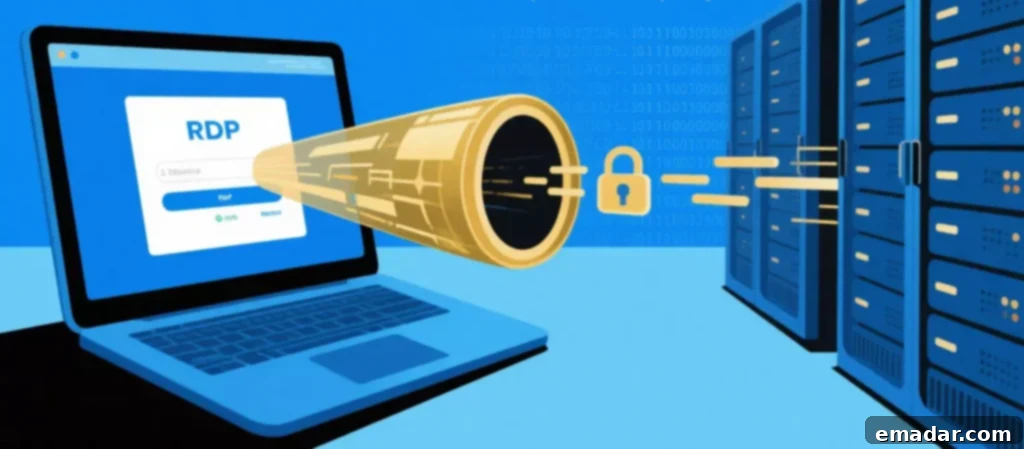
Developed by Microsoft, the Remote Desktop Protocol (RDP) is a proprietary protocol designed to provide a graphical interface to a remote computer over a network connection. It allows a user to connect to another computer and interact with its desktop environment as if they were physically sitting in front of it. This capability has made RDP a critical technology across various sectors:
- Remote IT Support: Enabling technicians to diagnose and resolve issues on client machines without physical presence.
- Server Administration: Offering a graphical interface for managing Windows servers, making complex tasks more intuitive than command-line interfaces.
- Telecommuting and Remote Work: Allowing employees to access their office desktops, applications, and files from home or any remote location, maintaining productivity and business continuity.
- Accessing Specialized Software: Providing a way to use powerful applications hosted on a central server from less powerful client devices.
While incredibly versatile, RDP typically operates over port 3389. Exposing this port directly to the internet can create significant security vulnerabilities, making the remote server a potential target for malicious actors seeking unauthorized access.
Why Route Your RDP Connection Through a Proxy? Unlocking Core Benefits
Although RDP incorporates its own set of security features, integrating a proxy server introduces a vital extra layer of defense and operational flexibility. This strategic enhancement addresses common challenges associated with direct RDP exposure.
1. Enhanced Security and Anonymity: Shielding Your Digital Assets
A direct RDP connection inherently exposes the public IP addresses of both the client initiating the connection and the remote server. This transparency can transform them into identifiable targets for various cyber threats, including brute-force attacks, credential stuffing, and port scanning. By routing your RDP connection through a proxy server, you introduce a crucial layer of obfuscation:
- IP Address Masking: The proxy acts as an intermediary, effectively masking the true IP address of the remote server. For any external observer, the connection appears to originate from the proxy’s IP address, making it significantly harder for attackers to pinpoint and target the actual server.
- Client Anonymity: Similarly, the proxy can anonymize the location of the connecting user, adding a valuable security measure, especially for remote employees accessing sensitive company resources. This anonymity helps protect the user’s personal network from being directly associated with corporate infrastructure.
- Defense Against Brute-Force Attacks: While a proxy doesn’t prevent brute-force attacks on the proxy itself, it can be configured with stronger security policies and rate limiting. Furthermore, if an attacker does compromise the proxy, they still don’t have direct access to the RDP server’s credentials unless the proxy is also compromised at a deeper level.
- Reduced Attack Surface: By directing all RDP traffic through a single, controlled proxy, organizations can significantly reduce their exposed attack surface, centralizing security efforts rather than having numerous direct entry points.
2. Bypassing Firewalls and Network Restrictions: Connect from Anywhere
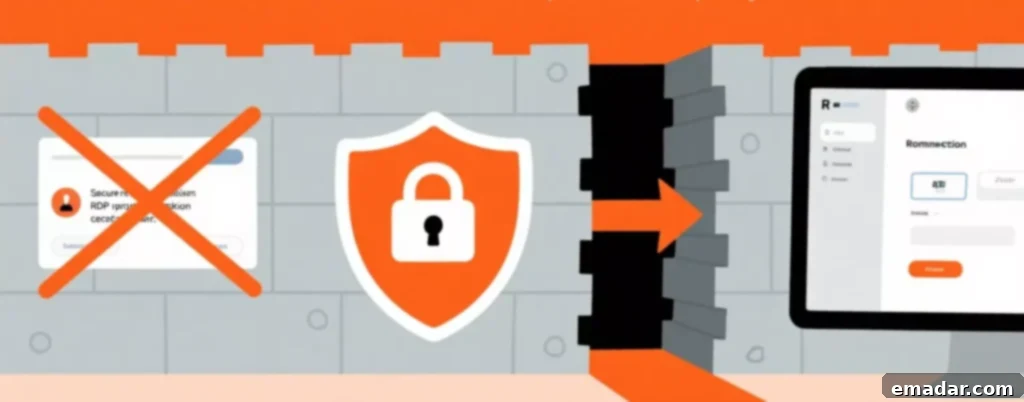
One of the most frequent frustrations for remote workers and IT professionals is the inability to establish an RDP connection from a network with a strict firewall. Environments such as client offices, airports, coffee shops, or hotel networks often block non-standard ports, including the default RDP port (3389). This can severely impede productivity and accessibility.
A proxy server provides an elegant solution by enabling you to “tunnel” the RDP traffic through an open, standard port that is rarely blocked, such as port 443 (commonly used for HTTPS encrypted web traffic) or port 80 (HTTP). Here’s how it works:
- Port Re-routing: Instead of the client attempting to connect directly to port 3389 on the remote server, it connects to the proxy server on an open port (e.g., 443). The proxy then forwards this traffic to the actual RDP server on its designated port (3389), effectively bypassing the intermediate firewall’s restrictions.
- Seamless Connectivity: This method ensures that remote workers can maintain consistent access to their corporate desktops and applications, regardless of the network environment they find themselves in. It transforms potentially restrictive networks into accessible pathways for critical business operations.
- Enhanced Reliability: By using commonly open ports, the connection is less likely to be blocked by network administrators or security policies that might be in place on public or third-party networks.
3. Centralized Access Control and Auditing: A Foundation for Compliance and Security
For businesses, maintaining robust security and ensuring compliance with regulatory standards (e.g., GDPR, HIPAA, PCI DSS) are paramount. Implementing a strategy where all remote employees must connect to company resources via a specific set of company-controlled proxies offers profound advantages for IT departments:
- Centralized Gateway: The proxy server acts as a single, centralized gateway for all incoming RDP sessions. This significantly simplifies network architecture and security management.
- Granular Access Policies: IT administrators can configure the proxy to enforce granular access policies, dictating who can connect, when they can connect, and from which IP addresses. This provides a level of control far beyond what direct RDP offers.
- Comprehensive Logging and Monitoring: All RDP sessions routed through the proxy can be meticulously logged and monitored from a single point. This includes connection times, user IDs, source IP addresses, and even bandwidth usage. These logs are invaluable for:
- Security Audits: Providing clear records for internal and external security audits.
- Incident Response: Quickly identifying and investigating suspicious activity or security breaches.
- Compliance Reporting: Demonstrating adherence to regulatory requirements.
- Improved Security Posture: By consolidating access and implementing stringent controls, organizations can significantly improve their overall security posture, making it harder for unauthorized access attempts to succeed and easier to detect them if they occur.
Choosing the Optimal Proxy for RDP: Prioritizing Stability, Speed, and Trust
The performance of your RDP connection is directly tied to the quality of your proxy. A stable, low-latency connection is absolutely essential for a usable remote desktop experience. Any lag, dropped packets, or slow speeds introduced by a substandard proxy will result in a frustrating, unresponsive, and ultimately unproductive remote session. For this critical reason, relying on free, public, or low-quality proxies is a grave mistake that can introduce severe security risks and performance issues.
The superior choice for RDP is a private, secure SOCKS5 proxy from a premium, reputable provider like IPFLY. Here’s why SOCKS5 and a trusted provider are non-negotiable:
- SOCKS5 Protocol: SOCKS5 (Socket Secure 5) is a versatile proxy protocol that operates at a lower level of the network stack than HTTP/HTTPS proxies. This makes it ideal for RDP traffic because:
- Application-Layer Flexibility: It can handle virtually any type of network traffic, including UDP (which can be used by RDP for certain features) and TCP, without modifying the data packets. HTTP proxies, conversely, are designed specifically for web traffic and may struggle or fail with RDP.
- Full Functionality: SOCKS5 ensures that all aspects of your RDP session, from graphical updates to keyboard and mouse inputs, function smoothly and reliably.
- Enhanced Security: When combined with proper authentication (username/password), SOCKS5 proxies offer a secure tunnel for your RDP data.
- Private and Dedicated Proxies: Unlike shared public proxies that are often overcrowded, slow, and pose significant security risks (as your traffic could be intercepted or logged by unknown parties), private proxies offer dedicated resources. This means:
- Guaranteed Performance: You get exclusive bandwidth, leading to consistent high speeds and low latency – critical for a smooth RDP experience.
- Superior Security: Your traffic is isolated from other users, drastically reducing the risk of data compromise or snooping.
- Reliable Uptime: Premium providers maintain robust infrastructure, ensuring excellent uptime and minimizing service disruptions.
- IPFLY as a Trusted Provider: Choosing a provider like IPFLY guarantees access to dedicated, high-speed SOCKS5 proxies with excellent uptime. Their infrastructure is optimized to deliver the stable and responsive connections that are paramount for seamless remote desktop sessions. Utilizing a trusted proxy from IPFLY ensures that your secure RDP connection is not jeopardized by poor performance, unreliable service, or the inherent security risks associated with lesser-quality, untraceable services. This investment in a premium proxy service is an investment in productivity, security, and peace of mind for your remote operations.

How to Set Up a Proxy for RDP: A Practical Conceptual Guide
Unlike some applications, the standard Windows Remote Desktop client (mstsc.exe) does not feature a simple, built-in option to directly configure a proxy server. Therefore, setting up an RDP connection through a proxy typically requires a system-level or application-level approach using third-party software. This method ensures that all RDP traffic is correctly routed without manual intervention for each connection.
1. Acquire Your Proxy Credentials
The first and most crucial step is to obtain the necessary details for your SOCKS5 proxy from your chosen provider. If you are using IPFLY, you will typically find these credentials within your user dashboard or client area. You will need:
- Proxy IP Address: The unique numerical identifier of the proxy server.
- Port Number: The specific port on the proxy server that your connection will use (commonly 1080 for SOCKS5, but can vary).
- Username and Password: Authentication credentials required to access and use your private proxy.
Ensure these details are kept confidential and are accurately recorded.
2. Configure a Proxy Router Application (Proxifier)
Since the native RDP client lacks proxy support, you will need a specialized third-party application, often referred to as a “proxifier” or “proxy router.” Popular examples include Proxifier or ProxyCap (note: this guide does not endorse specific third-party tools, merely illustrates the type of software needed). These applications work by intercepting network connections from specified applications and redirecting them through a configured proxy server.
- Installation: Download and install your chosen proxifier application on the client machine from which you intend to initiate the RDP connection.
- Adding Your Proxy: Within the proxifier application’s settings, you will add your IPFLY SOCKS5 proxy details (IP address, port, username, and password). Be sure to select SOCKS5 as the protocol type.
3. Create a Tunneling Rule for RDP
Once your proxy server is configured within the proxifier application, the next step is to create specific rules that instruct the application to route RDP traffic through that proxy. This is often the most important part of the setup:
- Application-Specific Rule: You will create a rule that targets the Windows Remote Desktop client executable, typically
mstsc.exe. This rule will specify that any outbound connection initiated bymstsc.exeshould be forced to route through the SOCKS5 proxy you just configured. - Port-Specific Rules (Optional but Recommended): For added precision, you can also specify that traffic destined for port 3389 (the default RDP port) should go through the proxy.
- Testing the Rule: Many proxifier applications allow you to test rules or display real-time network activity. Verify that your RDP client’s traffic is indeed being routed through the proxy.
This tunneling rule ensures that your RDP connection adheres to the security and accessibility benefits provided by the proxy, without affecting other applications on your system unless you configure them to use the proxy as well.
4. Connect as Usual
After the proxifier application is running in the background and your tunneling rules are active, the process of connecting to your remote computer remains largely unchanged for the end-user. You simply open the normal Windows Remote Desktop client (mstsc.exe) and enter the remote computer’s IP address or hostname, just as you always would. The third-party proxifier application will seamlessly work in the background, automatically intercepting your RDP connection and securely tunneling it through your configured IPFLY SOCKS5 proxy.
For those new to the world of proxies and feeling unsure about choosing the right strategies or services, help is readily available. First, visit IPFLY.net for comprehensive basic service information. Then, take the next step by joining the IPFLY Telegram community—there, you’ll find beginner guides, frequently asked questions (FAQs), and a supportive community to help you use proxies correctly and start with ease!

While Remote Desktop Protocol remains an exceptionally powerful and essential tool for remote access in our interconnected world, ensuring its security and reliable accessibility across diverse network environments presents a significant modern IT challenge. Strategically routing your RDP traffic through a high-quality SOCKS5 proxy server is not merely an option, but a professional and highly effective strategy to decisively overcome these challenges. This approach delivers a multi-faceted set of advantages, including significantly enhanced anonymity, the critical ability to bypass restrictive firewalls, and the invaluable benefit of centralized access control and comprehensive auditing capabilities.
By leveraging a stable, high-speed, and secure SOCKS5 proxy from a trusted and reputable provider like IPFLY, businesses and individual users can gain confidence that their remote desktop connections are not only safeguarded against an evolving threat landscape but are also reliably accessible from any corner of the globe. In an era where remote work is increasingly prevalent and cyber threats are ever-present, integrating a proxy into your RDP workflow is a proactive measure that fortifies your digital perimeter, optimizes productivity, and ensures seamless, secure operations. This is the modern standard for RDP security and accessibility, setting the foundation for resilient remote IT infrastructure.