
In the vibrant and ever-evolving universe of TikTok, live streaming stands as a powerful gateway to immense opportunities, particularly for those looking to engage with a global audience, build a community, and even drive sales. For beginners embarking on this exciting journey, understanding the intricacies of TikTok’s live streaming mechanism is paramount. Think of it as discovering a treasure map that guides you through every step, ensuring a smooth and successful launch into the dynamic world of live content creation.

Embarking on Your Live Journey: Meeting the Essential Requirements
Before you can hit the “Go Live” button and connect with your audience, there are a couple of fundamental prerequisites set by TikTok to ensure a safe and engaging environment for all users. These guidelines are designed to maintain community standards and provide a secure platform for content creators.
1. Building Your Community: The Follower Count
To initiate a live broadcast on TikTok, your account needs to have a minimum of 1,000 followers. This threshold is in place to ensure that creators have a foundational audience and a basic understanding of content creation and community engagement within the TikTok ecosystem. If you’re currently below this number, focus on consistent content creation, using trending sounds and hashtags, interacting with other users, and posting regularly to organically grow your follower base. Building a genuine community before going live will significantly enhance your initial live stream experience.
2. Age Verification: Meeting the Minimum Age
TikTok prioritizes user safety and compliance with global regulations. Therefore, any individual wishing to host a live stream must be at least 16 years old. This requirement ensures that live streamers are mature enough to handle direct interactions with a broad audience and understand the responsibilities associated with live broadcasting. Furthermore, if you are 18 years old or above, you unlock the ability to receive virtual gifts from your viewers during your live streams, which can be converted into real income. This feature adds an exciting dimension to live content, allowing your most dedicated fans to show their appreciation and support directly.
It’s important to note that these requirements apply universally, regardless of your account type – whether you operate a personal account, a creator account, or a business account. As long as you meet these two core conditions, the world of TikTok live streaming is open to you.
Seamless Streaming: Your Step-by-Step Guide to Going Live
Getting started with TikTok Live is surprisingly straightforward. The platform has designed an intuitive interface to make the process as simple as possible. Follow these easy steps, and you’ll be broadcasting like a pro in no time:
Step 1: Launch TikTok and Access the Creation Hub
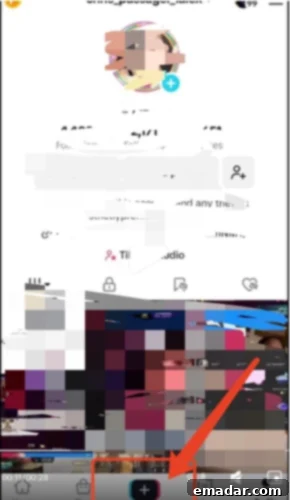
First, open the TikTok application on your smartphone or tablet. Once logged in, navigate to the center of the bottom navigation bar and tap the prominent “+” icon. This button is your gateway to content creation, whether you’re uploading a short video or going live.
Step 2: Selecting the “LIVE” Option
After tapping the “+” icon, you’ll see a selection of content creation options at the bottom of your screen, typically including “Camera,” “Templates,” and “LIVE.” Swipe through these options until you locate and select the “LIVE” tab, usually positioned on the far right. This action will take you to the live stream preparation screen.
Step 3: Setting Up Your Live Room for Success
This is where you make your live stream appealing and discoverable. Thoughtful preparation here can significantly impact your viewership and engagement:
- Choose a Captivating Cover Image: Upload an eye-catching thumbnail image that represents your live stream. This could be your personal brand logo, a professional headshot, or an exciting visual related to your broadcast’s topic. A compelling cover image is often the first thing potential viewers see and can entice them to click.
- Craft an Engaging Title: Your live stream title is crucial for discoverability and informing viewers about your content. Keep it concise yet descriptive, ideally within 32 characters, to ensure it’s fully visible. Incorporate relevant keywords and trending hashtags (e.g., #LiveStream, #TikTokLive, #QandA, #ProductLaunch) to improve your chances of appearing in search results and on users’ For You Pages. A well-crafted title acts as a mini-advertisement for your stream, generating curiosity and clicks.
Step 4: Going Live!
Once you’ve set your cover image and title, you’re ready to go! Simply tap the “Go Live” button. TikTok will initiate a brief countdown (usually three seconds), and then you’ll officially be broadcasting to the world. Congratulations, your TikTok live journey has begun!
Managing Your Live Stream in Real-Time
Once you’re live, TikTok provides a suite of tools to enhance your broadcast experience:
- Flip Camera: Seamlessly switch between your front and rear cameras to show different perspectives or demonstrate products.
- Add Filters and Effects: Apply various filters and effects to improve your appearance or add a fun, engaging element to your stream.
- Moderate Comments: Keep your comment section positive and constructive by filtering out unwanted keywords or blocking disruptive viewers. You can also highlight positive comments to foster a supportive community.
- Invite Moderators: For larger streams, consider inviting trusted individuals from your audience or team to serve as moderators. They can help manage comments, answer basic questions, and maintain a respectful environment, allowing you to focus on content delivery.
When you’re ready to conclude your broadcast, simply tap the “X” icon located in the top-left corner of your screen. You’ll be prompted to confirm your decision, and with another tap, your live stream will end.
Elevating Your Live Streams: Crucial Details for Success
While meeting the basic requirements and knowing the mechanics gets you started, true success in TikTok live streaming lies in mastering the details. These “plus factors” can significantly boost your viewership, engagement, and overall impact.
1. Utilize the Replay Function: Maximize Content Lifespan
Don’t let your hard work disappear after the live stream ends. TikTok offers a replay function that keeps your broadcasts available for up to 90 days. It’s crucial to enable this feature and download your videos promptly after each session. Here’s why and how to leverage it:
- Performance Analysis: Watching your replays allows for thorough self-assessment. Identify what went well, what could be improved in terms of delivery, pacing, and interaction.
- Content Repurposing: Your live stream is a goldmine for evergreen content. Edit out highlights, create short tutorial clips, extract Q&A segments, or share impactful moments as separate short videos. This extends the reach of your content beyond those who watched live and provides valuable material for your regular TikTok feed.
- For Missed Viewers: Not everyone can tune in live. Providing replays ensures that your audience can catch up on your content at their convenience, fostering continued engagement.
2. Strategize Your Broadcast Timing: Reach Your Peak Audience
The success of your live stream heavily depends on when you go live. You need to identify and broadcast during your target audience’s most active hours. This requires a bit of research and experimentation:
- Audience Demographics: Understand where your primary audience is located. If a significant portion of your followers is in the UK, for instance, broadcasting during their afternoon to evening hours (which might be late evening to early morning in Beijing time) would be ideal.
- TikTok Analytics: Use TikTok’s built-in analytics to gain insights into your audience’s active times. This data is invaluable for pinpointing optimal broadcasting windows.
- Testing and Iteration: Don’t be afraid to experiment with different time slots. Track your viewership and engagement metrics for each stream to determine which times yield the best results for your specific content and audience. Consistent testing will help you refine your schedule for maximum impact.
3. Optimize Live Stream Duration: Aim for Engagement
While there’s no magic number, short, fleeting live streams often struggle to gain traction. Aim for a minimum duration of two hours to give your audience enough time to discover your stream, join, engage, and for TikTok’s algorithm to recognize its value and push it to more users. Longer streams generally allow for:
- Deeper Engagement: More time for Q&A, interactive games, and extended discussions.
- Algorithmic Boost: TikTok often favors longer, engaging live streams, potentially increasing their visibility.
- Sales Opportunities: More time to showcase products, answer buyer questions, and drive conversions if you’re doing live commerce.
However, balance duration with maintaining high energy and engaging content. A two-hour dull stream is less effective than a 90-minute dynamic one.
4. Promote Your Live Stream: Build Anticipation
Don’t expect your audience to magically know you’re going live. Effective pre-promotion is key to ensuring a strong turnout:
- Video Teasers: Create short, exciting video announcements on your TikTok feed a few days before and on the day of your live stream. Highlight what you’ll be discussing, any special guests, or exclusive offers.
- Countdown Timers: Use TikTok’s countdown sticker feature in your stories or videos to remind your followers about the upcoming event.
- Cross-Promotion: Announce your live stream on your other social media platforms (Instagram, Facebook, Twitter) to draw in a wider audience.
These proactive steps generate excitement and ensure your fans mark their calendars, preventing them from missing out on your valuable content.
5. Master Your Lighting: Professionalism and Mood
Good lighting can transform an amateur stream into a professional-looking broadcast. It not only illuminates you but also sets the mood and atmosphere of your live room:
- Natural Light: Position yourself facing a window for soft, even lighting, but be mindful of harsh direct sunlight.
- Ring Lights: An excellent starting point for beginners, a ring light provides even, flattering illumination, reducing shadows and making you look more vibrant.
- Softboxes and Key Lights: As you progress, consider investing in professional lighting equipment like softboxes or key lights to achieve more controlled and sophisticated lighting setups.
Proper lighting ensures you are clearly visible and helps create an inviting visual experience for your viewers.
6. Ensure Crystal-Clear Audio: The Foundation of Engagement
Poor audio quality is a common reason viewers drop off. Your message, no matter how compelling, won’t land if it’s difficult to hear or understand. Prioritize clear sound:
- Quiet Environment: Choose a broadcasting location free from background noise. Inform household members or colleagues about your live stream to minimize interruptions.
- External Microphone: While built-in phone mics are adequate for casual use, an external microphone (e.g., a lavalier mic, USB microphone, or dedicated shotgun mic) can dramatically improve sound quality, capturing your voice clearly and reducing ambient noise.
- Acoustic Treatment: For a more advanced setup, consider simple acoustic treatments like blankets or soft furnishings to absorb echoes in your room.
Investing in good audio demonstrates professionalism and respect for your audience’s listening experience.
7. Secure a Stable Internet Connection: Prevent Disruptions
A fluctuating or weak internet connection can lead to buffering, freezing, or even disconnecting from your live stream, which can be frustrating for both you and your viewers. Always prioritize a stable connection:
- Test Beforehand: Conduct a speed test before going live to ensure adequate upload and download speeds.
- Wired Connection: If possible, use an ethernet cable for your broadcasting device (if applicable via an adapter) for the most stable connection.
- Strong Wi-Fi Signal: If using Wi-Fi, ensure you are close to your router and that no other devices are heavily consuming bandwidth.
- Backup Plan: Have a mobile data hotspot ready as a backup in case your primary internet connection fails.
A seamless broadcast without technical glitches keeps your audience engaged and prevents them from leaving.
8. Maintain a Fixed Camera Angle: Professionalism and Comfort
A shaky camera can be distracting and unprofessional. Secure your camera setup for a steady, comfortable viewing experience:
- Tripod or Stand: Use a phone tripod or a stable stand to hold your device firmly in place.
- Optimal Angle: Position your camera at eye level or slightly above to create a flattering and engaging angle.
- Consistent Framing: Ensure you are well-centered in the frame and that your background is clean and relevant to your content.
A stable shot conveys professionalism and allows your viewers to focus entirely on your content without experiencing motion sickness.
9. Prepare Talking Points and Prompts: Structured Engagement
While live streaming thrives on spontaneity, having a general outline or talking points can ensure you stay on track, cover all key messages, and maintain a smooth flow. This isn’t about memorizing a script, but rather having a roadmap:
- Welcome Phrases: Prepare engaging ways to greet new viewers and thank loyal ones.
- Retention Hooks: Develop phrases or questions that encourage viewers to stay longer.
- Interactive Prompts: Think of questions to ask your audience, polls to run, or topics to invite discussion on.
- Key Messages: List the main points, products, or calls to action you want to convey.
- Call-to-Actions (CTAs): Clearly define what you want your audience to do (e.g., follow your account, visit a link, ask a question, purchase a product).
Use a discreet teleprompter app or physical cue cards to jot down these points, ensuring a fluid and comprehensive broadcast without sounding robotic.
10. Prioritize Frequent Interaction: Build Community
Live streaming is a two-way street. Active engagement with your audience is vital for building a loyal community and keeping viewers hooked:
- Acknowledge Comments: Read out viewer comments and respond directly. Even a simple “Thanks for that question, [username]!” can make a viewer feel valued.
- Q&A Sessions: Dedicate specific segments to answering audience questions.
- Polls and Quizzes: Use TikTok’s interactive features to involve your audience in decisions or test their knowledge.
- Giveaways and Contests: Host live giveaways or run small contests to create excitement and reward active participants.
- Shout-outs: Give shout-outs to engaged viewers or those who share your live stream.
The more interactive your stream, the more connected your audience will feel, transforming passive viewers into active community members.
11. Implement Effective Moderation: Maintain a Positive Environment
As your live streams grow, so does the potential for spam, inappropriate comments, or disruptive behavior. Proactive moderation is crucial for maintaining a positive and safe environment:
- Keyword Filters: Utilize TikTok’s built-in feature to pre-set keywords that will automatically filter out or hide inappropriate comments.
- Designated Moderators: If possible, have one or more trusted individuals (friends, team members, or highly loyal viewers) act as moderators. Their role is to monitor comments, answer common questions, address disruptive users, and highlight positive interactions.
- Swift Action: Empower your moderators to swiftly hide or block users who violate community guidelines, ensuring the focus remains on your content and engaged audience.
Effective moderation protects your brand, preserves the quality of discussion, and makes your live stream a welcoming space for everyone.
Post-Live Analysis: Fueling Your Growth
The journey doesn’t end when you tap “X.” The most critical step for continuous improvement and rapid growth is conducting a thorough post-live analysis. This indispensable process involves reviewing various aspects of your broadcast to extract actionable insights:
- Data Review: Dive into TikTok Analytics. Examine key metrics such as total viewers, peak viewer count, average watch time, engagement rate, gift revenue, and new followers gained. Understanding these numbers provides concrete data on your stream’s performance.
- Content and Flow Review: Watch your live stream replay. Assess the content you delivered: were your talking points clear? Was the pacing appropriate? Did you effectively transition between topics? Identify segments that performed well and those that led to a drop-off in viewership.
- Host Performance Review: Evaluate your own energy, communication style, and confidence. Were you engaging? Did you maintain eye contact (with the camera)? Was your voice clear and enthusiastic? Identify areas where you can enhance your delivery and presence.
- Technical Performance Review: Check for any technical glitches related to audio, video, or internet connectivity. Were there moments of buffering or unclear sound? Addressing these issues will lead to a smoother experience for future streams.
- Audience Interaction Review: Analyze how well you engaged with your audience. Did you answer questions effectively? Did you acknowledge comments? Were there opportunities for interaction that you missed?
Regardless of how late it is or how tired you might be, make it a habit to summarize each live stream. Note down what went well, what key points might have been overlooked, and where any errors occurred. Only through consistent evaluation and adaptation can you truly accelerate your growth and refine your live streaming strategy.
There you have it – your ultimate comprehensive guide for TikTok live streaming beginners! Armed with this treasure map, you are now equipped to confidently embark on your live streaming adventure. Remember, attention to detail is the differentiator, and thoughtful preparation is the cornerstone of success. With dedication and consistent effort, you too can become a TikTok live streaming sensation, captivating audiences and building a thriving community on this exciting platform!