
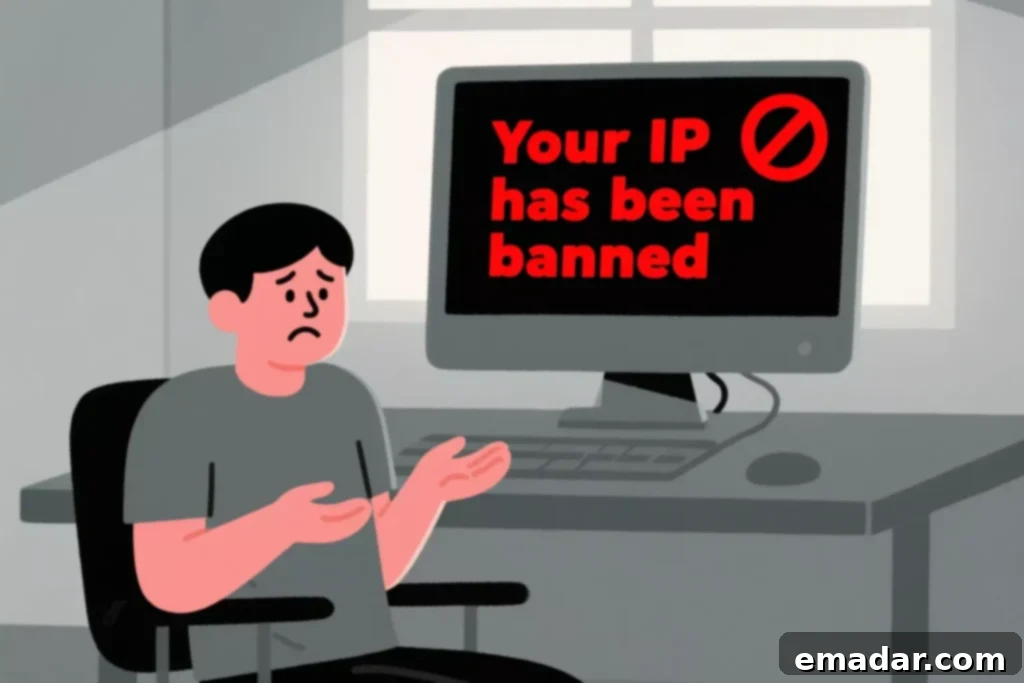
The abrupt message “Your IP has been banned” can be a significant disruption, halting your online activities without warning. Whether you’re conducting vital market research, engaging in web scraping for business intelligence, accessing geographically restricted content, or simply participating in an online community, encountering an IP ban means your digital connection has been flagged and blocked by a server or website.
This frustrating experience often leaves users wondering: What precisely triggers an IP ban, and more importantly, what effective steps can be taken to resolve it and prevent future occurrences? Understanding the nuances of IP bans is crucial for anyone relying on consistent, unrestricted internet access.
This comprehensive guide delves into every aspect of IP bans – from their fundamental causes and immediate impact to the most reliable solutions and preventative strategies. We’ll explore how to diagnose, troubleshoot, and ultimately overcome these digital roadblocks, placing a special emphasis on leveraging advanced proxy solutions like those offered by IPFLY to ensure seamless and secure online operations.
What Exactly Does “Your IP Has Been Banned” Mean?
When you encounter the “Your IP has been banned” error, it signifies that your unique IP address – the numerical label assigned to your internet-connected device by your Internet Service Provider (ISP) – has been placed on a specific website’s or server’s blacklist. This block can be a temporary measure, designed to deter suspicious activity, or a permanent restriction, depending on the severity and nature of the perceived offense.
Websites and servers utilize sophisticated security protocols, often including firewalls and Web Application Firewalls (WAFs), to detect and respond to activity that deviates from normal user behavior or violates their terms of service. They may automatically ban IP addresses when they identify:
- Unusually High Traffic Volume: An overwhelming number of requests originating from a single IP within a short timeframe, often mistaken for a Distributed Denial of Service (DDoS) attack or aggressive scraping.
- Suspicious Bot-like Behavior: Automated actions such as rapid form submissions, excessive link clicking, or repetitive login attempts that mimic non-human interaction.
- Logins or Access from Blacklisted Regions: Attempts to access content or services that are explicitly restricted to specific geographical locations due to licensing, compliance, or strategic business reasons.
- Violations of Terms of Service: Any action that directly contravenes the rules and policies set forth by the website, ranging from spamming to harassment or fraudulent activities.
- Association with Spam or Abuse from a Shared IP: If your IP address is part of a shared network pool (e.g., public Wi-Fi, certain VPNs, or shared hosting environments) and another user on that same IP has engaged in malicious behavior, your IP might be inadvertently blacklisted.
Top Reasons Why IP Addresses Get Banned
Understanding the common triggers for IP bans is the first step toward avoiding them. Here’s a deeper look into the primary causes:
1. Excessive Requests, Web Scraping, or Automated Crawling
One of the most frequent reasons for an IP ban is the overuse of automation tools like web scrapers, bots, or custom scripts that send a large volume of requests to a server in a short period. Websites interpret this behavior as potentially malicious, such as a DDoS attack, a brute-force attempt, or a blatant violation of their fair use policies, which are designed to protect server resources and proprietary data. Common scenarios include competitive price monitoring, real estate data collection, news aggregation, or extensive SEO keyword tracking. Without proper rate limiting and ethical practices, your IP can quickly be flagged and blocked.
2. Geolocation-Based Blocking and Geo-Restrictions
Many online services, streaming platforms, e-commerce sites, and financial institutions implement geographical restrictions. This means they intentionally block access for users originating from specific countries or regions. These blocks are often due to content licensing agreements, regulatory compliance (e.g., GDPR, CCPA), local market strategies, or even national security concerns. If your IP address indicates a location within a restricted zone, you might face an immediate ban or “Access Denied” message, regardless of your intent.
3. Breaking Site Rules and Terms of Service Violations
Direct violations of a website’s Terms of Service (ToS) are a guaranteed path to an IP ban. These violations can include a wide array of activities such as:
- Spamming: Posting unsolicited commercial content, repetitive messages, or automated comments.
- Harassment: Engaging in abusive or threatening communication.
- Fraudulent Activities: Creating fake accounts, attempting to exploit vulnerabilities, or engaging in phishing.
- Repeated Login Attempts: Multiple failed login attempts, often indicative of a brute-force attack, can trigger security systems to ban the IP.
- DDoS Attempts: Any coordinated effort to overwhelm a server with traffic.
These actions are typically monitored by sophisticated anti-bot systems that can swiftly identify and block the offending IP.
4. Poor Shared IP Reputation and Blacklisting
Your IP address might be banned not because of your own actions, but due to the activities of others. This is particularly common if you are using:
- Public Wi-Fi Networks: Shared by many users, one person’s malicious activity can taint the entire network’s IP.
- Shared Hosting Environments: If your website shares an IP with other sites on a hosting server, and one of them engages in spamming or other illicit activities, your site’s IP might be blacklisted.
- Certain VPN Services: Free or low-quality VPNs often share a limited pool of IP addresses among thousands of users, leading to frequent blacklisting.
If an IP address gets listed on a global IP blacklist (e.g., Spamhaus, SORBS) due to association with spam, malware, or other cybercrimes, many legitimate websites and email servers will automatically block it, affecting all users sharing that IP.
What Happens When Your IP Is Banned? The Consequences
When your IP is banned, the immediate consequence is a disruption of your intended online activity. Here’s what you can typically expect:
- Inability to Access the Website or App: The most obvious symptom. You simply cannot load the page or connect to the service.
- Error Messages: Common error codes include “403 Forbidden,” “Access Denied,” “You are Blocked,” or custom messages indicating an IP ban.
- Slowed Connections or Login Failures: In some cases, rather than an outright ban, your connection might be severely throttled, or you might experience persistent login failures as a precursor to a full ban.
- Data and Productivity Loss: For businesses relying on web data or specific online services, an IP ban can lead to significant operational setbacks, lost data, and decreased productivity.
- Permanent Restriction: If the issue remains unresolved or if the violation is severe, the ban can become permanent, potentially requiring entirely new infrastructure or contact with site administrators.
How to Confirm If Your IP Has Indeed Been Banned
Before diving into solutions, it’s essential to confirm that your IP address is the root cause of your access issues. Here are methods to verify an IP ban:
- Try Accessing with a Different Network or Device: Attempt to visit the problematic website using your mobile data, a neighbor’s Wi-Fi, or a different computer or phone. If you can access it successfully from another network, your original IP address is likely the issue.
- Use an IP Blacklist Checker: Tools like MXToolbox or WhatIsMyIPAddress.com’s blacklist checker can tell you if your current IP is listed on major spam and abuse blacklists.
- Contact Site Administrators: A polite and clear message to the website’s support team or administrator can often clarify the situation. Explain when you started experiencing the issue and ask if your IP address (which you can find by searching “what is my IP” on Google) has been blocked.
- Check Browser Developer Tools: In your browser’s developer console (F12), look at the Network tab for specific error codes like 403 or 429 (Too Many Requests) when trying to access the blocked resource.
How to Fix “Your IP Has Been Banned” – Effective Strategies
Successfully resolving an IP ban often involves a combination of patience and strategic action. Here are the most effective methods to restore your access:
1. Reboot Your Router or Modem
Many Internet Service Providers (ISPs) assign dynamic IP addresses to their customers, meaning your IP address can change periodically. By simply restarting your home router or modem, you might be assigned a new IP address from your ISP’s pool, effectively bypassing the previous ban. This is often the quickest and easiest fix for temporary bans on personal devices.
2. Switch to Mobile Data or a Different Wi-Fi Network
Similar to rebooting your router, switching your device to use mobile data (e.g., tethering from your smartphone) or connecting to an entirely different Wi-Fi network (like a friend’s house or a coffee shop) will provide you with a new IP address. This is a reliable temporary workaround to confirm the ban and regain immediate, albeit short-term, access.
3. Contact the Website Owner or Administrator
If you believe the IP ban was a mistake, or if your usage was unintentional, reaching out to the website’s support or administrative team is a viable option. Clearly and politely explain your situation, provide your current IP address, and assure them you will comply with their terms of service. Be prepared to wait for a response, as this process can take time.
4. Wait It Out – Temporary Bans May Expire
Some IP bans are temporary and automatically lift after a specific duration, ranging from a few hours to several days. If your need for access isn’t urgent and you’ve confirmed it’s a temporary ban (or suspect it might be), simply waiting can resolve the issue. This is often the case with automated systems detecting unusual, but not necessarily malicious, activity.
5. Use a High-Quality Proxy Service like IPFLY
For individuals and businesses requiring consistent, reliable, and scalable access, especially when dealing with frequent or widespread bans, a proxy service is the most robust solution. Proxies act as intermediaries, routing your internet traffic through their servers and replacing your real IP address with one of theirs. This masks your true identity and origin, allowing you to access blocked content securely and anonymously. This method is particularly effective for web scraping, accessing geo-restricted content, and maintaining online privacy.
Why Proxies Are the Smartest Way to Avoid IP Bans (and How They Work)
A high-quality proxy service fundamentally changes how your online traffic is perceived by target websites. Instead of your direct IP address making requests, the proxy server acts on your behalf. This routing mechanism offers several critical advantages:
- Bypass Restrictions and Firewalls: By changing your visible IP address, proxies allow you to circumvent IP-based blocks, firewalls, and rate limits imposed by websites. Your real IP remains hidden and unaffected by any blacklisting.
- Access Geo-Blocked Content: Proxies enable you to choose an IP address from a specific geographical location. This is invaluable for accessing region-specific content, localized pricing, global market research, and international advertising verification.
- Maintain Anonymity During Automation: When performing tasks like web scraping or large-scale data collection, proxies provide a layer of anonymity, protecting your true identity and preventing target sites from easily tracking or banning your origin.
- Rotate IPs to Avoid Detection or Bans: Advanced proxy services offer IP rotation, where your requests are routed through a different IP address at set intervals or with each new request. This simulates organic, diverse user traffic, making it extremely difficult for anti-bot systems to detect and ban your activities.
- Enhanced Security: Proxies can add an extra layer of security by filtering out malicious content or encrypting your traffic, protecting you from cyber threats.
🔐 Enter IPFLY: The Smarter, More Reliable Proxy Solution
IPFLY stands out as a leading provider of high-performance proxy solutions, meticulously designed to bypass IP bans, ensure online anonymity, and facilitate uninterrupted web access. IPFLY offers a diverse range of proxy types tailored for various use cases:
- Real Residential IPs: Sourced from actual internet service providers, these IPs are assigned to genuine users, making them virtually indistinguishable from regular user traffic. This offers the highest level of authenticity and significantly reduces the chance of detection or banning.
- High-Speed Datacenter Proxies: Ideal for tasks requiring extreme speed and large volumes of requests, such as CDN testing or fast content delivery, where IP reputation is less critical.
- Premium Mobile Proxies: Utilizing IPs from mobile carriers, these proxies offer unparalleled trust scores. Mobile IPs are highly dynamic and rarely get banned due to their legitimate, widespread use by millions of mobile users.
- Advanced IP Rotation: IPFLY’s robust infrastructure allows for seamless IP rotation, ensuring that your requests are distributed across a vast network of clean IP addresses, mimicking human browsing patterns.
- Global Geo-Targeting: Gain access to a wide array of region-specific IPs, allowing you to target content from virtually any country or city worldwide.
- Fast Speeds and High Uptime: Engineered for optimal performance, IPFLY proxies ensure minimal latency and maximum availability, critical for time-sensitive operations.
- Support for SOCKS5 and HTTPS Protocols: Offering versatility and secure communication across various applications and software.
Whether you’re a business conducting critical data scraping, an e-commerce platform monitoring competitor pricing, a gamer avoiding server bans, or an individual simply seeking to access geo-restricted content, IPFLY provides secure, flexible, and reliable access to the web, empowering you to navigate the internet without limitations.
Preventing Future IP Bans: Best Practices for Sustainable Access
Restoring access after an IP ban is only half the battle; preventing recurrence is key. Implement these best practices to maintain uninterrupted online access:
✅ Limit Automation Speed and Respect Rate Limits
If you’re using automation tools for web scraping or data collection, it’s paramount to be considerate of the target server’s resources. Avoid sending too many concurrent requests. Implement reasonable delays (e.g., random pauses between requests) to mimic human browsing behavior. Always check a website’s `robots.txt` file for guidelines on crawling, and respect any API rate limits specified.
✅ Read and Respect Website Terms of Service (ToS)
Ignorance of the rules is no excuse. Before engaging in extensive activity on any website, take the time to read their Terms of Service. Many bans stem from unintentional violations that could have been avoided by understanding what is and isn’t permitted. Ethical online behavior is crucial for long-term access.
✅ Utilize IP Rotation with High-Quality Proxies
Sending all your traffic through a single IP address, even a proxy, can still lead to detection and bans if the volume is too high. The most effective strategy for persistent web interaction is to use a rotating proxy pool. Services like IPFLY automatically cycle through thousands of fresh IP addresses, ensuring that no single IP is overloaded with requests, making your activity appear organic and distributed.
✅ Steer Clear of Public or Free Proxies
While tempting due to their cost, free or public proxies come with significant risks. They are often slow, unreliable, prone to frequent blacklisting, and, most critically, pose severe security vulnerabilities. Many free proxies are operated by malicious actors looking to intercept your data, inject malware, or use your connection for illicit activities. Always invest in trusted, paid proxy providers like IPFLY for security, reliability, and performance.
✅ Employ Smart User-Agent and Header Management
Beyond changing your IP, mimicking a real browser is vital. Ensure your automation scripts rotate User-Agent strings (which identify your browser and operating system) and include other standard HTTP headers (like `Accept`, `Accept-Language`, `Referer`). This makes your automated requests appear more legitimate to anti-bot systems.
Real-World Proxy Use Cases: Transforming Online Access
Proxies aren’t just for bypassing bans; they are powerful tools for various legitimate applications, providing strategic advantages across industries. Here’s how IPFLY proxies make a difference:
| Scenario | Without Proxy | With IPFLY Proxy |
| Data Scraping & Web Crawling | IP ban after 100 requests; data incomplete or inaccessible. | Seamlessly extract 10,000+ requests with dynamic IP rotation, ensuring comprehensive data acquisition for market research, competitor analysis, and price intelligence. |
| Accessing Geo-Locked Content | “Access Denied” errors; inability to stream regional content or view localized websites. | Unrestricted, seamless access from target regions for content streaming, localized ad verification, SEO rank tracking, and market penetration analysis. |
| Online Gaming | Permanent server bans due to region restrictions or perceived abuse; high latency. | Instantly change IP to access regional servers, bypass localized bans, and potentially reduce lag by connecting through optimized proxy locations. |
| E-commerce & Retail Intelligence | Blocked for frequent price checks, stock monitoring, or review aggregation; difficulty comparing international prices. | Unlimited tracking of competitor prices, stock levels, and product availability from various locations using high-trust residential proxies, enabling strategic pricing and inventory management. |
| SEO & Marketing Research | Inaccurate global SERP results; inability to verify local ad placements. | Monitor search engine rankings and verify ad campaigns from any target location, providing precise, localized data for improved SEO strategies and campaign effectiveness. |
| Social Media Management | Account suspension or IP ban for managing multiple accounts or high-volume interactions. | Safely manage multiple social media accounts with unique, dedicated IPs, reducing the risk of bans and ensuring consistent engagement. |
Final Thoughts: Reclaim Your Online Freedom

Receiving the unsettling message “Your IP has been banned” can feel like an immediate roadblock to your online objectives. However, as this guide demonstrates, you are not alone, and you are far from helpless. Whether your access is blocked due to aggressive automation, geographical restrictions, or an unfortunate association with a compromised shared IP, robust solutions are available.
While basic troubleshooting steps like restarting your router or contacting website administrators can offer temporary relief, the most effective, reliable, and scalable approach for regaining and maintaining consistent access is through the strategic deployment of high-quality proxy services. IPFLY proxies provide an unparalleled advantage, offering a diverse array of real residential, datacenter, and mobile IPs coupled with advanced rotation features to ensure anonymity, bypass bans, and support complex automation tasks.
By understanding the causes of IP bans and implementing best practices, especially with the reliable support of IPFLY, you can transform your online experience from one of frustration to one of seamless, unrestricted access. Don’t let IP bans dictate your digital potential.
Explore IPFLY’s comprehensive proxy services today and take back full control of your online presence and data needs.