
In 2025, as “going global” operations like cross-border e-commerce, overseas payments, and social media matrix management continue to expand, possessing a reliable US phone number that can receive verification codes and appears genuinely “local” has become as indispensable as a passport for international travel. Amidst this rising demand, Talkatone emerges as a popular solution—an application that promises a free US number, empowering many to bypass local restrictions and navigate the global digital landscape with ease.
This comprehensive guide to Talkatone registration will not only walk you through the process of securing your own US phone number but also equip you with the knowledge to establish a registration environment that is secure, undetected, and unlikely to be flagged, ensuring a smooth and successful experience.
Understanding Talkatone: What It Is and Why Everyone Wants It
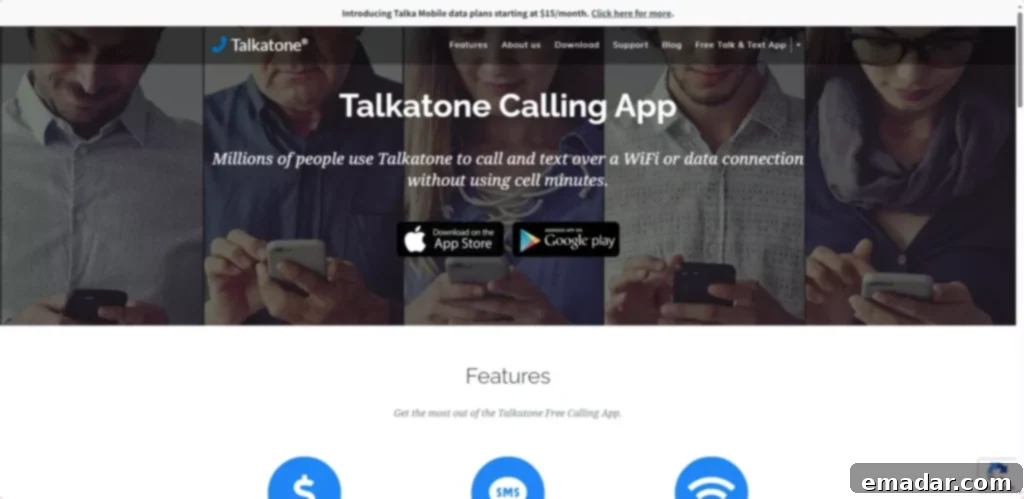
Talkatone is an innovative mobile application that provides users with a free virtual US or Canadian phone number. What sets Talkatone apart from many other “virtual” or “burner” number services is the unique classification of its numbers. Unlike typical Voice over IP (VoIP) numbers, which are often easily identified and blocked by various platforms, Talkatone’s numbers are frequently recognized as “Wireless” or “Mobile” numbers. This crucial distinction makes them exceptionally versatile and compatible with a wide array of online services, including but not limited to:
- Platform Registrations: Successfully register for high-demand services like ChatGPT, OpenAI, US PayPal accounts, Wise, and numerous other global platforms that often require a legitimate US mobile number for verification.
- International Communication: Make international calls with zero monthly fees, offering a cost-effective solution for staying connected across borders.
- E-commerce Operations: Link with payment gateways such as Stripe for seamless cross-border e-commerce transactions, addressing a critical need for global sellers.
- Social Media Engagement: Create and verify accounts on popular social media platforms like Telegram, Instagram, WhatsApp, and others, enhancing your online presence.
- Privacy Protection: Utilize the number for registering on platforms where you prefer not to use your primary personal number, offering an extra layer of privacy and security.
Moreover, Talkatone allows users to select numbers with specific area codes, such as the authentic 212 of New York or 213 of Los Angeles. This ability to choose geographically relevant numbers significantly boosts credibility and helps to mimic a genuine local presence.
Essential Prerequisites: Your 4 Pillars for Talkatone Success
Achieving a smooth Talkatone registration hinges on proper preparation. Many users encounter frustrating errors not due to incorrect steps, but because their setup environment is not optimized. Here are the four critical tools you must have in your arsenal:
1. A Pristine US Residential IP Address (Absolutely Crucial!)
This is arguably the most vital component. The primary reason many Talkatone registrations fail, often resulting in errors like “Talkatone could not authorize access,” is the use of “dirty” IPs or substandard VPNs. Talkatone employs sophisticated fraud detection systems that can easily identify data center IPs, shared VPNs, or IPs associated with suspicious activity.
What you need is a service like IPFLY, which specializes in providing high-purity US residential IPs. Here’s why such a service is non-negotiable:
- Residential IP = Genuine User Network: These IPs are allocated to real homes and legitimate internet service providers, making them indistinguishable from actual household internet connections. They are far less likely to be flagged compared to data center IPs.
- 100% Exclusive Access: Unlike shared, overcrowded VPN servers, a dedicated residential IP ensures you’re not sharing a network with thousands of other users, reducing the risk of your IP being blacklisted due to others’ actions.
- Low Latency & High Speed: A premium residential IP ensures a fast, stable connection, allowing for instant registration without frustrating lags or connection drops.
- Precise City-Level Targeting: Services like IPFLY allow you to simulate being in a specific US city, such as “in your home in New York,” adding another layer of authenticity to your digital footprint.
- Trial Options Available: Many reputable providers offer trial periods, allowing new users to test the service’s efficacy before committing.
Pro Tip: Steer clear of free public VPNs or services with unreliable, “random” node selections. Talkatone’s environmental scrutiny is far more rigorous than you might anticipate. Investing in a high-quality residential proxy is an investment in your success.
2. A US App Store Account
To download the Talkatone application, you will need access to the respective US digital storefront:
- iOS Users: Log in to the App Store using a US Apple ID and search for “Talkatone.”
- Android Users: Access the US Google Play Store to download. If direct access is restricted, you might consider using alternative app stores like APKPure (always exercise caution and verify the security of any third-party source).
3. An International Email Account
A reliable email address is crucial for account creation and verification. It’s highly recommended to use internationally recognized services:
- Recommended: Gmail or Outlook. These services are globally recognized and have robust infrastructure for delivering verification codes promptly.
- Not Recommended: Domestic email providers such as QQ or 163 email, as they often face issues receiving international verification codes, leading to registration hurdles.
4. A Payment Method (Optional for Registration, Essential for Retention)
While registering for Talkatone is free, maintaining your assigned number typically costs a nominal fee of $0.99 (for 60 credits which can be used to extend number validity). Having a suitable payment method ready is advised:
- US PayPal account
- International credit cards (Visa/MasterCard)
- Virtual credit cards (e.g., WildCard, Privacy.com)
- iTunes Gift Cards (for iOS users, can be used to top up App Store balance)
Talkatone Registration: A Step-by-Step Walkthrough
With your preparations complete, follow these detailed steps to successfully register your Talkatone account and obtain your US phone number:
Step 1: Configure Your Digital Environment for Success
Before launching the Talkatone app, meticulously set up your device and network to appear as genuinely American as possible. This significantly reduces the chances of detection and flagging:
- Activate Your US IP: Connect to your chosen IPFLY US residential IP or a dedicated line like XINGLOO. Ensure the connection is stable and truly reflects a US location.
- Adjust Device Settings: Change your device’s language to English (US) and set the time zone to reflect an appropriate US region (e.g., Eastern Standard Time or Pacific Standard Time).
- Disable Location Services: Turn off all GPS and location tracking services on your device to prevent any discrepancy with your chosen IP location.
- Clear Cache: Clear the cache and cookies of your browser and any relevant apps to remove traces of your previous geographical location.
Step 2: Download the Talkatone App
- iOS Users: Open your US App Store, search for “Talkatone,” and install the app (look for the blue icon with a white speech bubble).
- Android Users: Access the US Google Play Store or a secure APK mirror to download and install the application.
Step 3: Create Your Talkatone Account
Once the app is installed and your environment is configured:
- Open the Talkatone App.
- Tap on “Create Account.”
- Fill in the required information: your name, age, and email address (ensure it’s your international email).
- Talkatone will send a verification code to the email address you provided. Retrieve this code and enter it into the app.
- Upon successful verification, your account registration is complete!
Step 4: Select Your US Number
This is where you acquire your virtual US phone number:
- The app will prompt you to choose a number. You can enter a target area code (e.g., 213 for Los Angeles, 415 for San Francisco, 646 for New York).
- Talkatone will present you with several available numbers. Crucially, select a number that is explicitly labeled “Wireless.” Avoid any numbers indicated as “VoIP” if you intend to use it for services requiring a mobile number.
- Once you’ve made your selection, click “Get Number.” Congratulations, your free US number is now active!
Mastering Your Talkatone Account: Tips and Best Practices
To maximize the utility and longevity of your Talkatone number, consider these essential usage tips:
How to Verify Your Number Type (Wireless vs. VoIP)?
It’s always a good practice to double-check your number’s classification after registration:
- Visit a reliable online phone number validator website (e.g., PhoneValidator).
- Enter your newly acquired Talkatone number.
- Look for the “Carrier Type” field. It should display “Wireless.” If it shows “VoIP,” it is highly recommended to try acquiring a different number within the Talkatone app, as VoIP numbers are often restricted by many platforms.
Should You Pay $0.99 to Retain Your Number?
Talkatone numbers are typically free but may be reclaimed by the service if not used actively or topped up. To ensure your number remains assigned to you:
- Open the Talkatone App, navigate to Settings, then to “Credits,” and select “Buy 60 Credits” (this usually costs $0.99 and helps extend your number’s validity).
- Use your linked payment method to complete the purchase.
- This small investment can prevent your number from being recycled, which is crucial if you’ve linked it to important accounts.
How to View Verification Codes?
When you receive an SMS verification code:
- Open the Messages section within the Talkatone app.
- When prompted, choose “Use Credits” to view the content of the message. This will typically deduct a small amount of credit, but it’s far more cost-effective than subscribing to the $3.99 premium membership just for SMS access.
Troubleshooting Common Talkatone Issues
Even with careful preparation, you might encounter some common challenges. Here are solutions to frequently reported problems:
Registration Error: “Account Registration Error”?
- Root Causes: This error almost always points to an impure IP address, an abnormal device environment (e.g., mismatched time zone/language, detected VPN), or an email service that Talkatone flags as suspicious.
- Solution: Immediately switch to a different, cleaner IPFLY residential IP. Restart your device to clear any cached network data. Ensure all environmental settings (language, time zone, location services) are correct. Then, attempt to register again using your international email.
Unable to Receive Bank or Google Verification Codes?
- Important Note: Talkatone explicitly states in its FAQ that its numbers are generally not supported for receiving bank verification codes or certain highly sensitive multi-factor authentication from services like Google.
- Solution: For critical financial or high-security verifications, it is strongly advised to use a Google Voice number (if available and compatible) or, ideally, a physical SIM card tied to a legitimate mobile carrier. Talkatone is best suited for platform registrations and general communication, not sensitive financial transactions.
Login Stuck at “Talkatone is connecting…” Interface?
- Root Causes: This usually indicates an issue with your network environment, possibly an unstable IP connection, a blocked port, or an incompatibility with certain encryption protocols.
- Solution: Try switching to a different IPFLY node or, if available, utilize a high-quality dedicated network line. Ensure your internet connection is stable and not experiencing any packet loss. Sometimes, simply restarting the app or your device can resolve temporary glitches.
Conclusion: Your Gateway to Global Digital Freedom
Talkatone offers an incredibly cost-effective and practical solution for individuals and businesses engaged in cross-border activities, providing access to a “wireless” US phone number. This number is invaluable for registering on various overseas tools, social media platforms, communication applications, and other non-financial services, significantly easing the complexities of global digital engagement.
However, the journey to a successful Talkatone registration and its subsequent stable operation isn’t solely dependent on the app itself. The most critical variable, often overlooked, is the quality and purity of your underlying network environment. This is precisely where IPFLY demonstrates its unparalleled strength and value.
Why IPFLY’s Solution is Your Best Bet for Talkatone Success:
IPFLY empowers users to efficiently configure and utilize proxy IPs through several key technological advantages:
- Proprietary Server Network: IPFLY boasts an extensive, self-built network of servers spanning major cities worldwide. This ensures a high degree of IP purity, minimizing the risk of encountering blacklisted or compromised IP addresses.
- Dynamic IP Allocation Mechanism: With an intelligent system for automatic IP rotation, IPFLY reduces the risks associated with prolonged use of a single IP address, maintaining anonymity and circumventing detection.
- Multi-Layered IP Filtering: Employing sophisticated big data algorithms, IPFLY rigorously filters out low-quality or suspicious IPs, guaranteeing a high success rate for your proxy connections and maintaining a secure environment.
By leveraging IPFLY’s robust and pure residential IP services, you can circumvent the common pitfalls of Talkatone registration, ensuring a smooth, secure, and successful experience. Don’t let network restrictions hinder your global ambitions.
👉 Claim your discount and get premium IP services today